
Mind map
HERRAMIENTA PROPROFS
Map content
HERRAMIENTA PROPROFS
Cree cuestionarios en línea, encuestas, encuestas y flashcards.
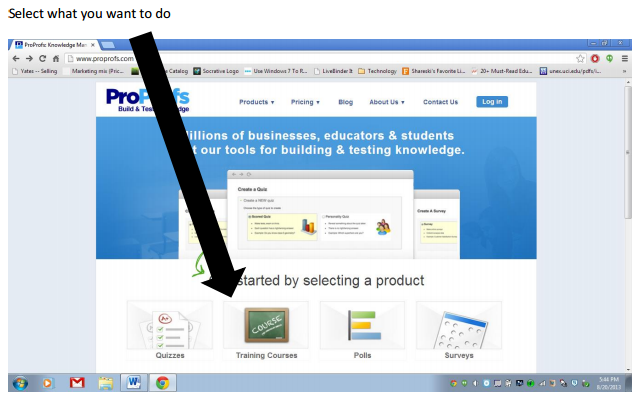
- 1. Selecciona lo que quieres hacer
- 1. Selecciona lo que quieres hacer
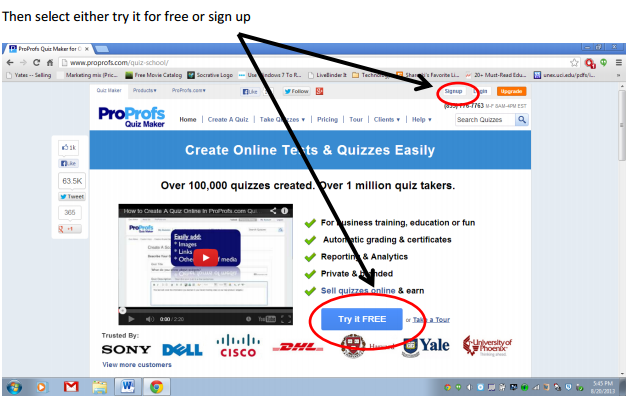
2. A continuación, seleccione probarlo gratis o regístrese
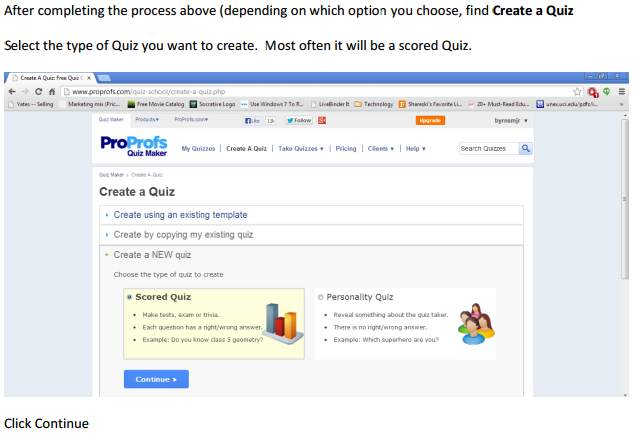
3. Después de completar el proceso anterior (dependiendo de la opción que elija, busque Create a Quiz Seleccione el tipo de prueba que desea crear. La mayoría de las veces será un Quiz calificado.
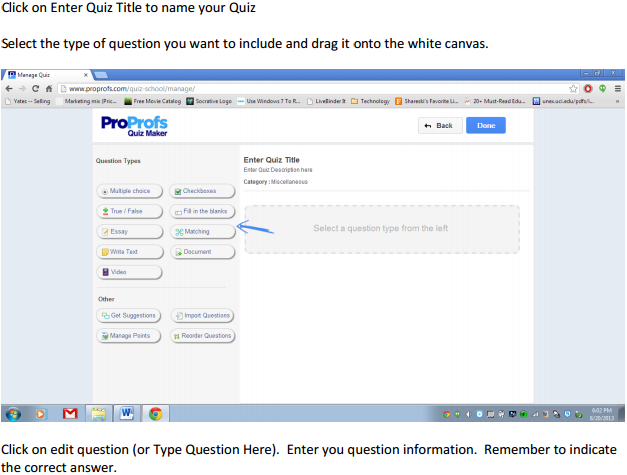
4. Haga clic en Introducir el título del cuestionario para nombrar su prueba Seleccione el tipo de pregunta que desea incluir y arrástrelo al lienzo blanco
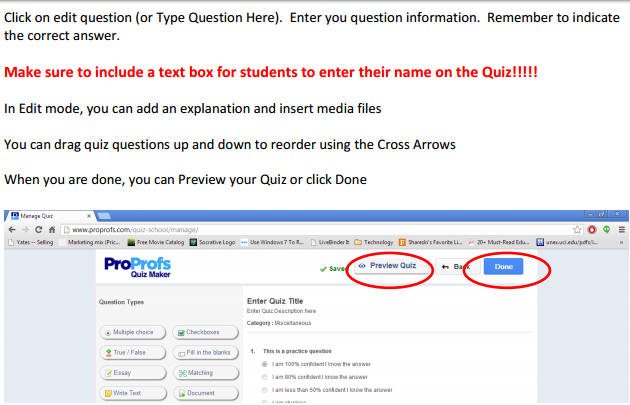
Asegúrese de incluir un cuadro de texto para que los estudiantes ingresen su nombre en el Quiz !!!!! En el modo Edición, puede agregar una explicación e insertar archivos multimedia Puede arrastrar las preguntas del cuestionario hacia arriba y hacia abajo para reordenar utilizando las flechas cruzadas Cuando haya terminado, puede hacer una vista previa de su prueba o hacer clic en Listo
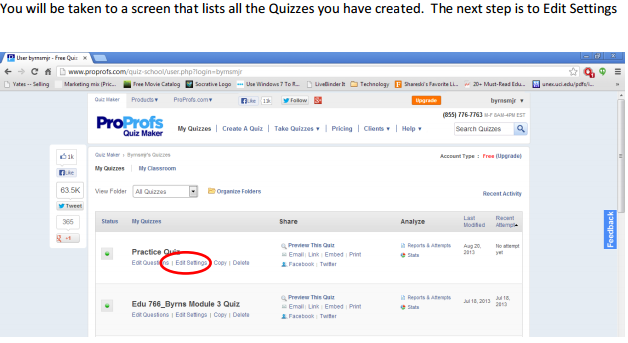
Se le llevará a una pantalla que enumera todos los cuestionarios que ha creado. El siguiente paso es Editar ajustes
Images and files in the map
Information
- Description
- User has deleted their subject information Mind Map on HERRAMIENTA PROPROFS, created by Deleted user on 05/04/2017.
- Created by
- Deleted user
- Views
- 40
- History
-
- Created by MARIA RUBIELA GUTIERREZ NUMPAQUE · Apr 5, 2017
- Copied by MARIA RUBIELA GUTIERREZ NUMPAQUE · Apr 5, 2017
- Rating