
Mapa mental
File management
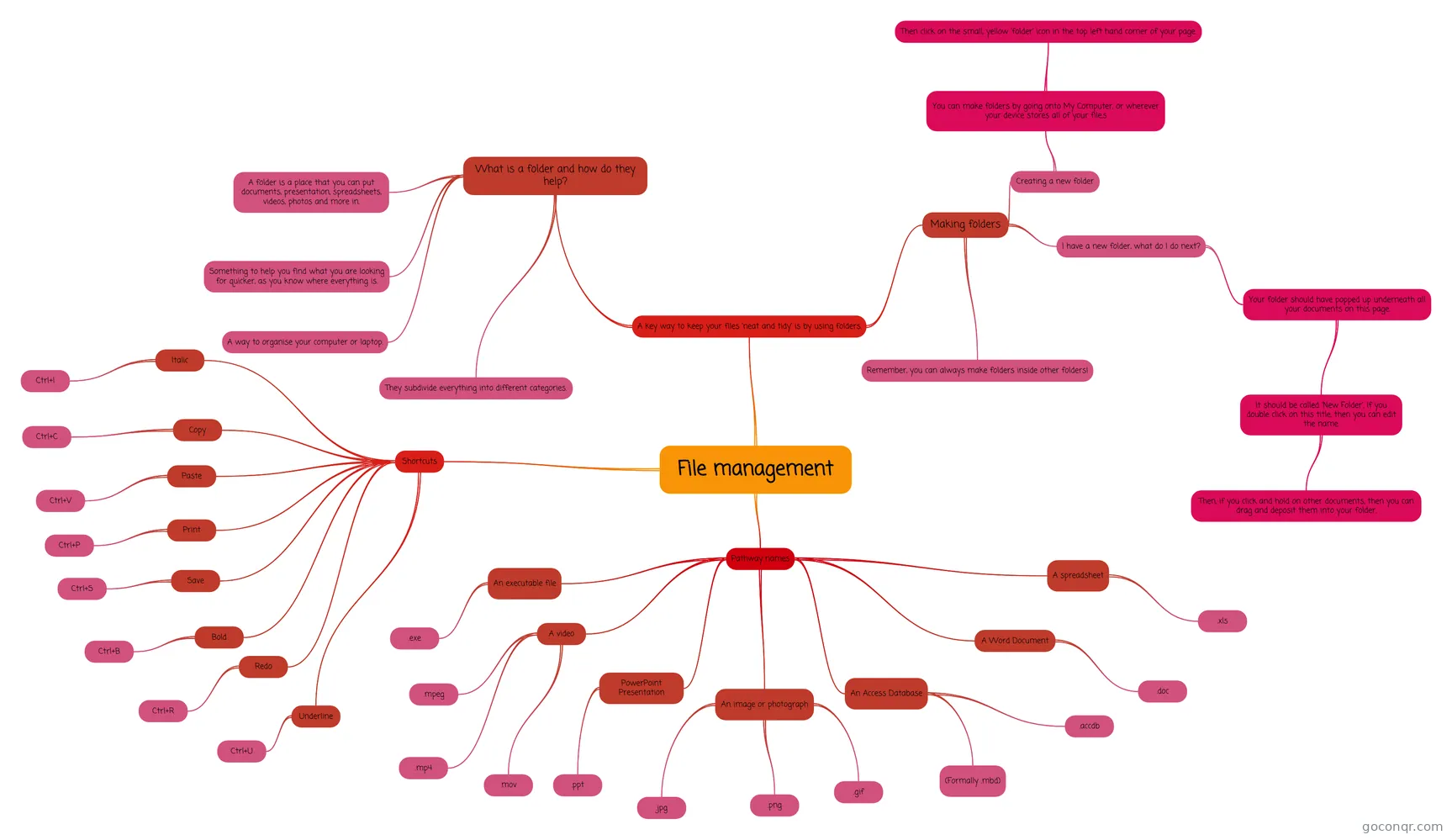
Mind map: File management
Conteúdo do mapa
File management
A key way to keep your files 'neat and tidy' is by using folders.
- What is a folder and how do they help?
- A folder is a place that you can put documents, presentation, spreadsheets, videos, photos and more in.
- A way to organise your computer or laptop.
- Something to help you find what you are looking for quicker, as you know where everything is.
- They subdivide everything into different categories.
- Making folders
- I have a new folder, what do I do next?
- Your folder should have popped up underneath all your documents on this page.
- It should be called 'New Folder'. If you double click on this title, then you can edit the name.
- Then, if you click and hold on other documents, then you can drag and deposit them into your folder.
- It should be called 'New Folder'. If you double click on this title, then you can edit the name.
- Your folder should have popped up underneath all your documents on this page.
- Creating a new folder
- You can make folders by going onto My Computer, or wherever your device stores all of your file.s
- Then click on the small, yellow 'folder' icon in the top left hand corner of your page.
- You can make folders by going onto My Computer, or wherever your device stores all of your file.s
- Remember, you can always make folders inside other folders!
- I have a new folder, what do I do next?
- What is a folder and how do they help?
Pathway names
- PowerPoint Presentation
- .ppt
- An image or photograph
- .jpg
- .png
- .gif
- An Access Database
- .accdb
- (Formally .mbd)
- A Word Document
- .doc
- An executable file
- .exe
- A video
- .mpeg
- .mp4
- .mov
- A spreadsheet
- .xls
- PowerPoint Presentation
Shortcuts
- Copy
- Ctrl+C
- Paste
- Ctrl+V
- Print
- Ctrl+P
- Save
- Ctrl+S
- Redo
- Ctrl+R
- Bold
- Ctrl+B
- Italic
- Ctrl+I
- Underline
- Ctrl+U
- Copy
Informações
- Descrição
- A mind map on how to keep you computer neat and tidy!!
- Criado por
- Hermione Kerr
- Visualizações
- 49
- Avaliação