
Mapa mental
Data Representation
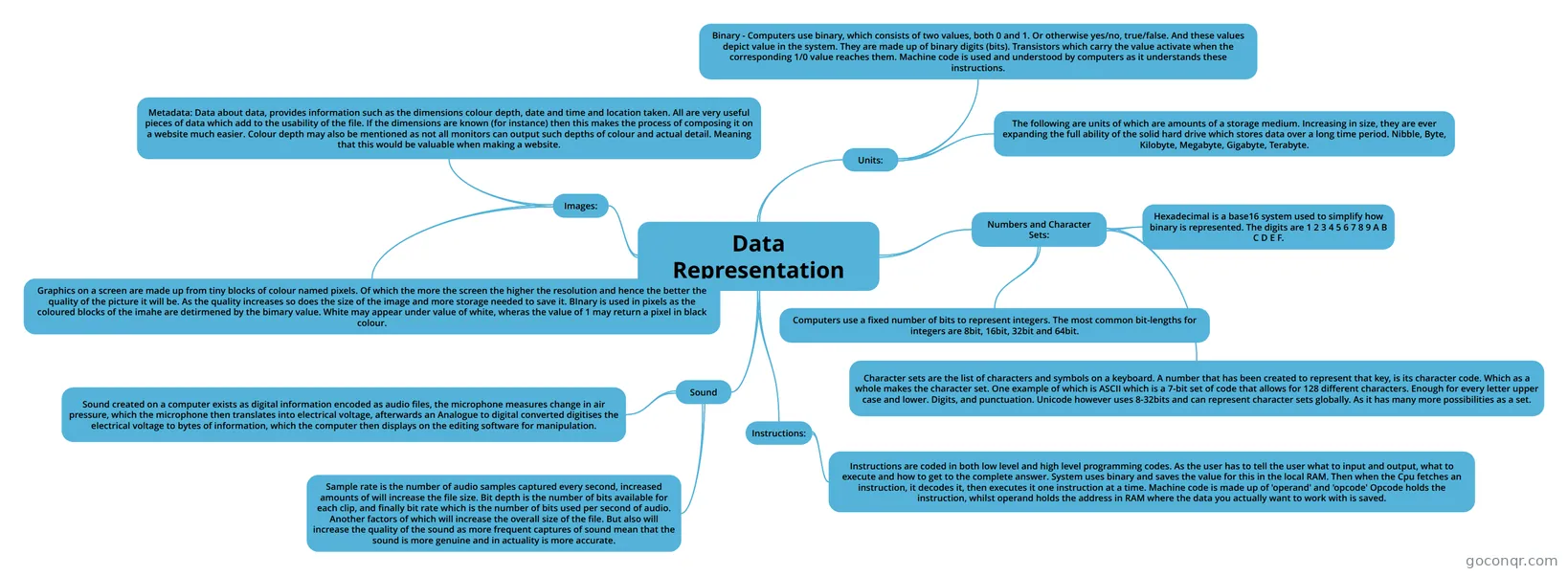
Mind map: Data representation
Conteúdo do mapa
Data Representation
Units:
- Binary - Computers use binary, which consists of two values, both 0 and 1. Or otherwise yes/no, true/false. And these values depict value in the system. They are made up of binary digits (bits). Transistors which carry the value activate when the corresponding 1/0 value reaches them. Machine code is used and understood by computers as it understands these instructions.
- The following are units of which are amounts of a storage medium. Increasing in size, they are ever expanding the full ability of the solid hard drive which stores data over a long time period. Nibble, Byte, Kilobyte, Megabyte, Gigabyte, Terabyte.
Numbers and Character Sets:
- Computers use a fixed number of bits to represent integers. The most common bit-lengths for integers are 8bit, 16bit, 32bit and 64bit.
- Hexadecimal is a base16 system used to simplify how binary is represented. The digits are 1 2 3 4 5 6 7 8 9 A B C D E F.
- Character sets are the list of characters and symbols on a keyboard. A number that has been created to represent that key, is its character code. Which as a whole makes the character set. One example of which is ASCII which is a 7-bit set of code that allows for 128 different characters. Enough for every letter upper case and lower. Digits, and punctuation. Unicode however uses 8-32bits and can represent character sets globally. As it has many more possibilities as a set.
Images:
- Graphics on a screen are made up from tiny blocks of colour named pixels. Of which the more the screen the higher the resolution and hence the better the quality of the picture it will be. As the quality increases so does the size of the image and more storage needed to save it. BInary is used in pixels as the coloured blocks of the imahe are detirmened by the bimary value. White may appear under value of white, wheras the value of 1 may return a pixel in black colour.
- Metadata: Data about data, provides information such as the dimensions colour depth, date and time and location taken. All are very useful pieces of data which add to the usability of the file. If the dimensions are known (for instance) then this makes the process of composing it on a website much easier. Colour depth may also be mentioned as not all monitors can output such depths of colour and actual detail. Meaning that this would be valuable when making a website.
Sound
- Sound created on a computer exists as digital information encoded as audio files, the microphone measures change in air pressure, which the microphone then translates into electrical voltage, afterwards an Analogue to digital converted digitises the electrical voltage to bytes of information, which the computer then displays on the editing software for manipulation.
- Sample rate is the number of audio samples captured every second, increased amounts of will increase the file size. Bit depth is the number of bits available for each clip, and finally bit rate which is the number of bits used per second of audio. Another factors of which will increase the overall size of the file. But also will increase the quality of the sound as more frequent captures of sound mean that the sound is more genuine and in actuality is more accurate.
Instructions:
- Instructions are coded in both low level and high level programming codes. As the user has to tell the user what to input and output, what to execute and how to get to the complete answer. System uses binary and saves the value for this in the local RAM. Then when the Cpu fetches an instruction, it decodes it, then executes it one instruction at a time. Machine code is made up of 'operand' and 'opcode' Opcode holds the instruction, whilst operand holds the address in RAM where the data you actually want to work with is saved.
Informações
- Descrição
- Mapa Mental sobre Data Representation, criado por scott williams em 03-01-2017.
- Criado por
- scott williams
- Visualizações
- 4
- Avaliação