
Mapa mental
internet
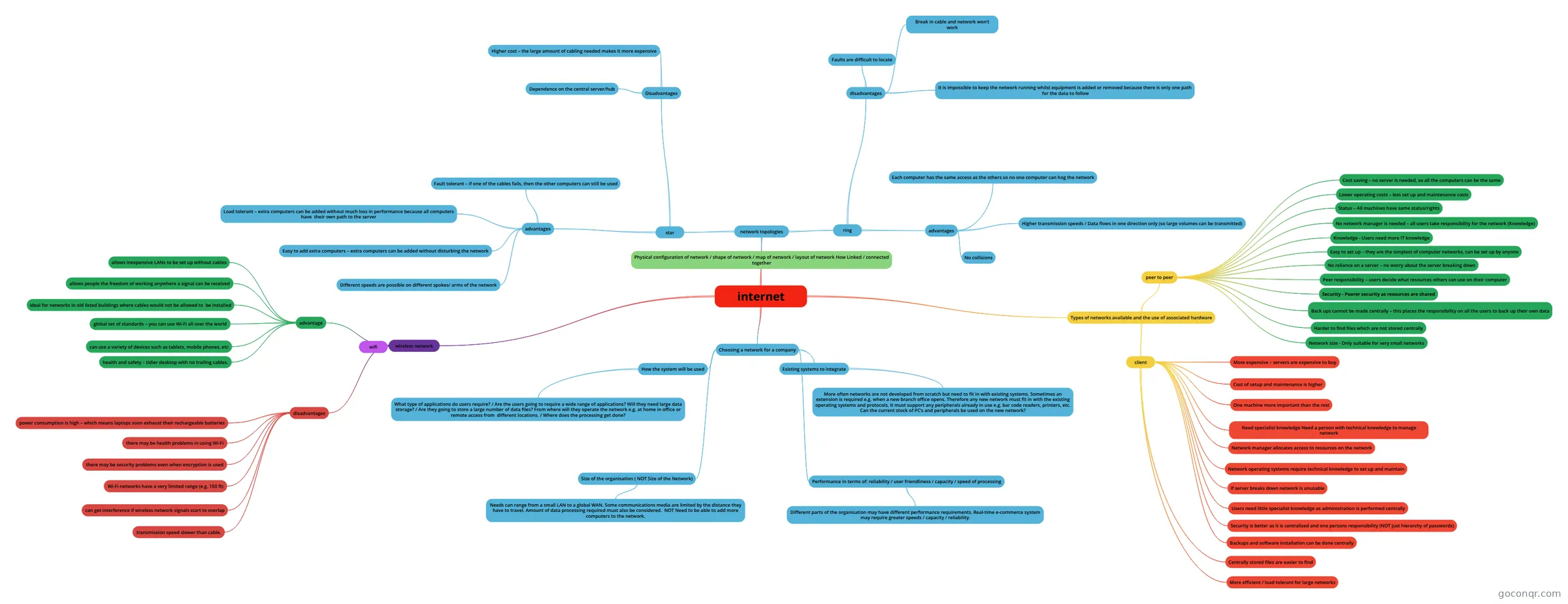
Mind map: internet networks
Conteúdo do mapa
internet
Choosing a network for a company
- How the system will be used
- What type of applications do users require? / Are the users going to require a wide range of applications? Will they need large data storage? / Are they going to store a large number of data files? From where will they operate the network e.g. at home in office or remote access from different locations. / Where does the processing get done?
- Existing systems to integrate
- More often networks are not developed from scratch but need to fit in with existing systems. Sometimes an extension is required e.g. when a new branch office opens. Therefore any new network must fit in with the existing operating systems and protocols. It must support any peripherals already in use e.g. bar code readers, printers, etc. Can the current stock of PC’s and peripherals be used on the new network?
- Size of the organisation ( NOT Size of the Network)
- Needs can range from a small LAN to a global WAN. Some communications media are limited by the distance they have to travel. Amount of data processing required must also be considered. NOT Need to be able to add more computers to the network.
- Performance in terms of: reliability / user friendliness / capacity / speed of processing
- Different parts of the organisation may have different performance requirements. Real-time e-commerce system may require greater speeds / capacity / reliability.
- How the system will be used
network topologies
- star
- advantages
- Fault tolerant – if one of the cables fails, then the other computers can still be used
- Load tolerant – extra computers can be added without much loss in performance because all computers have their own path to the server
- Easy to add extra computers – extra computers can be added without disturbing the network
- Different speeds are possible on different spokes/ arms of the network
- Disadvantages
- Higher cost – the large amount of cabling needed makes it more expensive
- Dependence on the central server/hub
- advantages
- ring
- advantages
- Each computer has the same access as the others so no one computer can hog the network
- Higher transmission speeds / Data flows in one direction only (so large volumes can be transmitted)
- No collisions
- disadvantages
- Faults are difficult to locate
- It is impossible to keep the network running whilst equipment is added or removed because there is only one path for the data to follow
- Break in cable and network won’t work
- advantages
- Physical configuration of network / shape of network / map of network / layout of network How Linked / connected together
- star
Types of networks available and the use of associated hardware
- peer to peer
- Cost saving – no server is needed, so all the computers can be the same
- Lower operating costs – less set up and maintenance costs
- Status – All machines have same status/rights
- No network manager is needed – all users take responsibility for the network (Knowledge)
- Knowledge - Users need more IT knowledge
- Easy to set up – they are the simplest of computer networks, can be set up by anyone
- No reliance on a server – no worry about the server breaking down
- Peer responsibility – users decide what resources others can use on their computer
- Security - Poorer security as resources are shared
- Back ups cannot be made centrally – this places the responsibility on all the users to back up their own data
- Harder to find files which are not stored centrally
- Network size - Only suitable for very small networks
- client
- More expensive – servers are expensive to buy
- Cost of setup and maintenance is higher
- One machine more important than the rest
- Need specialist knowledge Need a person with technical knowledge to manage network
- Network manager allocates access to resources on the network
- Network operating systems require technical knowledge to set up and maintain
- If server breaks down network is unusable
- Users need little specialist knowledge as administration is performed centrally
- Security is better as it is centralised and one persons responsibility (NOT just hierarchy of passwords)
- Backups and software installation can be done centrally
- Centrally stored files are easier to find
- More efficient / load tolerant for large networks
- peer to peer
wireless network
- advantage
- allows inexpensive LANs to be set up without cables
- allows people the freedom of working anywhere a signal can be received
- ideal for networks in old listed buildings where cables would not be allowed to be installed
- global set of standards – you can use Wi-Fi all over the world
- can use a variety of devices such as tablets, mobile phones, etc
- health and safety – tidier desktop with no trailing cables.
- disadvantages
- power consumption is high – which means laptops soon exhaust their rechargeable batteries
- there may be health problems in using Wi-Fi
- there may be security problems even when encryption is used
- Wi-Fi networks have a very limited range (e.g. 150 ft)
- can get interference if wireless network signals start to overlap
- transmission speed slower than cable.
- wifi
- advantage