Mind map
TELAS PEGASUS INBOUND
Map content
TELAS PEGASUS INBOUND
TELA INICIAL
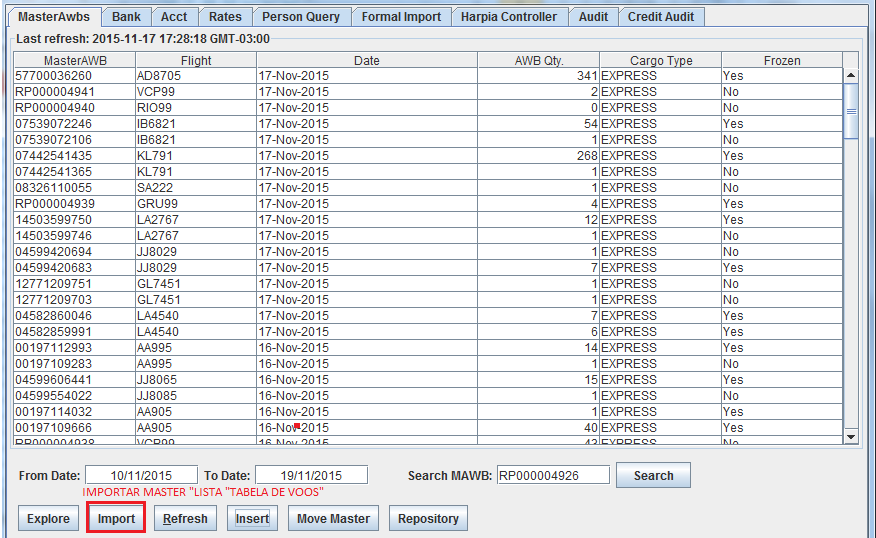
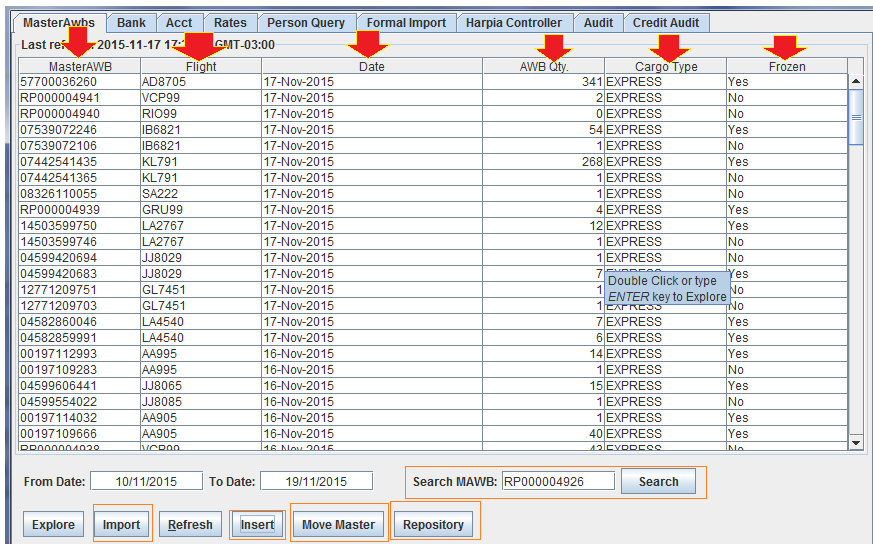
- LISTA DE MASTER
- Nesta tela, você poderá verificar os masteres ja importados e consultar o status de cada UM
- Nesta tela voce poderá inportar masteres através do botão "IMPORT"
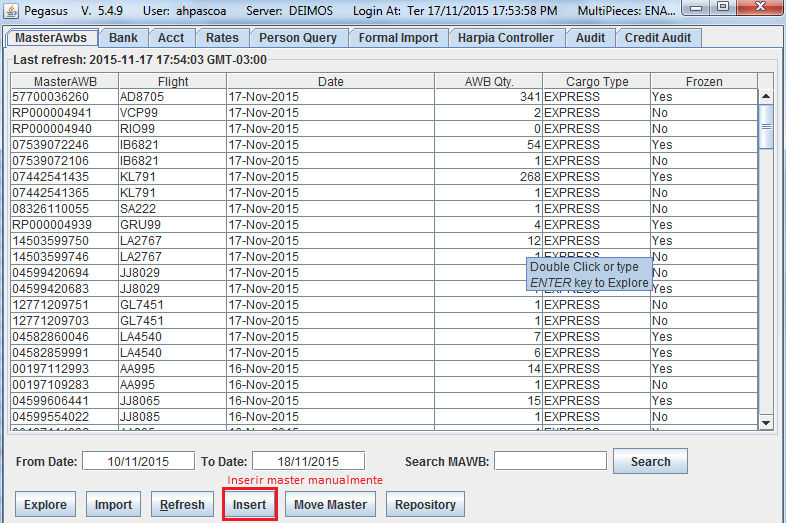
- Inserir master manualmente pelo botão "Insert" (raramente é solicitado)
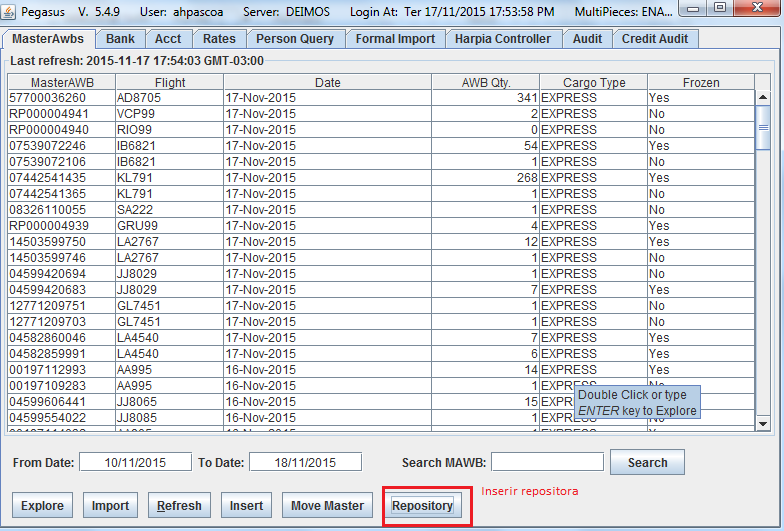
- Inserir repositora (master ficticio), geralmente solicitado pelo time de impostos
- Inserir master manualmente pelo botão "Insert" (raramente é solicitado)
- Nesta tela voce poderá inportar masteres através do botão "IMPORT"
- Nesta tela, você poderá verificar os masteres ja importados e consultar o status de cada UM
- LISTA DE MASTER
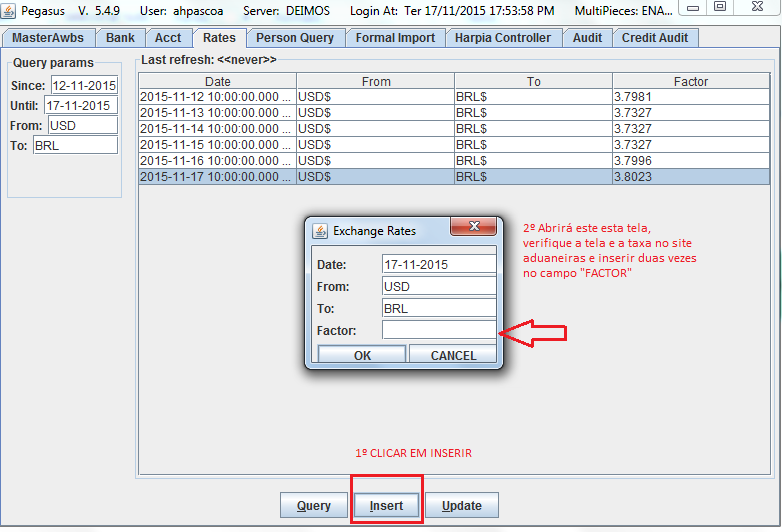
RATES
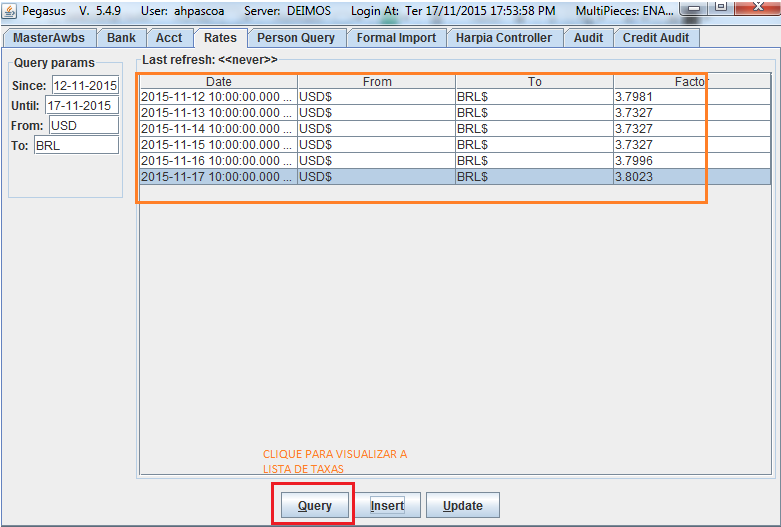
- PESQUISAR HISTORIO DE TAXAS DE CAMBIO
- INSERIR NOVA TAXA
- PESQUISAR HISTORIO DE TAXAS DE CAMBIO
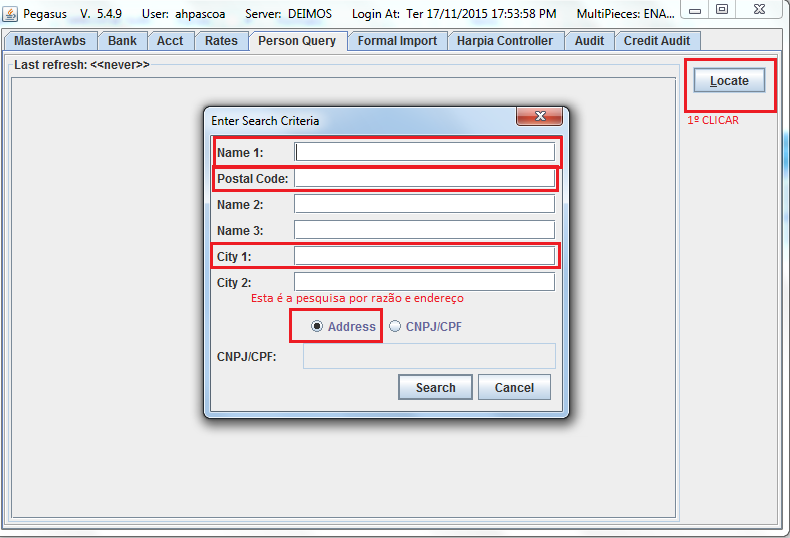
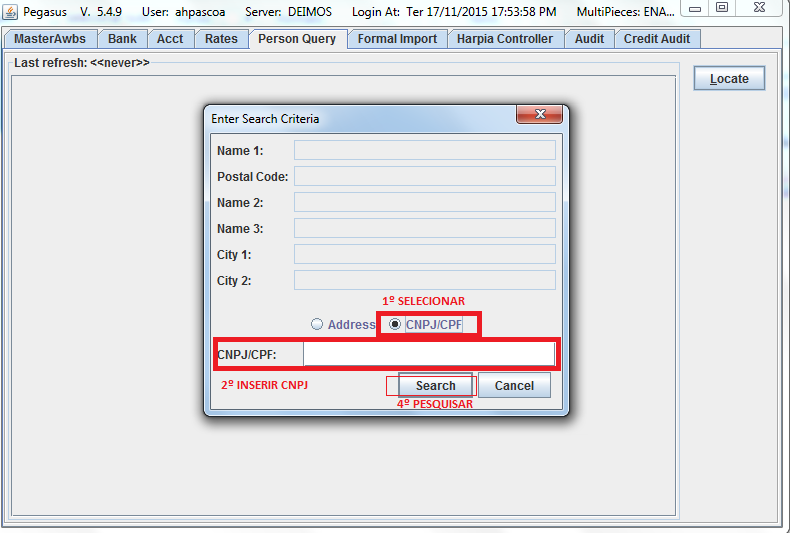
PERSON QUERY
- Pesquisa por razão social
- Pesquisa por CNPJ
- Pesquisa por razão social
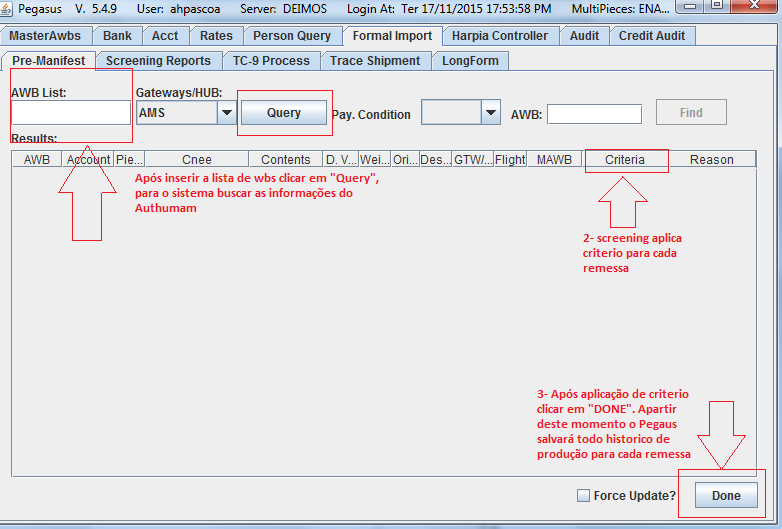
FORMAL IMPORT
- Tela utlizada para todos processos (screening, locate, tax-id, impostos), contendo cinco sub abas
- 1- Pre-manifest - utilizada para inserir novas remessas pelo screening
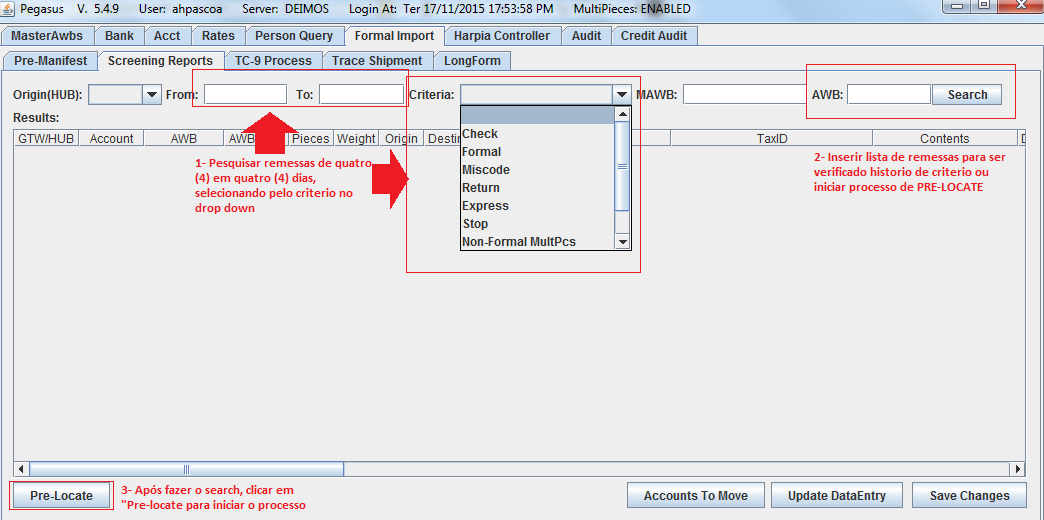
- 2- Pesquisar remessas inseridas pelo screening, iniciar processo de PRÉ-LOCATE
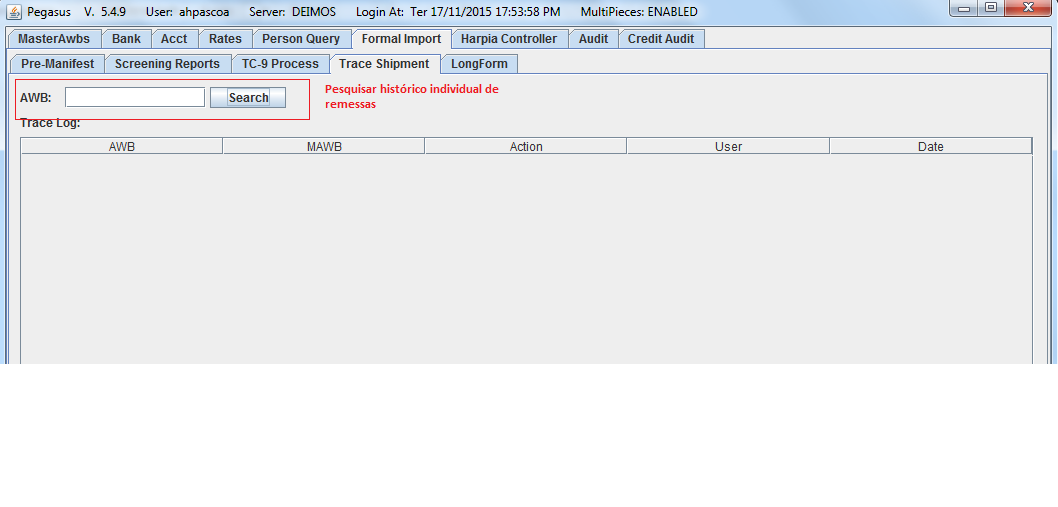
- 3- TRACE SHIPMENT
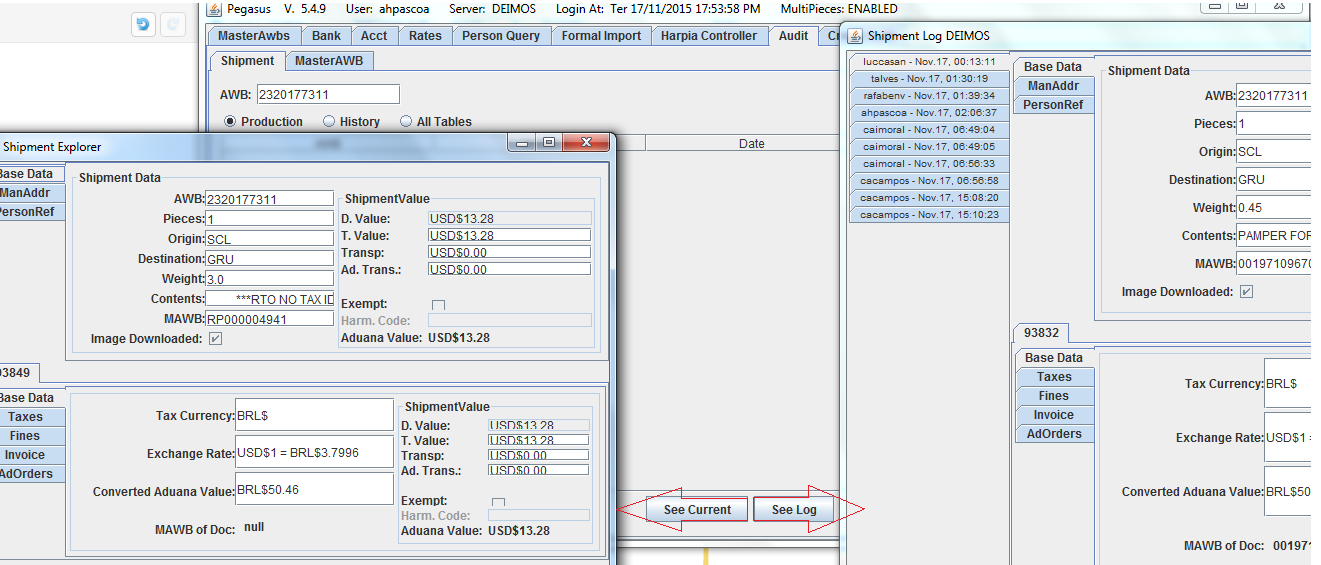
- 4- AUDIT
- Pesquisa histórico de produção do locate com duas opções ( See current e See log)
- 4- AUDIT
- 3- TRACE SHIPMENT
- 2- Pesquisar remessas inseridas pelo screening, iniciar processo de PRÉ-LOCATE
- 1- Pre-manifest - utilizada para inserir novas remessas pelo screening
- Tela utlizada para todos processos (screening, locate, tax-id, impostos), contendo cinco sub abas