
Mind map
Chapter 2: Computing hardware
Map content
Chapter 2: Computing hardware
Hardware: The physical components of a computer than be be seen or touched
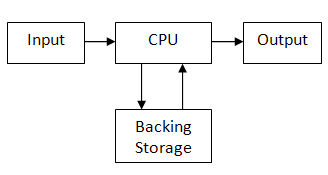
- Hardware components include input, output, storage and processing devices
- The CPU carries out all the processing in the computer
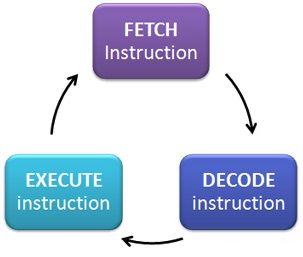
- 1. FETCH the instructions from memory
- 2. DECODE the instruction to find out what processing to do
- 3. EXECUTE the instruction
- 2. DECODE the instruction to find out what processing to do
- CPU clock speed is how many instructions the CPU processes a second (measured in Hz) e.g. 3GHz processor
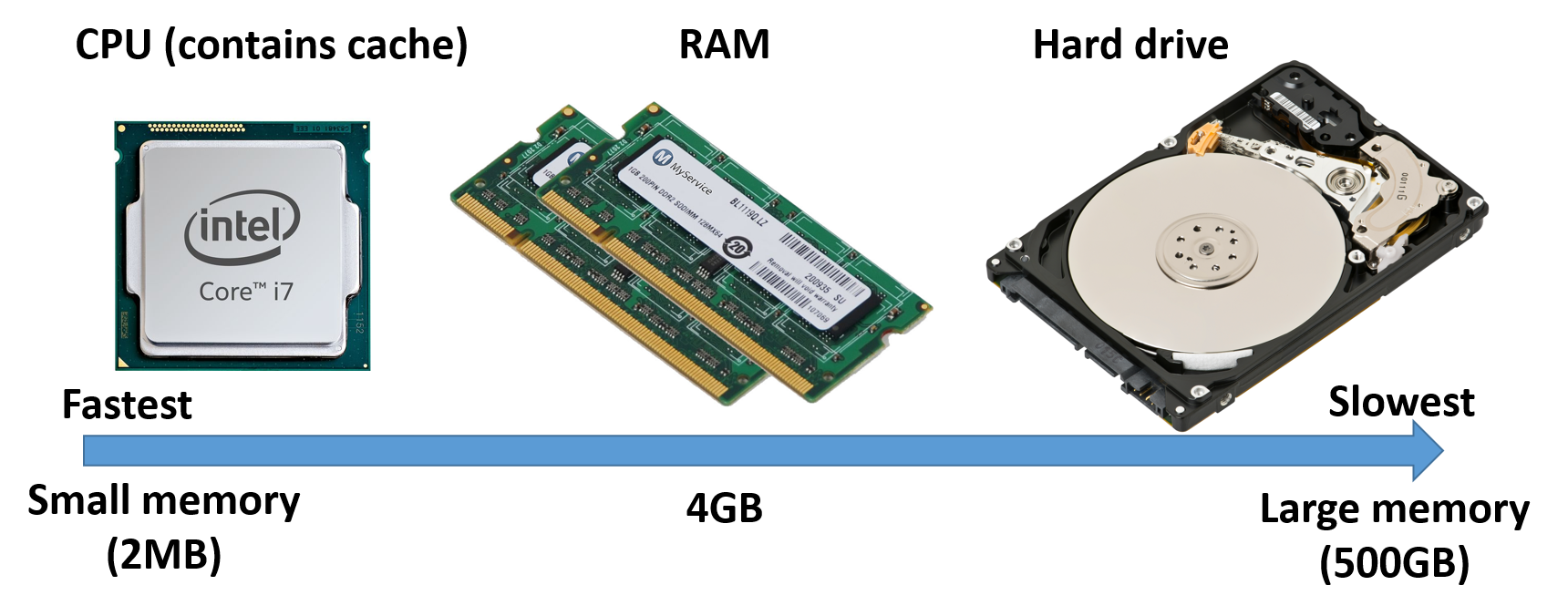
- Cache memory is part of the CPU and contains the instructions being currently processed. It is very fast, but small in capacity (2MB) because it is so expensive
- Multi core processors use multiple CPUs working together. More data is processed at the same time, but they need more complex operating systems to manage them. e.g. Dual or Quad core are multiple CPUs
- 1. FETCH the instructions from memory
- The CPU carries out all the processing in the computer
- Hardware components include input, output, storage and processing devices
Memory
- RAM
- Volatile (data is lost when power turned off)
- Stores programs and data currently being used by computer
- Contains the operating system
- Can be upgraded
- ROM
- Non volatile (data is retained when the power is turned off)
- Cannot be upgraded (stored on a chip)
- Stores instructions needed to start (boot) the computer
- Flash memory
- A type of ROM that can be rewritten
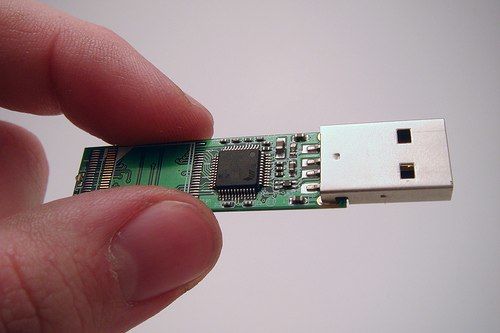
- Used in USB memory sticks, memory cards or SSD (solid state drives)
- Virtual memory
- When the computer does not have enough RAM, virtual memory (part of the hard drive) is used
- Because access to the hard drive is slower than RAM then virtual memory is not desirable. Upgrading your RAM can help to not use as much virtual memory
- RAM
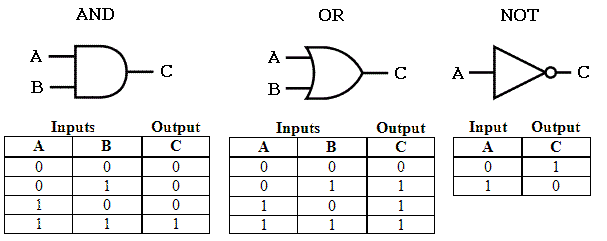
Binary logic - all computers use logic circuits to make calculations
Input and output devices
- Input devices
- Keyboard
- Mouse
- Microphone
- Camera
- Sensors
- Output devices
- Monitor
- Printer
- Speakers
- Hybrid (both IP&OP)
- Touchscreen
- Game controller (rumble)
- Devices for disabilities
- Puff suck switch
- Braille keyboard (for blind users)
- Eye typer
- Peripherals are any thing that you attach to a computer that is not part of the main unit (e.g. USB mouse)
- Input devices
Secondary storage
- Magnetic storage
- Hard drives, Cassette tapes, VHS tapes
- Reliable, High capacity, Low cost
- Optical storage
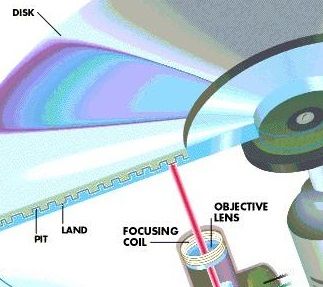
- CD, DVD
- Good capacity, low cost, portable
- Flash (Solid state) memory
- USB memory sticks, memory cards, SSD (solid state drives)
- Good capacity, used in hand held devices, more expensive than hard drive
- Considerations when choosing storage
- Capacity (how much can it store?)
- Speed (how quick is data transferred?)
- Portability (can you carry it around?)
- Reliability (will it break easily?)
- Durability (will it get damaged when transported?)
- Magnetic storage
Images and files in the map
Information
- Description
- Mind Map on Chapter 2: Computing hardware, created by Computing Teache on 28/12/2015.
- Created by
- Computing Teache
- Views
- 32
- Rating