
Mind map
Introduction to Computer Networking
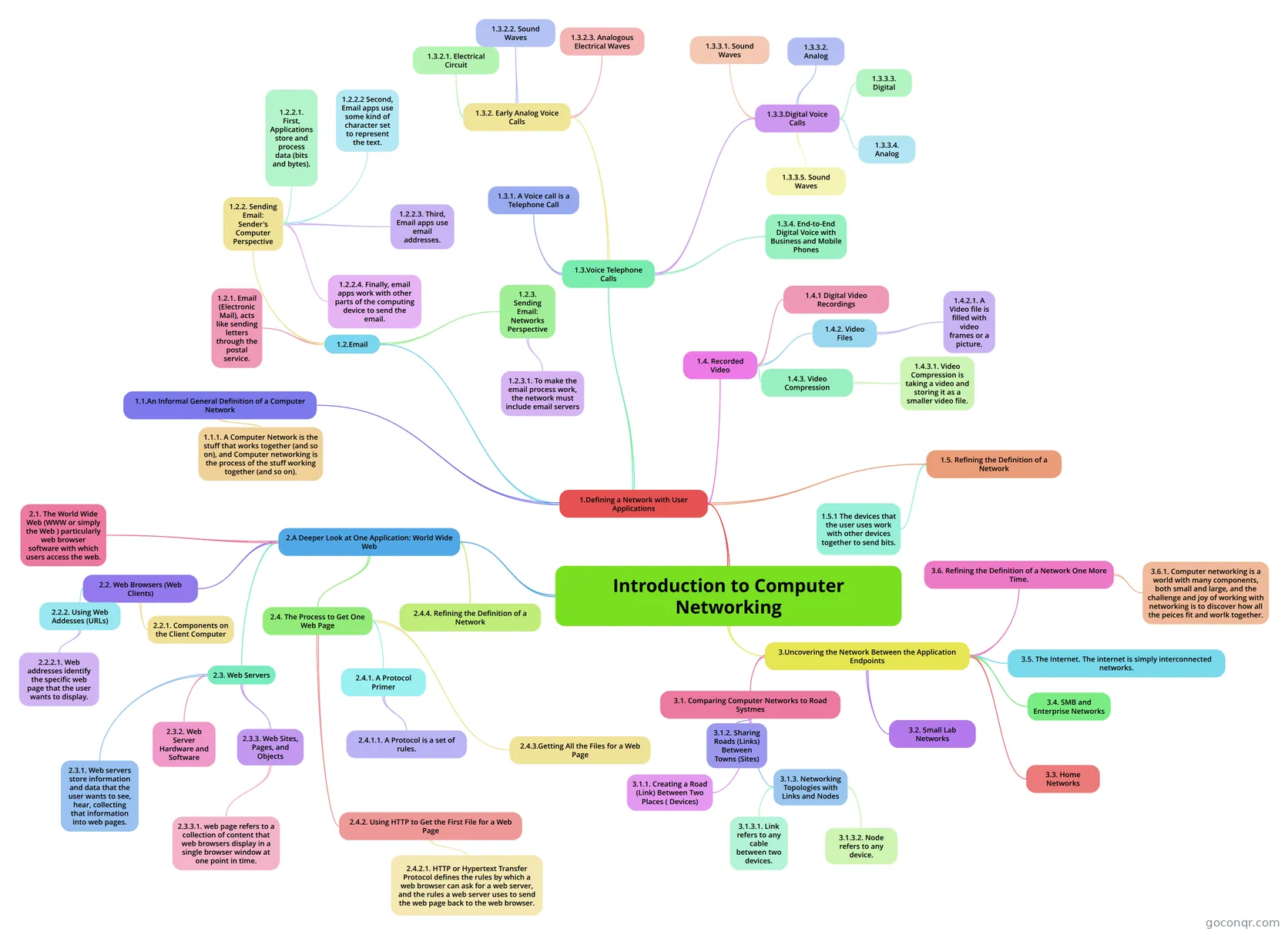
Mind map: Introduction to computer networking
Map content
Introduction to Computer Networking
1.Defining a Network with User Applications
- 1.1.An Informal General Definition of a Computer Network
- 1.1.1. A Computer Network is the stuff that works together (and so on), and Computer networking is the process of the stuff working together (and so on).
- 1.2.Email
- 1.2.2. Sending Email: Sender's Computer Perspective
- 1.2.2.1. First, Applications store and process data (bits and bytes).
- 1.2.2.2 Second, Email apps use some kind of character set to represent the text.
- 1.2.2.3. Third, Email apps use email addresses.
- 1.2.2.4. Finally, email apps work with other parts of the computing device to send the email.
- 1.2.3. Sending Email: Networks Perspective
- 1.2.3.1. To make the email process work, the network must include email servers
- 1.2.1. Email (Electronic Mail), acts like sending letters through the postal service.
- 1.2.2. Sending Email: Sender's Computer Perspective
- 1.3.Voice Telephone Calls
- 1.3.1. A Voice call is a Telephone Call
- 1.3.2. Early Analog Voice Calls
- 1.3.2.1. Electrical Circuit
- 1.3.2.2. Sound Waves
- 1.3.2.3. Analogous Electrical Waves
- 1.3.3.Digital Voice Calls
- 1.3.3.1. Sound Waves
- 1.3.3.2. Analog
- 1.3.3.3. Digital
- 1.3.3.4. Analog
- 1.3.3.5. Sound Waves
- 1.3.4. End-to-End Digital Voice with Business and Mobile Phones
- 1.4. Recorded Video
- 1.4.1 Digital Video Recordings
- 1.4.2. Video Files
- 1.4.2.1. A Video file is filled with video frames or a picture.
- 1.4.3. Video Compression
- 1.4.3.1. Video Compression is taking a video and storing it as a smaller video file.
- 1.5. Refining the Definition of a Network
- 1.5.1 The devices that the user uses work with other devices together to send bits.
- 1.1.An Informal General Definition of a Computer Network
2.A Deeper Look at One Application: World Wide Web
- 2.1. The World Wide Web (WWW or simply the Web ) particularly web browser software with which users access the web.
- 2.2. Web Browsers (Web Clients)
- 2.2.2. Using Web Addesses (URLs)
- 2.2.2.1. Web addresses identify the specific web page that the user wants to display.
- 2.2.1. Components on the Client Computer
- 2.2.2. Using Web Addesses (URLs)
- 2.3. Web Servers
- 2.3.1. Web servers store information and data that the user wants to see, hear, collecting that information into web pages.
- 2.3.2. Web Server Hardware and Software
- 2.3.3. Web Sites, Pages, and Objects
- 2.3.3.1. web page refers to a collection of content that web browsers display in a single browser window at one point in time.
- 2.4. The Process to Get One Web Page
- 2.4.1. A Protocol Primer
- 2.4.1.1. A Protocol is a set of rules.
- 2.4.3.Getting All the Files for a Web Page
- 2.4.2. Using HTTP to Get the First File for a Web Page
- 2.4.2.1. HTTP or Hypertext Transfer Protocol defines the rules by which a web browser can ask for a web server, and the rules a web server uses to send the web page back to the web browser.
- 2.4.1. A Protocol Primer
- 2.4.4. Refining the Definition of a Network
3.Uncovering the Network Between the Application Endpoints
- 3.1. Comparing Computer Networks to Road Systmes
- 3.1.1. Creating a Road (Link) Between Two Places ( Devices)
- 3.1.2. Sharing Roads (Links) Between Towns (Sites)
- 3.1.3. Networking Topologies with Links and Nodes
- 3.1.3.1. Link refers to any cable between two devices.
- 3.1.3.2. Node refers to any device.
- 3.2. Small Lab Networks
- 3.3. Home Networks
- 3.4. SMB and Enterprise Networks
- 3.5. The Internet. The internet is simply interconnected networks.
- 3.6. Refining the Definition of a Network One More Time.
- 3.6.1. Computer networking is a world with many components, both small and large, and the challenge and joy of working with networking is to discover how all the peices fit and worlk together.
- 3.1. Comparing Computer Networks to Road Systmes
Information
- Description
- Mind Map on Introduction to Computer Networking, created by Gage McCoy on 14/12/2013.
- Created by
- Gage McCoy
- Views
- 117
- Rating