
Mapa mental
python
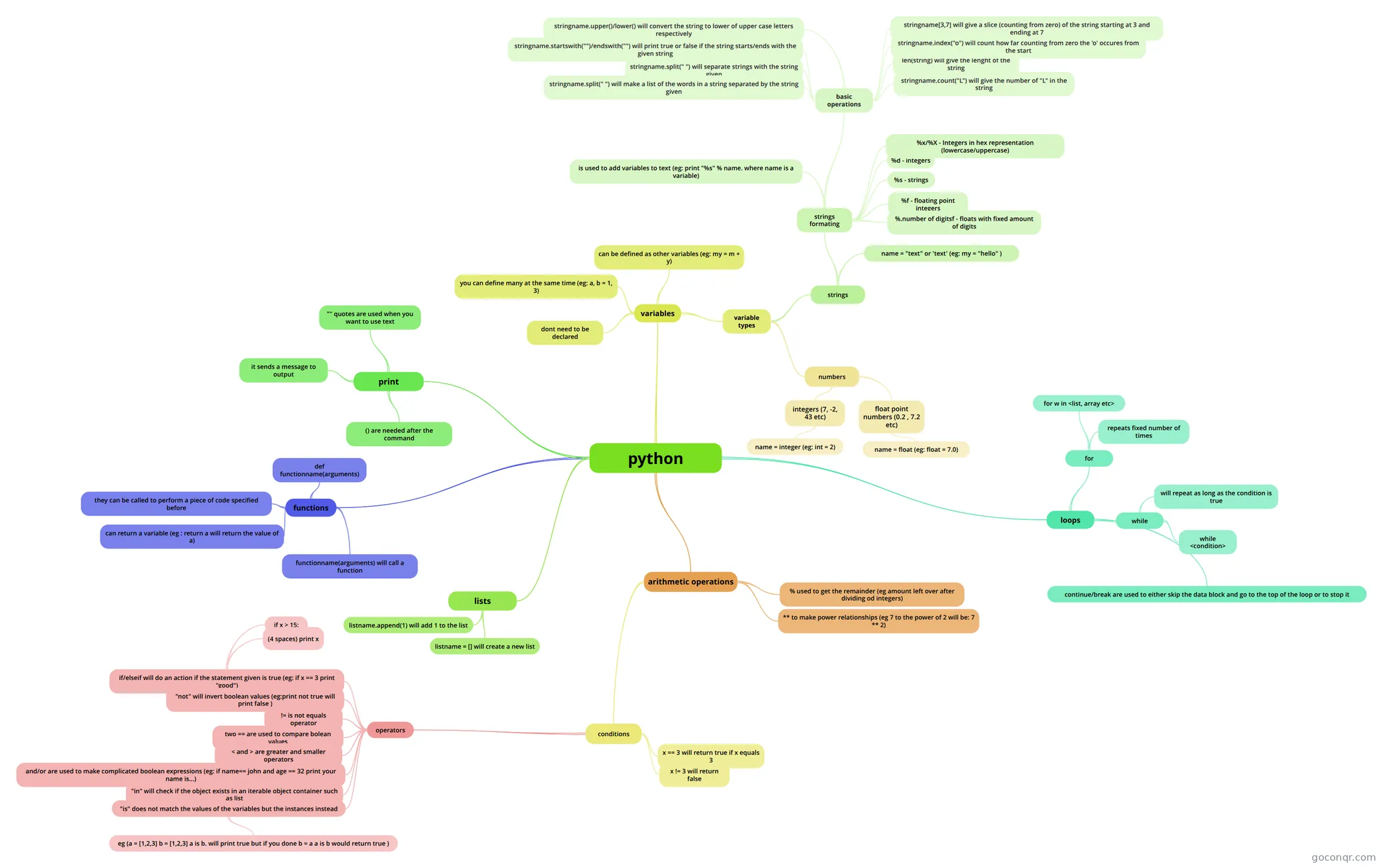
Mind map: python basics
Contenido del mapa
python
print
- () are needed after the command
- "" quotes are used when you want to use text
- it sends a message to output
variables
- dont need to be declared
- variable types
- numbers
- integers (7, -2, 43 etc)
- name = integer (eg: int = 2)
- float point numbers (0.2 , 7.2 etc)
- name = float (eg: float = 7.0)
- integers (7, -2, 43 etc)
- strings
- name = "text" or 'text' (eg: my = "hello" )
- strings formating
- is used to add variables to text (eg: print "%s" % name. where name is a variable)
- %s - strings
- %d - integers
- %f - floating point integers
- %.number of digitsf - floats with fixed amount of digits
- %x/%X - Integers in hex representation (lowercase/uppercase)
- basic operations
- len(string) will give the lenght of the string
- stringname.index("o") will count how far counting from zero the 'o' occures from the start
- stringname.count("L") will give the number of "L" in the string
- stringname[3,7] will give a slice (counting from zero) of the string starting at 3 and ending at 7
- stringname.upper()/lower() will convert the string to lower of upper case letters respectively
- stringname.startswith("")/endswith("") will print true or false if the string starts/ends with the given string
- stringname.split(" ") will separate strings with the string given
- stringname.split(" ") will make a list of the words in a string separated by the string given
- numbers
- can be defined as other variables (eg: my = m + y)
- you can define many at the same time (eg: a, b = 1, 3)
lists
- listname = [] will create a new list
- listname.append(1) will add 1 to the list
arithmetic operations
- % used to get the remainder (eg amount left over after dividing od integers)
- ** to make power relationships (eg 7 to the power of 2 will be: 7 ** 2)
- conditions
- x == 3 will return true if x equals 3
- x != 3 will return false
- operators
- two == are used to compare bolean values
- != is not equals operator
- < and > are greater and smaller operators
- and/or are used to make complicated boolean expressions (eg: if name== john and age == 32 print your name is...)
- "in" will check if the object exists in an iterable object container such as list
- if/elseif will do an action if the statement given is true (eg: if x == 3 print "good")
- if x > 15:
- (4 spaces) print x
- "not" will invert boolean values (eg:print not true will print false )
- "is" does not match the values of the variables but the instances instead
- eg (a = [1,2,3] b = [1,2,3] a is b. will print true but if you done b = a a is b would return true )
loops
- for
- for w in <list, array etc>
- repeats fixed number of times
- while
- while <condition>
- will repeat as long as the condition is true
- continue/break are used to either skip the data block and go to the top of the loop or to stop it
- for
functions
- def functionname(arguments)
- they can be called to perform a piece of code specified before
- can return a variable (eg : return a will return the value of a)
- functionname(arguments) will call a function
Información
- Descripción
- Mapa Mental sobre python, creado por makspl17 el 20/08/2013.
- Creado por
- makspl17
- Visitas
- 33
- Valoración