
Mapa mental
Animation
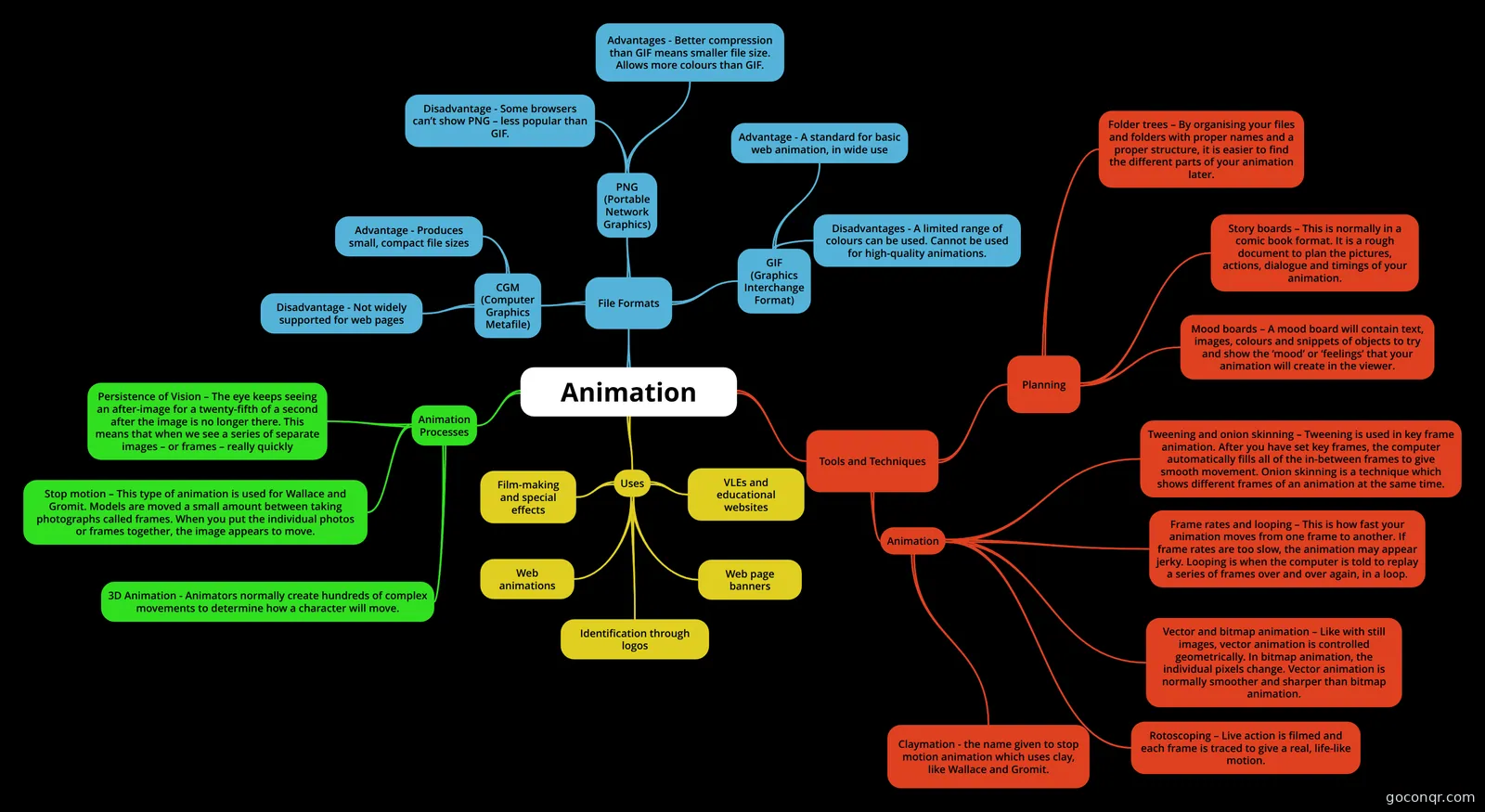
Mind map: animation
Contenido del mapa
Animation
File Formats
- PNG (Portable Network Graphics)
- Advantages - Better compression than GIF means smaller file size. Allows more colours than GIF.
- Disadvantage - Some browsers can’t show PNG – less popular than GIF.
- CGM (Computer Graphics Metafile)
- Advantage - Produces small, compact file sizes
- Disadvantage - Not widely supported for web pages
- GIF (Graphics Interchange Format)
- Advantage - A standard for basic web animation, in wide use
- Disadvantages - A limited range of colours can be used. Cannot be used for high-quality animations.
- PNG (Portable Network Graphics)
Tools and Techniques
- Planning
- Folder trees – By organising your files and folders with proper names and a proper structure, it is easier to find the different parts of your animation later.
- Story boards – This is normally in a comic book format. It is a rough document to plan the pictures, actions, dialogue and timings of your animation.
- Mood boards – A mood board will contain text, images, colours and snippets of objects to try and show the ‘mood’ or ‘feelings’ that your animation will create in the viewer.
- Animation
- Frame rates and looping – This is how fast your animation moves from one frame to another. If frame rates are too slow, the animation may appear jerky. Looping is when the computer is told to replay a series of frames over and over again, in a loop.
- Vector and bitmap animation – Like with still images, vector animation is controlled geometrically. In bitmap animation, the individual pixels change. Vector animation is normally smoother and sharper than bitmap animation.
- Rotoscoping – Live action is filmed and each frame is traced to give a real, life-like motion.
- Claymation - the name given to stop motion animation which uses clay, like Wallace and Gromit.
- Tweening and onion skinning – Tweening is used in key frame animation. After you have set key frames, the computer automatically fills all of the in-between frames to give smooth movement. Onion skinning is a technique which shows different frames of an animation at the same time.
- Planning
Animation Processes
- Persistence of Vision – The eye keeps seeing an after-image for a twenty-fifth of a second after the image is no longer there. This means that when we see a series of separate images – or frames – really quickly
- Stop motion – This type of animation is used for Wallace and Gromit. Models are moved a small amount between taking photographs called frames. When you put the individual photos or frames together, the image appears to move.
- 3D Animation - Animators normally create hundreds of complex movements to determine how a character will move.
Uses
- Film-making and special effects
- VLEs and educational websites
- Web animations
- Web page banners
- Identification through logos