
1146752
Description

Mind Map by liz_arcely_lj_99, updated more than 1 year ago

|
Created by liz_arcely_lj_99
over 11 years ago
|
|
Computer system:
- Basic and one of the main tools in the
world of information and communication
technology
- Software:
- it is the set of
instructions or
programs that are
introduced in a
computer in order to
carry out a process
- Application
Software: it
permits to
execute specific
task from the
user
- Examples: Word,
Excel, AutoCad,
Pothoshop, Corel,
Acrobat Reade,
etc.
- Examples: Word,
Excel, AutoCad,
Pothoshop, Corel,
Acrobat Reade,
etc.
- System Software: it
administrates and
controls the operation of
the hardware.
- Functions:
- It interprets and executes the
instructions through the inference
that provides to the user. It
optimizes communication between
input and output devices. It
coordinates the processing of tasks.
it provides diagnostic errors of the
basic parts of the computer. It serve
as a connection to run the
application software.
- It interprets and executes the
instructions through the inference
that provides to the user. It
optimizes communication between
input and output devices. It
coordinates the processing of tasks.
it provides diagnostic errors of the
basic parts of the computer. It serve
as a connection to run the
application software.
- Multiuser: it permits to
two more users to
execute programs at
the same time.
- Multitask: it
permits that two or
more programs or
applications are
executed at the
same time.
- Multiprocessing:
means of
multiprocessing
that have more
than one processor
which operates in
the same memory
but execute
simultaneously
processes
- Command line surface:
- Graphical inference
- in this inference, the
execution of commands
and programs is achieved
by selecting figures or
icons the represent them
or diplaying them, or by
displaying menus or
windows
- Windows Mac
OSX, LINUX
- Windows Mac
OSX, LINUX
- in this inference, the
execution of commands
and programs is achieved
by selecting figures or
icons the represent them
or diplaying them, or by
displaying menus or
windows
- in this type of inference, the
operative system provides a
command line in which the user
introduces the instructions or
commands formed by characters.
- MS-DOS and UNIX
- MS-DOS and UNIX
- Graphical inference
- Examples:
- LINUX, WINDOWS, OSX
- LINUX, WINDOWS, OSX
- Functions:
- it is the set of
instructions or
programs that are
introduced in a
computer in order to
carry out a process
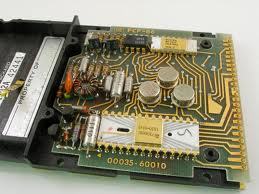
- Hardware:
- is defined as a join of
components of physical
devices that intervene in a
computer system
- Input devices: they are
the ones from which the
information is introduced
to the computer to be
processed or tranformed
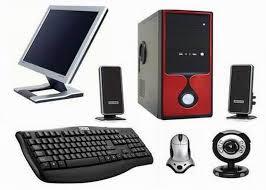
- Examples: keyboard,
bar code reader,
scanner, mouse,
webcam, microphone,
touch screen, etc.
- Examples: keyboard,
bar code reader,
scanner, mouse,
webcam, microphone,
touch screen, etc.
- Output devices: they
are the ones that show
to the user the data
previously transformed
or processed
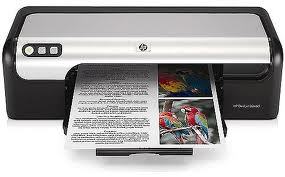
- Examples: the printer,
the monitor and
speakers.
- Examples: the printer,
the monitor and
speakers.
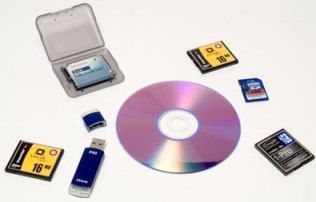
- Storage devices:
they are the ones
that permit to store
or to save
information.
- Examples: USB,
Hard Disk, Stick
cards, DVD/CD.
- RAM:
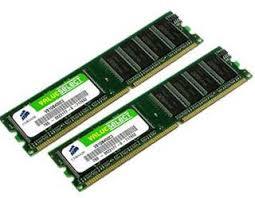
- is a memory that
stores information
that its being
executed in the
moment, so it can
be processed
quickly
- ROM:
- Is programmed
memory by the
manufacturer and it is
a permanent memory.
- Is programmed
memory by the
manufacturer and it is
a permanent memory.
- is a memory that
stores information
that its being
executed in the
moment, so it can
be processed
quickly
- Examples: USB,
Hard Disk, Stick
cards, DVD/CD.
- Processing
Devices: the
Central Process
Unit, also called
CPU
- is defined as a join of
components of physical
devices that intervene in a
computer system
Media attachments


Want to create your own Mind Maps for free with GoConqr? Learn more.