
Mind map
input output and storage devices
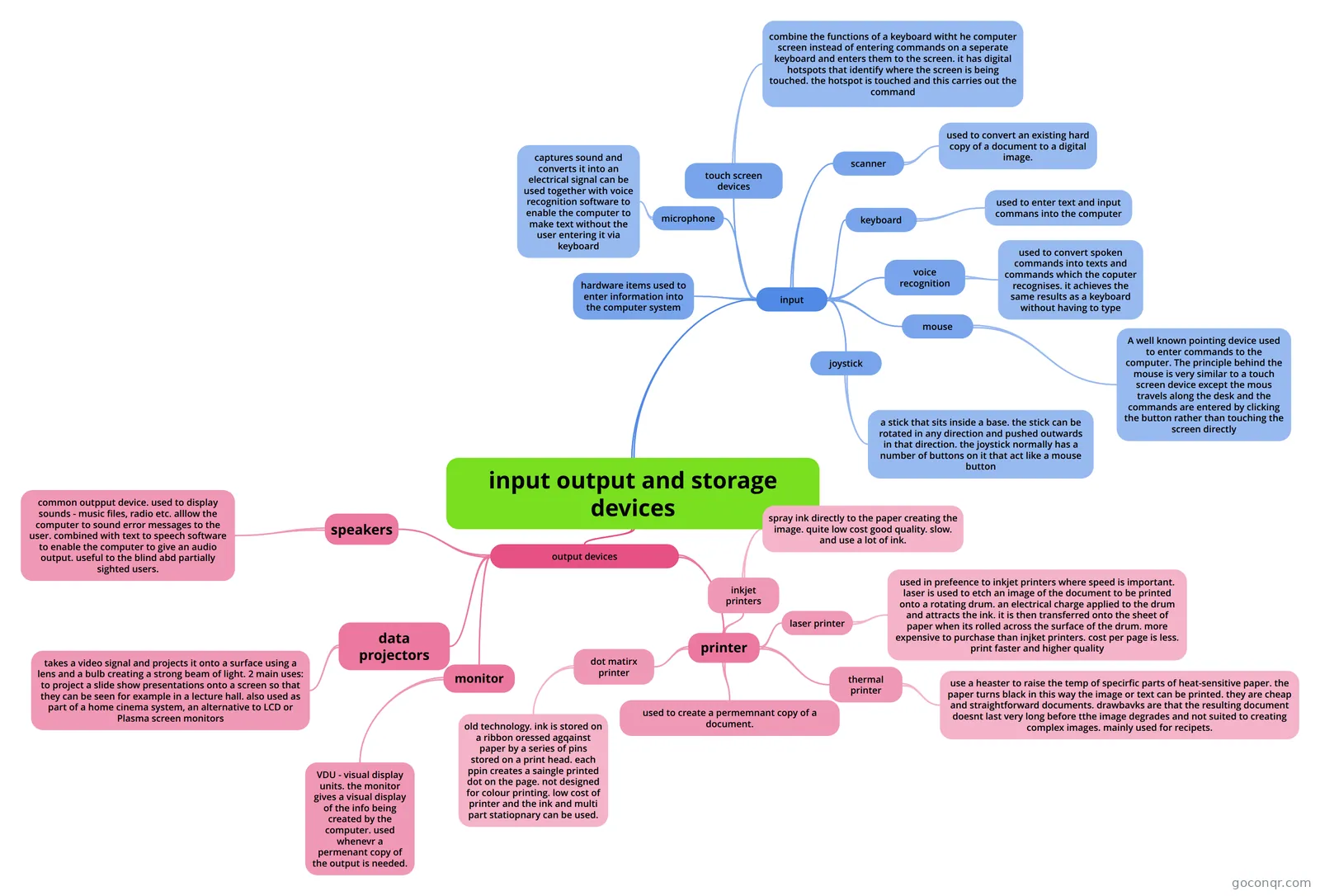
Mind map: input output and storage devices
Map content
input output and storage devices
input
- hardware items used to enter information into the computer system
- keyboard
- used to enter text and input commans into the computer
- mouse
- A well known pointing device used to enter commands to the computer. The principle behind the mouse is very similar to a touch screen device except the mous travels along the desk and the commands are entered by clicking the button rather than touching the screen directly
- microphone
- captures sound and converts it into an electrical signal can be used together with voice recognition software to enable the computer to make text without the user entering it via keyboard
- scanner
- used to convert an existing hard copy of a document to a digital image.
- joystick
- a stick that sits inside a base. the stick can be rotated in any direction and pushed outwards in that direction. the joystick normally has a number of buttons on it that act like a mouse button
- voice recognition
- used to convert spoken commands into texts and commands which the coputer recognises. it achieves the same results as a keyboard without having to type
- touch screen devices
- combine the functions of a keyboard witht he computer screen instead of entering commands on a seperate keyboard and enters them to the screen. it has digital hotspots that identify where the screen is being touched. the hotspot is touched and this carries out the command
output devices
- monitor
- VDU - visual display units. the monitor gives a visual display of the info being created by the computer. used whenevr a permenant copy of the output is needed.
- data projectors
- takes a video signal and projects it onto a surface using a lens and a bulb creating a strong beam of light. 2 main uses: to project a slide show presentations onto a screen so that they can be seen for example in a lecture hall. also used as part of a home cinema system, an alternative to LCD or Plasma screen monitors
- printer
- used to create a permemnant copy of a document.
- inkjet printers
- spray ink directly to the paper creating the image. quite low cost good quality. slow. and use a lot of ink.
- laser printer
- used in prefeence to inkjet printers where speed is important. laser is used to etch an image of the document to be printed onto a rotating drum. an electrical charge applied to the drum and attracts the ink. it is then transferred onto the sheet of paper when its rolled across the surface of the drum. more expensive to purchase than injket printers. cost per page is less. print faster and higher quality
- thermal printer
- use a heaster to raise the temp of specirfic parts of heat-sensitive paper. the paper turns black in this way the image or text can be printed. they are cheap and straightforward documents. drawbavks are that the resulting document doesnt last very long before tthe image degrades and not suited to creating complex images. mainly used for recipets.
- dot matirx printer
- old technology. ink is stored on a ribbon oressed agqainst paper by a series of pins stored on a print head. each ppin creates a saingle printed dot on the page. not designed for colour printing. low cost of printer and the ink and multi part statiopnary can be used.
- speakers
- common outpput device. used to display sounds - music files, radio etc. alllow the computer to sound error messages to the user. combined with text to speech software to enable the computer to give an audio output. useful to the blind abd partially sighted users.
- monitor
Information
- Description
- Mind Map on input output and storage devices, created by shannon.kemp on 05/06/2013.
- Created by
- shannon.kemp
- Views
- 63
- Rating