
Mind map
Storage (1.3)
Map content
Storage (1.3)
Solid State Memory
- Solid State Drives are replacing Hard Disk Drives as the main form of secondary storage in computer systems, particularly in laptops due to their excellent speed, robustness and portability.
- Solid State Drives are made of flash memory, contain no moving parts and offer a much faster transfer rate than magnetic HDDs (around 550MB/s compared to 120MB/s for HDDs).
- Flash memory has a higher cost-per-GB than Magnetic Hard Disks and can only be re-written a limited number of times, meaning that SSDs will start to degrade sooner than a Hard Disk would typically wear out, reducing their durability.
- Mobile devices such as smartphones and tablets use flash memory exclusively for their secondary storage.
USB Flash Drives, Memory Sticks and SD Cards
- USB Flash Drives ("memory sticks") and SD cards are made of similar flash memory to Solid State Drives, though their transfer rates are a lot slower (typically around 6MB/sec to 30MB/s, but potentially up to 90MB/s).
- They offer good capacity (typically around 16GB to 64GB) for a reasonable cost-per-GB, though not as cheap-per-GB as Hard Disk Drives or optical media.
- Their good capacity and cost, combined with being extremely portable makes them suitable for transferring documents and making short-term backups of files.
- Good quality USB Flash Drives are also quite robust, surviving well in a bag or on a keyring, but they can suffer from damage if they are removed from devices prematurely, making them less reliable.
Optical Storage
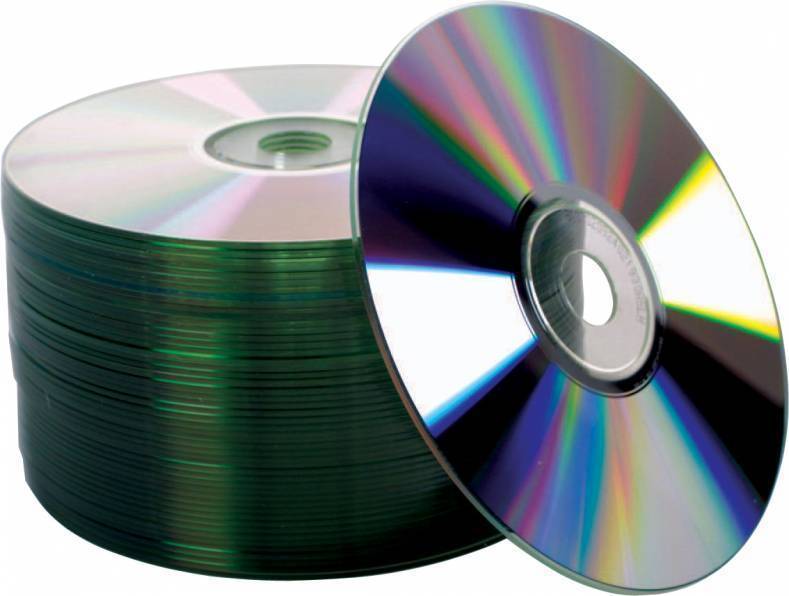
- Optical storage technology uses laser light to retrieve data from the surface of optical media such as CDs and DVDs
- Each 1 and 0 of the binary data is represented as microscopic holes (pits) on the surface of the disc.
- A laser is then shone on the disc surface which either bounces back onto a sensor (if it hits a flat part of the surface) or it doesn't (if the laser hits a pit).
- This "hit-or-miss" signal is used to reconstruct the 0s and 1s that make up the binary data.
Magnetic Hard Disk Drives
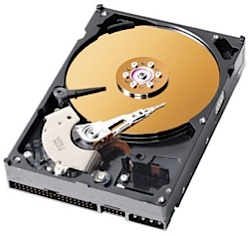
- The value of each bit of data (either 1 or 0) is represented as a positively or negatively charged magnetic particle on a magnetic disc (platter).
- A magnetic read/write head is used to read and write data whilst the platter spins, typically at 5400, 7200 or 10000 revolutions per minute.
- Magnetic Hard Disks offer a large capacity for a relatively low cost-per-GB and they provide reasonably fast transfer rates (around 120MB/sec).
- Magnetic Hard Disks are generally reliable - they keep working for a long time, however they will eventually develop faults due to wear and tear of the moving parts. They are also easily damaged if they are dropped or knocked when in operation, meaning that they are not very robust.
Images and files in the map
Information
- Description
- Mind Map on Storage (1.3), created by Aaron Singh on 09/27/2019.
- Created by
- Aaron Singh
- Views
- 0
- Rating