
Mind map
Lesson 8, 9, 10 and 11: Protecting Personal Data
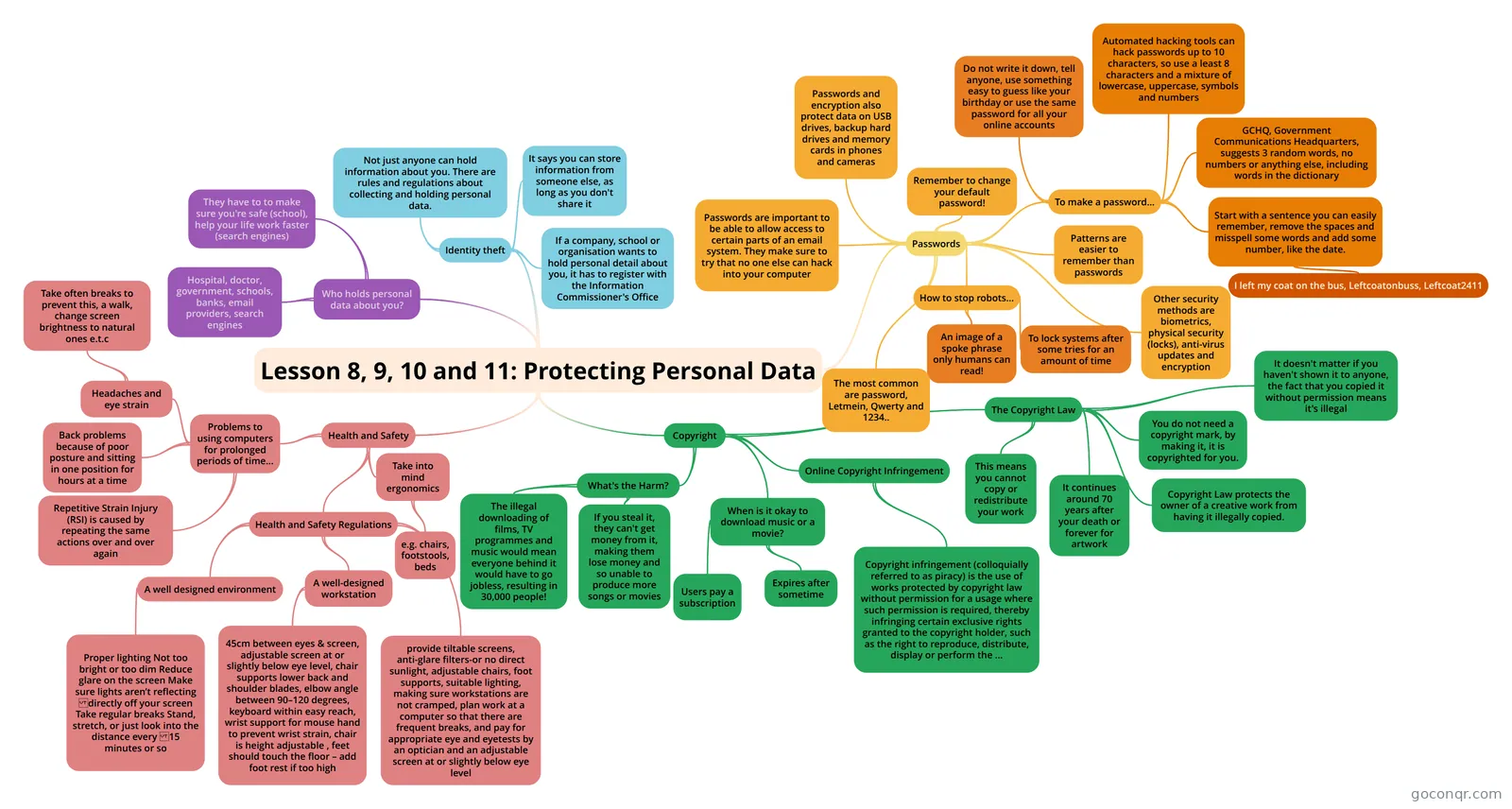
Mind map: Protecting personal data
Map content
Lesson 8, 9, 10 and 11: Protecting Personal Data
Who holds personal data about you?
- Hospital, doctor, government, schools, banks, email providers, search engines
- They have to to make sure you're safe (school), help your life work faster (search engines)
Identity theft
- Not just anyone can hold information about you. There are rules and regulations about collecting and holding personal data.
- It says you can store information from someone else, as long as you don't share it
- If a company, school or organisation wants to hold personal detail about you, it has to register with the Information Commissioner's Office
Passwords
- Passwords are important to be able to allow access to certain parts of an email system. They make sure to try that no one else can hack into your computer
- Passwords and encryption also protect data on USB drives, backup hard drives and memory cards in phones and cameras
- To make a password...
- Do not write it down, tell anyone, use something easy to guess like your birthday or use the same password for all your online accounts
- Automated hacking tools can hack passwords up to 10 characters, so use a least 8 characters and a mixture of lowercase, uppercase, symbols and numbers
- GCHQ, Government Communications Headquarters, suggests 3 random words, no numbers or anything else, including words in the dictionary
- Start with a sentence you can easily remember, remove the spaces and misspell some words and add some number, like the date.
- I left my coat on the bus, Leftcoatonbuss, Leftcoat2411
- Remember to change your default password!
- Patterns are easier to remember than passwords
- Other security methods are biometrics, physical security (locks), anti-virus updates and encryption
- How to stop robots...
- To lock systems after some tries for an amount of time
- An image of a spoke phrase only humans can read!
- The most common are password, Letmein, Qwerty and 1234..
Copyright
- The Copyright Law
- You do not need a copyright mark, by making it, it is copyrighted for you.
- It doesn't matter if you haven't shown it to anyone, the fact that you copied it without permission means it's illegal
- It continues around 70 years after your death or forever for artwork
- This means you cannot copy or redistribute your work
- Copyright Law protects the owner of a creative work from having it illegally copied.
- Online Copyright Infringement
- Copyright infringement (colloquially referred to as piracy) is the use of works protected by copyright law without permission for a usage where such permission is required, thereby infringing certain exclusive rights granted to the copyright holder, such as the right to reproduce, distribute, display or perform the ...
- When is it okay to download music or a movie?
- Users pay a subscription
- Expires after sometime
- What's the Harm?
- If you steal it, they can't get money from it, making them lose money and so unable to produce more songs or movies
- The illegal downloading of films, TV programmes and music would mean everyone behind it would have to go jobless, resulting in 30,000 people!
- The Copyright Law
Health and Safety
- Take into mind ergonomics
- e.g. chairs, footstools, beds
- Problems to using computers for prolonged periods of time...
- Headaches and eye strain
- Take often breaks to prevent this, a walk, change screen brightness to natural ones e.t.c
- Back problems because of poor posture and sitting in one position for hours at a time
- Repetitive Strain Injury (RSI) is caused by repeating the same actions over and over again
- Headaches and eye strain
- Health and Safety Regulations
- provide tiltable screens, anti-glare filters-or no direct sunlight, adjustable chairs, foot supports, suitable lighting, making sure workstations are not cramped, plan work at a computer so that there are frequent breaks, and pay for appropriate eye and eyetests by an optician and an adjustable screen at or slightly below eye level
- A well-designed workstation
- 45cm between eyes & screen, adjustable screen at or slightly below eye level, chair supports lower back and shoulder blades, elbow angle between 90–120 degrees, keyboard within easy reach, wrist support for mouse hand to prevent wrist strain, chair is height adjustable , feet should touch the floor – add foot rest if too high
- A well designed environment
- Proper lighting Not too bright or too dim Reduce glare on the screen Make sure lights aren’t reflecting directly off your screen Take regular breaks Stand, stretch, or just look into the distance every 15 minutes or so
- Take into mind ergonomics
Information
- Description
- Mind Map on Lesson 8, 9, 10 and 11: Protecting Personal Data, created by Yuti Kumar on 24/02/2020.
- Created by
- Yuti Kumar
- Views
- 0
- Rating
More on Personal data protection and privacy