
Online Safety
161 resources created by 145 users
This Online Safety page on GoConqr gathers community-made quizzes, mind maps, flashcards, notes and slide sets, from passwords and cyberbullying to malware, identity theft and online shopping. It's built for school students revising e-safety and for teachers after ready-made material. There are over 1,400 resources here, including more than 60 quizzes, over 1,000 mind maps and over 200 flashcards, mostly pitched at secondary level. Try the Internet Safety Quiz to spot your gaps, then browse the maps that match.
Top Online Safety resources
-
25 questionsInternet Safety Quiz Kristina is on Facebook and receives a friend request from a boy she doesn’t know. What should she do?
-
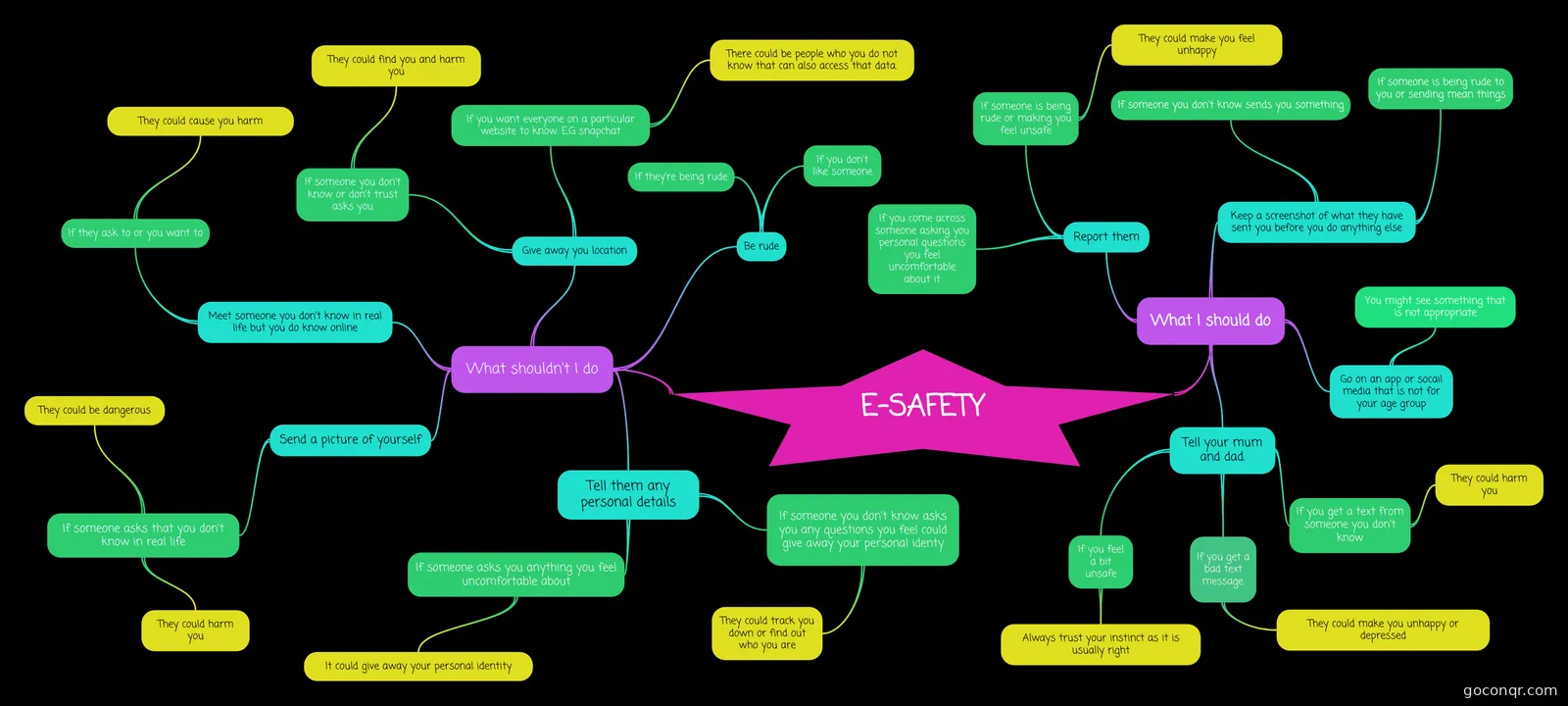 Mind map E-SAFETY This is my amazing mind map about safety. ENJOY!!!!!!!!!!!!!!!!!!!!!!!!!!!!!!
-
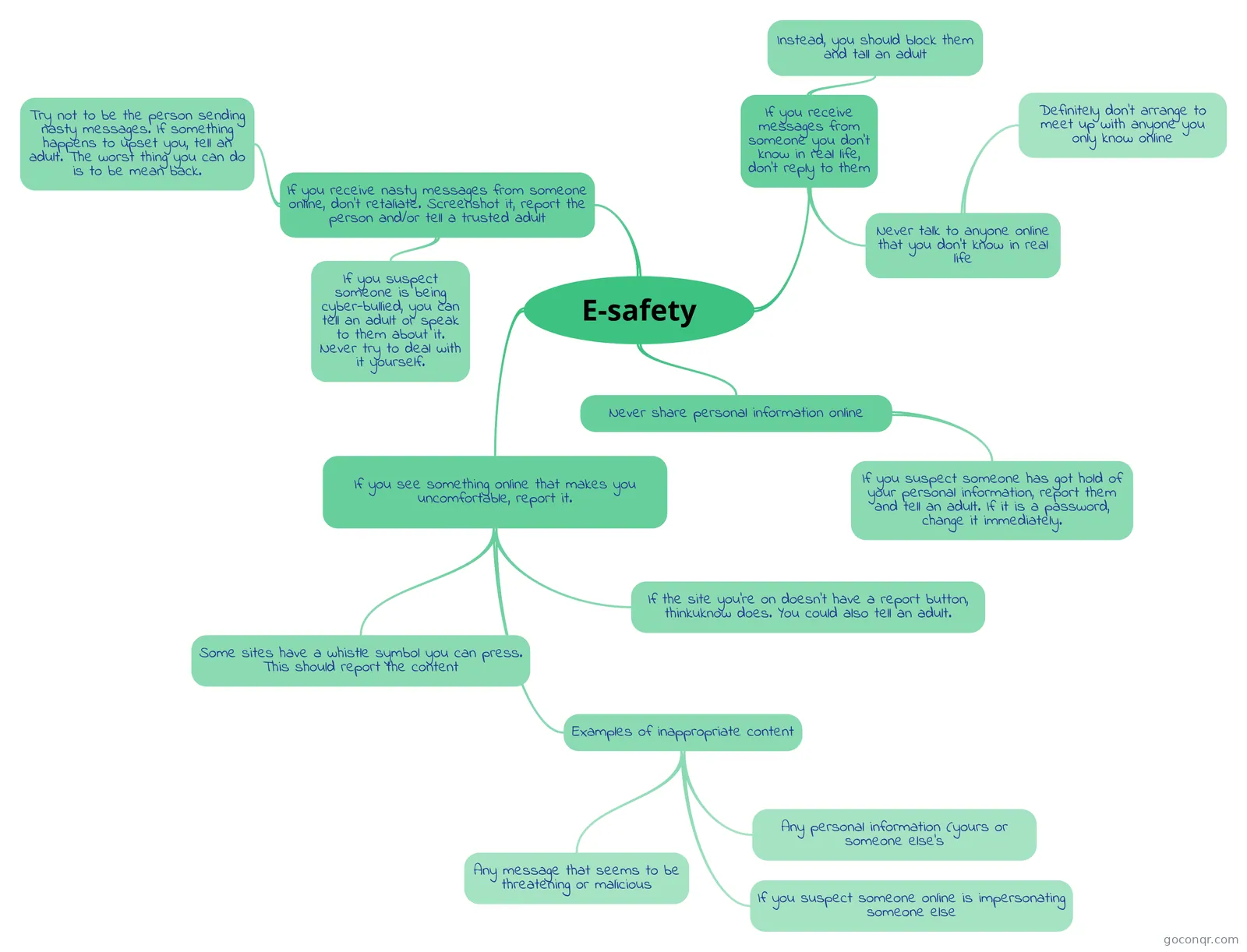 Mind map E-safety How to stay safe online
-
Mind map Being a good digital citizen
-
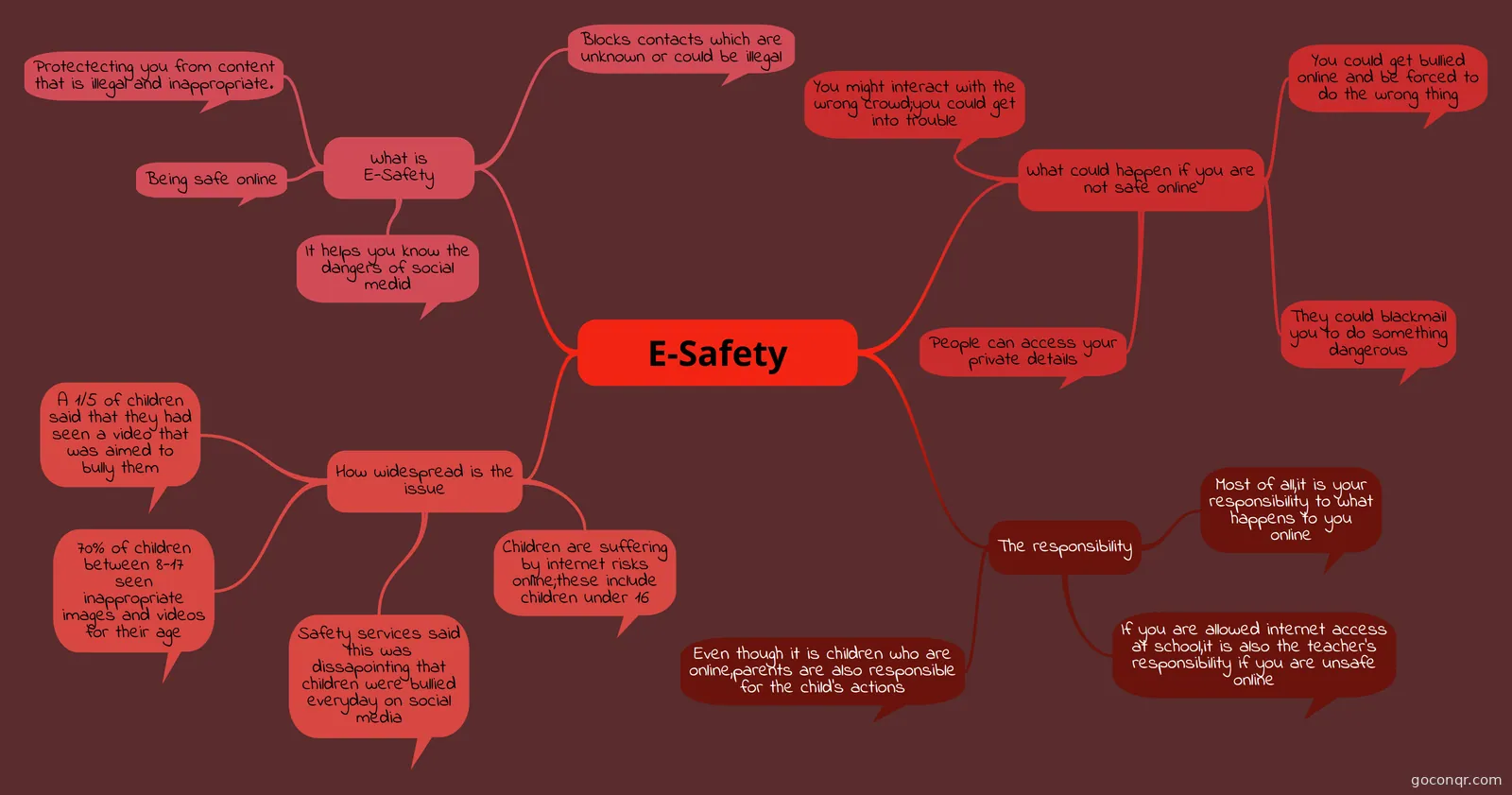 Mind map E-Safety Computing Homeworh
-
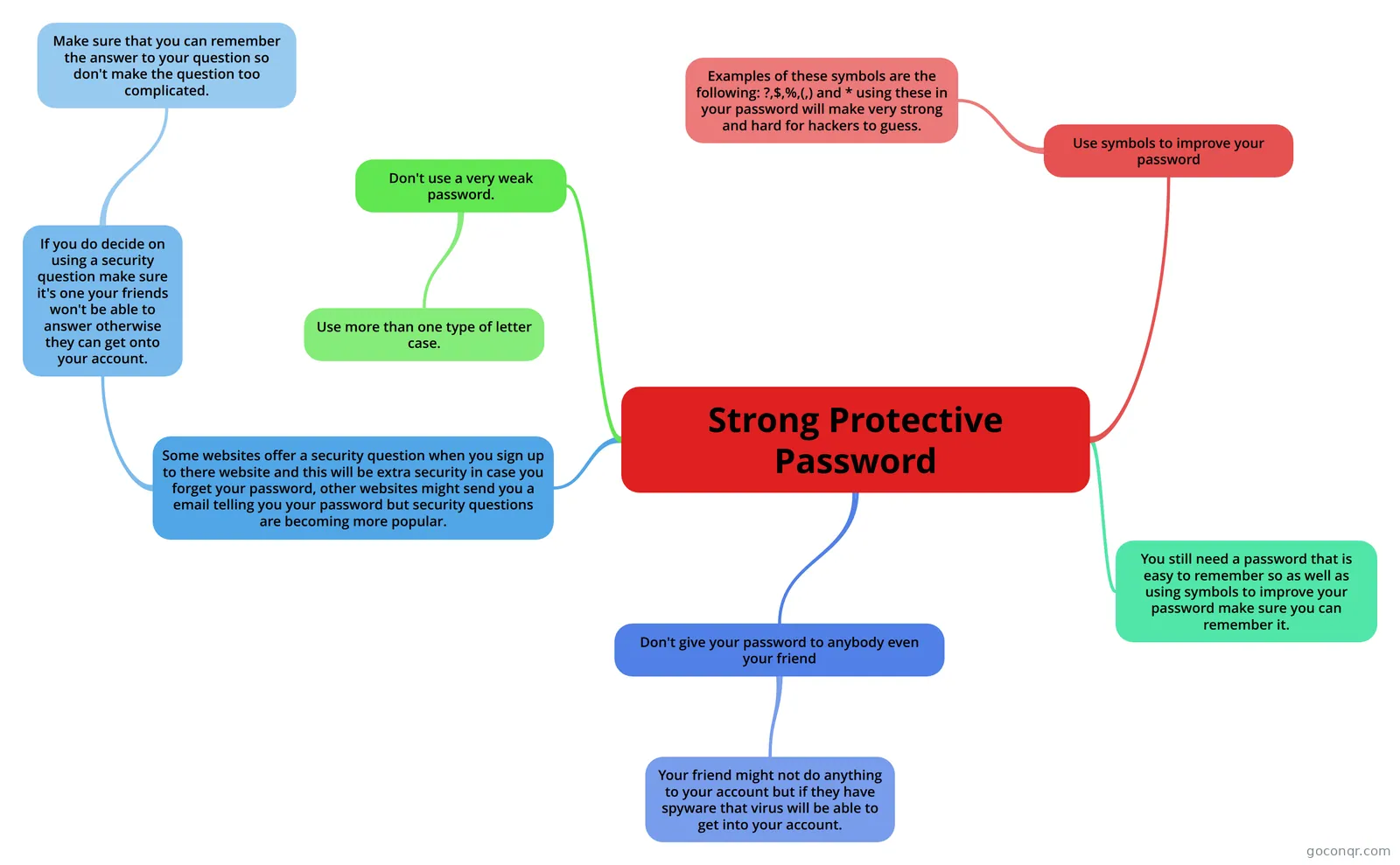 Mind map Strong Protective Password
-
Mind map Threats when on the Internet A mindmap, ideal for revision, stating how to keep safe when online.
-
6 questionsYazzle Quiz what do you do if you get an confidentail email from some one
Quizzes
See all 36 quizzes-
25 questionsInternet Safety Quiz Kristina is on Facebook and receives a friend request from a boy she doesn’t know. What should she do?
-
6 questionsYazzle Quiz what do you do if you get an confidentail email from some one
-
5 questionsForums What is the name of someone using a false identity online?
-
6 questionsAdvantages and Disadvantages of Social Networks You can stay in contact with family, friends and many other people
-
7 questionsProtecting Privacy Often, information shared to create an account online is then shared with others for Marketing Purposes.
-
6 questionsE-Safety Quiz Which of these are classed as personal information?
-
10 questionsI.t Quiz Which of these is classed as personal information?
-
5 questionsmaryscommonsense Quiz 1 In 2005 there were 1 in 20 children that were exposed to unwanted sexual solicitation.
Mind maps
See all 78 mind maps-
E-SAFETY This is my amazing mind map about safety. ENJOY!!!!!!!!!!!!!!!!!!!!!!!!!!!!!!
-
E-safety How to stay safe online
-
Being a good digital citizen
-
E-Safety Computing Homeworh
-
Strong Protective Password
-
Threats when on the Internet A mindmap, ideal for revision, stating how to keep safe when online.
-
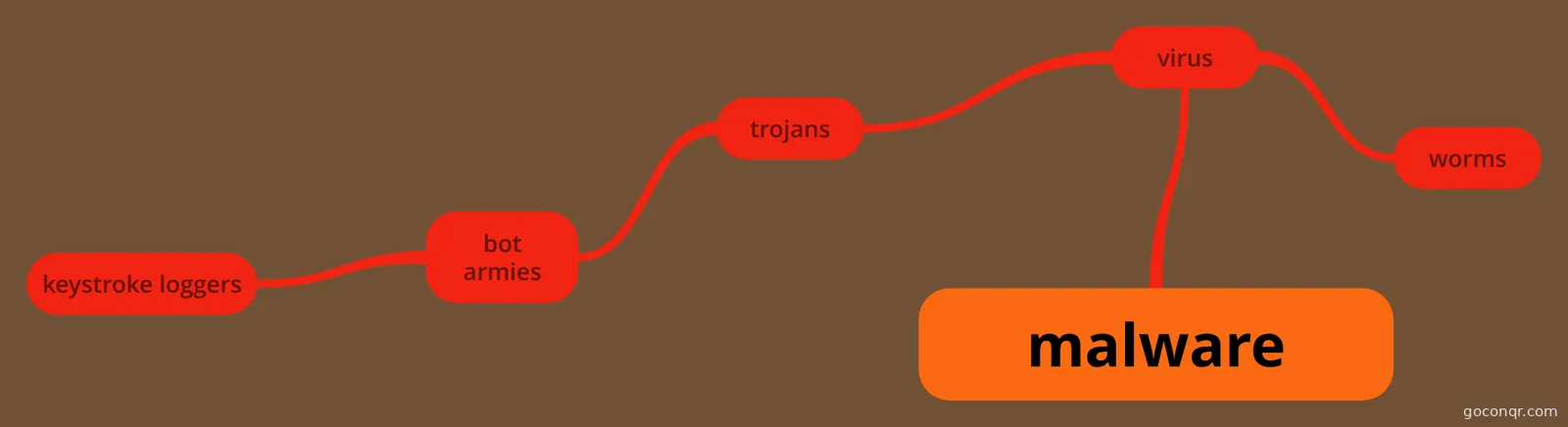 malware all about different types of malware.
-
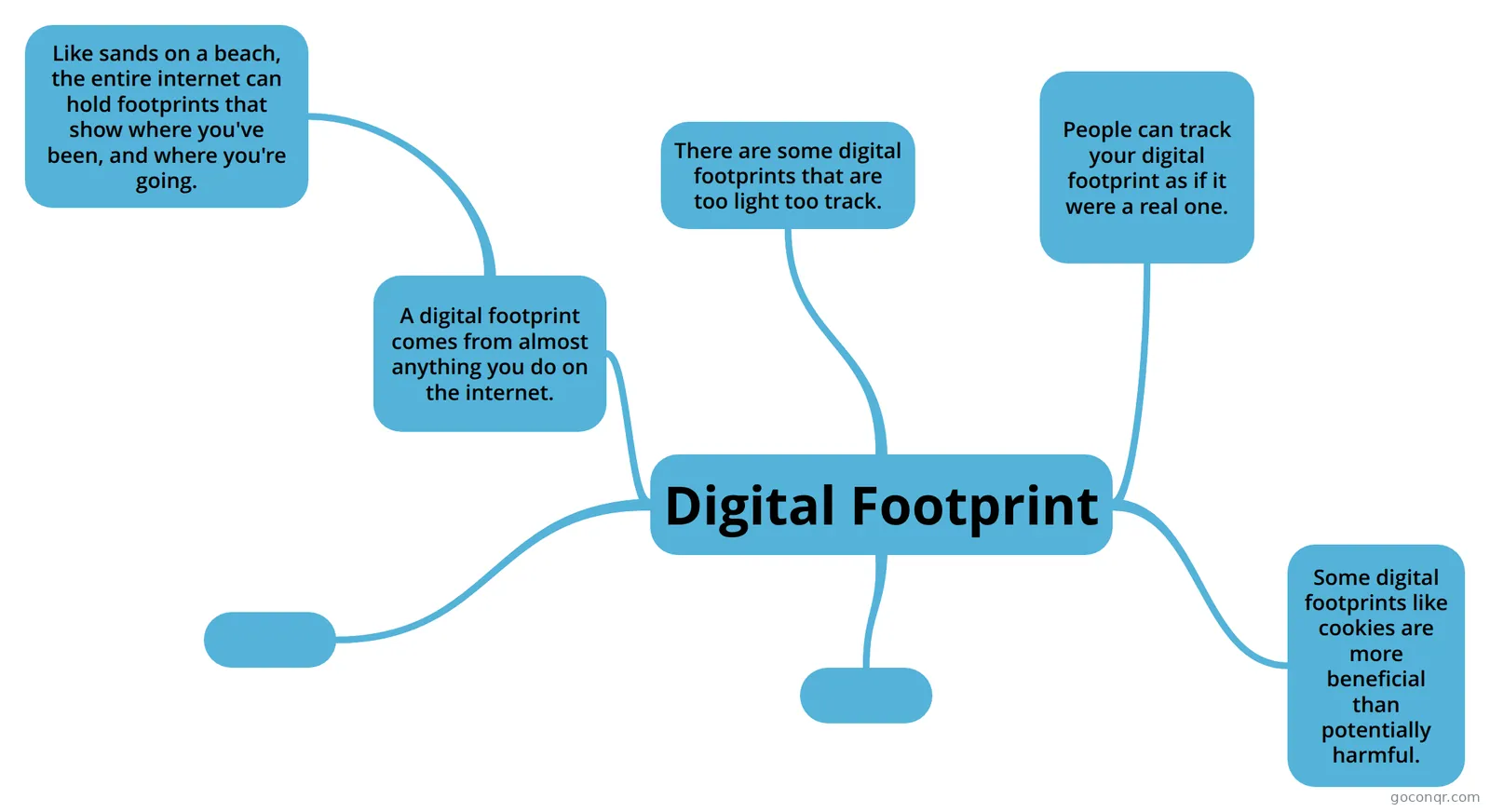 Digital Footprint Mind Map
Flashcards
See all 41 flashcards-
26 cardscomputing flash cards what is cyber bullying?
-
15 cardsComputer Studies Online Safety Revision Flashcards What are privacy settings?
-
13 cardsrevision flashcards georgina what are privacy settings?
-
13 cardsOnline Flashcards What is cyber bullying?
-
12 cardsComputing Practice Flash Cards What is cyber bullying?
-
15 cardsRevision-Computing what is cyber bullying?
-
11 cardsIT topic 3 : Operating Online Edexcel
-
8 cardscomputing test what are privacy settings?
Flowcharts
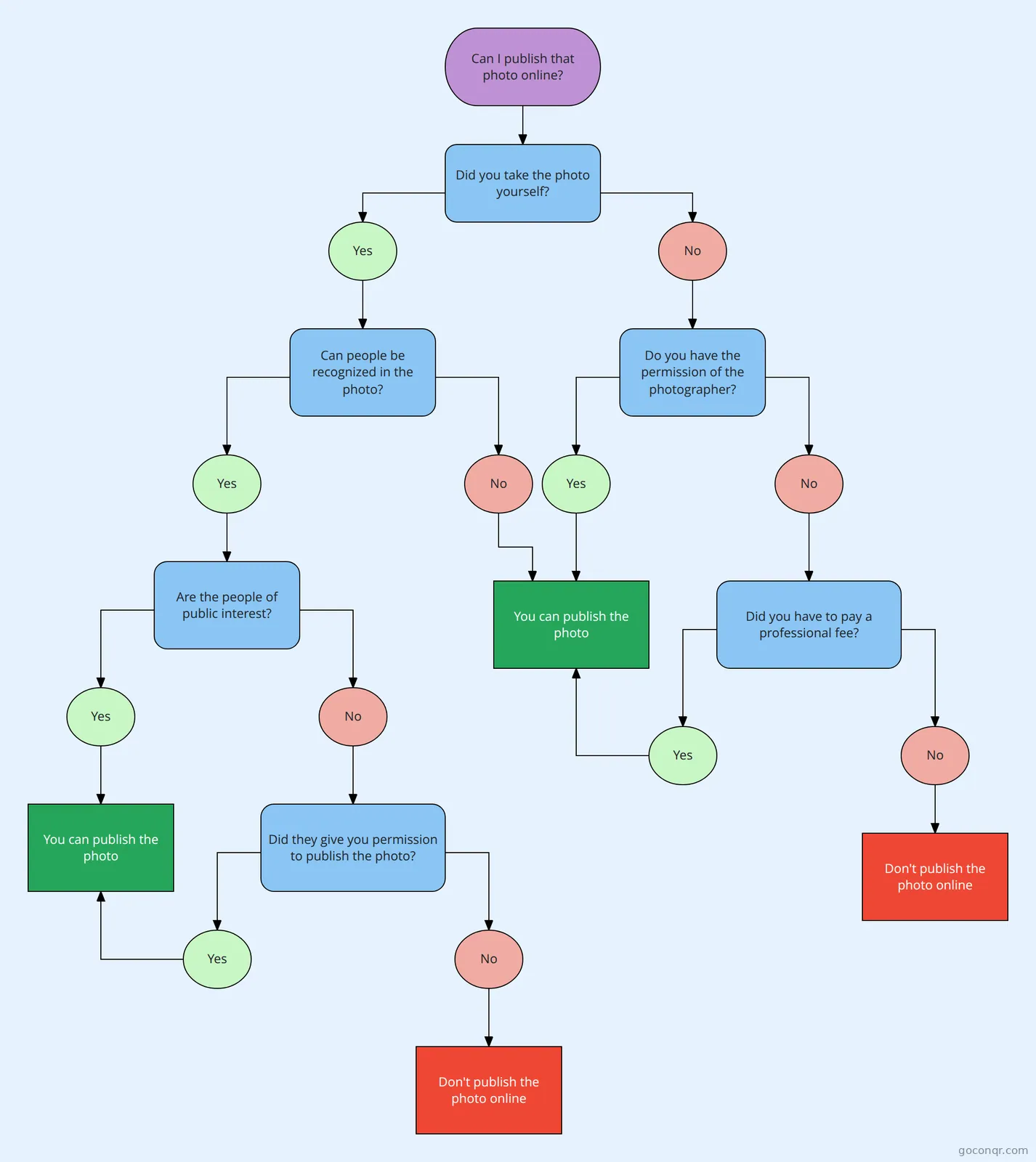
Notes
-
Online threats a password is the only thing standing between a hacker and your private information like bank details and personal emails. criminals are usually really good at guessing passwords, and there are even some that have sof...
-
ICT Stuff The Computer Misuse Act of 1990 is a law in the UK that makes illegal certain activities, such as hacking into other people’s systems, misusing software, or helping a person to gain access to protected files of someon...
-
Computer related accidents Accidents involving a computer, and how to avoid them. Tripping over cables: Computer equipment is often connected to lots of cables such as power and network cables. If these cables get in the way or travel accross t...
Slides
More Computing and ICT (programming, computer science, digital skills, educational technology) topics
About Online Safety
GoConqr OriginalWhat the resources cover
The page is about staying safe and acting responsibly online. Many of the mind maps look at being a good digital citizen: using social networking sensibly, keeping a profile private, knowing who your friends are and checking your settings regularly. Others deal with personal information, such as not sharing where you live and not replying to people you don't know in real life.
Threats and protection
The mind map Threats when on the Internet sets out computer crimes, including stealing money or data and illegally copying paid files. The malware map covers viruses, worms, trojans, bot armies and keystroke loggers. Strong Protective Password explains why weak passwords are a risk, why you should mix letter cases and symbols, and why you never hand a password to anyone, even a friend. You will also find notes on CAPTCHA and on Verified by visa and SSL, plus maps on Identity Theft and Digital Footprint.
Where to start
- Take the Internet Safety Quiz. It begins with a friend request from a stranger and asks what to do next.
- Read the E-safety mind map, then the E-SAFETY map, which lists what to do if someone is rude or you feel unsafe.
- Move on to Strong Protective Password and the malware map.
- Check yourself with the Forums quiz, which tests terms for false identities and offensive posts.
Using quizzes and maps together
Use a quiz first to find what you don't know. Then open the map on that topic and read it branch by branch. Return to the quiz afterwards and see what has changed. Flashcard decks such as Cyberbullying flashcards and online safety revision are handy for short bursts of recall. Teachers can use the slide sets, including eSafety and eResponsibility, as ready-made starting points for a lesson.
Where it fits
This unit sits in the Security, Safety, Ethics and Society strand of Computing and ICT. Some resources mention GCSE ICT, such as the GCSE ICT Key Info mind map. Pick a resource that suits you, and make your own maps or cards for anything you can't find.
Frequently asked questions
Which resource should I try first?
Start with the Internet Safety Quiz. It asks practical questions, such as what to do when a stranger sends a friend request. After that, read the E-safety mind map to see the rules in one place, then return to the quiz and see what you remember.
What do the mind maps cover?
There are over 1,000 of them. Many cover being a good digital citizen and social networking do's and don'ts. Others explain strong passwords, malware, identity theft, digital footprints, cyberbullying, online shopping and preventing the misuse of personal information.
Are the resources free to use?
Yes. Every resource listed here is free to open, study and take, with no account needed. They were made by GoConqr users rather than by GoConqr itself, so styles and depth vary. A free account also saves your quiz scores and lets you create your own resources.
Which levels and exams do they suit?
Most resources are aimed at secondary school students, with a small share for younger pupils. One of the listed resources mentions GCSE ICT. Teachers can also use the slide sets and notes as ready-made material for lessons on e-safety.
Is there anything on viruses and scams?
Yes. The malware mind map covers viruses, worms, trojans, bot armies and keystroke loggers. You can also try Quiz - Viruses, flip through the Virus and email scams flashcard decks, or read the notes titled Online threats.
What if my topic is missing?
Browse the notes, slide sets and flashcard decks, as a topic may sit inside a broader resource such as Computer Safety and Ethics. If you still can't find it, you can build your own mind map, quiz or flashcards on it.