
Mind map
Unit 3 - Networks and Communications Part 1
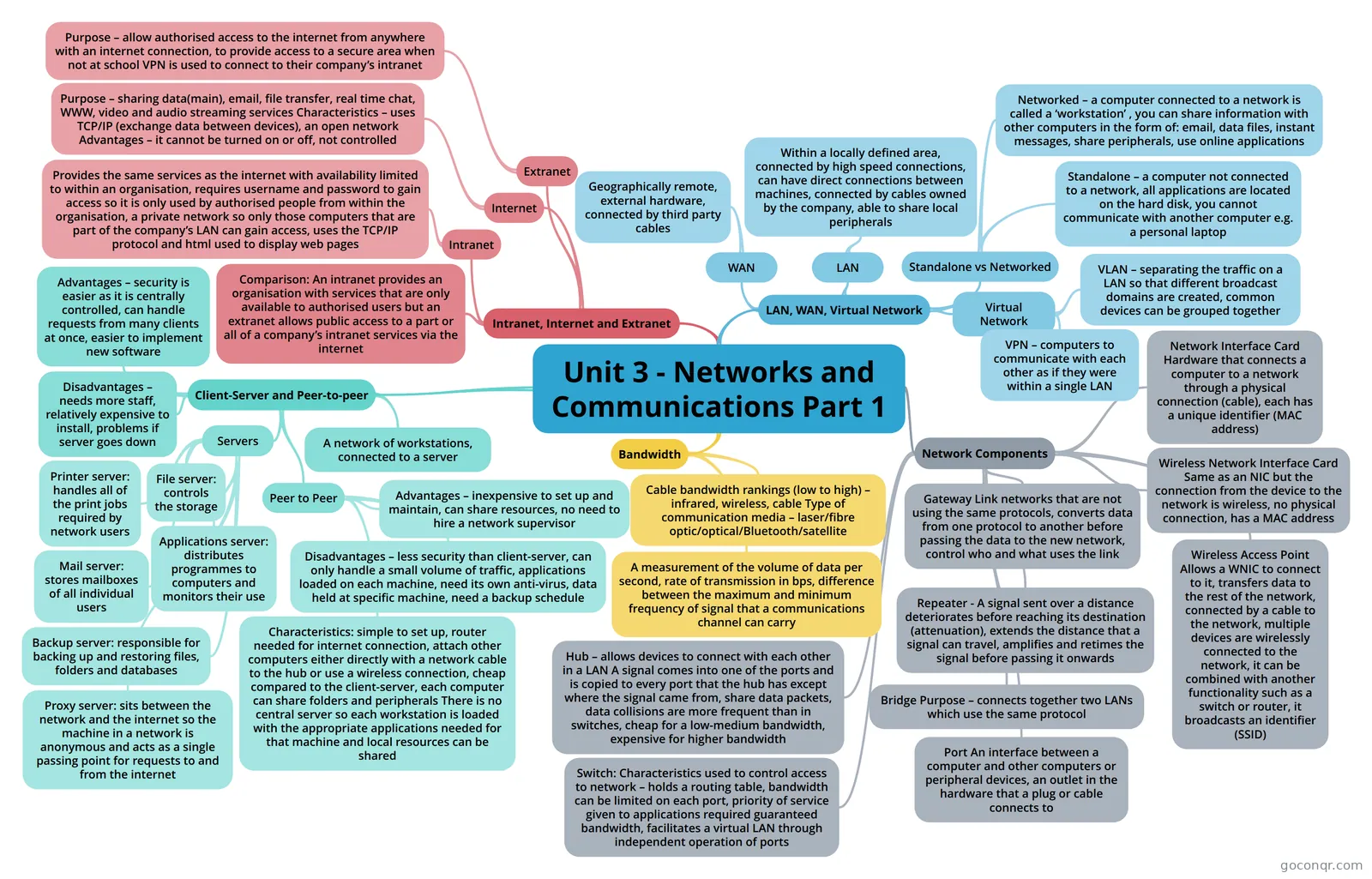
Mind map: Networks and Communications Concepts
Map content
Unit 3 - Networks and Communications Part 1
LAN, WAN, Virtual Network
- LAN
- Within a locally defined area, connected by high speed connections, can have direct connections between machines, connected by cables owned by the company, able to share local peripherals
- WAN
- Geographically remote, external hardware, connected by third party cables
- Virtual Network
- VPN – computers to communicate with each other as if they were within a single LAN
- VLAN – separating the traffic on a LAN so that different broadcast domains are created, common devices can be grouped together
- Standalone vs Networked
- Standalone – a computer not connected to a network, all applications are located on the hard disk, you cannot communicate with another computer e.g. a personal laptop
- Networked – a computer connected to a network is called a ‘workstation’ , you can share information with other computers in the form of: email, data files, instant messages, share peripherals, use online applications
- LAN
Intranet, Internet and Extranet
- Comparison: An intranet provides an organisation with services that are only available to authorised users but an extranet allows public access to a part or all of a company’s intranet services via the internet
- Intranet
- Provides the same services as the internet with availability limited to within an organisation, requires username and password to gain access so it is only used by authorised people from within the organisation, a private network so only those computers that are part of the company’s LAN can gain access, uses the TCP/IP protocol and html used to display web pages
- Internet
- Purpose – sharing data(main), email, file transfer, real time chat, WWW, video and audio streaming services Characteristics – uses TCP/IP (exchange data between devices), an open network Advantages – it cannot be turned on or off, not controlled
- Extranet
- Purpose – allow authorised access to the internet from anywhere with an internet connection, to provide access to a secure area when not at school VPN is used to connect to their company’s intranet
Client-Server and Peer-to-peer
- A network of workstations, connected to a server
- Advantages – security is easier as it is centrally controlled, can handle requests from many clients at once, easier to implement new software
- Disadvantages – needs more staff, relatively expensive to install, problems if server goes down
- Servers
- Printer server: handles all of the print jobs required by network users
- Mail server: stores mailboxes of all individual users
- File server: controls the storage
- Applications server: distributes programmes to computers and monitors their use
- Backup server: responsible for backing up and restoring files, folders and databases
- Proxy server: sits between the network and the internet so the machine in a network is anonymous and acts as a single passing point for requests to and from the internet
- Peer to Peer
- Advantages – inexpensive to set up and maintain, can share resources, no need to hire a network supervisor
- Disadvantages – less security than client-server, can only handle a small volume of traffic, applications loaded on each machine, need its own anti-virus, data held at specific machine, need a backup schedule
- Characteristics: simple to set up, router needed for internet connection, attach other computers either directly with a network cable to the hub or use a wireless connection, cheap compared to the client-server, each computer can share folders and peripherals There is no central server so each workstation is loaded with the appropriate applications needed for that machine and local resources can be shared
Bandwidth
- A measurement of the volume of data per second, rate of transmission in bps, difference between the maximum and minimum frequency of signal that a communications channel can carry
- Cable bandwidth rankings (low to high) – infrared, wireless, cable Type of communication media – laser/fibre optic/optical/Bluetooth/satellite
Network Components
- Network Interface Card Hardware that connects a computer to a network through a physical connection (cable), each has a unique identifier (MAC address)
- Wireless Network Interface Card Same as an NIC but the connection from the device to the network is wireless, no physical connection, has a MAC address
- Wireless Access Point Allows a WNIC to connect to it, transfers data to the rest of the network, connected by a cable to the network, multiple devices are wirelessly connected to the network, it can be combined with another functionality such as a switch or router, it broadcasts an identifier (SSID)
- Port An interface between a computer and other computers or peripheral devices, an outlet in the hardware that a plug or cable connects to
- Hub – allows devices to connect with each other in a LAN A signal comes into one of the ports and is copied to every port that the hub has except where the signal came from, share data packets, data collisions are more frequent than in switches, cheap for a low-medium bandwidth, expensive for higher bandwidth
- Switch: Characteristics used to control access to network – holds a routing table, bandwidth can be limited on each port, priority of service given to applications required guaranteed bandwidth, facilitates a virtual LAN through independent operation of ports
- Bridge Purpose – connects together two LANs which use the same protocol
- Repeater - A signal sent over a distance deteriorates before reaching its destination (attenuation), extends the distance that a signal can travel, amplifies and retimes the signal before passing it onwards
- Gateway Link networks that are not using the same protocols, converts data from one protocol to another before passing the data to the new network, control who and what uses the link