
Introduction to Computer Networks
2,494 resources created by 2,007 users
This Introduction to Computer Networks page on GoConqr gathers community-made quizzes, mind maps, flashcards and notes, from the TCP/IP model and network topology to LANs, WANs and packet switching. It's built for school students revising a topic, university students and professional candidates filling gaps, and teachers after ready-made material. There are over 2,300 resources here, including more than 300 quizzes and over 1,300 mind maps, with GCSE, A-level and CCNA-style material among them. Pick a resource, try a quiz to find your gaps, then make your own.
Select topic
- Advantages and Disadvantages of Networks25
- Types of Networks: LAN, WAN and WPAN359
- Client-Server and Peer-to-Peer Networks33
- Network Topologies390
- Network Hardware and Devices151
- Transmission Media and Wireless Networks38
- Data Transmission, Routing and Switching41
- OSI and TCP/IP Models59
- Network Protocols102
- IP and MAC Addressing30
- The Internet and Its Architecture22
- Network Performance30
Top Introduction to Computer Networks resources
-
200 questionsPractice Test 1-1 During an IT meeting, your colleague Anne-Marie suggests that there is a single point of failure in the sin...
-
50 questions2 At which layer of the OSI model does Structured Query Language (SQL) operate?
-
141 cardsCCNA (200 - 301) Official Cert Guide Chapters 1 - 3 (2022) What is SFP
-
200 questionsExamen HCIA Dump 200 Preguntas Part-2 201. Which of the following OSPF protocol packets can ensure the reliability of LSA updates?
-
78 cardsE4_4 Frame Relay Frame Relay An alternative to dedicated, expensive, leased WAN lines is Frame Relay. Frame Relay is a high-...
-
154 questionsCCNA 1 Old Final exam What is a function of the data link layer?
-
158 questionsExamen de Practica Certificicacion HCIA-21-811 In the campus network planning, which of the following ways can business VLAN be divided?
-
90 questionsCiscoFinalExam2 What are the two main components of Cisco Express Forwarding (CEF)? (Choose two.)
Quizzes
See all 374 quizzes-
200 questionsPractice Test 1-1 During an IT meeting, your colleague Anne-Marie suggests that there is a single point of failure in the sin...
-
50 questions2 At which layer of the OSI model does Structured Query Language (SQL) operate?
-
200 questionsExamen HCIA Dump 200 Preguntas Part-2 201. Which of the following OSPF protocol packets can ensure the reliability of LSA updates?
-
154 questionsCCNA 1 Old Final exam What is a function of the data link layer?
-
158 questionsExamen de Practica Certificicacion HCIA-21-811 In the campus network planning, which of the following ways can business VLAN be divided?
-
90 questionsCiscoFinalExam2 What are the two main components of Cisco Express Forwarding (CEF)? (Choose two.)
-
84 questionsFinal Exam quiz 2 Refer to the exhibit. Which area would most likely be an extranet for the company network that is shown?
-
67 questionsCisco 2 - Final A customer reports connectivity problems to an ISP technician. Upon questioning the customer, the technicia...
Mind maps
See all 1,370 mind maps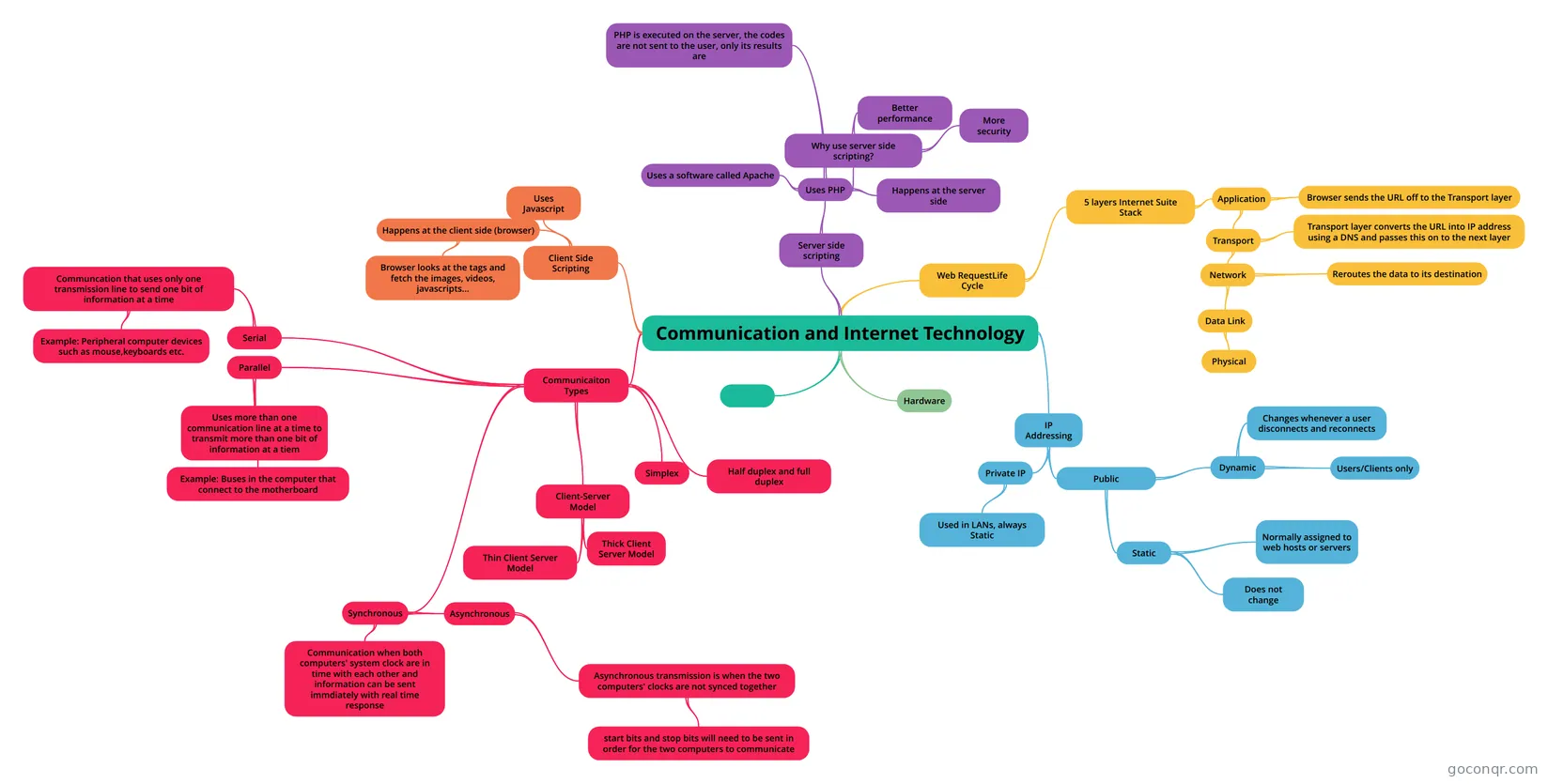
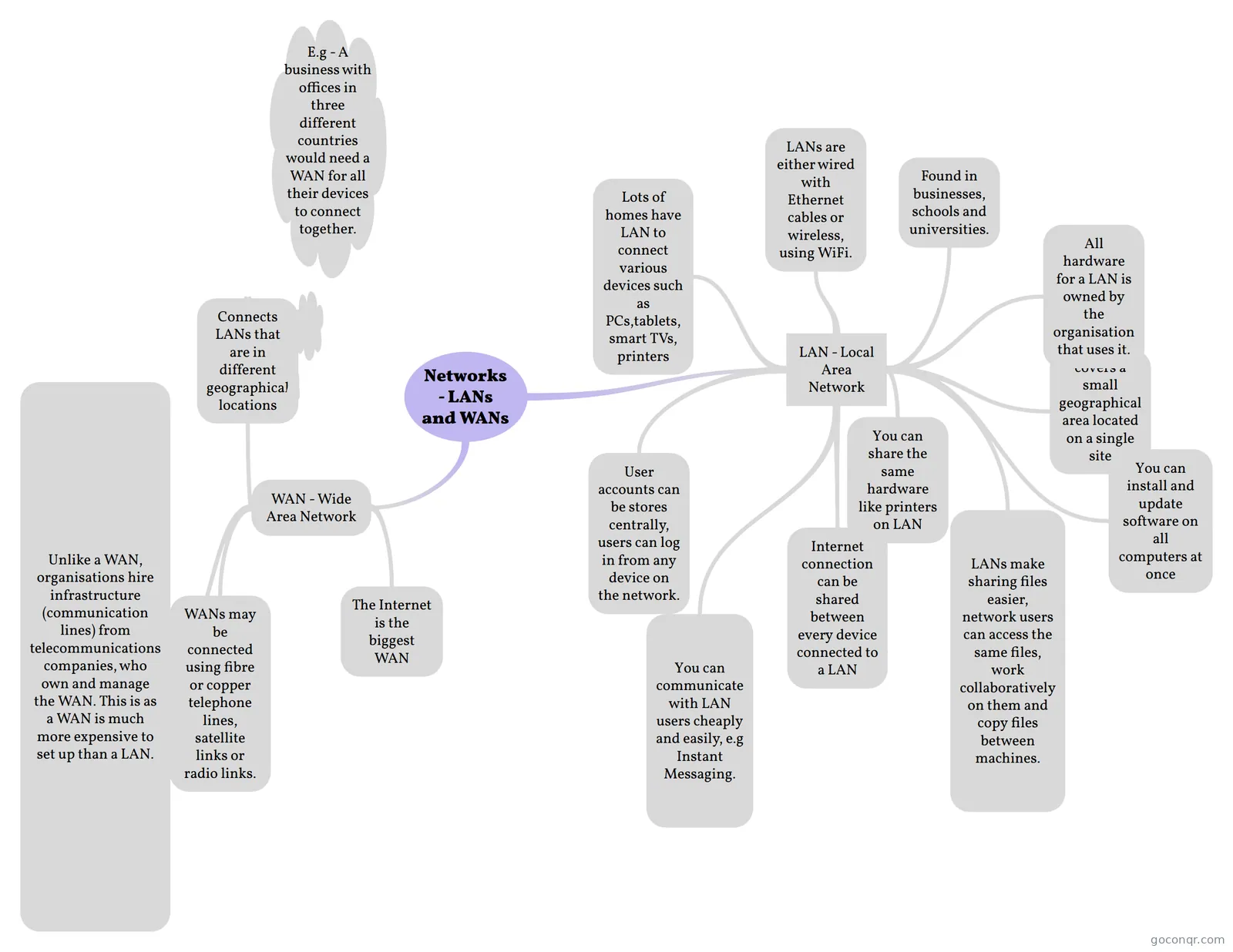
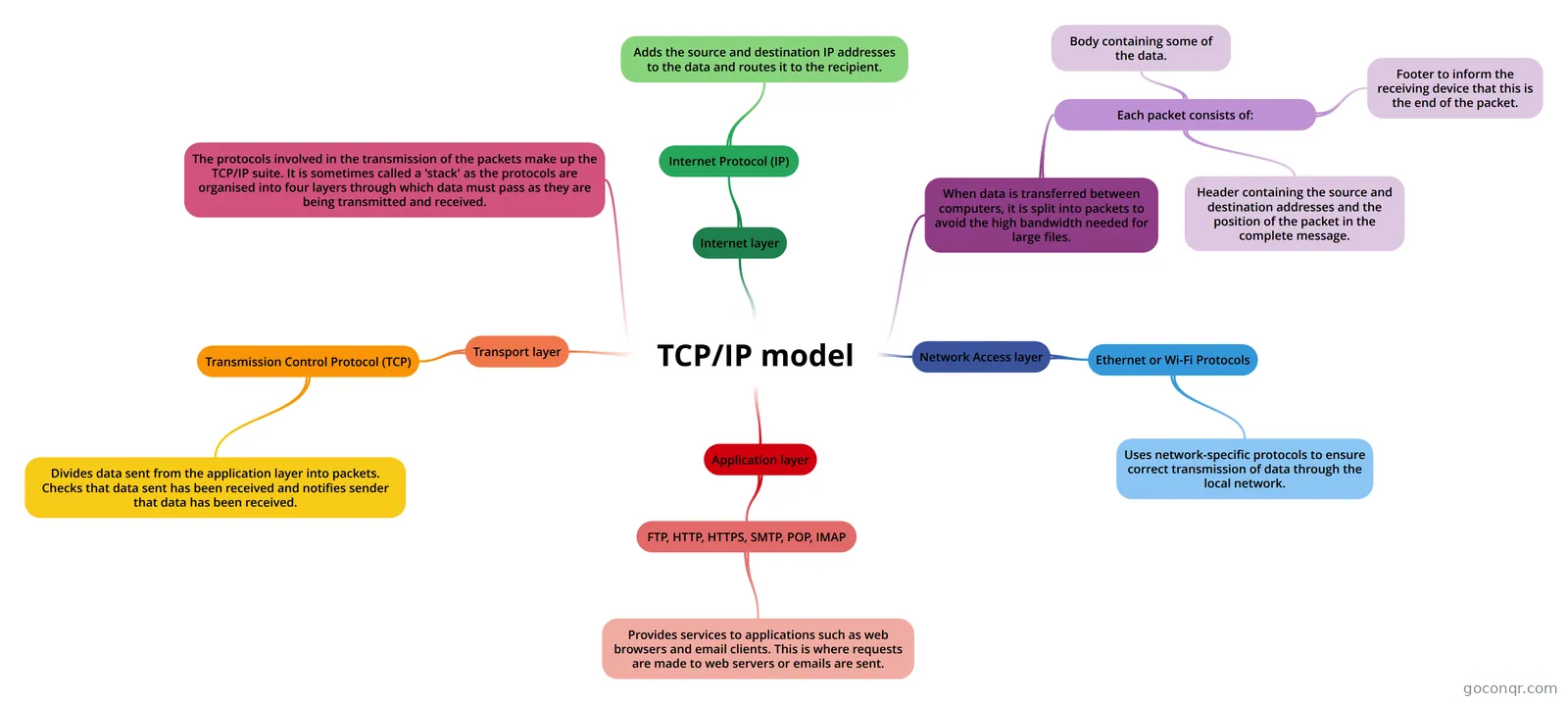
Flashcards
See all 638 flashcards-
141 cardsCCNA (200 - 301) Official Cert Guide Chapters 1 - 3 (2022) What is SFP
-
78 cardsE4_4 Frame Relay Frame Relay An alternative to dedicated, expensive, leased WAN lines is Frame Relay. Frame Relay is a high-...
-
54 cardsCISCO CCNA Recuso para la certificacion CCNA en el examen ICND1 (En ingles).
-
30 cardsComputer Communications and Networking
-
10 cardsDatakom - generellt
-
8 cardsNetwork Protocols de fbhjbfwf
-
10 cards2. Huawei H13-511. Basic Knowledge of Network Communication Where are L2 switching and L3 routing network devices located?
-
8 cardsCommon Ports Telnet (Telecommunications Network)
Flowcharts
See all 17 flowcharts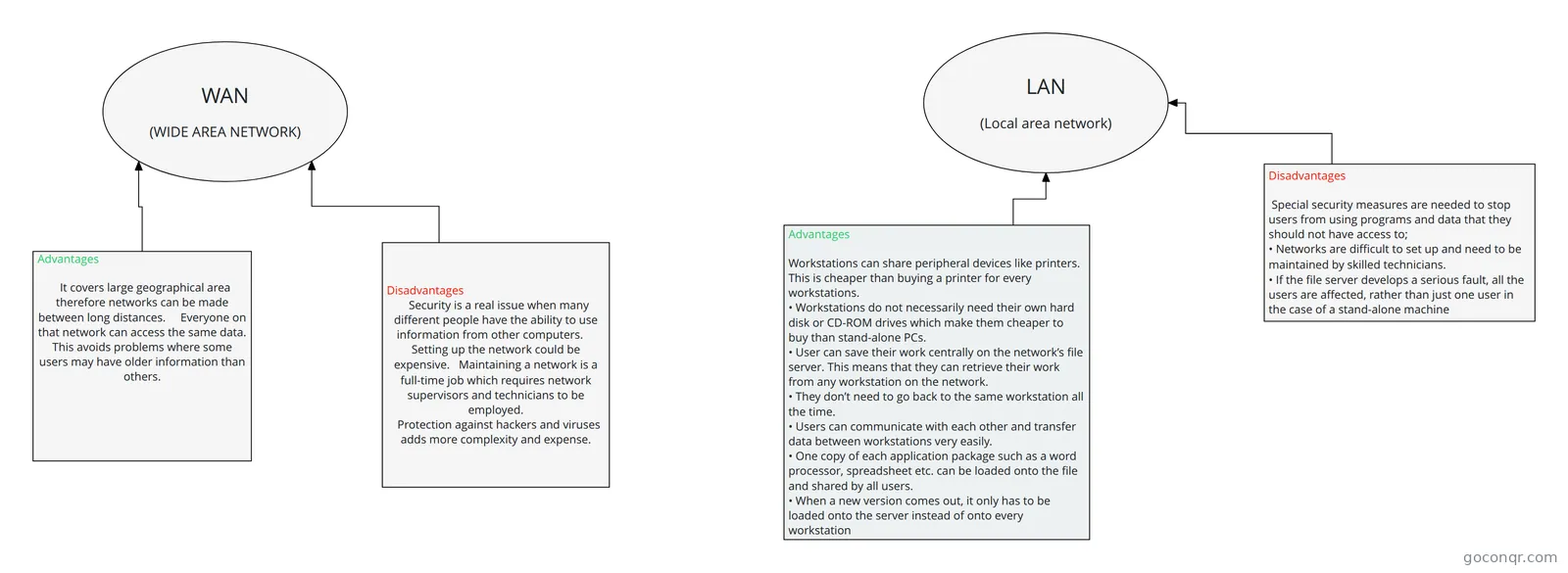
Notes
See all 63 notes-
Data Packets and NAT What is Time to Live (TTL)Time to Live (TTL) is a field in the Internet Protocol (IP) that specifies how many more hops a packet can travel being being discarded or returned. The TTL is set in an eight binary digit fi...
-
Introduction to Networks What is a Network?"A large system consisting of many similar parts connected together to allow movement or communication between or along the parts."A network is a group of two or more computer systems linked together...
-
Untitled Module 1 - Communications in a Connected World What type of network allows computers in a home office or a remote office to connect to a corporate network? Small Office Home Office Network What can be placed in or on ...
-
Untitled NetworksTelecommunications network is a network off telecommunications links and nodes arranged so that messages may be passed from one part of the network to another over multiple links and through various nodes.What...
-
1018 NetworksTelecommunications network is a network off telecommunications links and nodes arranged so that messages may be passed from one part of the network to another over multiple links and through various nodes.What...
-
NETWORKS Networks A network is two or more computers - or other electronic devices - that are connected together for the purpose of communication. They are connected by a wired medium such as cables, or by a wireless...
-
Network + Study Guide Chapter 1 A topology describes how the part of a whole work together.Physical topology, or network topology, mostly applies to hardware and describes how computers, other devices, and cables fit together to form the p...
-
ICT 2a LAN: local area network (relatively limited area) e.g. office, building, campusPeer-to-peer (P2P) NetworkEach PC access the resources which are share by all the other peer workstations...
Slides
See all 32 slidesTopics in Introduction to Computer Networks
More Networks and telecommunications topics
About Introduction to Computer Networks
GoConqr OriginalWhat the unit covers
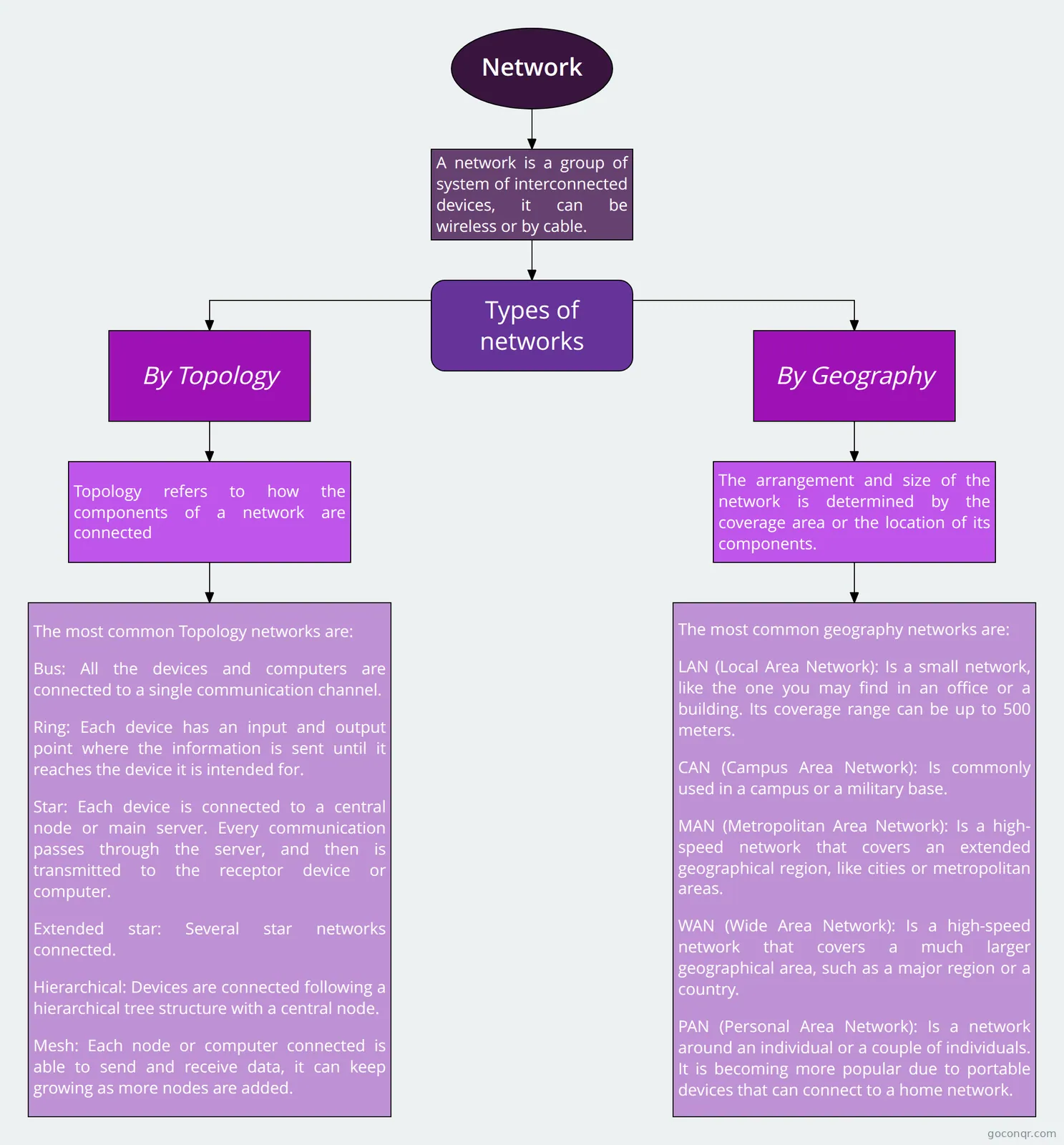
This unit sits in the Networking Foundations strand of Networks and telecommunications. The resources start with the basics: what a network is, how LANs and WANs differ, and how devices are cabled and arranged. You will find the mind maps Network Topology, Networks - LANs and WANs and Circuit switching Vs Packet switching, plus notes such as Network Topologies and Circuit and Packet switching.
Models and protocols
Many resources explain how data moves. The TCP/IP model mind map walks through the application layer and protocols such as FTP, HTTP, HTTPS, SMTP, POP and IMAP. Networks 1.3.3 explains protocols and standards as agreed sets of rules for data communication. The Common Ports flashcards and the DNS: Domain Name Server mind map help with the details.
Exam-style practice
Quizzes lean towards certification and school exams. CCNA 1 Old Final exam asks about the data link layer and how hosts reach a web server on a remote network. The Network+ Chapter 1 Test pt.1 quiz suits CompTIA candidates, and there are Huawei HCIA quizzes with questions on OSPF packets, VLANs and bridge priority. School students will also find the IB Computer Science SL/HL flashcards and the AQA Alevel UNIT 4.9 Networking mind map.
A sensible order
- Read a broad map such as Introduction to Computer Networking to see the shape of the topic.
- Go through flashcards like Network Basics to fix the key terms.
- Take a quiz, then note which questions you missed.
- Return to the matching map or note and read that branch again.
- Retake the quiz, or try a longer final-exam style one.
Using maps and quizzes together
Maps show how ideas connect, while quizzes show what you can recall. Use a map to prepare, then a quiz to check. Teachers can pick a slide set such as Client to server and peer to peer networks for a lesson and set a quiz afterwards. Choose one resource now and see where it leads, then add your own maps and flashcards for the gaps.
Frequently asked questions
Which resource should I start with?
Start with a broad mind map such as Introduction to Computer Networking or Network Models to see the main ideas. Then try the Network Basics flashcards for key terms. Once those feel familiar, a quiz like Networking Fundamentals 01 will show which topics need another look.
What do the mind maps cover?
There are over 1,300 of them. They cover network types, topologies, LANs and WANs, packet and circuit switching, the TCP/IP model, DNS, cabling, Bluetooth, firewalls and home networks. Some follow textbook chapters, and others follow school or certification courses.
Which exams and levels do these resources suit?
Resources mention GCSE Computer Science, A-level Computer Science, IB, CCNA, CompTIA Network+ and HCIA, among others. Most suit school students, with a good share for university students and professional candidates. Check each title and excerpt to see whether it matches your course.
Are the resources free to use?
Yes. Every resource listed here is free to open, study and take, with no account needed. They were made by GoConqr users, not by GoConqr itself. A free account also saves your quiz scores and lets you create your own quizzes, mind maps, flashcards and notes.
Can teachers use this page?
Yes. Teachers can find ready-made slide sets, such as Computer Networks and Network diagrams, along with notes, flowcharts and quizzes. You could use a mind map to introduce a topic and a quiz to check understanding afterwards.
What if I can't find what I need?
Try a nearby topic first, since many resources overlap, for example packet switching appears as flashcards, notes and maps. If your exact topic is still missing, you can make your own flashcards or mind map from your course notes.