
Mindmap
Human-computer interface
Inhalt der Mindmap
Human-computer interface
GUI/WIMP
- W-Windows I-Icons M-Menus P-Pointers
- Advantages
- Easy to use (only need low ICT skills to use)
- Easy to find your way around the system using GUI/WIMP
- You do not have to learn complicated commands
- There are usually a reasonable 'help' system included with WIMP interfaces
- You get the benefits of WYSIWYG (what you see is what you get)
- They let you exchange data between different software applications
- Disadvantages
- GUIs take up a much larger amount of hard disk space than other interfaces
- They need significantly more memory (RAM) to run than other interface types
- They use more processing power than other types of interface
- They can be slow for experienced programmers to use. These people often find CLI interfaces much faster to use
Command line
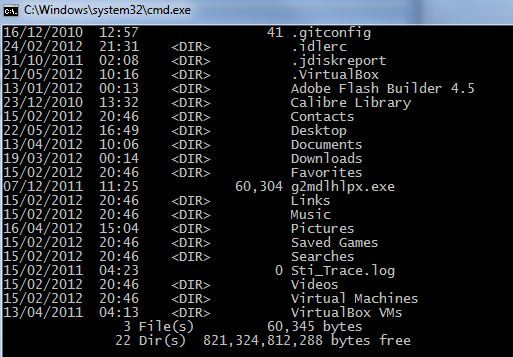
- A Command Line Interface allows the user to interact directly with the computer system by typing in commands (instructions) into a screen
- Advantages
- Instructions execute quickly
- Instructions are versatile. Large number of options can be picked per instruction
- Small operating system (less memory used)
- Disadvantages
- Need to learn the commands
- Need to type the command precisely
- The commands are complex so a high level of ICT skills arte required
Menu interface
- This type of interface lets you interact with a computer or device by working your way through a series of screens or menus.
- Cashpoint machines (ATMs) are another good example of a menu driven interface.
- Advantages
- Extremely easy to use. Someone who has never seen the interface before can work out what to do
- There are no commands to learn or remember
- Step-by-step options are given so that the user doesn't have to remember anything
- Even if you don't know what to do, you can usually guess your way around the options
- Disadvantages
- A poorly designed menu interface may be slow to use
- It can be irritating if there are too many menu screens to work through - users get annoyed or bored if it takes too long
- You often can't go to the exact place you want right at the start. You have to work your way through the menu screens even if you know where you want to get to.
Speech and sound
- This type of interface allows the user to speak or type in their normal everyday language in order to interact with the computer e.g Siri
- Advantages
- The user does not need to be trained in how to use the interface
- Suitable for physically handicapped people
- More flexibility than a dialogue interface
- Disadvantages
- Unreliable - May not understand your voice/accent
- Highly complex to program and so only warrants this kind of interface where other types of interface are unsuitable
- Not widely available as other forms of interface are often superior
Touch sensitive
- Touch sensitive interfaces can be found on many mobile devices such as a smart phone or a tablet computer
- They work by your finger touching the screen. The touching is detected and translated by the device into instructions. As well as tapping, the screen can sense swiping and pinching actions
- Advantages
- Intuitive to use
- You can see all of the options available
- Do not need good ICT skills such as typing to be able to use
- Disadvantages
- Need to understand the language or the meaning of the icons
- Only limited options can be offered
Bilder und Dateien der Mindmap
Informationen
- Beschreibung
- GCSE ICT Mindmap am Human-computer interface, erstellt von JJ the Wrestler am 24/11/2015.
- Erstellt von
- JJ the Wrestler
- Aufrufe
- 71
- Bewertung