
Mindmap
Security Threats & Solutions
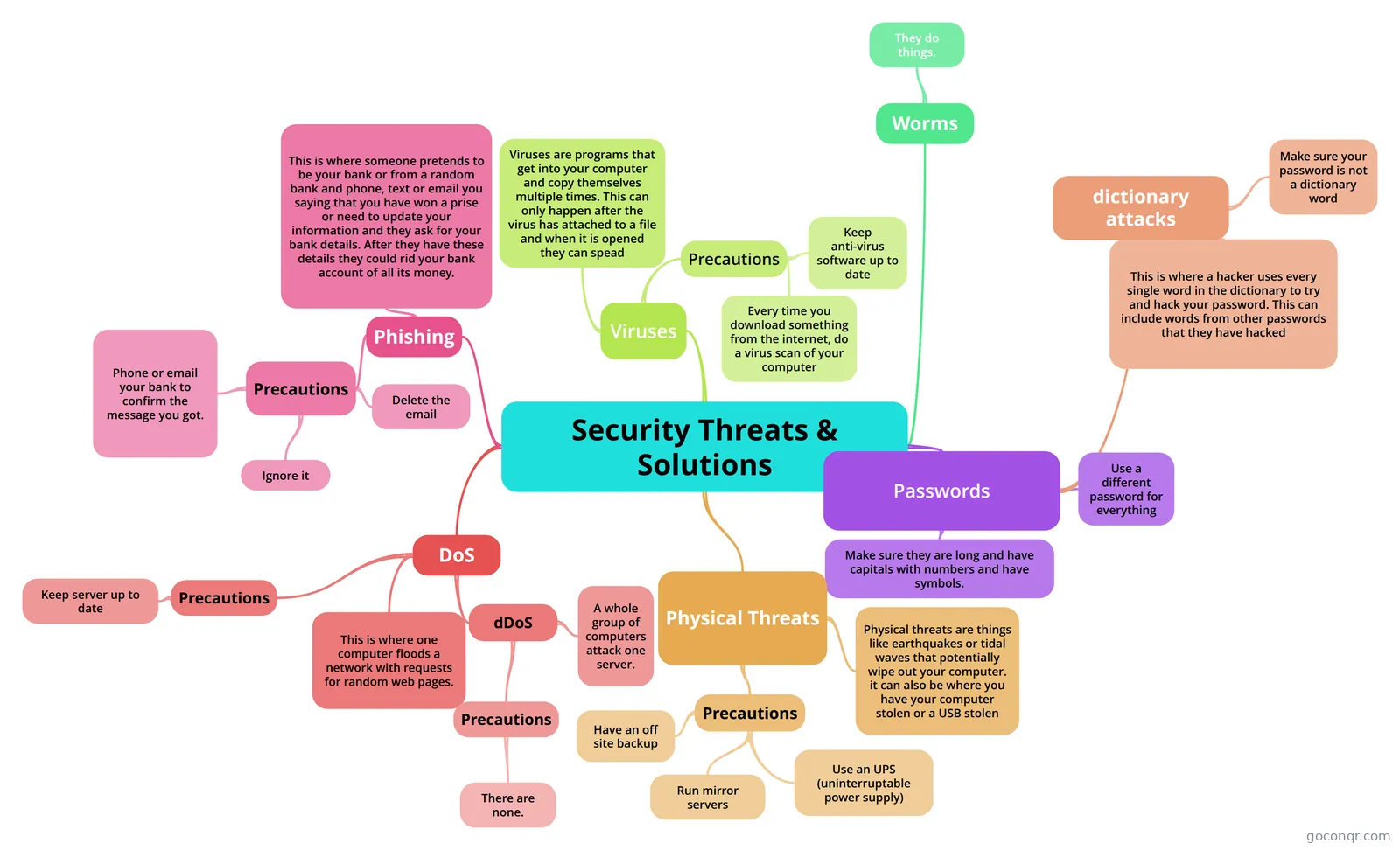
Mind map: Security threats and solutions
Inhalt der Mindmap
Security Threats & Solutions
Passwords
- Make sure they are long and have capitals with numbers and have symbols.
- dictionary attacks
- This is where a hacker uses every single word in the dictionary to try and hack your password. This can include words from other passwords that they have hacked
- Make sure your password is not a dictionary word
- Use a different password for everything
Phishing
- This is where someone pretends to be your bank or from a random bank and phone, text or email you saying that you have won a prise or need to update your information and they ask for your bank details. After they have these details they could rid your bank account of all its money.
- Precautions
- Delete the email
- Phone or email your bank to confirm the message you got.
- Ignore it
DoS
- dDoS
- A whole group of computers attack one server.
- Precautions
- There are none.
- This is where one computer floods a network with requests for random web pages.
- Precautions
- Keep server up to date
- dDoS
Physical Threats
- Physical threats are things like earthquakes or tidal waves that potentially wipe out your computer. it can also be where you have your computer stolen or a USB stolen
- Precautions
- Have an off site backup
- Run mirror servers
- Use an UPS (uninterruptable power supply)
Viruses
- Precautions
- Keep anti-virus software up to date
- Every time you download something from the internet, do a virus scan of your computer
- Viruses are programs that get into your computer and copy themselves multiple times. This can only happen after the virus has attached to a file and when it is opened they can spead
- Precautions
Worms
- They do things.