
Mind map
Barbie careers webapp {DEVELOPER PROBLEM --> CODING ENVIRONMENT}
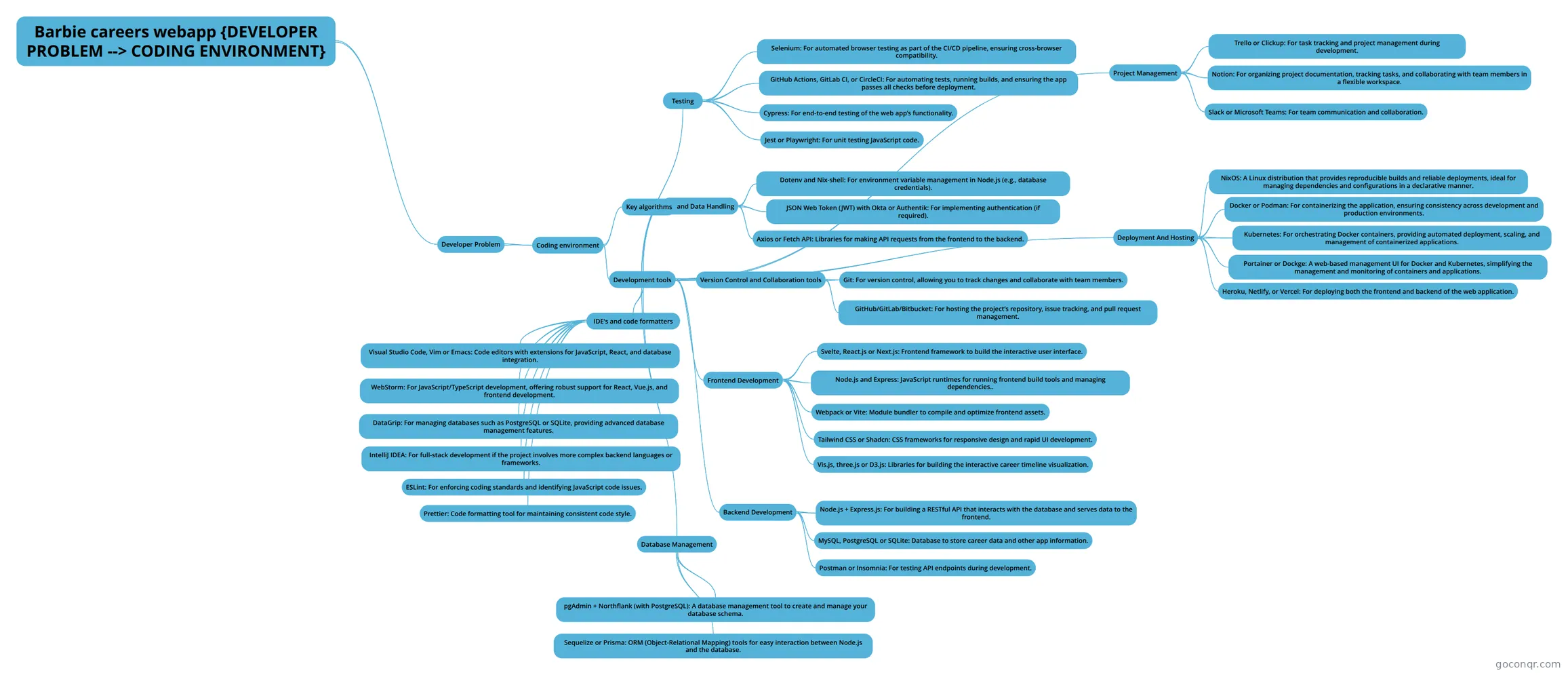
Mind map: Barbie careers webapp coding environment
Map content
Barbie careers webapp {DEVELOPER PROBLEM --> CODING ENVIRONMENT}
Developer Problem
- Coding environment
- Development tools
- Version Control and Collaboration tools
- Git: For version control, allowing you to track changes and collaborate with team members.
- GitHub/GitLab/Bitbucket: For hosting the project’s repository, issue tracking, and pull request management.
- Frontend Development
- Svelte, React.js or Next.js: Frontend framework to build the interactive user interface.
- Node.js and Express: JavaScript runtimes for running frontend build tools and managing dependencies..
- Webpack or Vite: Module bundler to compile and optimize frontend assets.
- Tailwind CSS or Shadcn: CSS frameworks for responsive design and rapid UI development.
- Vis.js, three.js or D3.js: Libraries for building the interactive career timeline visualization.
- Backend Development
- Node.js + Express.js: For building a RESTful API that interacts with the database and serves data to the frontend.
- MySQL, PostgreSQL or SQLite: Database to store career data and other app information.
- Postman or Insomnia: For testing API endpoints during development.
- IDE's and code formatters
- Visual Studio Code, Vim or Emacs: Code editors with extensions for JavaScript, React, and database integration.
- WebStorm: For JavaScript/TypeScript development, offering robust support for React, Vue.js, and frontend development.
- DataGrip: For managing databases such as PostgreSQL or SQLite, providing advanced database management features.
- IntelliJ IDEA: For full-stack development if the project involves more complex backend languages or frameworks.
- ESLint: For enforcing coding standards and identifying JavaScript code issues.
- Prettier: Code formatting tool for maintaining consistent code style.
- Database Management
- pgAdmin + Northflank (with PostgreSQL): A database management tool to create and manage your database schema.
- Sequelize or Prisma: ORM (Object-Relational Mapping) tools for easy interaction between Node.js and the database.
- API and Data Handling
- Axios or Fetch API: Libraries for making API requests from the frontend to the backend.
- JSON Web Token (JWT) with Okta or Authentik: For implementing authentication (if required).
- Dotenv and Nix-shell: For environment variable management in Node.js (e.g., database credentials).
- Testing
- Jest or Playwright: For unit testing JavaScript code.
- Cypress: For end-to-end testing of the web app’s functionality.
- GitHub Actions, GitLab CI, or CircleCI: For automating tests, running builds, and ensuring the app passes all checks before deployment.
- Selenium: For automated browser testing as part of the CI/CD pipeline, ensuring cross-browser compatibility.
- Deployment And Hosting
- NixOS: A Linux distribution that provides reproducible builds and reliable deployments, ideal for managing dependencies and configurations in a declarative manner.
- Docker or Podman: For containerizing the application, ensuring consistency across development and production environments.
- Kubernetes: For orchestrating Docker containers, providing automated deployment, scaling, and management of containerized applications.
- Portainer or Dockge: A web-based management UI for Docker and Kubernetes, simplifying the management and monitoring of containers and applications.
- Heroku, Netlify, or Vercel: For deploying both the frontend and backend of the web application.
- Project Management
- Trello or Clickup: For task tracking and project management during development.
- Notion: For organizing project documentation, tracking tasks, and collaborating with team members in a flexible workspace.
- Slack or Microsoft Teams: For team communication and collaboration.
- Version Control and Collaboration tools
- Key algorithms
- Development tools
- Coding environment