
Mind map
Chapter 4: Representing data
Map content
Chapter 4: Representing data
Computers work in binary because it is easier to make circuits that represent two states - on (1) or off (0)
- Units
- Bit (0 or 1)
- Nibble (4 bits) e.g. 1010
- Byte (8 bits) e.g. 10101100
- Kilobyte - Kb (1024 bytes)
- Megabyte - Mb (1024 kilobytes)
- Gigabyte - Gb (1024 Megabytes)
- Terabyte - Tb (1024 Gigabytes)
- Conversions
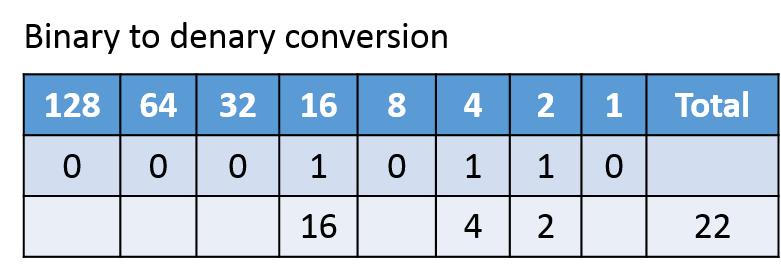
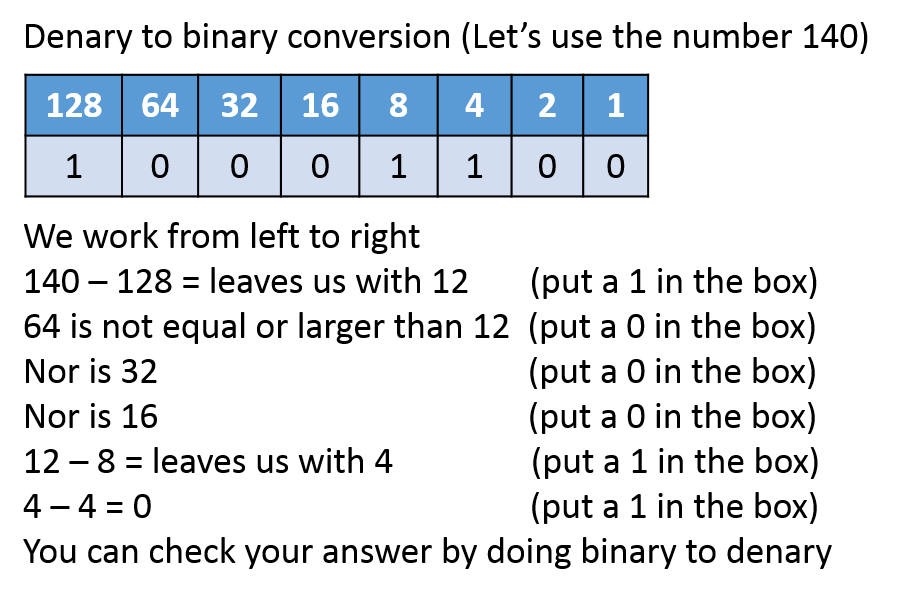
- REMEMBER: A byte can only represent numbers from 0-255 i.e. 11111111 = 255
- Binary is base 2 because it uses only 0 or 1
- Denary (Decimal) is base 10 because it uses numbers from 0-9
- Binary is base 2 because it uses only 0 or 1
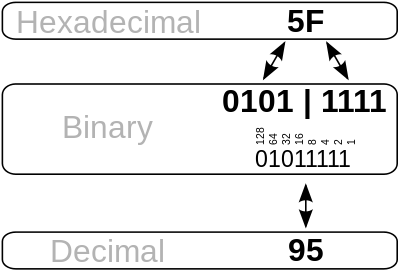
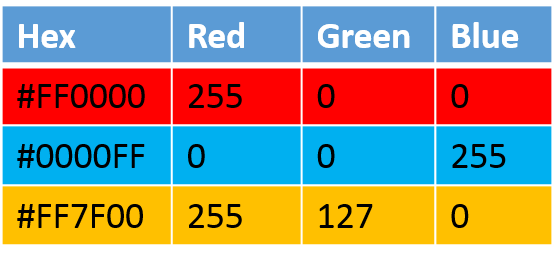
- Hexadecimal is a base 16 system meaning the numbers go from 0-9 and then ABCDEF. F represents the number 15.
- Hexadecimal numbers are used because binary numbers are difficult to remember and write down. They are used in error messages (blue screen of death - BSOD) and for colour codes in programs such as PhotoShop
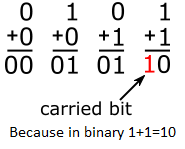
- Binary addition
- Overflow is when the two bytes added together totals more than 255
- REMEMBER: A byte can only represent numbers from 0-255 i.e. 11111111 = 255
- Units
Characters
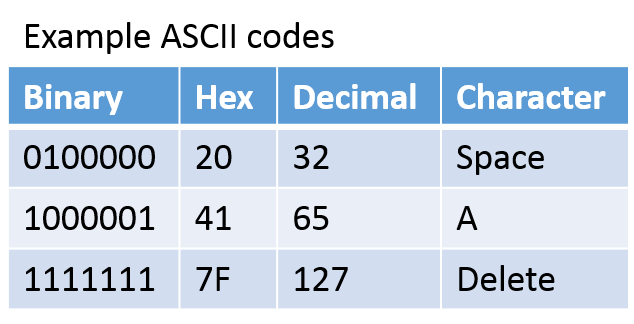
- ASCII
- Uses 7 bits so can provide 127 characters
- Unicode
- Uses 16 bit providing over 65000 characters (so it suitable for other languages too)
- Character set
- A character set is a list of all the characters/symbols and codes used to look them up
- The number of bits used to store codes determines how many characters can be used
- ASCII
Images
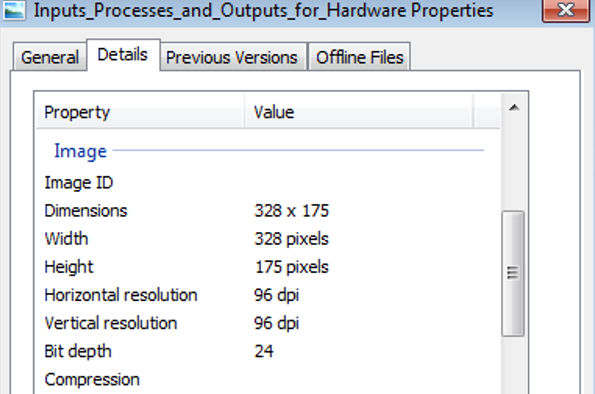
- Pixel means 'picture element'. It is one individual 'square' on a display. Lots of these make an image
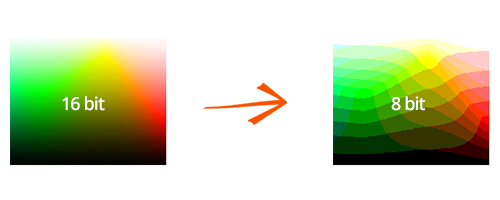
- Colour depth (similar to bit depth in sound) refers to how many different colours can be represented by each pixel. 2 bit would only be able to represent 4 colours (00,01,10,11) and 4 bit would be able to represent 16 colours. Modern computers use 32 bit colour, meaning a pixel can be 4294967296 different colours (2 to the power of 32)
- Resolution refers to how many pixels are in the image (e.g 1024x768)
- Metadata means 'data about data'. In simple terms, this means the properties of the image or sound such as where the photo was taken, the resolution of the image or the artist of the song
Sound
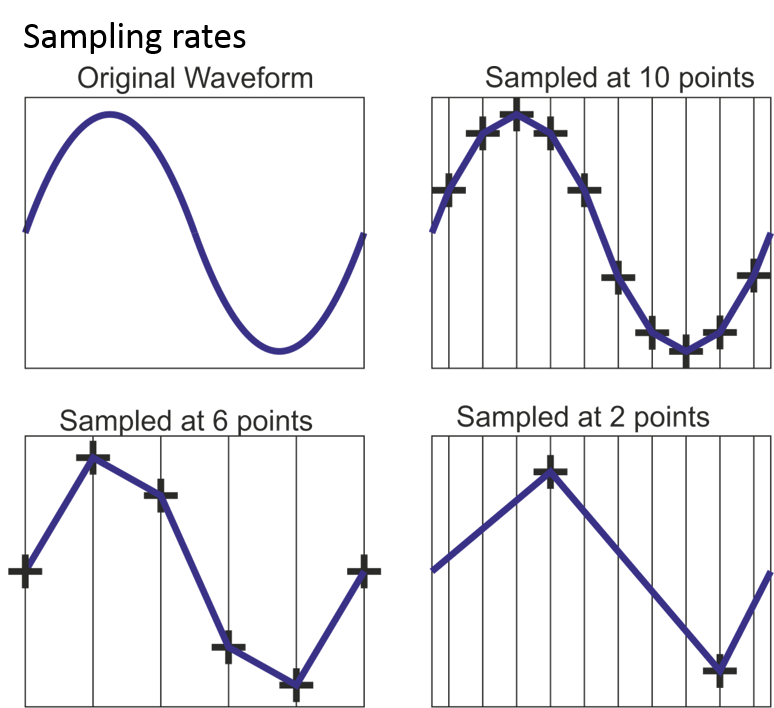
- Sampling rate
- Sampling rate is how many times a second a 'snapshot' of the analogue waveform is taken. It is measured in hertz (Hz). More samples means better sound, but more storage space
- Bit rate
- Bit rate is the sampling rate (samples per second) multiplied by the bit depth (how many bits/levels the sample is split into) and refers to how much data is stored at each sampling point. Measured in bytes per second (MP3 is usually 128kbps)
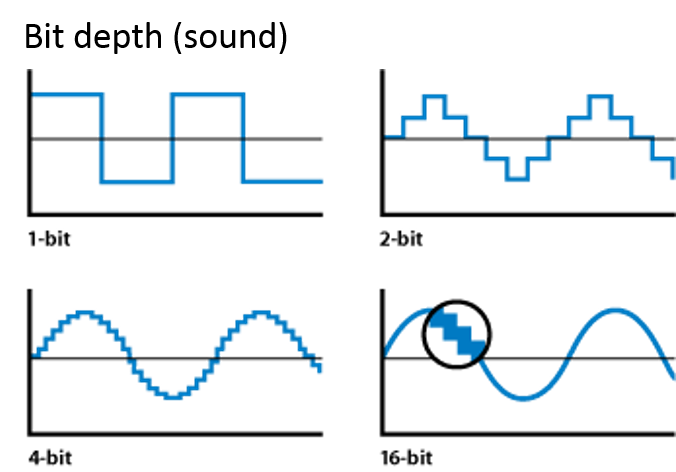
- Bit depth
- Bit depth is to do with how many levels vertically the sound can be split up into e.g. 2 bit depth is 4 levels (00,01,10,11) and 4 bit is 16 possible levels.
- Sampling rate
Instructions
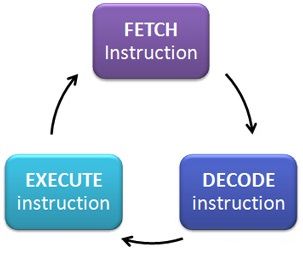
- When a computer is instructed to run a program it goes to a location in memory. It fetches instructions and decodes it in order to find out what to do next
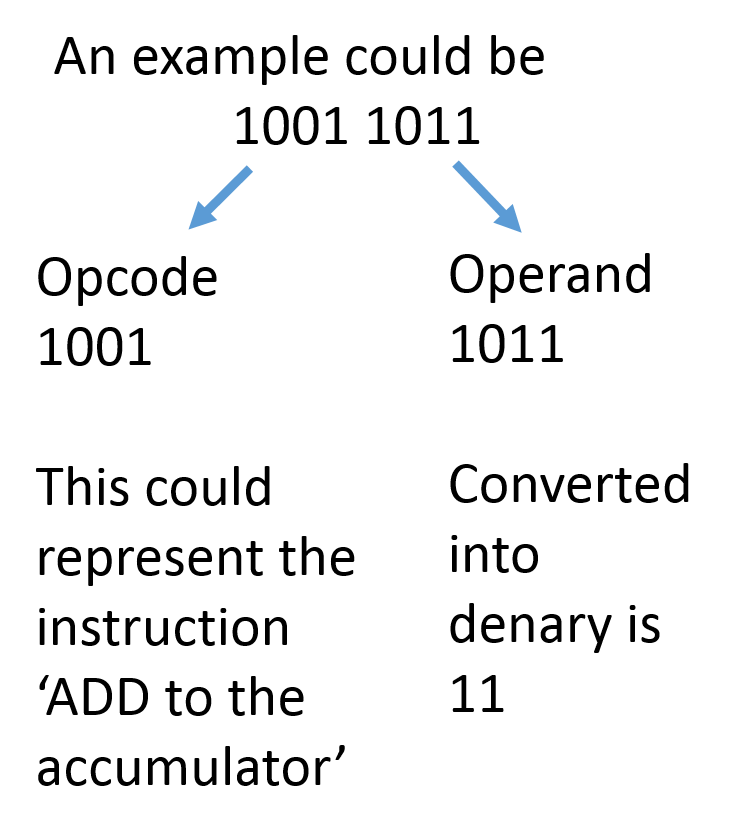
- Instructions are split into two parts
- Operator/Opcode (the instruction part) e.g. ADD
- Operand (the data part) e.g 3
- Instructions are kept in different parts of memory to data which is how the computer can tell the difference
Images and files in the map

Information
- Description
- Mind Map on Chapter 4: Representing data, created by Computing Teache on 28/12/2015.
- Created by
- Computing Teache
- Views
- 1
- Rating