
Mind map
1.2 Memory
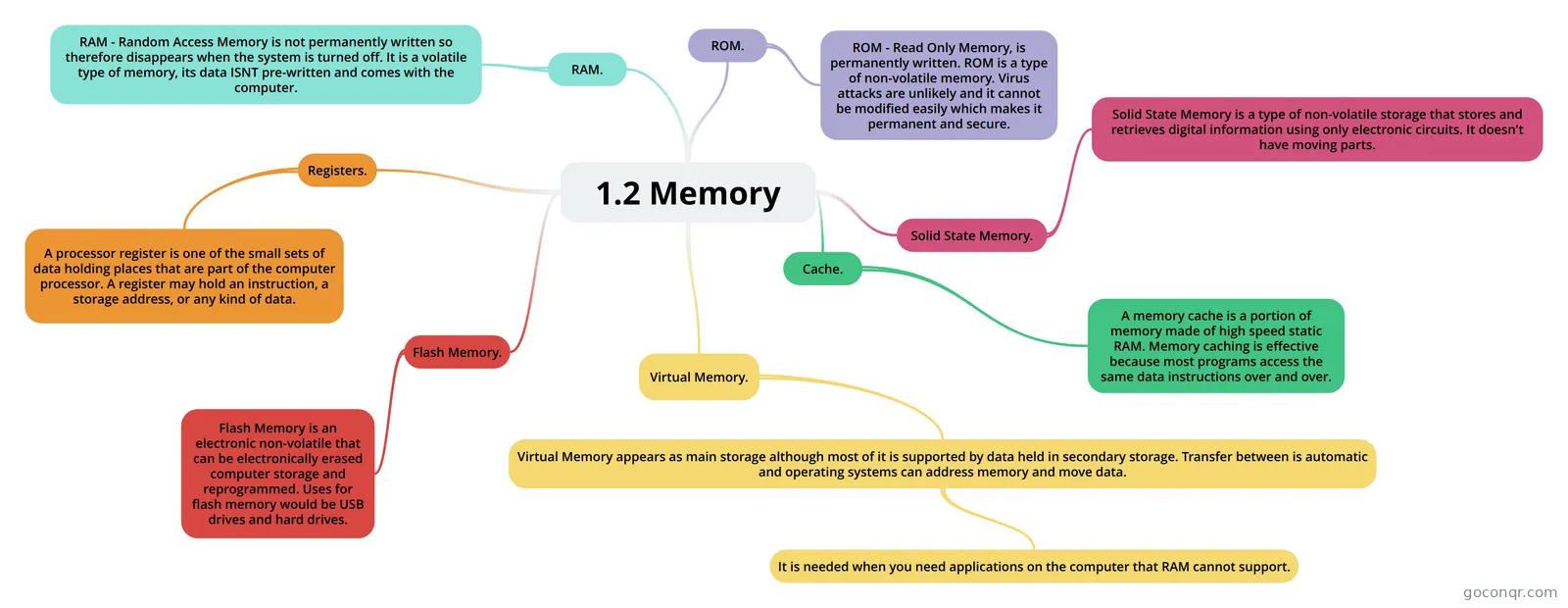
Mind map: computer memory
Map content
1.2 Memory
Virtual Memory.
- Virtual Memory appears as main storage although most of it is supported by data held in secondary storage. Transfer between is automatic and operating systems can address memory and move data.
- It is needed when you need applications on the computer that RAM cannot support.
- Virtual Memory appears as main storage although most of it is supported by data held in secondary storage. Transfer between is automatic and operating systems can address memory and move data.
Flash Memory.
- Flash Memory is an electronic non-volatile that can be electronically erased computer storage and reprogrammed. Uses for flash memory would be USB drives and hard drives.
Cache.
- A memory cache is a portion of memory made of high speed static RAM. Memory caching is effective because most programs access the same data instructions over and over.
Solid State Memory.
- Solid State Memory is a type of non-volatile storage that stores and retrieves digital information using only electronic circuits. It doesn't have moving parts.
RAM.
- RAM - Random Access Memory is not permanently written so therefore disappears when the system is turned off. It is a volatile type of memory, its data ISNT pre-written and comes with the computer.
Registers.
- A processor register is one of the small sets of data holding places that are part of the computer processor. A register may hold an instruction, a storage address, or any kind of data.
ROM.
- ROM - Read Only Memory, is permanently written. ROM is a type of non-volatile memory. Virus attacks are unlikely and it cannot be modified easily which makes it permanent and secure.
Information
- Description
- Mind Map on 1.2 Memory, created by Niamh Wyatt on 15/12/2017.
- Created by
- Niamh Wyatt
- Views
- 3
- Rating