
Mind map
2.6 Data Representation
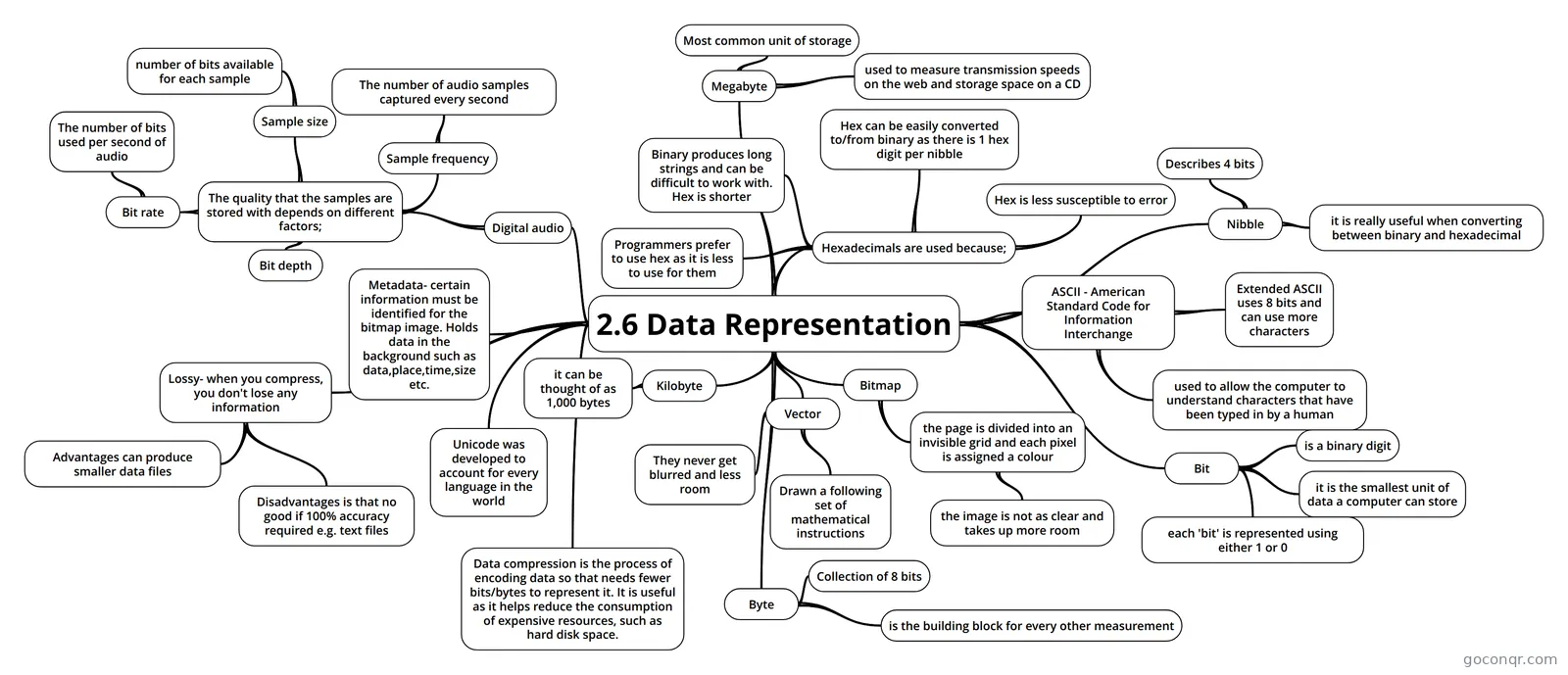
Mind map: Data representation
Map content
2.6 Data Representation
Bitmap
- the page is divided into an invisible grid and each pixel is assigned a colour
- the image is not as clear and takes up more room
- the page is divided into an invisible grid and each pixel is assigned a colour
Vector
- Drawn a following set of mathematical instructions
- They never get blurred and less room
ASCII - American Standard Code for Information Interchange
- used to allow the computer to understand characters that have been typed in by a human
- Extended ASCII uses 8 bits and can use more characters
Hexadecimals are used because;
- Binary produces long strings and can be difficult to work with. Hex is shorter
- Hex can be easily converted to/from binary as there is 1 hex digit per nibble
- Hex is less susceptible to error
- Programmers prefer to use hex as it is less to use for them
Unicode was developed to account for every language in the world
Metadata- certain information must be identified for the bitmap image. Holds data in the background such as data,place,time,size etc.
Digital audio
- The quality that the samples are stored with depends on different factors;
- Sample frequency
- The number of audio samples captured every second
- Sample size
- number of bits available for each sample
- Bit depth
- Bit rate
- The number of bits used per second of audio
- Sample frequency
- The quality that the samples are stored with depends on different factors;
Data compression is the process of encoding data so that needs fewer bits/bytes to represent it. It is useful as it helps reduce the consumption of expensive resources, such as hard disk space.
Lossy- when you compress, you don't lose any information
- Advantages can produce smaller data files
- Disadvantages is that no good if 100% accuracy required e.g. text files
Bit
- is a binary digit
- it is the smallest unit of data a computer can store
- each 'bit' is represented using either 1 or 0
Nibble
- Describes 4 bits
- it is really useful when converting between binary and hexadecimal
Byte
- Collection of 8 bits
- is the building block for every other measurement
Kilobyte
- it can be thought of as 1,000 bytes
Megabyte
- Most common unit of storage
- used to measure transmission speeds on the web and storage space on a CD
Information
- Description
- Mind Map on 2.6 Data Representation, created by Casey Morris on 17/03/2019.
- Created by
- Casey Morris
- Views
- 0
- Rating