
Mind map
Data Exchange Applications
Map content
Data Exchange Applications
Data Structures
- Linear
- Linear data structures consist of data items being arranged in a linear fashion. This data structure permits single-level data storage because the data elements are stored in a linear fashion. This data can be traversed in one run (Hati, 2023) .
- Tree
- Tree data structures is a hierarchal structure, used to represent and organize data in ways that are easy to nvaigate and search. It is a collection of nodes that are connected by edges, and has a hierachal relationship between the nodes (geeksforgeeks, n.d.).
- Hashing
- Hashing as a data structure is used to quickly identify a specific value within a given array. A unique hash code is created for each element in the array, the hash code is then stored in the actual element (Hati, knowledgehut, 2023).
- Arrays
- An array is a collection of items stored sequentially. Array's contain values and variables, known as elements, of the same data type and can be off a fixed size. Each item in array's can be indexed with a 0 (EmergingEd, 2021)
- Stack
- Stack is a linear data structure, that accompanies principles known as LIFO (Last in First Out), or FILO (First in Last Out). Real life examples of stack include decks of cards, piles of books and money (S, simplilearn, 2023)
- Graph
- Graphs are non-linear data structures, made up of a finite number of nodes or vertices and edges that connect them. They are used to address real-world problems, in which the graph is represented in the problem area as a network like telephone networks, circuit networks, and social network (S, simplilearn, 2023).
- Keys
- Keys are a field or combination of fields, that are stored in a database table, and are used to retrieve and sort rows based on certain requirements (Rouse, 2017) .
- Values
- Data strcutures contain information about the data values and relationships between the data (Loshin, n.d.)
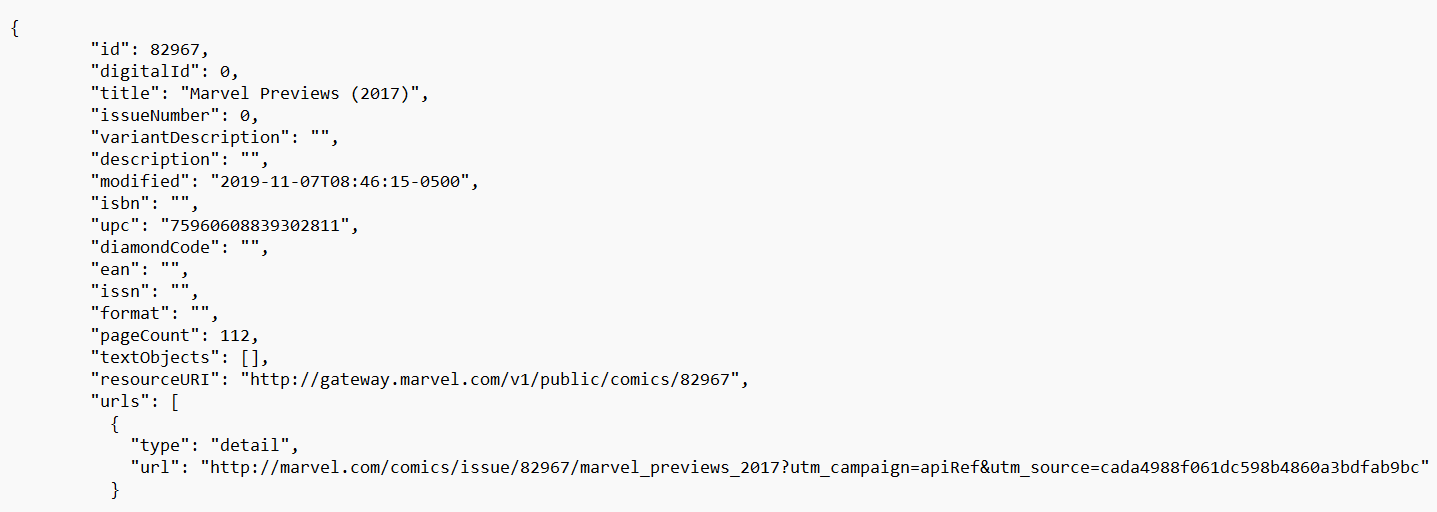
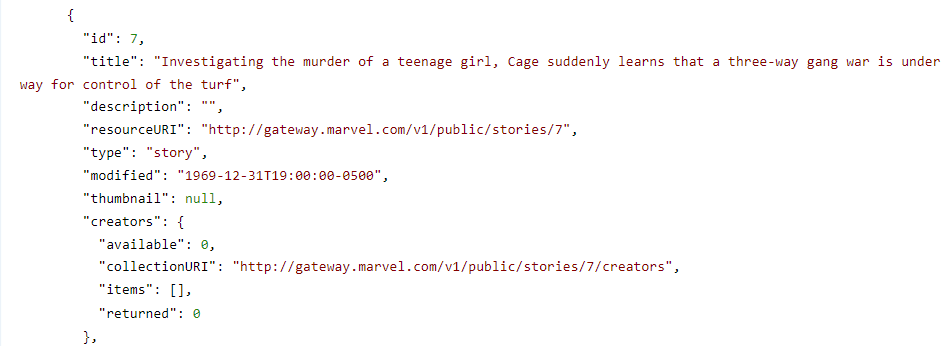
- JSON from API
- Linear
Digital Methods of Exchanging Data
- JSON
- Positive
- JSON does not use end tags (Singh, n.d.).
- JSON is shorter (Singh, n.d.).
- JSON is quicker to read and write (Singh, n.d.).
- JSON can use arrays (Singh, n.d.)..
- JSON is quicker to read and write (Singh, n.d.).
- JSON is shorter (Singh, n.d.).
- JSON does not use end tags (Singh, n.d.).
- Negative
- There are no error-handling mechanisms for JSON calls (Turing, n.d.).
- JSON can be dangerous if it is used with untrusted browsers. JSON services return JSON responses, which browsers use directly, if the browser is not secure, it can be hacked. Web applications are more prone to cyberattacks (Turing, n.d.).
- There are no error-handling mechanisms for JSON calls (Turing, n.d.).
- Interesting
- JSON was generated from Javascript, with the evolution of technology, countless programming languages have been generated. They contain code that specifically calls and interprets JSON-format data (tutorialspoint, n.d.).
- Positive
- XML
- Positive
- XML is derived from SGML (Singh, n.d.).
- XML does not support arrays (Singh, n.d.).
- XML comments are supported (Singh, n.d.).
- XML does not support arrays (Singh, n.d.).
- XML is derived from SGML (Singh, n.d.).
- Negative
- XML can be complex and difficult to understand. There is lack of security, if XML documents are not secured they can be vulnerable to certain types of cyberattacks, such as injection attacks (AspiringYouths, n.d.).
- Interesting
- XML files are plain text documents, they can be easily created, stored, transported and interpreted by computers and humans alike (Juviler, 2021).
- Positive
- Network Protocols
- Transmission Control Protocol/Internet Protocol (TCP/IP) – is a protocol that enables application programs and computing devices to exchange messages over a network. A connection is established between two devices, the data being sent is broken into segments. The data is then transmitted to the receiving end, before being reassembled.
- User Datagram Protocol (UDP) - is a communications protocol primarily used for establishing low-latency and loss-tolerating connections between applications on the internet. (Rosencrance, n.d.).
- Hypertext Transfer Protocol (HTTP) - is the foundation of the internet, and loads webpages using hyptertext links. It is an application layer protocol designed to transfer data on the internet, through browsers and servers and helps ensure webpages are correctly displayed in browsers. (Cloudflare, n.d.)
- Simple Mail Transfer Protocol (SMTP) – used in sending and receiving an email. Defines how email servers should communicate with each other, and ensures emails are delivered correctly.
- File Transfer Protocol (FTP) – used for transferring computer files from a server to a client on a network. Provides a secure way for devices to exchange or transfer files using encryption.
- Domain Name System (DNS) – used for mapping human readable domain names (such as, www.google.com) to IP addresses that computers understand.
- REST VS SOAP
- REST
- Positive
- REST uses easy-to-understand standards like swagger and OpenAPI specification 3.0 (SoapUI , n.d.).
- REST is more efficient (SOAP uses exchange languages such as XML for all messages, REST uses smaller message formats like JSON (SoapUI , n.d.).
- REST is faster, and has no extensive processing required (SoapUI , n.d.).
- REST is more efficient (SOAP uses exchange languages such as XML for all messages, REST uses smaller message formats like JSON (SoapUI , n.d.).
- REST uses easy-to-understand standards like swagger and OpenAPI specification 3.0 (SoapUI , n.d.).
- Negative
- REST APIs are generally constricted by six restrictions. These can include a uniform interface, client-server nature, stateless operations, layered system design, cacheable, and code on demand. (atatus, 2022)
- Lacks security - REST does not implement any security protocols. If applications need to transfer data between the client and the server, REST is not the best option in terms of security. REST is better suited to public APIs (atatus, 2022).
- Limited transfer protocol support
- REST only supports the HTTP protocol (atatus, 2022).
- Limited transfer protocol support
- Lacks security - REST does not implement any security protocols. If applications need to transfer data between the client and the server, REST is not the best option in terms of security. REST is better suited to public APIs (atatus, 2022).
- REST APIs are generally constricted by six restrictions. These can include a uniform interface, client-server nature, stateless operations, layered system design, cacheable, and code on demand. (atatus, 2022)
- Interesting
- REST APIs are independent of the technology used. Both client and server applciations can be written in various programming languages without affecting the overall API design (aws, n.d.).
- Positive
- SOAP
- Interesting
- SOAP is still used by big organizations. Only used for it's built in security and reliability functions. SOAP is the best choice for applications where security mor important than performance (Loisel, 2023) .
- Negative
- SOAP messages tend to be more complex, and require more effort to create and consume unlike small data exchange formats such as JSON and XML (Quora, n.d.) .
- The performance of SOAP tends to decline as SOAP messages are typically larger than other data exchange formats (Quora, n.d.) .
- Positive
- SOAP works well in distributed enterprise environments. Whereas REST assumes direct point-to-point communication (SoapUI , n.d.).
- SOAP provides significant pre-build extensibility. This is done through the WS* standards (SoapUI , n.d.).
- SOAP has built-in error handling (SoapUI , n.d.). This feature takes care of any errors which could be encountered in applications
- SOAP provides significant pre-build extensibility. This is done through the WS* standards (SoapUI , n.d.).
- SOAP works well in distributed enterprise environments. Whereas REST assumes direct point-to-point communication (SoapUI , n.d.).
- Interesting
- REST
- Other ways of Exchanging data
- SQL
- Sql stands for Structured Query Language. It stores and processes data in a relational database. Relational databases store data in a tabular form, with rows and columns representing data attributes and the various relationships between data values (AWS, n.d.).
- RDF
- RDF (also known as Resource Description Framework) is a standard model for data interchange on the internet. RDF facilitates even if the underlying schemas differ. It specifically supports the evolution of schemas without requiring the data to be changed (SemanticWeb, n.d.).
- SQL
- JSON
Data Specifications
- Data Types
- Varchar
- Integer
- String
- Boolean
- Array
- Timestamp
- Data Length
- JSON - 32 bits
- XML - 16 bits
- Timestamp - Between 19-32 Bytes
- Integer - 4 Bytes
- String - 8 Bytes
- Varchar - 1-255 Bytes
- Array - 32 bits
- Boolean - 16-Bit (2-byte numbers)
- Constraints/Validation
- Time - Only a set amount of time is allowed for the development of this web-application. If more time was allowed, extra features can be added which will allow users to enjoy the easy to learn functionality of the application.
- Building a flask web application. Developers need to download packages as Flask does not have these tools, when first downloaded. Flask is very difficult to get familiar with, it is less secure. And Flask developers need to write the queries themselves (Panchal, 2022).
- Only the the Marvel API, can be used. Other APIs cannot be used to retrieve data.
- Skill-level of a person - The higher the skill-level, the more efficient and systematic the web application will be. Wnereas, a lower skill level will result in the application being coded less efficiently.
- Resources - Only Python and Flask are used as the backend procedures. Whereas HTML, CSS and the data displayed from the Marvel API are the front-end procedures.
- Different Data used in JSON
- Data Types
Data Interface
- Data interfaces are used to exchange information about data being transferred between a source and recipient (DISCOM, n.d.).
- Tables
- Row
- Column
- Cell
- Sample data
- Headings
- How JSON presented
- The data is graphically presented in data tables. This data is retrieved from the API, and displayed in human-readable text. Through the use of Python code, JSON will be used to create a HTML webpage. Which will allow for the marvel superhero data to be displayed, users will be able to search for character data such as Superhero Name, Superhero age etc. Users will also be able to search for characters, using a functional searchbar. This will be done to improve the overall usability of the application.
- Application Interface
- How JSON allows the users to interact with the API?
- Search bar
- Buttons
- Search Options
- Filter Options
- How JSON allows the users to interact with the API?
Images and files in the map
Information
- Description
- Mind Map on Data Exchange Applications, created by Lovejot Singh on 23/07/2021.
- Created by
- Lovejot Singh
- Views
- 0
- Rating