
Mind map
Vector and Bitmap Graphics
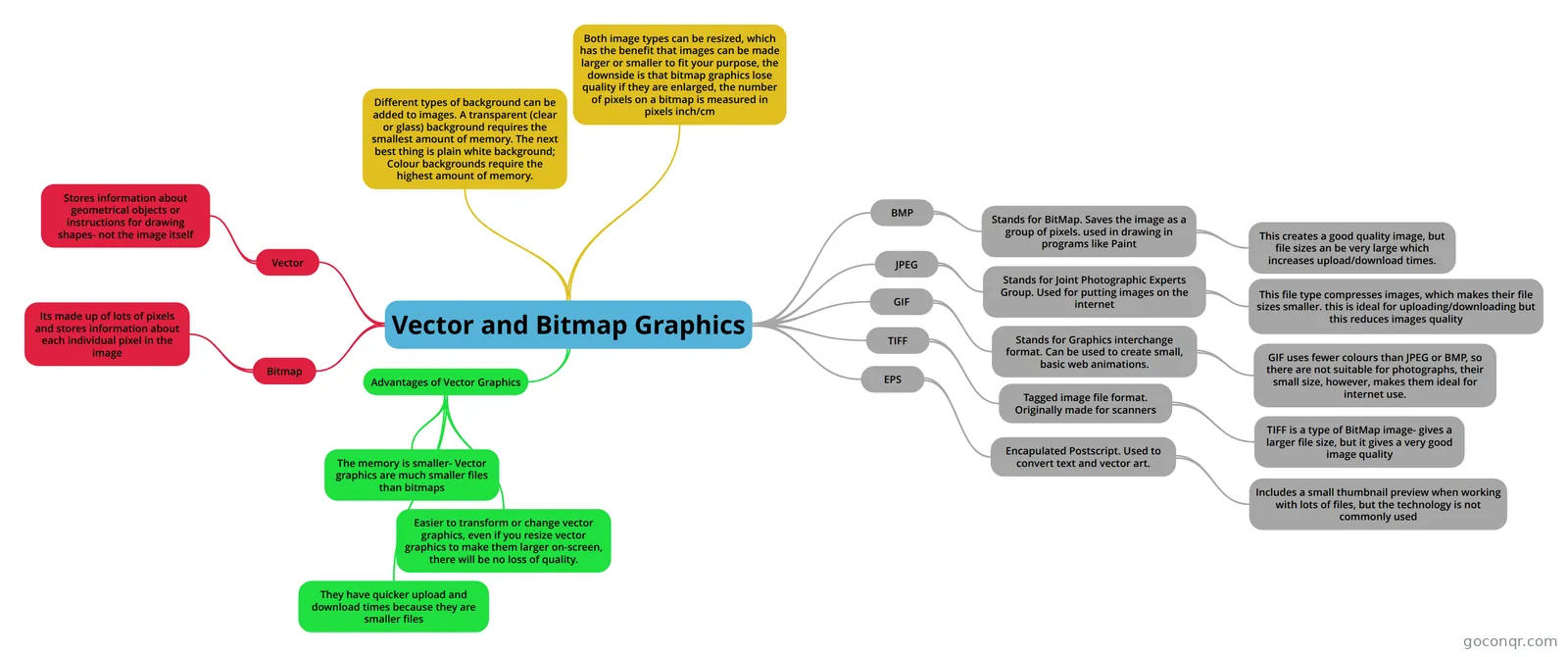
Mind map: Vector and bitmap graphics
Map content
Vector and Bitmap Graphics
Vector
- Stores information about geometrical objects or instructions for drawing shapes- not the image itself
Bitmap
- Its made up of lots of pixels and stores information about each individual pixel in the image
Advantages of Vector Graphics
- The memory is smaller- Vector graphics are much smaller files than bitmaps
- Easier to transform or change vector graphics, even if you resize vector graphics to make them larger on-screen, there will be no loss of quality.
- They have quicker upload and download times because they are smaller files
Both image types can be resized, which has the benefit that images can be made larger or smaller to fit your purpose, the downside is that bitmap graphics lose quality if they are enlarged, the number of pixels on a bitmap is measured in pixels inch/cm
Different types of background can be added to images. A transparent (clear or glass) background requires the smallest amount of memory. The next best thing is plain white background; Colour backgrounds require the highest amount of memory.
BMP
- Stands for BitMap. Saves the image as a group of pixels. used in drawing in programs like Paint
- This creates a good quality image, but file sizes an be very large which increases upload/download times.
- Stands for BitMap. Saves the image as a group of pixels. used in drawing in programs like Paint
JPEG
- Stands for Joint Photographic Experts Group. Used for putting images on the internet
- This file type compresses images, which makes their file sizes smaller. this is ideal for uploading/downloading but this reduces images quality
- Stands for Joint Photographic Experts Group. Used for putting images on the internet
GIF
- Stands for Graphics interchange format. Can be used to create small, basic web animations.
- GIF uses fewer colours than JPEG or BMP, so there are not suitable for photographs, their small size, however, makes them ideal for internet use.
- Stands for Graphics interchange format. Can be used to create small, basic web animations.
TIFF
- Tagged image file format. Originally made for scanners
- TIFF is a type of BitMap image- gives a larger file size, but it gives a very good image quality
- Tagged image file format. Originally made for scanners
EPS
- Encapulated Postscript. Used to convert text and vector art.
- Includes a small thumbnail preview when working with lots of files, but the technology is not commonly used
- Encapulated Postscript. Used to convert text and vector art.
Information
- Description
- Mind Map on Vector and Bitmap Graphics, created by Jess Crouch on 01/11/2015.
- Created by
- Jess Crouch
- Views
- 1
- Rating
More on Bitmap and Vector Graphics