
Mind map
Data Representation & Interpretation
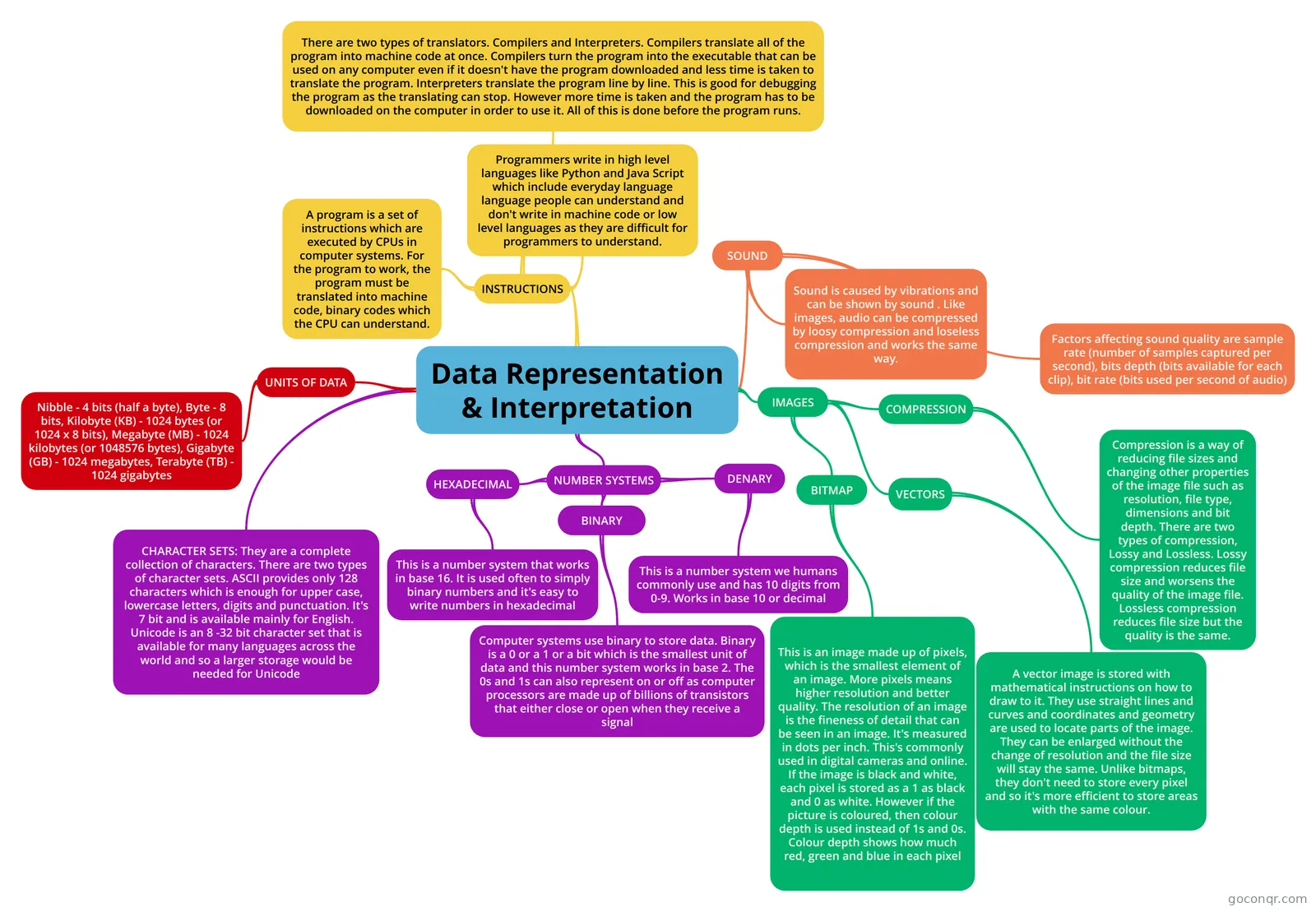
Mind map: Data Representation and Interpretation
Map content
Data Representation & Interpretation
UNITS OF DATA
- Nibble - 4 bits (half a byte), Byte - 8 bits, Kilobyte (KB) - 1024 bytes (or 1024 x 8 bits), Megabyte (MB) - 1024 kilobytes (or 1048576 bytes), Gigabyte (GB) - 1024 megabytes, Terabyte (TB) - 1024 gigabytes
NUMBER SYSTEMS
- BINARY
- Computer systems use binary to store data. Binary is a 0 or a 1 or a bit which is the smallest unit of data and this number system works in base 2. The 0s and 1s can also represent on or off as computer processors are made up of billions of transistors that either close or open when they receive a signal
- DENARY
- This is a number system we humans commonly use and has 10 digits from 0-9. Works in base 10 or decimal
- HEXADECIMAL
- This is a number system that works in base 16. It is used often to simply binary numbers and it's easy to write numbers in hexadecimal
- BINARY
IMAGES
- BITMAP
- This is an image made up of pixels, which is the smallest element of an image. More pixels means higher resolution and better quality. The resolution of an image is the fineness of detail that can be seen in an image. It's measured in dots per inch. This's commonly used in digital cameras and online. If the image is black and white, each pixel is stored as a 1 as black and 0 as white. However if the picture is coloured, then colour depth is used instead of 1s and 0s. Colour depth shows how much red, green and blue in each pixel
- VECTORS
- A vector image is stored with mathematical instructions on how to draw to it. They use straight lines and curves and coordinates and geometry are used to locate parts of the image. They can be enlarged without the change of resolution and the file size will stay the same. Unlike bitmaps, they don't need to store every pixel and so it's more efficient to store areas with the same colour.
- COMPRESSION
- Compression is a way of reducing file sizes and changing other properties of the image file such as resolution, file type, dimensions and bit depth. There are two types of compression, Lossy and Lossless. Lossy compression reduces file size and worsens the quality of the image file. Lossless compression reduces file size but the quality is the same.
- BITMAP
CHARACTER SETS: They are a complete collection of characters. There are two types of character sets. ASCII provides only 128 characters which is enough for upper case, lowercase letters, digits and punctuation. It's 7 bit and is available mainly for English. Unicode is an 8 -32 bit character set that is available for many languages across the world and so a larger storage would be needed for Unicode
SOUND
- Sound is caused by vibrations and can be shown by sound . Like images, audio can be compressed by loosy compression and loseless compression and works the same way.
- Factors affecting sound quality are sample rate (number of samples captured per second), bits depth (bits available for each clip), bit rate (bits used per second of audio)
INSTRUCTIONS
- A program is a set of instructions which are executed by CPUs in computer systems. For the program to work, the program must be translated into machine code, binary codes which the CPU can understand.
- Programmers write in high level languages like Python and Java Script which include everyday language language people can understand and don't write in machine code or low level languages as they are difficult for programmers to understand.
- There are two types of translators. Compilers and Interpreters. Compilers translate all of the program into machine code at once. Compilers turn the program into the executable that can be used on any computer even if it doesn't have the program downloaded and less time is taken to translate the program. Interpreters translate the program line by line. This is good for debugging the program as the translating can stop. However more time is taken and the program has to be downloaded on the computer in order to use it. All of this is done before the program runs.
Information
- Description
- Mind Map on Data Representation & Interpretation, created by Anuj Singhal on 31/01/2016.
- Created by
- Anuj Singhal
- Views
- 5
- Rating
More on Binary, Decimal and Hexadecimal