GoConqr has a new look! Let us know what you think.

Slides

Ubidots Setup

Scott C Arduino English 28 slides 1,062 views

Slides in this set (28)

  1. Ubidots Setup

    • Ubidots Setup
    • Caption: Setting up the Ubidots Dashboard button
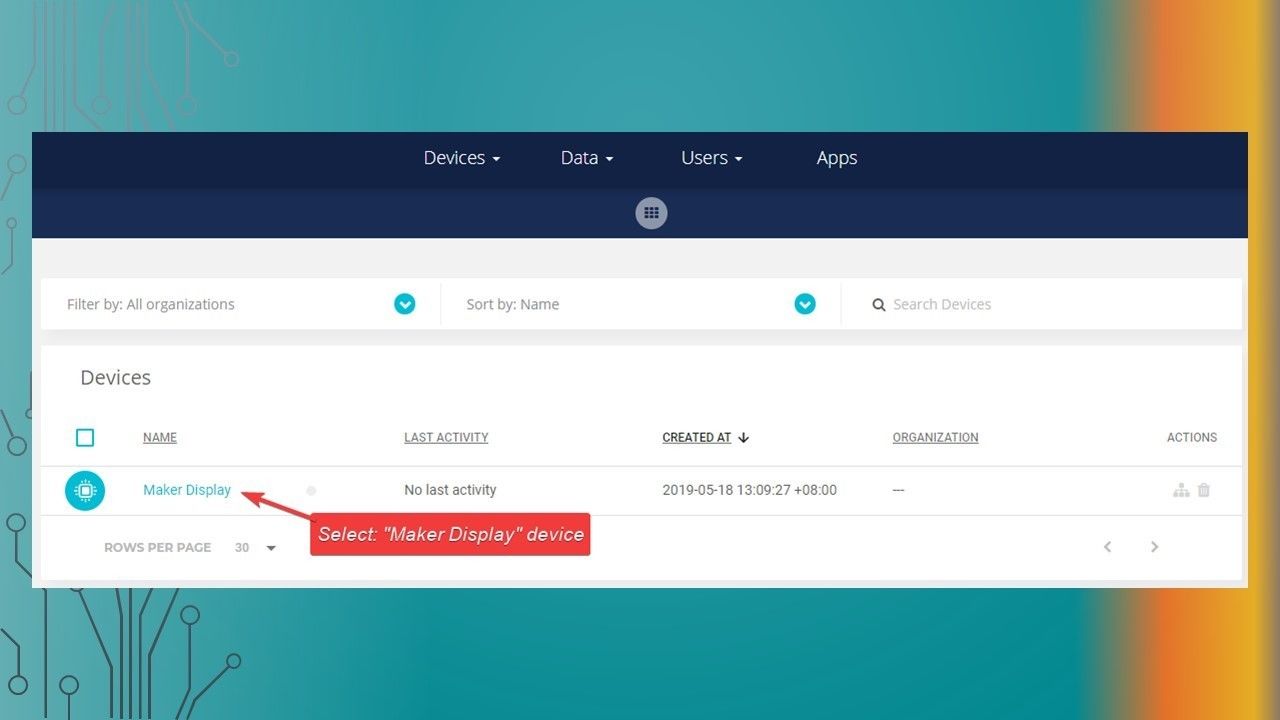
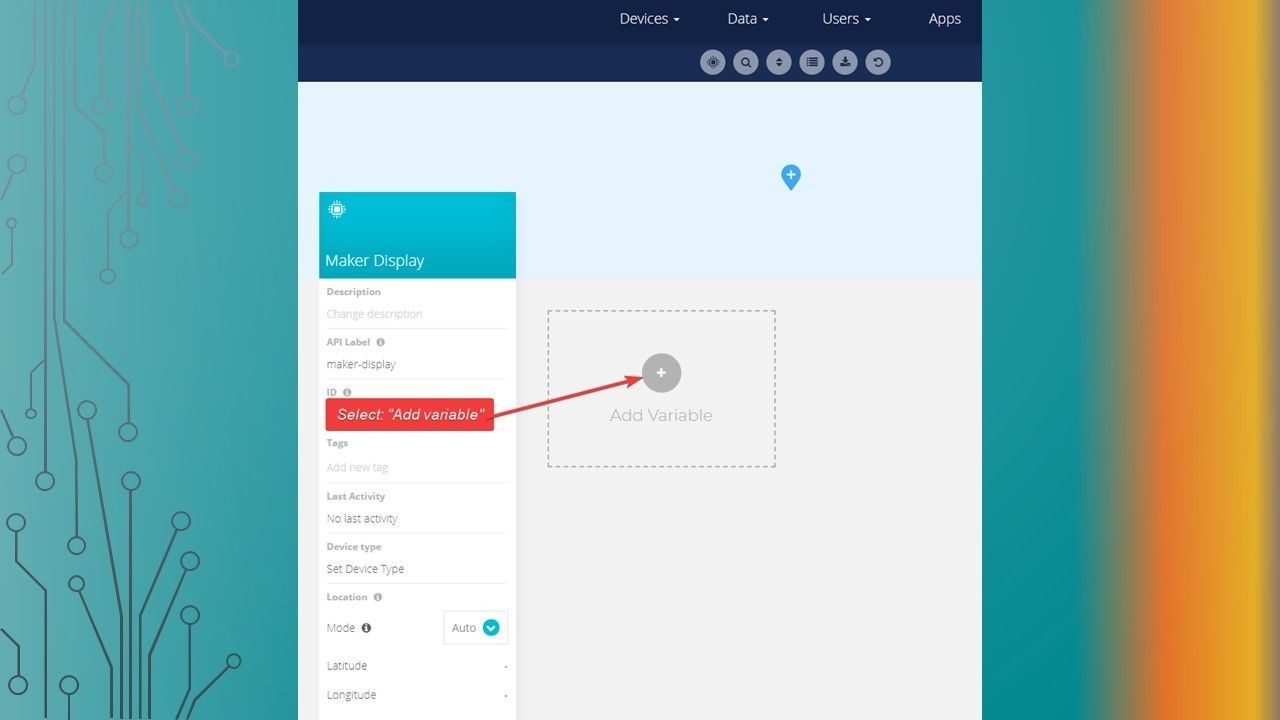
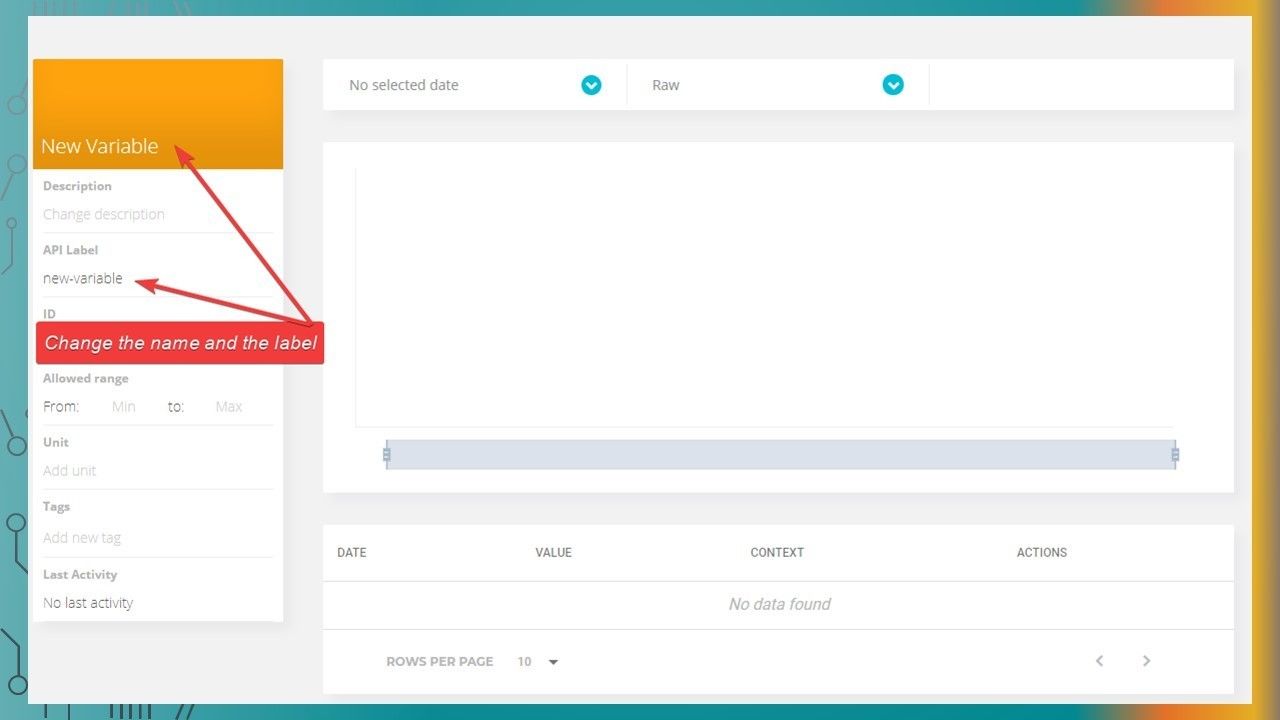
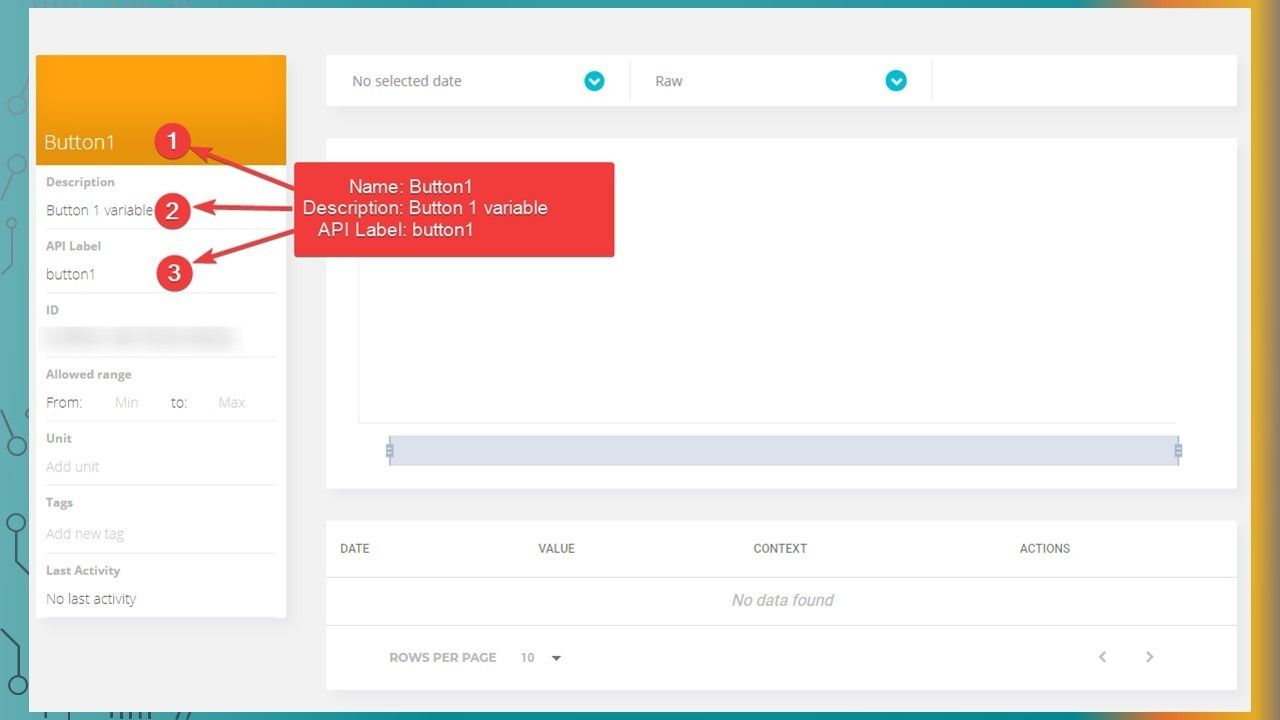
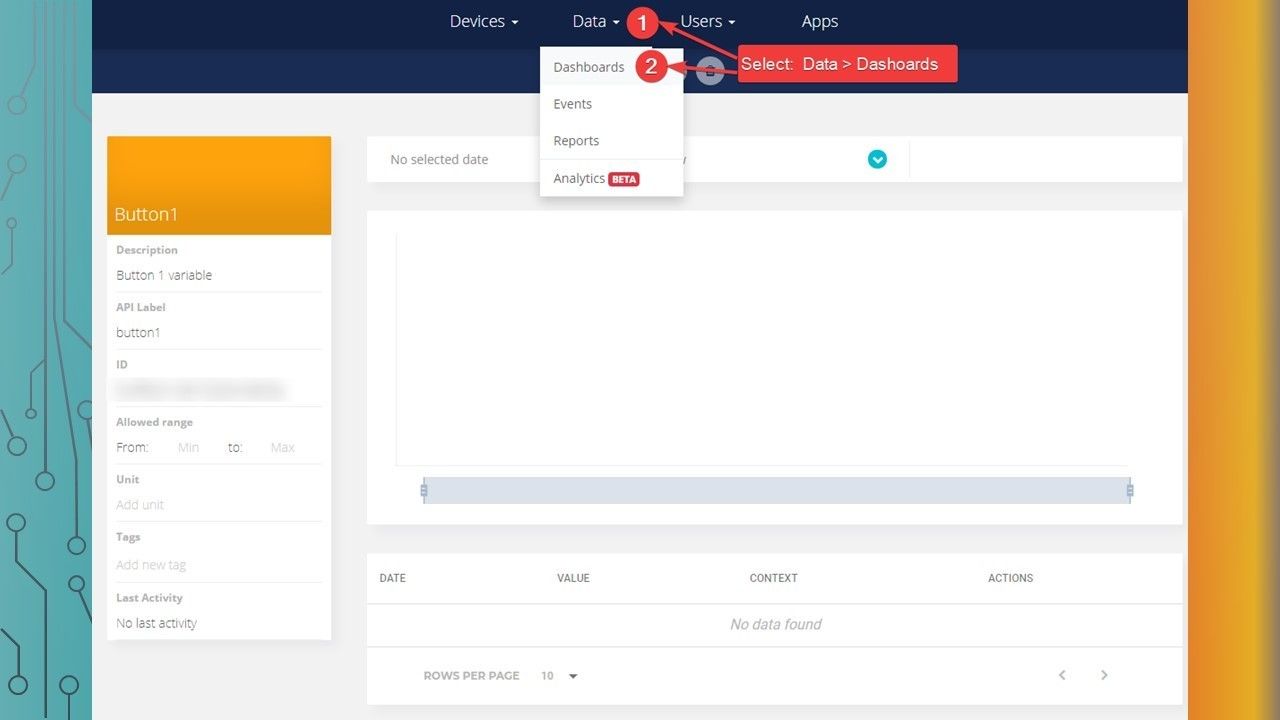
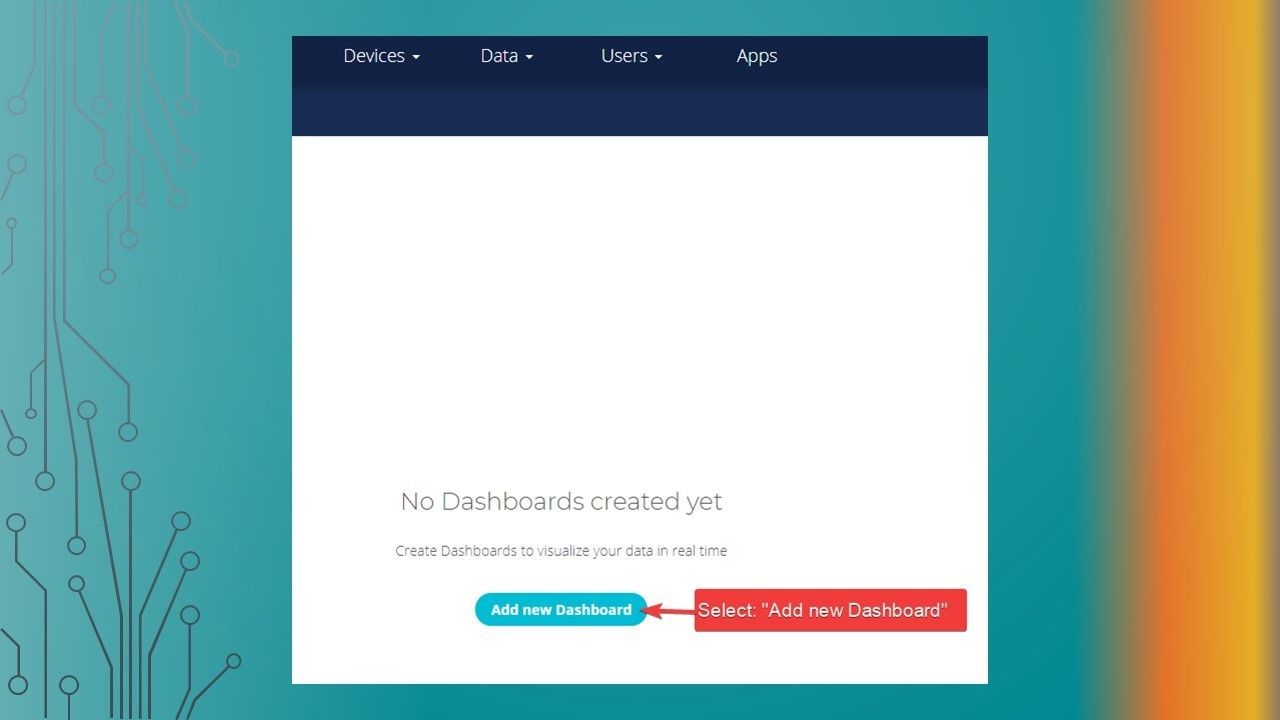
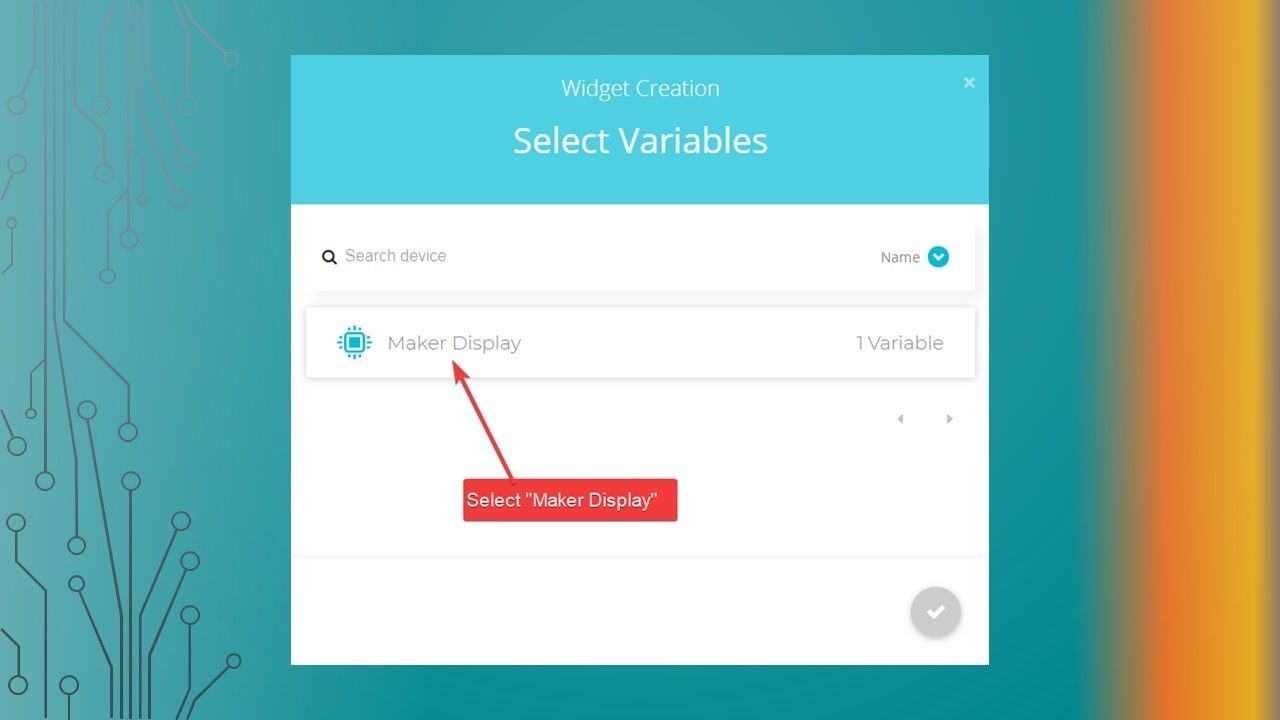
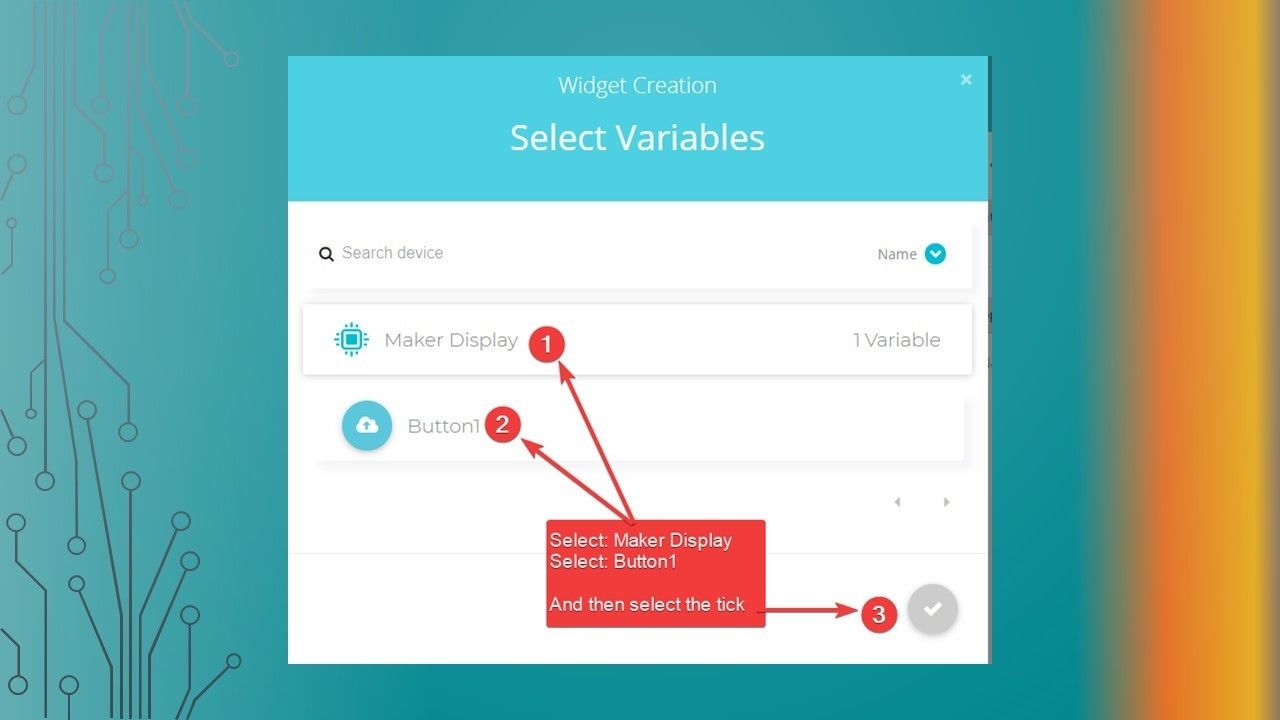
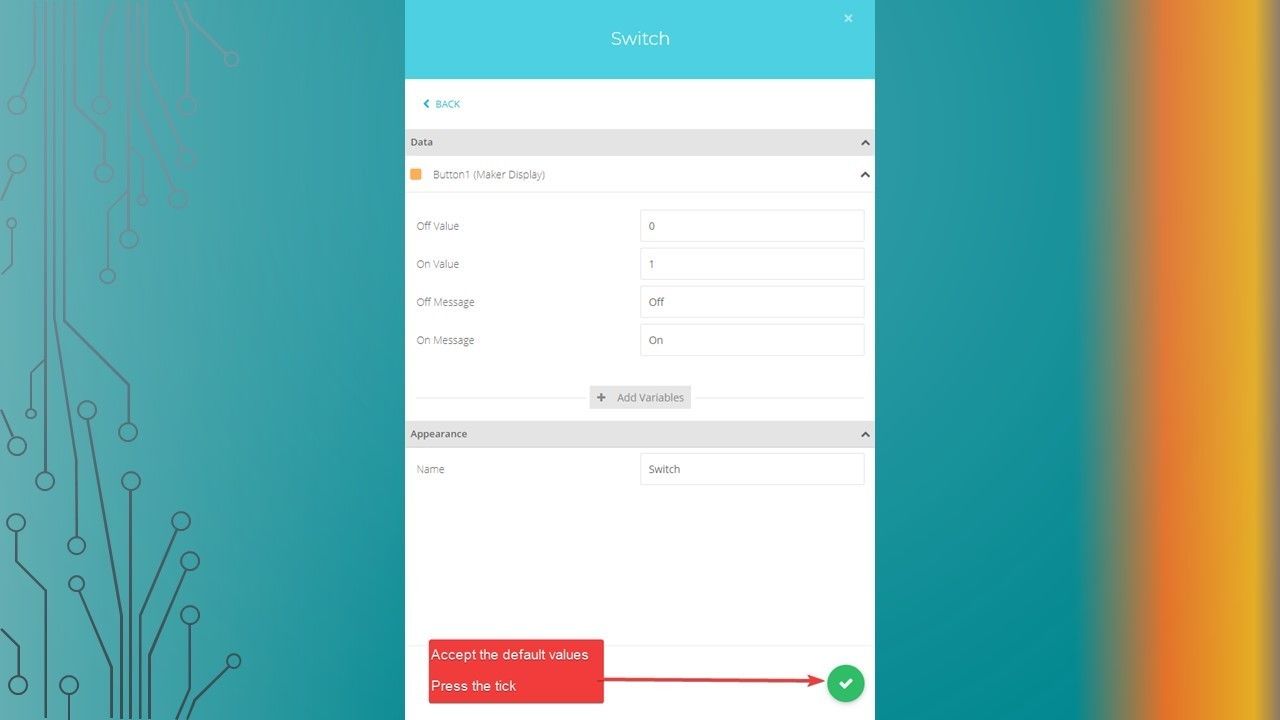
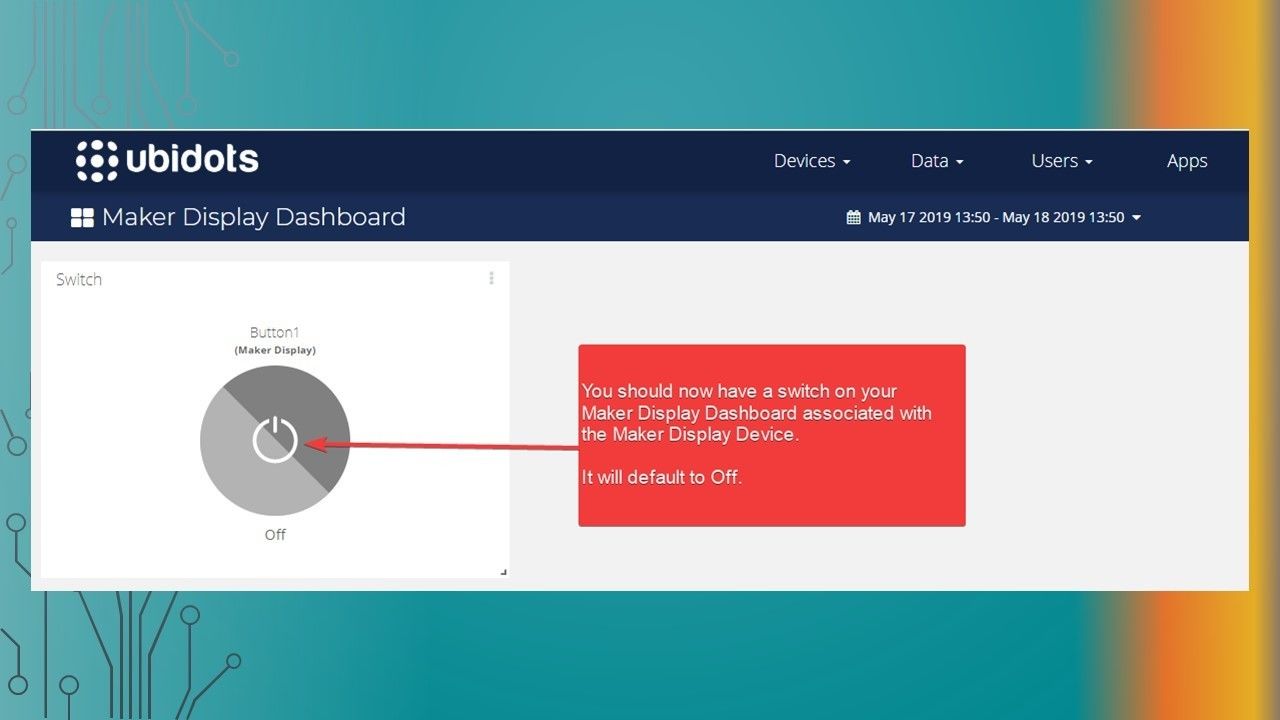
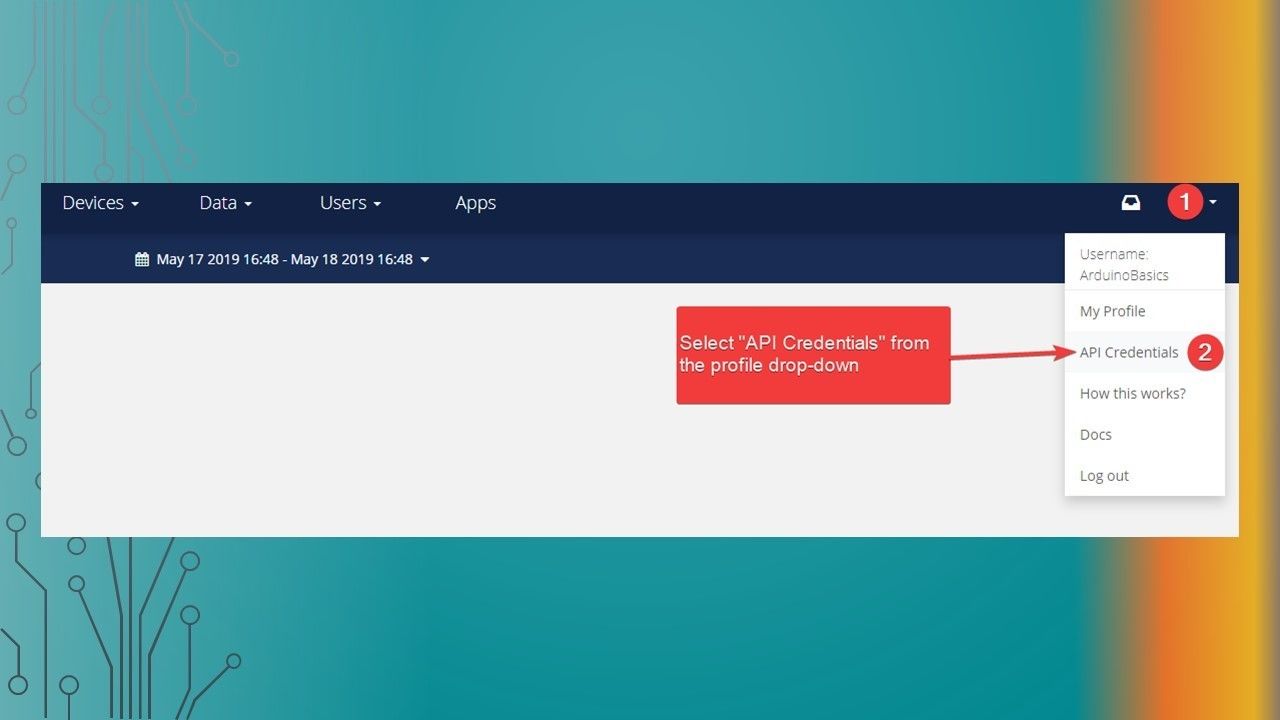
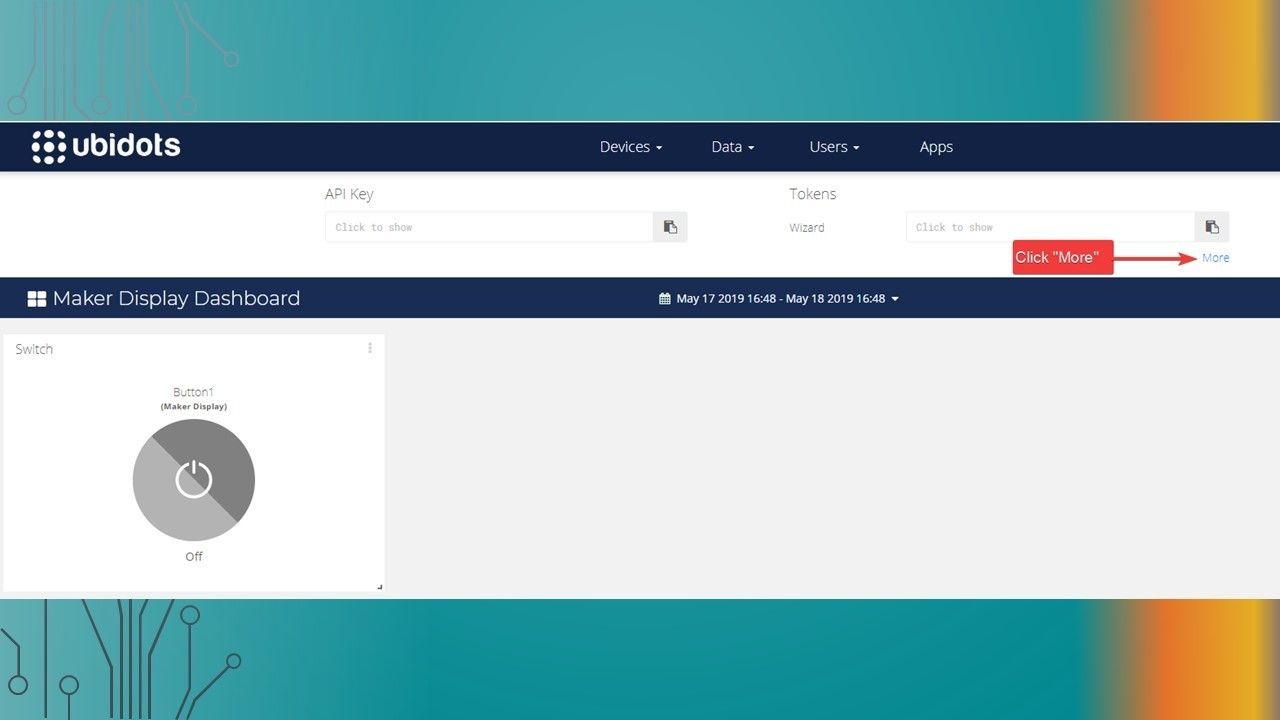
    • The following presentation will show you the steps required to setup the Ubidots dashboard button to communicate with the Maker Display via MQTT
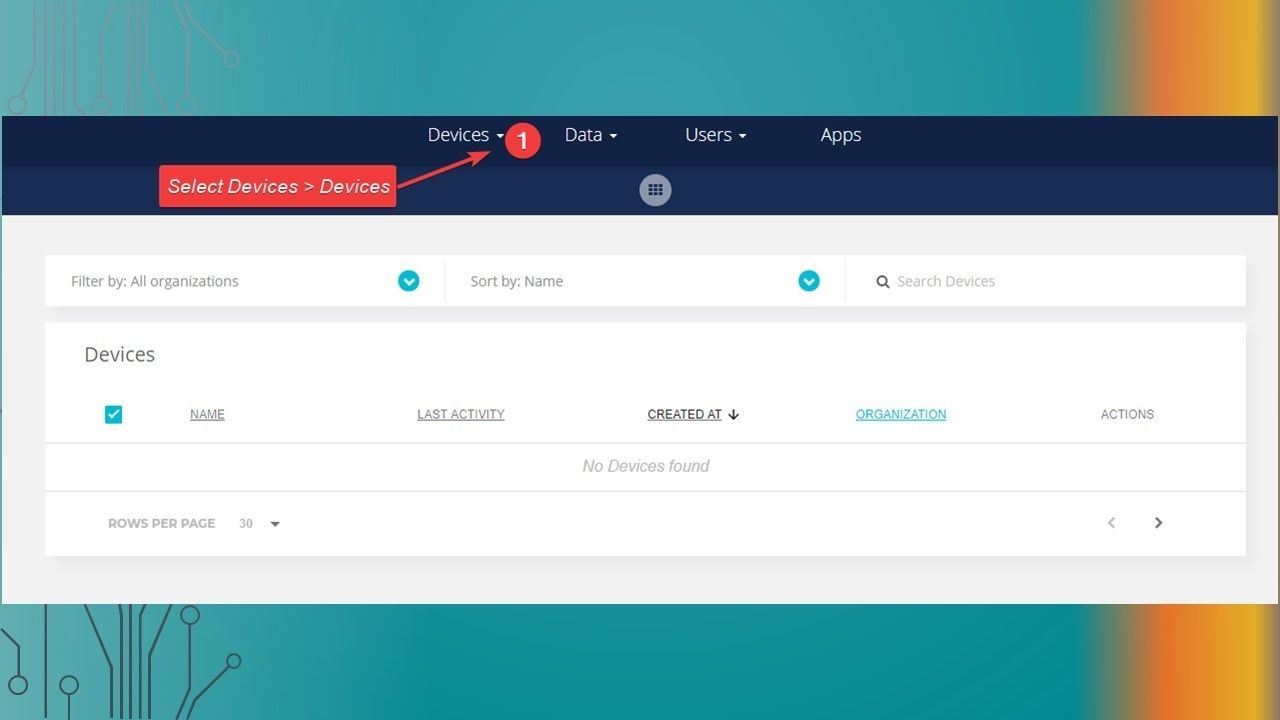
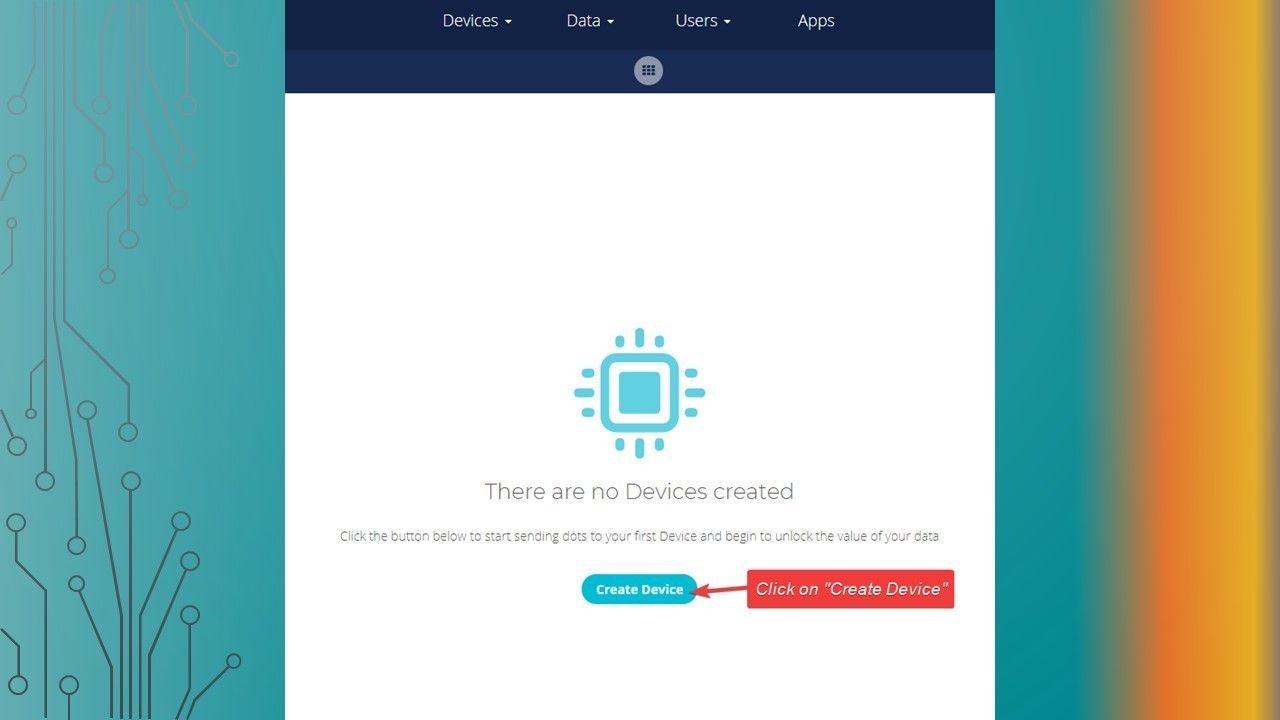
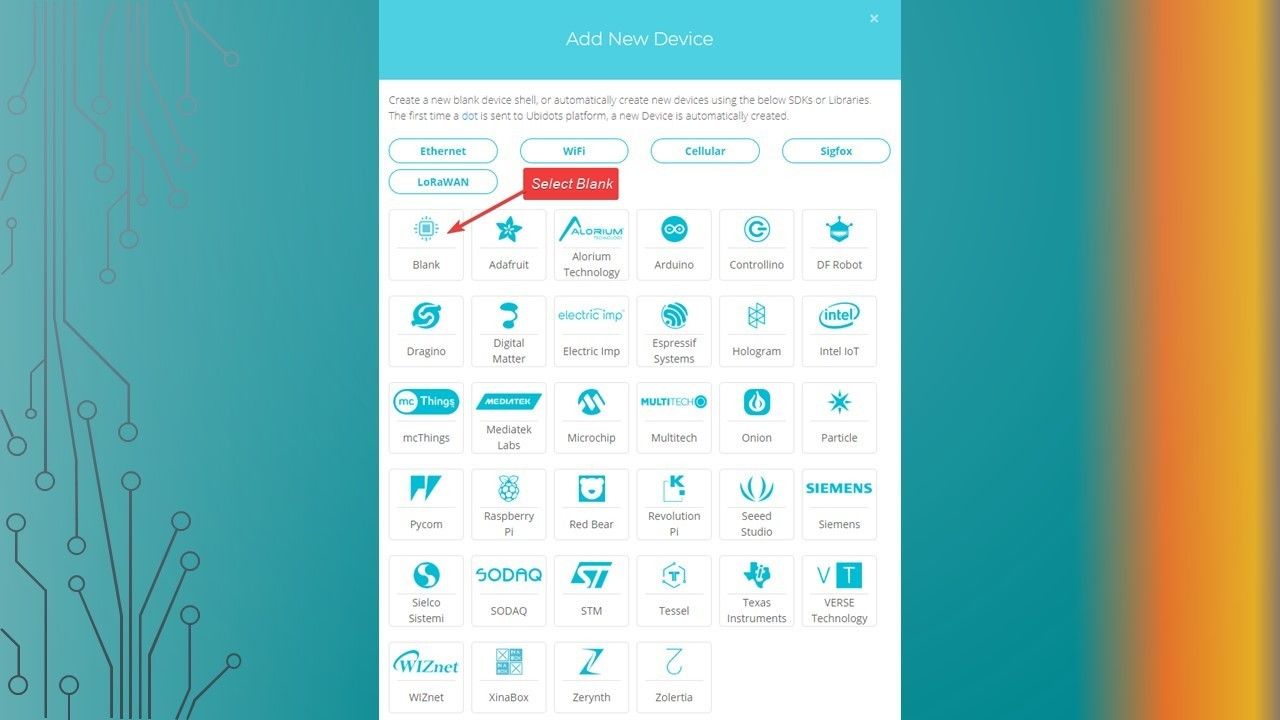
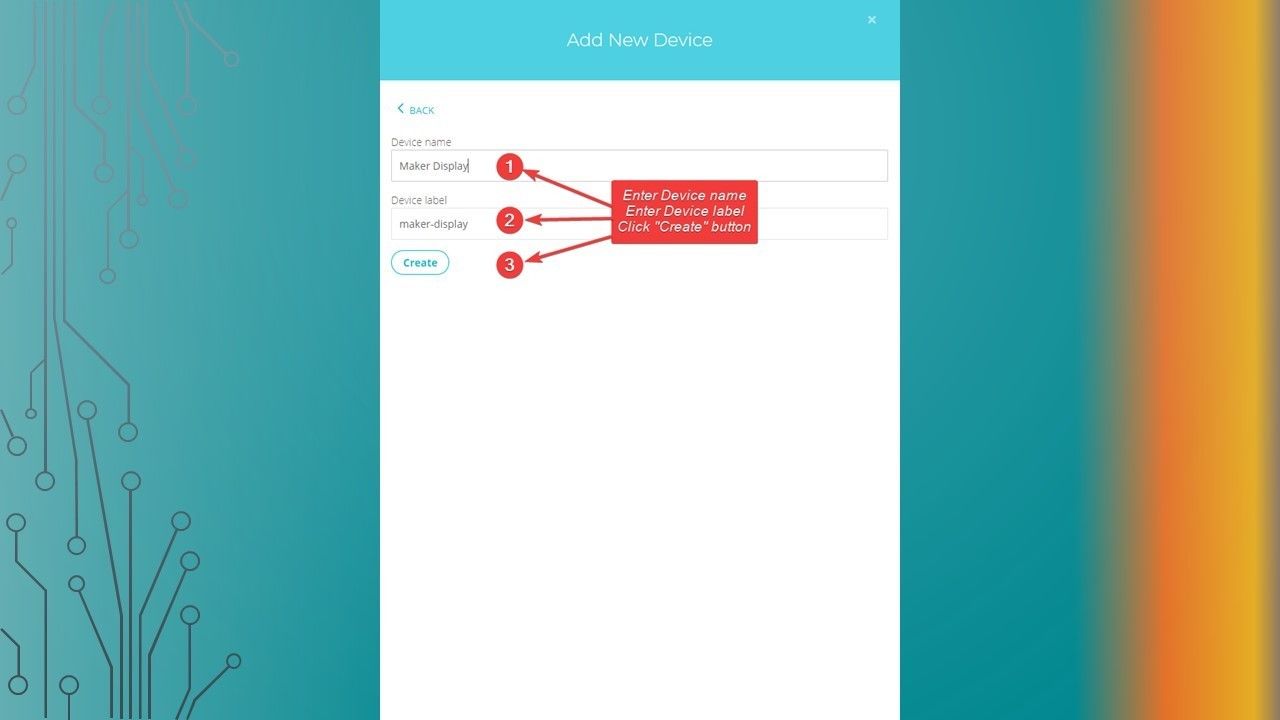
  2. Creating a Device

    • Creating a Device
  3. Slide 3

    • Ubidots Setup
  4. Slide 4

    • Ubidots Setup
  5. Slide 5

    • Ubidots Setup
  6. Slide 6

    • Ubidots Setup
  7. Creating a Variable

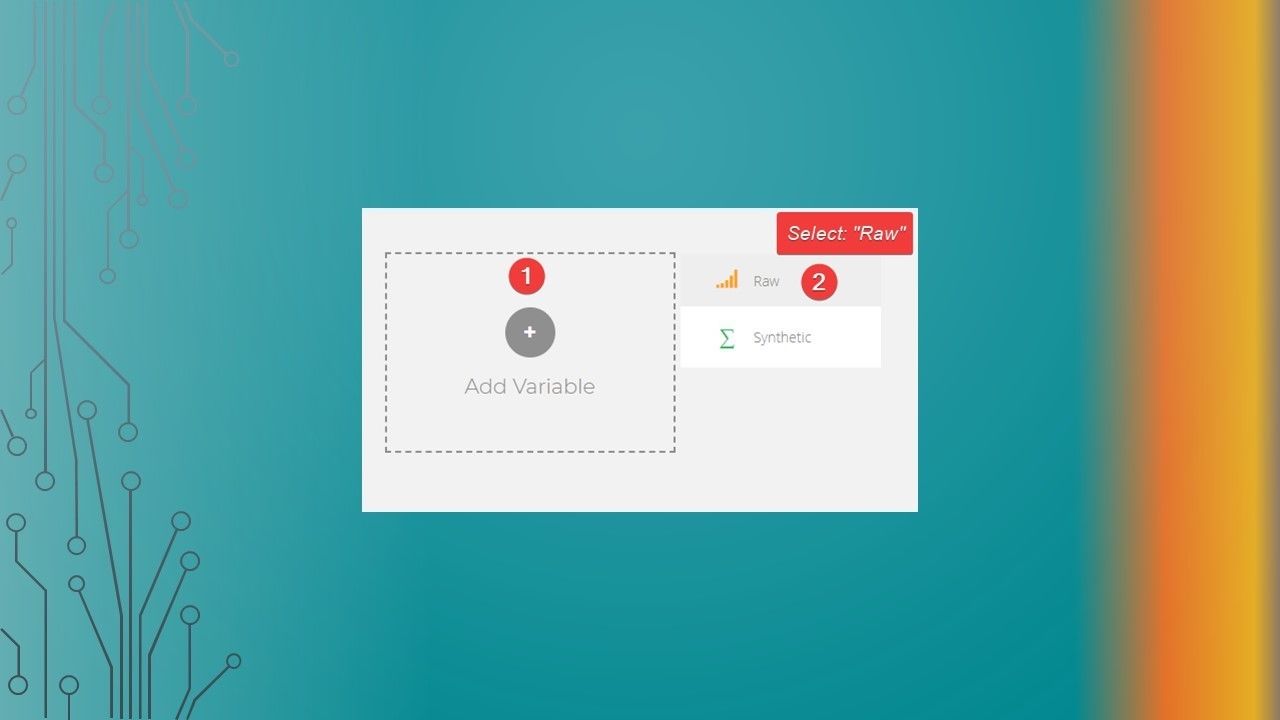
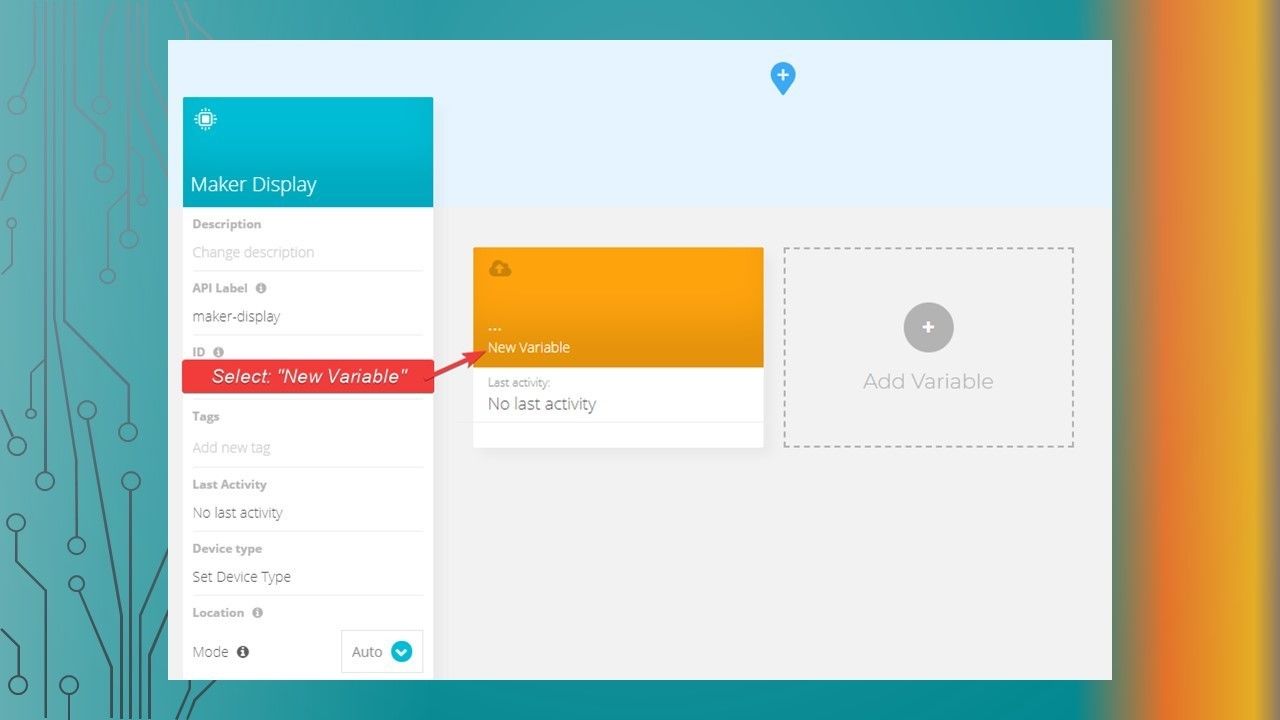
    • Creating a Variable
  8. Slide 8

    • Ubidots Setup
  9. Slide 9

    • Ubidots Setup
  10. Slide 10

    • Ubidots Setup
  11. Slide 11

    • Ubidots Setup
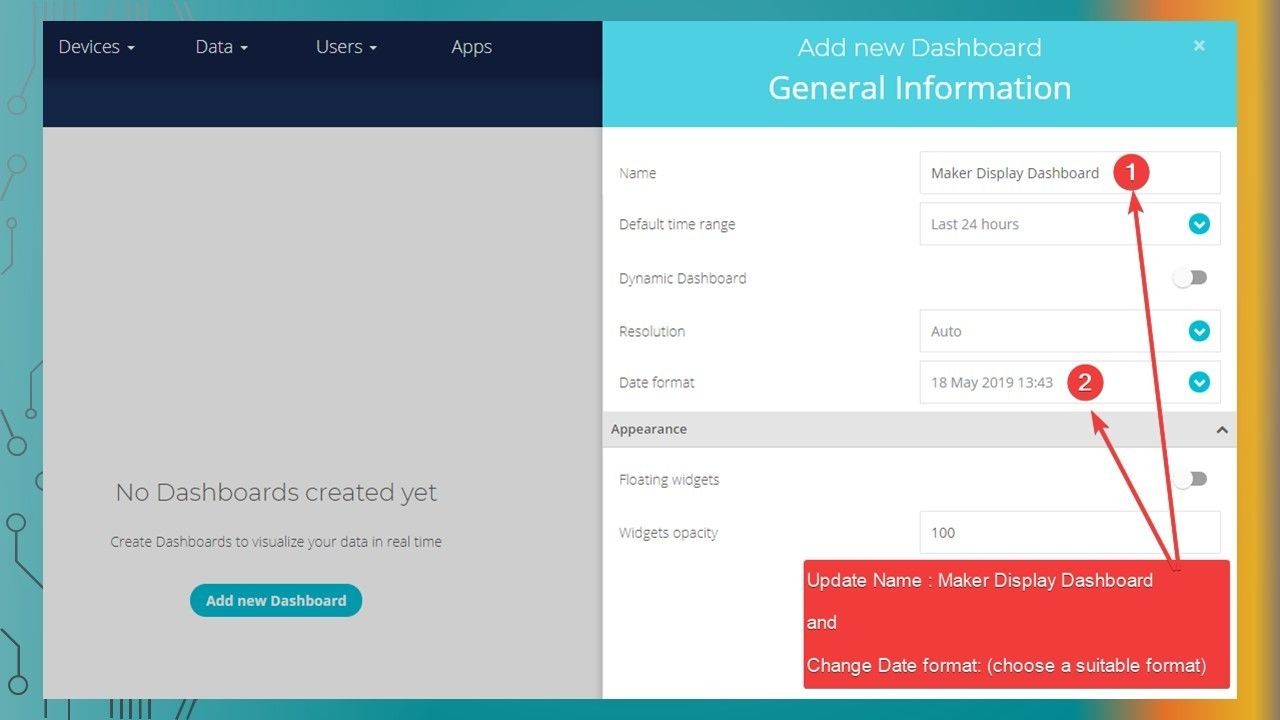
  12. Creating a Dashboard

    • Creating a Dashboard
  13. Slide 13

    • Ubidots Setup
  14. Slide 14

    • Ubidots Setup
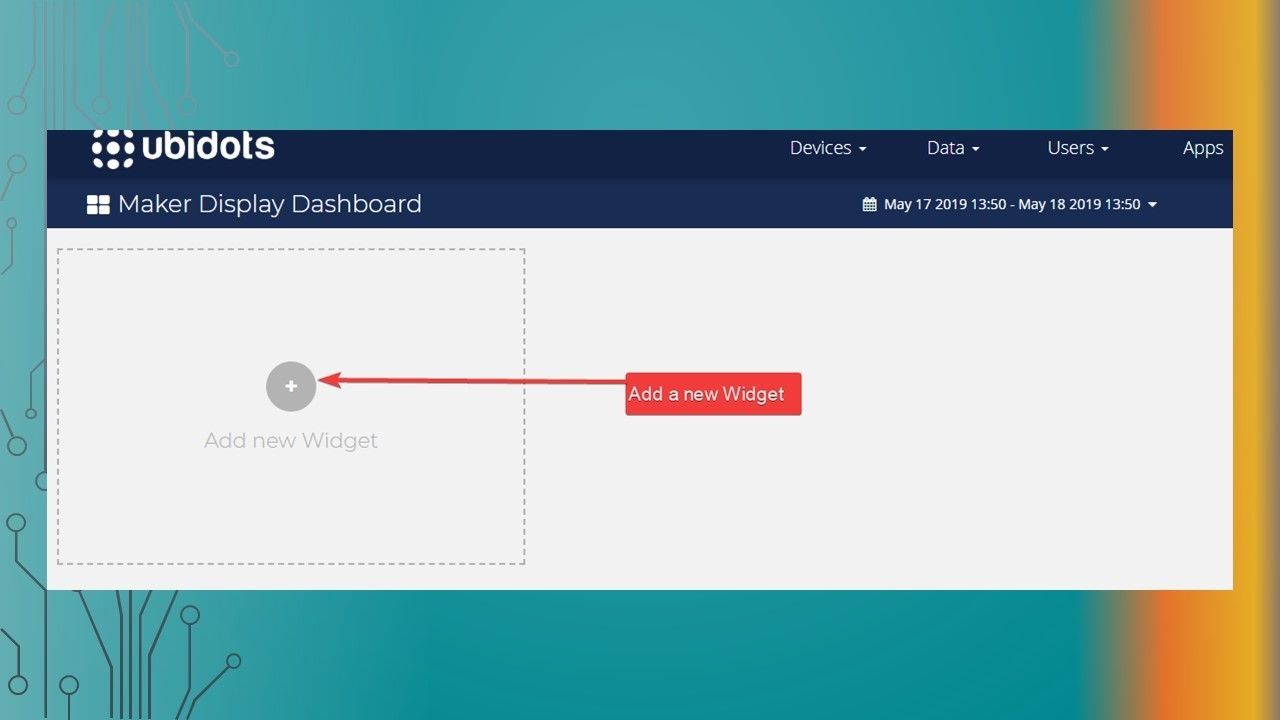
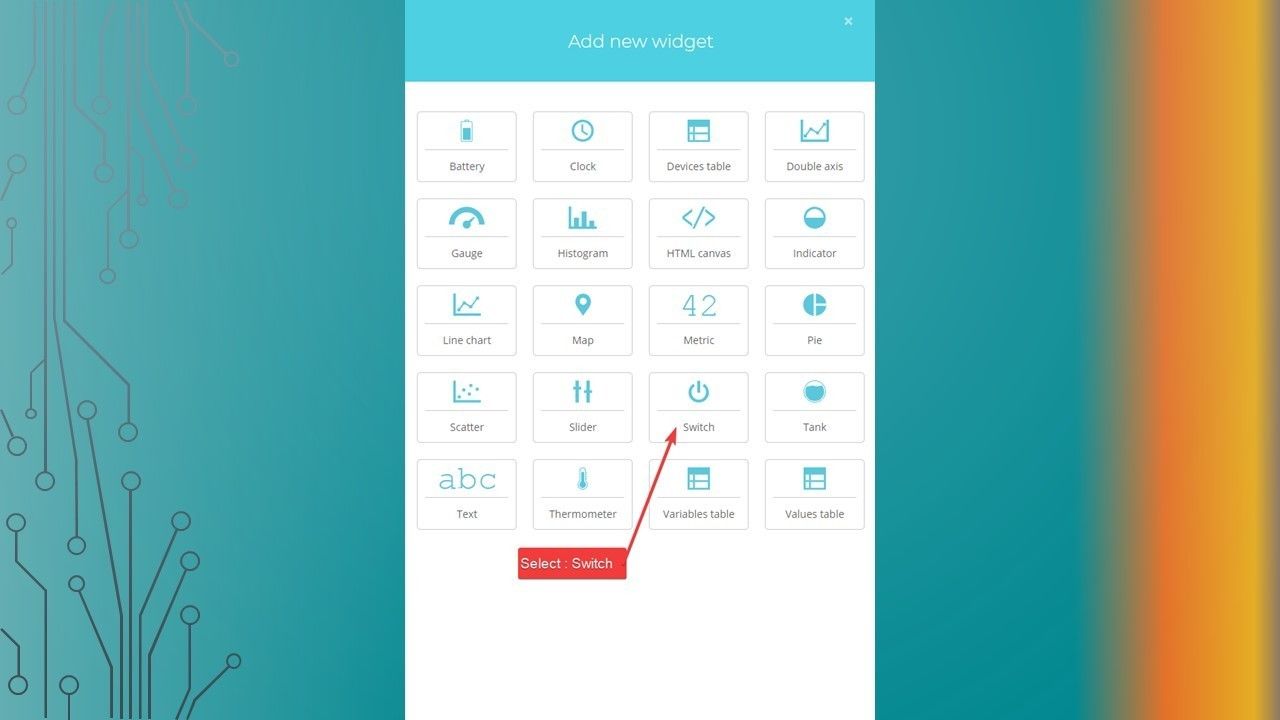
  15. Add a Widget to the Dashboard

    • Add a Widget to the Dashboard
  16. Slide 16

    • Ubidots Setup
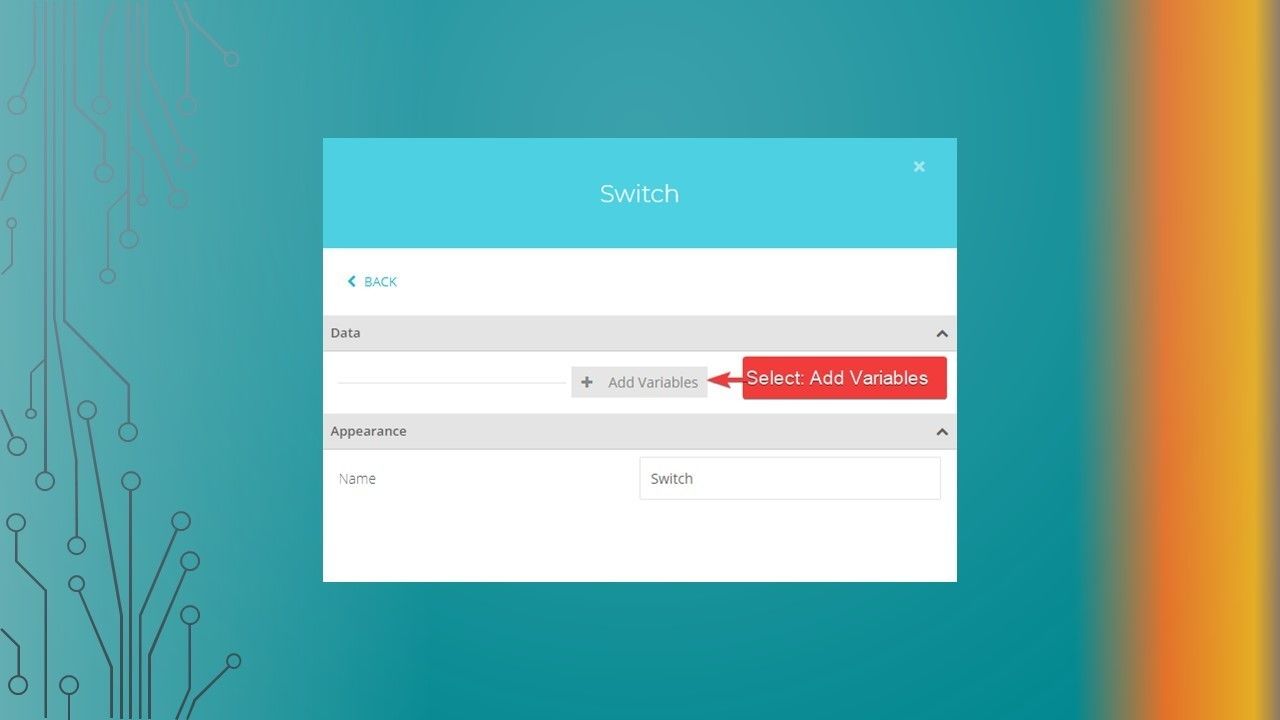
  17. Associate the Device & Variable to Widget

    • Associate the Device & Variable to Widget
  18. Slide 18

    • Ubidots Setup
  19. Slide 19

    • Ubidots Setup
  20. Slide 20

    • Ubidots Setup
  21. Slide 21

    • Ubidots Setup
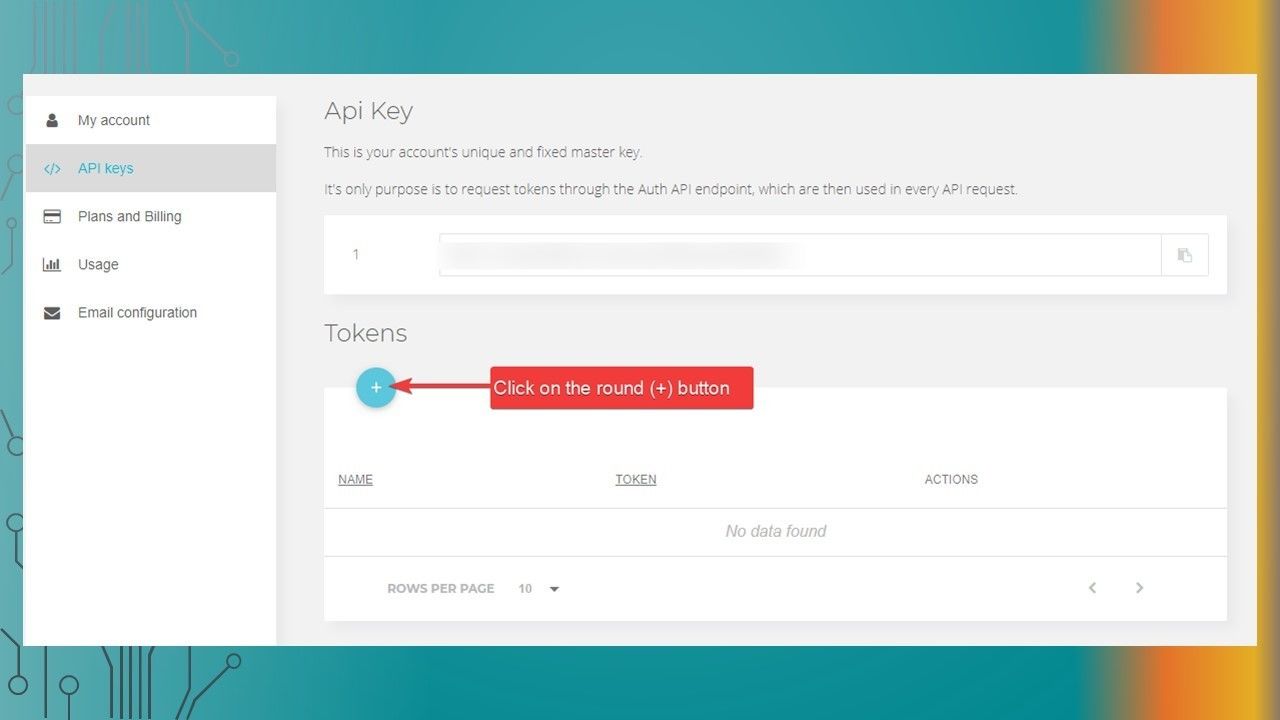
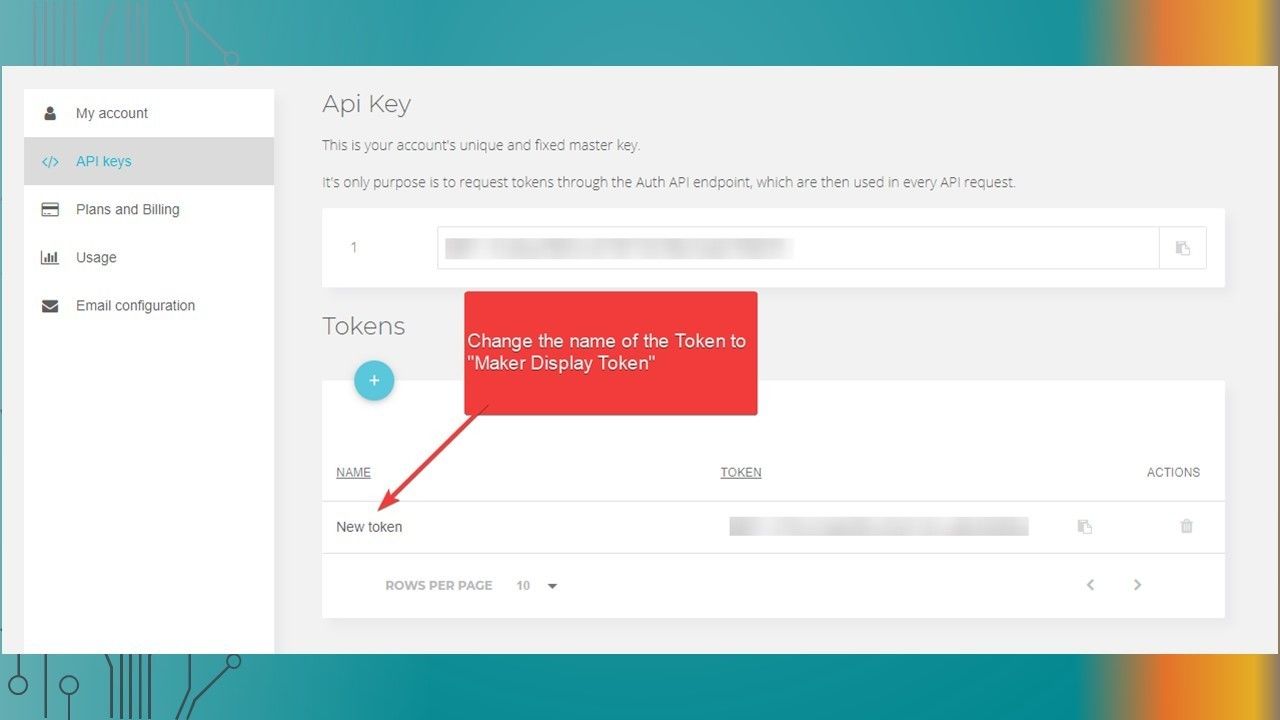
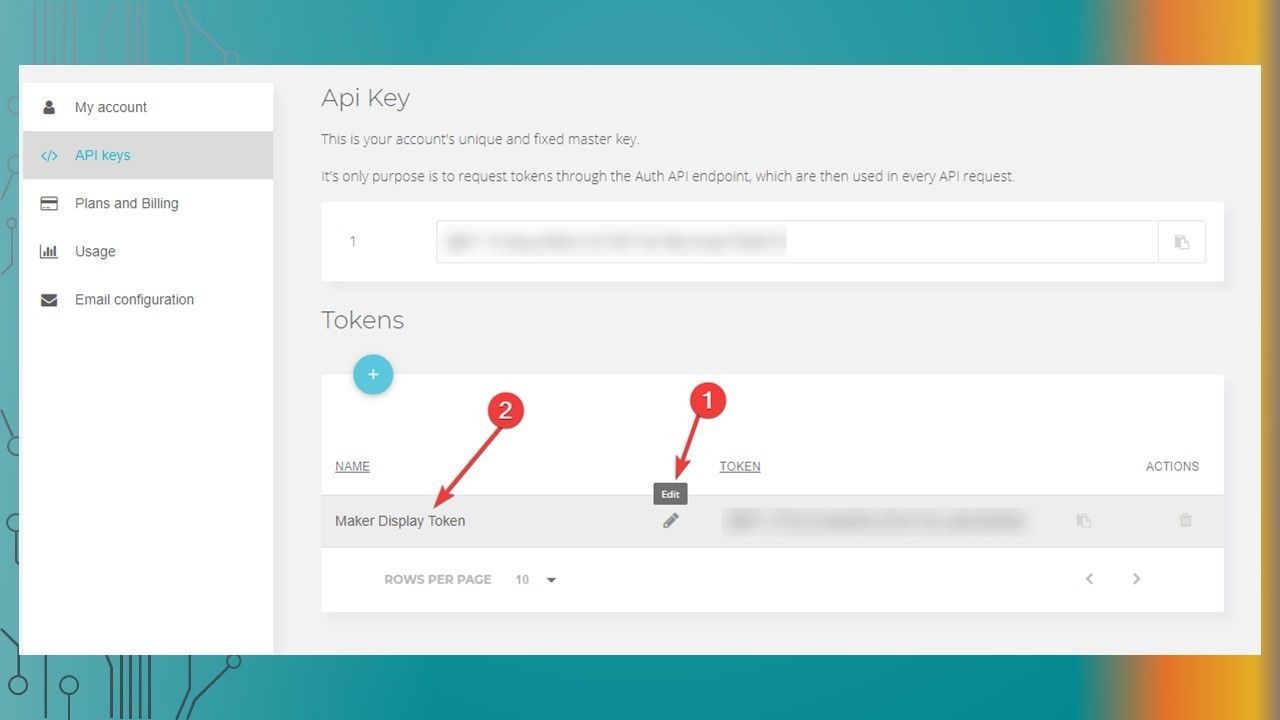
  22. Create a new Ubidots TOKEN

    • Create a new Ubidots TOKEN
  23. Slide 23

    • Ubidots Setup
  24. Slide 24

    • Ubidots Setup
  25. Slide 25

    • Ubidots Setup
  26. Slide 26

    • Ubidots Setup
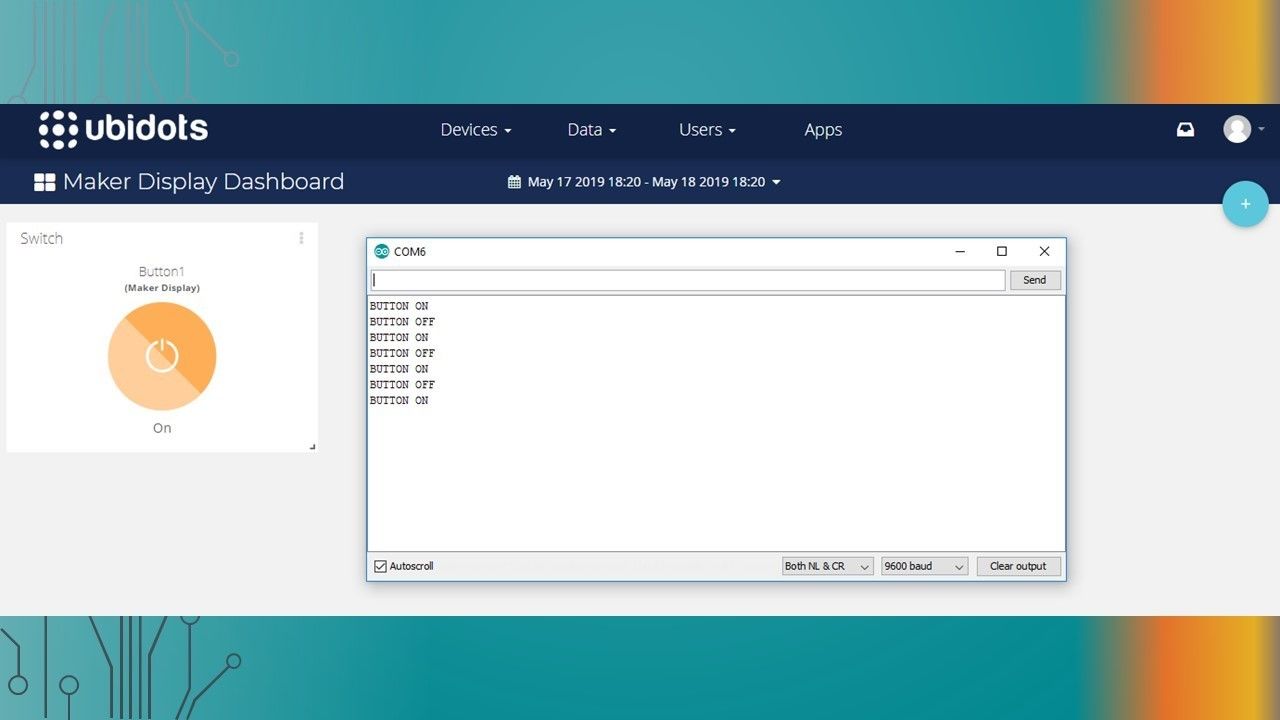
  27. Testing the button with the Maker Display

    • Testing the button with the Maker Display
  28. Slide 28

    • Ubidots Setup

Information

Description
The process to setup the Ubidots dashboard button.
Created by
Scott C · May 2019
Updated
May 19, 2019
Views
1,062
Rating

Feedback

What is it about?

What do you think of the new look?

How do you like it?