
Network Hardware and Devices mind maps
44 mind maps by 43 users · Page 1 of 2
This page gathers over 30 user-made mind maps, from network cards and switches to servers and VPNs. School students, university students and professional candidates can use them to revise devices and connectivity; teachers can find material for lessons. Pick a map to start exploring.
Mind maps
-
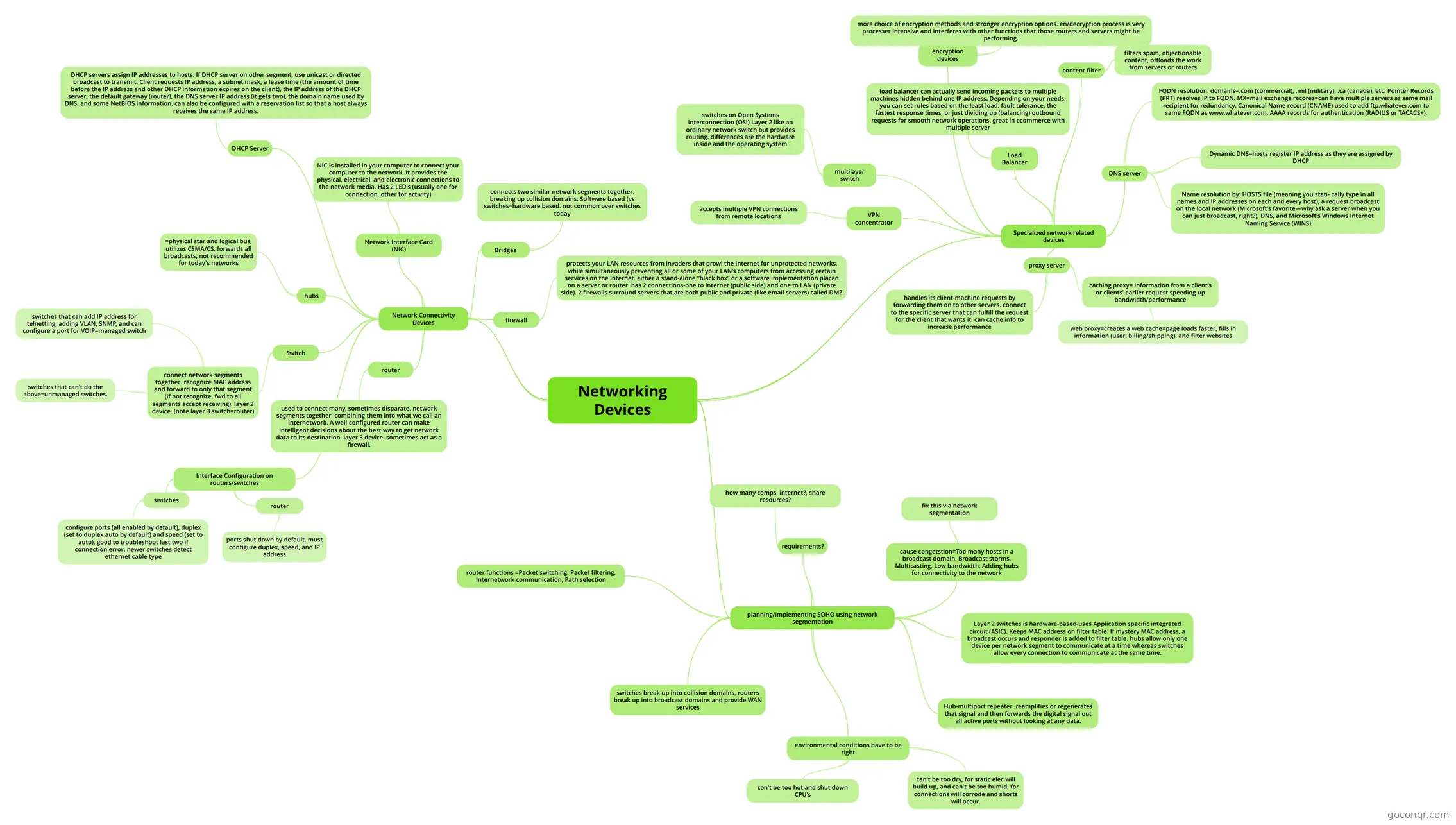 Networking Devices
-
Chapter 5 - Networking Devices
-
SLR1.4
-
Servers
-
Network Connectivity
-
Network Hardware
-
CCNA 2 - Capitulo 17.4
-
Hubs, Bridges, Switches
-
LAN Hardware
-
Communications Hardware
-
Networks
-
Advance Networking Devices
-
LO3
-
LAN HARDWARE
-
hardware
-
hardware network types
-
LAN hardware
-
HUB / SWITCH / ROUTER
-
Networks
-
Networked Hosts
-
1.3 -LAN USING NETWORKING DEVICES
-
LAN HARDWARE
-
Network Components
-
Network Hardware Devices
-
Moden and router
-
Network Devices
-
Communication Ports
-
LAN hardware
-
Network Hardware
-
Network Components
-
Network Devices
-
Communication Hardware
-
Communication Hardware
-
Network Devices
-
Lan Hardware
-
Router
-
Network Hardware
-
SWITCHING
-
LAN Hardware
-
switch configuration
More Network Hardware and Devices resources
About network hardware and devices mind maps
GoConqr OriginalNetwork hardware and devices mind maps
These maps organise related devices and terms into visual branches. LAN Hardware brings together routers, network interface cards, wireless access points and other equipment. Start there if you want a view of several devices before looking at one area in more detail.
For a different focus, Servers covers authentication, DHCP and DNS servers. Network Connectivity includes connection media such as coaxial and twisted-pair cable. The map Advance Networking Devices moves into VLANs, multilayer switches and VPNs.
Revise with a map
Follow a branch and try to explain each term in your own words. Then return to the map to check what you missed. When you want to test recall rather than trace connections, switch to a quiz or flashcards on the unit page. Choose a branch and see where it takes you.
Frequently asked questions
Which mind map should I start with?
Try LAN Hardware for a view of several devices, including routers, switches and wireless access points. If you want to focus on server roles instead, open Servers. Both offer a starting point for choosing terms to revisit as you work through the unit.
Are these mind maps free to use?
Yes. Every resource listed here is free to open and study without an account. The maps were made by GoConqr users, so you can explore different ways of organising the unit’s topics, from network devices to connection media and server roles.
Who can use these mind maps?
The collection is for school students, university students and professional candidates revising network hardware and connectivity, as well as teachers looking for material. The maps cover a range of topics, so you can choose one that matches what you are practising.