
Virtualization and Containers mind maps
306 mind maps by 220 users · Page 1 of 8
This GoConqr page gathers over 280 community-made resources on Virtualization and Containers mind maps: quizzes, mind maps, flashcards and notes to revise and practise with.
Mind maps
-
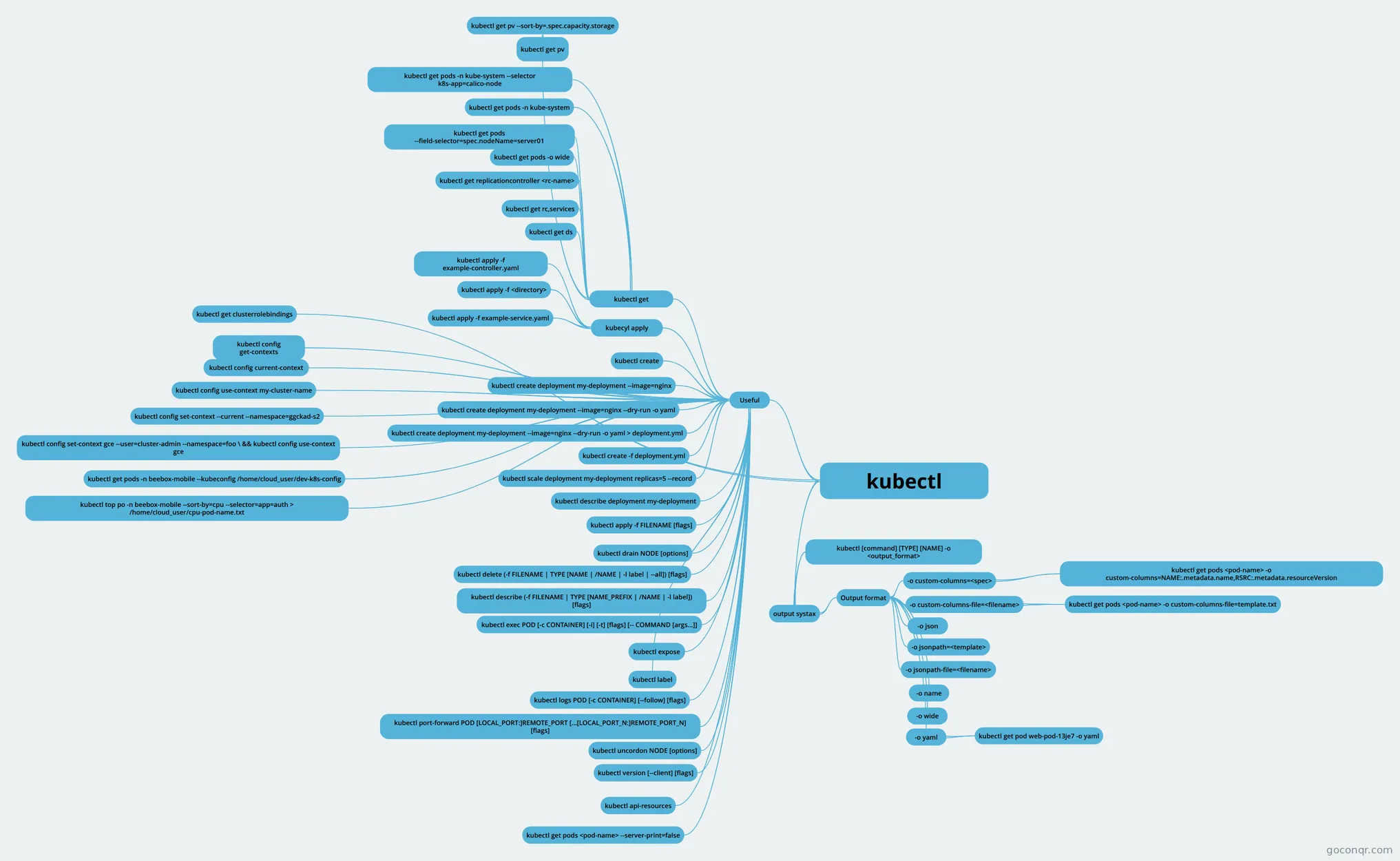 kubectl
-
Kubernetes Conceptos de Kubernetes
-
docker Information of docker
-
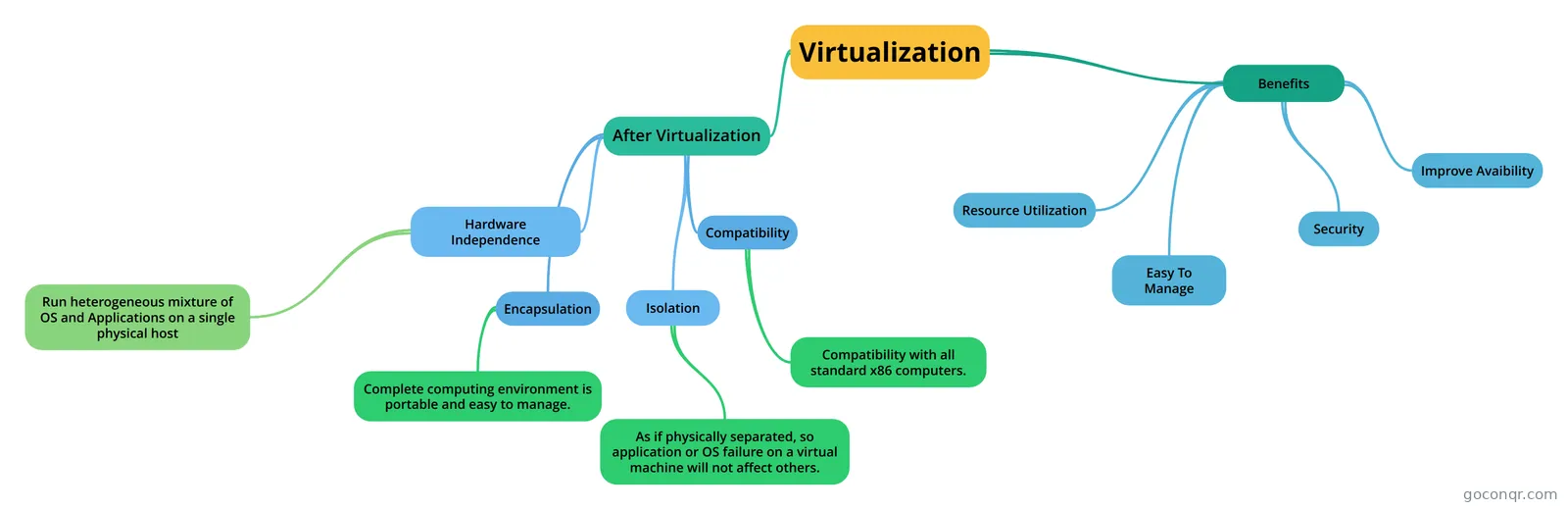 Virtualization describes overall idea of virtualization and its benifits.
-
After virtualization
-
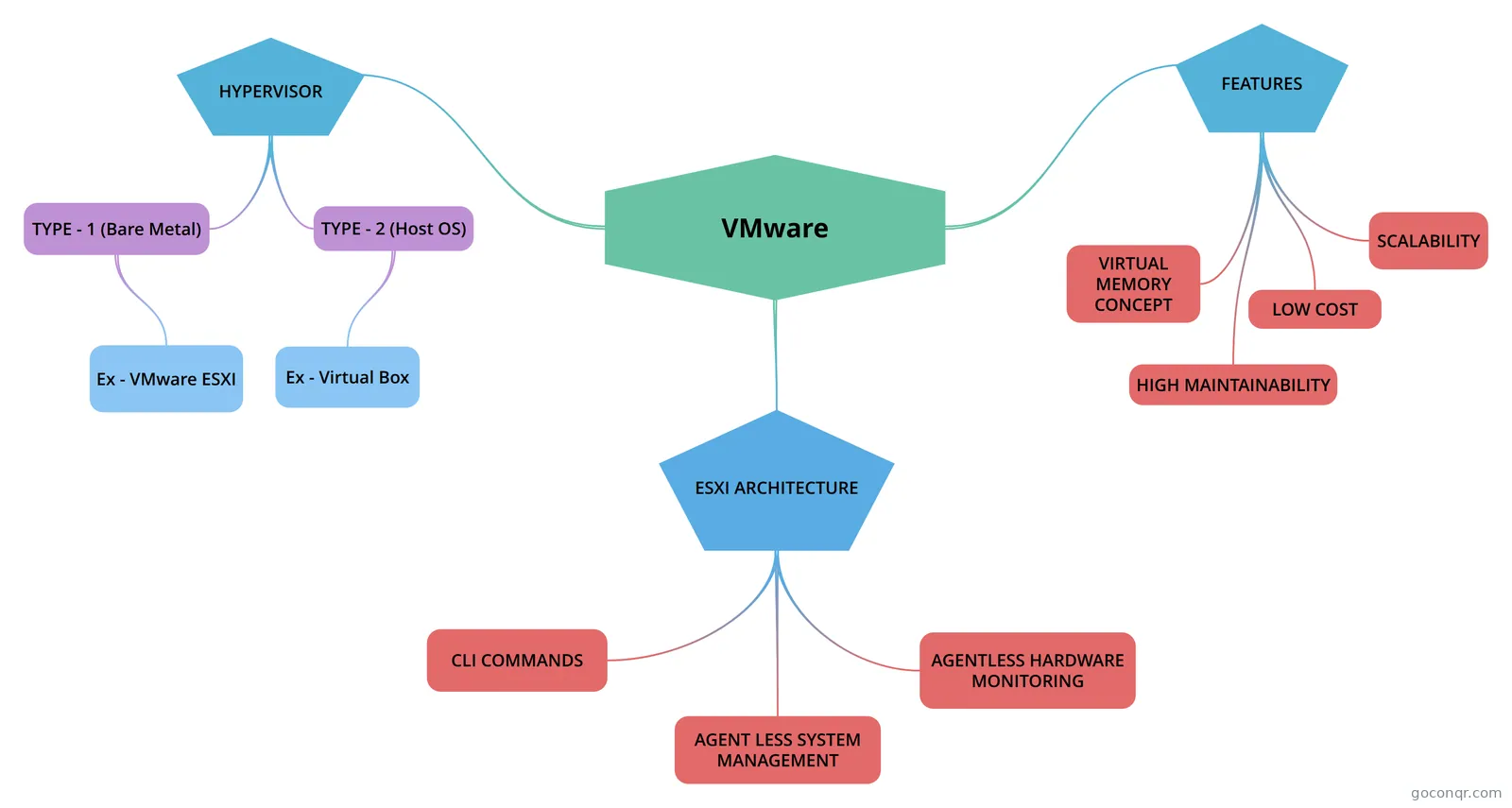 VMware digital assignment - 2
-
virtualization
-
VM
-
Application Virtualization
-
Hardware Virtualization
-
DESKTOP VIRTUALIZATION
-
VM Management Software & Tools
-
VM Manager and Monitoring tools
-
Virtualization
-
Hardware Virtualization
-
Chapter 2
-
Kubernetes Multi-Tenancy
-
Application Virtualization
-
THE BASICS OF VIRTUALIZATION
-
Virtualization
-
K8s creation
-
Hardware Virtualization
-
k8s - Domains & Competencies
-
HARDWARE VIRTUALIZATION
-
HARDWARE VIRTUALISATION
-
Type of Virtualization
-
Virtualization
-
Enter text here
-
Hardware Virtualization
-
Virtualization
-
Client Side Virtualisation
-
Hardware Virtualization
-
Hardware Virtualization
-
Virtualization
-
Virtualization
-
Virtualisation
-
Virtualization types
-
Virtualization
-
Hardware Virtualization
-
Virtualization
More Virtualization and Containers resources
About virtualization and containers mind maps
GoConqr OriginalVirtualization and Containers mind maps
These maps offer different ways into the unit. The Kubernetes map covers containers, namespaces and resource management. A map on kubectl lists commands for creating deployments, while a Docker map outlines advantages and core components. Other maps explore hypervisors and virtual machines.
Choosing a starting point
For an overview, start with a Virtualization map that shows the benefits and features of virtualisation. Another map with the same title focuses on hypervisor types and host and guest machines. Client Side Virtualisation brings together purposes and requirements, including security and networks.
Follow the branches of a map, then try explaining the connections in your own words. Return to a branch when you want to check a term or relationship. If you want to test your recall or review vocabulary, switch to a quiz or flashcards on the unit page. Pick a map and follow a branch that interests you.
Frequently asked questions
Which mind map is a useful place to start?
A Virtualization map covering benefits and features is a useful starting point for an overview. If you want to focus on hypervisors, another map with the same title covers host and guest machines and hypervisor types. The maps have different branches, so their content is worth checking.
What do the mind maps cover?
The listed maps cover virtualisation, hypervisors, containers and related tools. Kubernetes includes namespaces and resource management, while a kubectl map lists deployment commands. Client Side Virtualisation covers purposes and requirements, and a Docker map includes advantages and core components. The maps offer different starting points within the unit.
Are these mind maps free to use?
Yes. Every resource listed on this page is free to open and study without an account. The maps were made by GoConqr users, rather than by GoConqr. A free account also lets you make your own mind maps, quizzes, flashcards and notes, and save quiz scores.