
Mind map
Online services
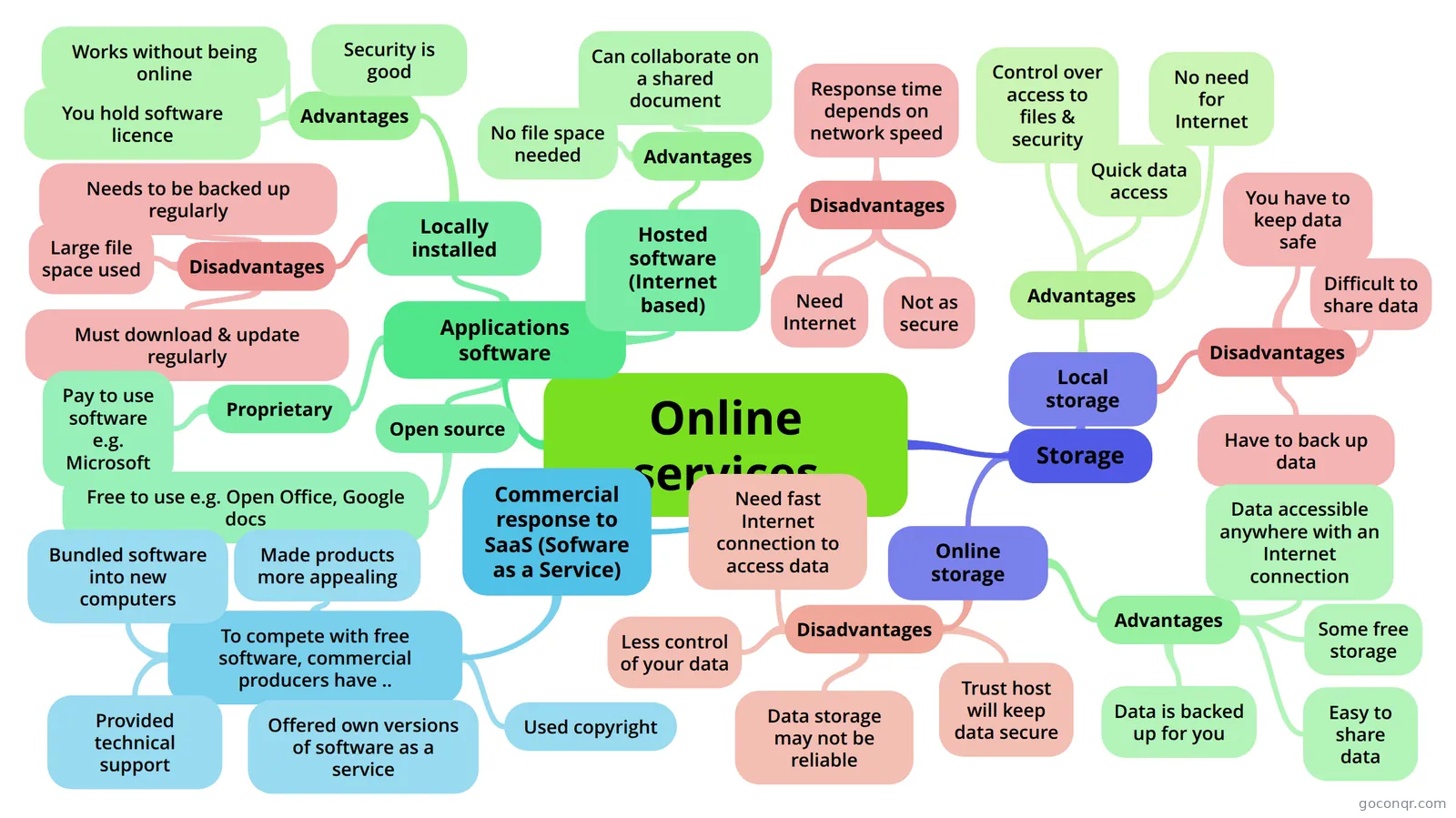
Mind map: online services
Map content
Online services
Applications software
- Locally installed
- Advantages
- Works without being online
- You hold software licence
- Security is good
- Disadvantages
- Large file space used
- Needs to be backed up regularly
- Must download & update regularly
- Advantages
- Hosted software (Internet based)
- Advantages
- No file space needed
- Can collaborate on a shared document
- Disadvantages
- Need Internet
- Not as secure
- Response time depends on network speed
- Advantages
- Proprietary
- Pay to use software e.g. Microsoft
- Open source
- Free to use e.g. Open Office, Google docs
- Locally installed
Storage
- Local storage
- Advantages
- Control over access to files & security
- Quick data access
- No need for Internet
- Disadvantages
- You have to keep data safe
- Difficult to share data
- Have to back up data
- Advantages
- Online storage
- Advantages
- Data accessible anywhere with an Internet connection
- Some free storage
- Easy to share data
- Data is backed up for you
- Disadvantages
- Trust host will keep data secure
- Data storage may not be reliable
- Need fast Internet connection to access data
- Less control of your data
- Advantages
- Local storage
Commercial response to SaaS (Sofware as a Service)
- To compete with free software, commercial producers have ..
- Made products more appealing
- Bundled software into new computers
- Provided technical support
- Used copyright
- Offered own versions of software as a service
- To compete with free software, commercial producers have ..
Information
- Description
- GCSE ICT (Online goods and services) Mind Map on Online services, created by Sue Salih on 23/03/2014.
- Created by
- Sue Salih
- Views
- 58
- Tags
- Rating