
Mapa mental
RoboCup Challenge: Assessment
Conteúdo do mapa
RoboCup Challenge: Assessment
Analyse problem
- Context
- SpaceX - human colony on Mars
- Autonomous robots - data collection, support colonisation effort
- Path to follow, but some obstacles
- Move obstacles off path or navigate around
- Optional light and sound display once completed
- 4 weeks, no delays
- Analysis
- Need to use line follow code, immovable object code and movable object code
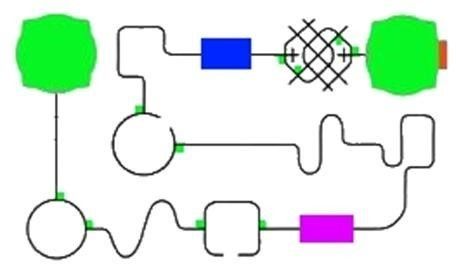
- Must navigate from one green point to the other
- Need to be able to identify objects and decide how to handle them to continue on path
- "As quickly as possible": might have to decrease accuracy to achieve speed
- "A pathway for the robots to follow": only one line to follow, until criss-cross intersection
- Note: movable and immovable boxes don't change position on map
- Context
Ideas
- Follow the path
- Intersections
- Use the green boxes to turn right whenever detected, then resume line follow. This is so the robot doesn't change direction if it misses the line
- Corners
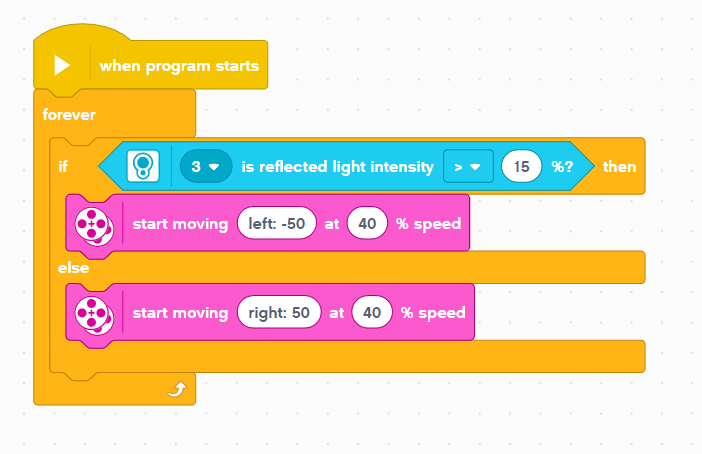
- Rotate one wheel forward to turn until black line is spotted
- May be too far away from line and keep spinning and not see anything, or accidentally spin too far and see black line and travel in opposite direction
- Easiest to turn corners, but only one way depending on spin direction
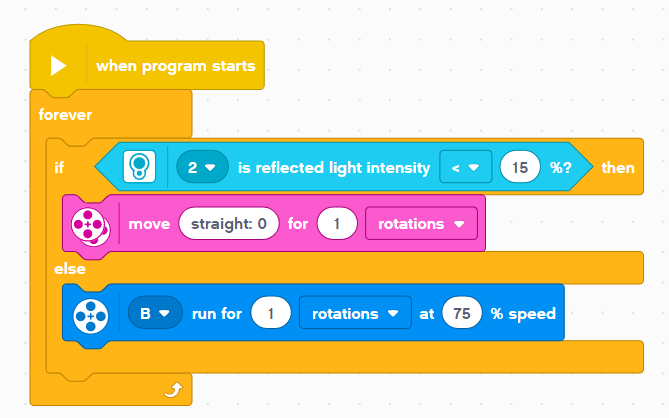
- SAMPLE CODE
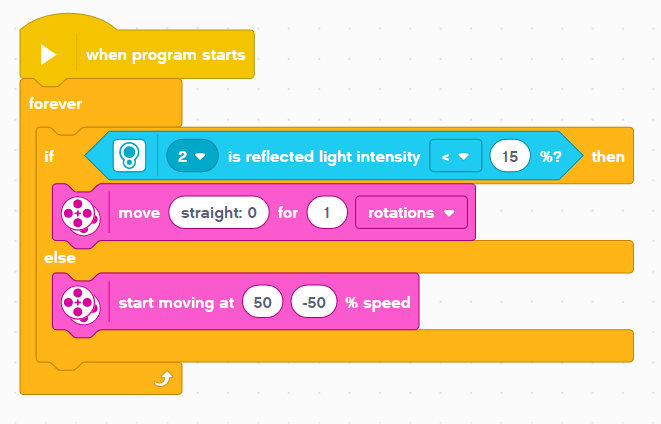
- Rotate one wheel forward and one back at same time
- More distinctive turn, possibly more accurate
- SAMPLE CODE
- Could accidentally move to wrong side of line due to excessive turning and then go in wrong direction
- Rotate one wheel forward to turn until black line is spotted
- Black line
- Swerving line-follow
- Start on right side, turn left till see black, turn right again until see floor
- Need to identify PSI values for black line and floor
- Turn one motor (wheel) at a time to move forward progressively, or could rotate one wheel forward and the other back at same to for more defined turn
- However, may not deal with intersections or corners well if the robot misses the line and flips directions
- Possibly most efficient and fastest method, achieving criteria
- SAMPLE CODE
- Start on right side, turn left till see black, turn right again until see floor
- Move forward on black line
- Start with robot on black line, if it sees black, move forward until it doesn't see black, then rotate both directions until sees black again
- Need to identify PSI values for black line and floor
- For rotational black line check, would turn only one wheel to sweep and not jump over black line by accident. For moving forward, just rotate both wheels
- Most accurate method, but really slow, higher chance of accomplishing intersections and corners, though could get stuck on really tight corners trying to find the black line
- SAMPLE CODE
- Start with robot on black line, if it sees black, move forward until it doesn't see black, then rotate both directions until sees black again
- Swerving line-follow
- Intersections
- Avoid obstacles
- Movable
- Move forward into block and keep going until it moves
- Might be inefficient if it doesn't get out of the way
- Detect movable block (if it's the large one) and turn out to the side push it out of path the continue line following
- Move forward into block and keep going until it moves
- Immovable
- Reverse backwards, turn slightly and aim for box again to see if it misses, used ultrasonic sensor to navigate around box
- Could only half clear the box, miss and get stuck. Besides, ultrasonic sensor is on the front and won't be able to detect box on side
- Reverse backwards, turn, move forward, and navigate around block using precise measurements
- If the box measurements change, the code doesn'work
- Reverse backwards, turn slightly and aim for box again to see if it misses, used ultrasonic sensor to navigate around box
- Movable
- Follow the path
Robot Sensors
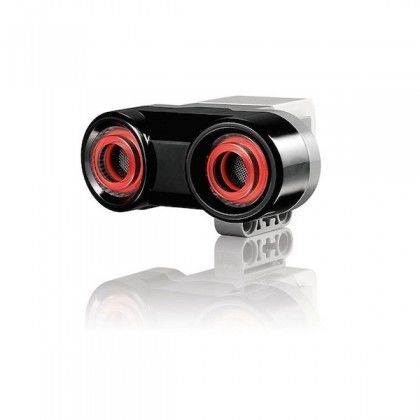
- Ultrasonic
- Determines robot's distance away from obstacle
- Senses closest distance reading, gives value in centimetres. Used in navigating around spaces.
- The sensor sends out a frequency wave that's above human hearing. The wave is reflected back when it hits the target. The distance is measured by time between emission and reception.
- Determines robot's distance away from obstacle
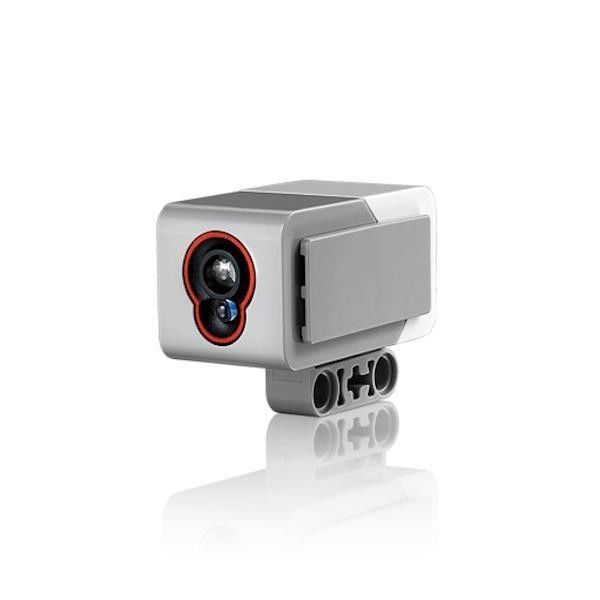
- Colour/light
- Determines colour values by sensing reflection of light
- Determines PCT, which can be used to change robot actions. Used in line-follow.
- A PCT value in terms of EV3 robotics and programming means percent (%), as in value out of 100. To obtain a PCT value, the sensor emits light from a transmitter and detects the value of the light that is reflected back at the receiver.
- Determines colour values by sensing reflection of light
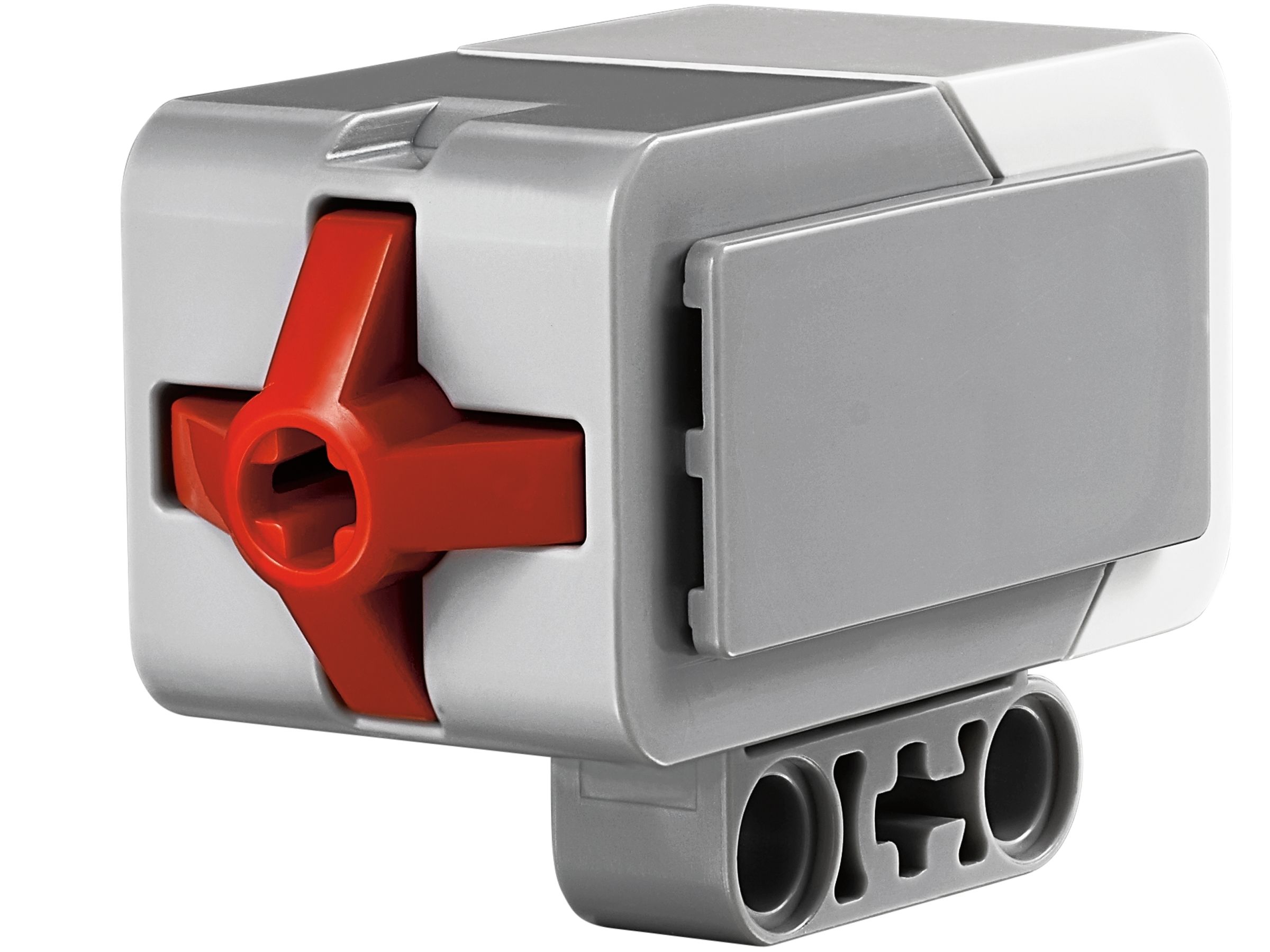
- Touch
- Determines whether the robot has hit an obstacle or not. Used in obstacle moving.
- The button on the sensor is either depressed, giving a value of 1, or not depressed, giving a value of 0. These values can be used as variables to adapt code
- The touch sensor works like an electrical switch. When there's contact, it opens the circuit and allows electrical current flow.
- Determines whether the robot has hit an obstacle or not. Used in obstacle moving.
- Ultrasonic
Available Resources
- eLearn
- Information about robot and assessment
- Learn how to make algorithms, flowcharts and pseudocode
- Learn how to code and build robots
- Information about robot and assessment
- Microsoft Tools
- Microsoft Word
- Writing assessment and analysing data
- Microsoft Word
- EV3
- Programming software
- Used to code robot to complete challenge
- Website
- Used to find correct robot build and learn how to use software
- Programming software
- eLearn
Non-functional requirements
- Things that aren't necessary to completing the code, like aesthetics
- Self-determine criteria: celebratory dance
- Visual and sound: light and screen display with robot turning and moving in dance
- Self-determine criteria: celebratory dance
- Things that aren't necessary to completing the code, like aesthetics
Functional Requirements
- Robot travels around map
- Use specific functions to decide how to move around
- Line-follow
- Right turn
- Left turn
- Use specific functions to decide how to move around
- Robot is able to determine best solution for obstacles and complete solution
- Movable
- Push box out of the way and resume path
- Immovable
- Run into box then navigate around it
- Movable
- Robot travels around map
Constraints/limitations
- The map
- The map route doesn't change
- Can't make an easier way to reach boxes and follow the line
- Can't make an easier way to reach boxes and follow the line
- The map route doesn't change
- Robot build
- The colour sensor is permanently on one side of robot
- May be inefficient to constantly have to change line-follow code, given the direction the robot turns to reach line
- The colour sensor is permanently on one side of robot
- Time
- 3 hours maximum of coding time per week
- Have to only use class time, due to lack of resources, can't work on robot code from home
- 3 hours maximum of coding time per week
- The map
Prescribed Criteria
- This is the criteria listed in the task sheet
- Follow the path
- Use colour sensors to navigate around the map: forward, left and right
- Detect and navigate around immovable objects
- Determine what an immovable object is using touch and ultrasonic sensors, then work out how to move around them and resume on the path
- Detect and clear the movable objects from the path
- Determine the movable object with touch and ultrasonic sensors then work out how to move around them and push them off the path efficient before resuming line-follow code
- Follow the path
- This is the criteria listed in the task sheet
Self-determined criteria
- Celebratory Dance once the robot has finished moving the movable box
- Visual
- Robot display a face on screen, arm motor move up and down, spin in circles, rotate each wheel forward and back twice
- Sound
- play a tune using sound blocks, have the robot play one of the pre-created audio tracks
- Visual
- Celebratory Dance once the robot has finished moving the movable box
Imagens e arquivos do mapa
Informações
- Descrição
- Year 11 Digital Technologies Mapa Mental sobre RoboCup Challenge: Assessment, criado por Rebbecca Stanley em 07-03-2022.
- Criado por
- Rebbecca Stanley
- Visualizações
- 70
- Tags
- Avaliação