
Flowchart
boot process
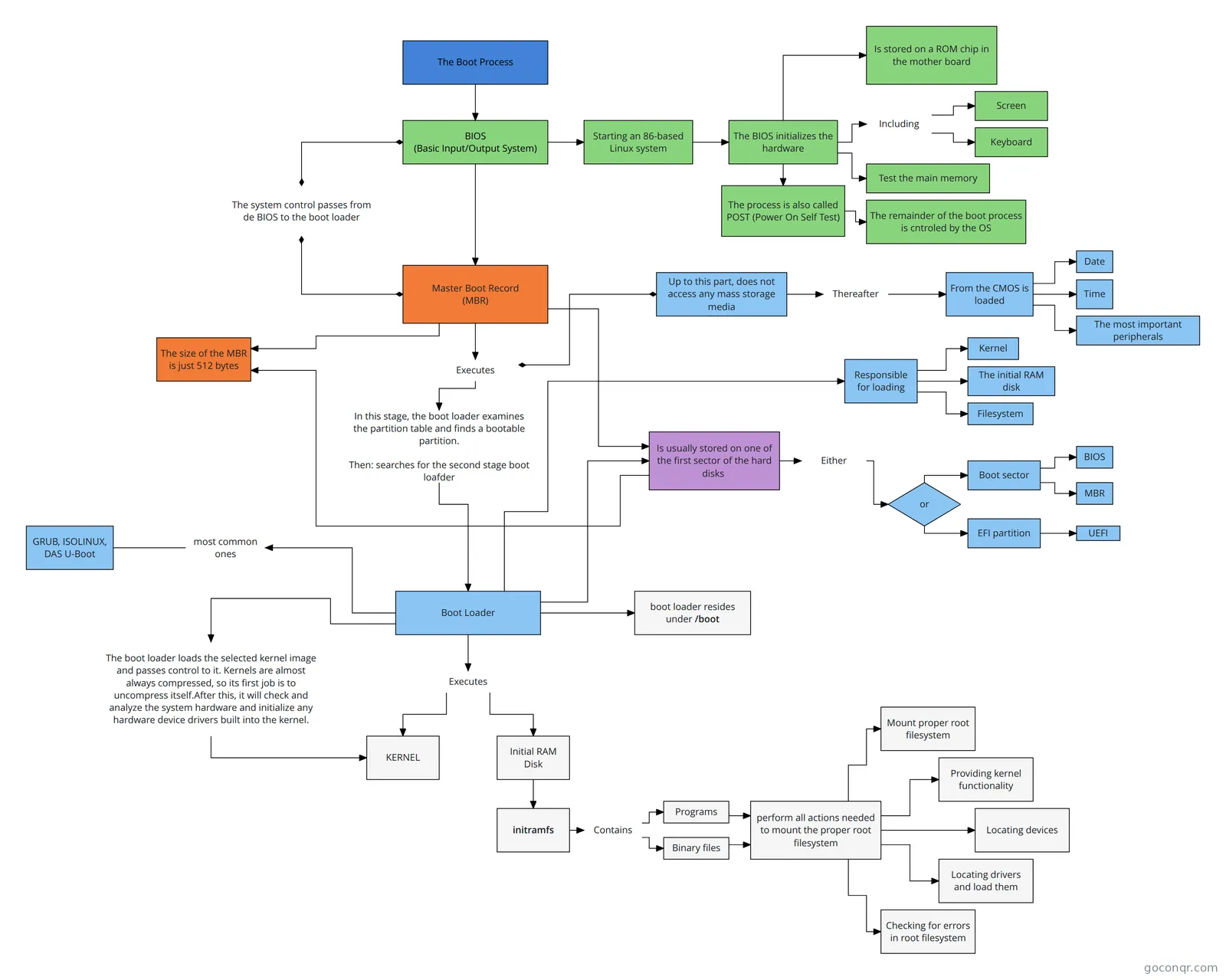
Flowchart: Linux boot process
Flowchart content
The Boot Process
BIOS
(Basic Input/Output System)
Starting an 86-based Linux system
The BIOS initializes the hardware
Screen
Keyboard
Test the main memory
Is stored on a ROM chip in the mother board
The process is also called POST (Power On Self Test)
The remainder of the boot process is cntroled by the OS
Including
Master Boot Record
(MBR)
The system control passes from de BIOS to the boot loader
Is usually stored on one of the first sector of the hard disks
Boot sector
EFI partition
BIOS
MBR
UEFI
or
Up to this part, does not access any mass storage media
From the CMOS is loaded
Thereafter
Date
Time
The most important peripherals
most common ones
GRUB, ISOLINUX, DAS U-Boot
Responsible for loading
Kernel
The initial RAM disk
Filesystem
Boot Loader
Executes
The size of the MBR is just 512 bytes
Either
In this stage, the boot loader examines the partition table and finds a bootable partition.
Then: searches for the second stage boot loafder
Executes
KERNEL
Initial RAM Disk
The boot loader loads the selected kernel image and passes control to it. Kernels are almost always compressed, so its first job is to uncompress itself.After this, it will check and analyze the system hardware and initialize any hardware device drivers built into the kernel.
boot loader resides under /boot
initramfs
Programs
Binary files
perform all actions needed to mount the proper root filesystem
Mount proper root filesystem
Providing kernel functionality
Locating devices
Locating drivers and load them
Checking for errors in root filesystem
Contains