
Mind map
Binary Numbers
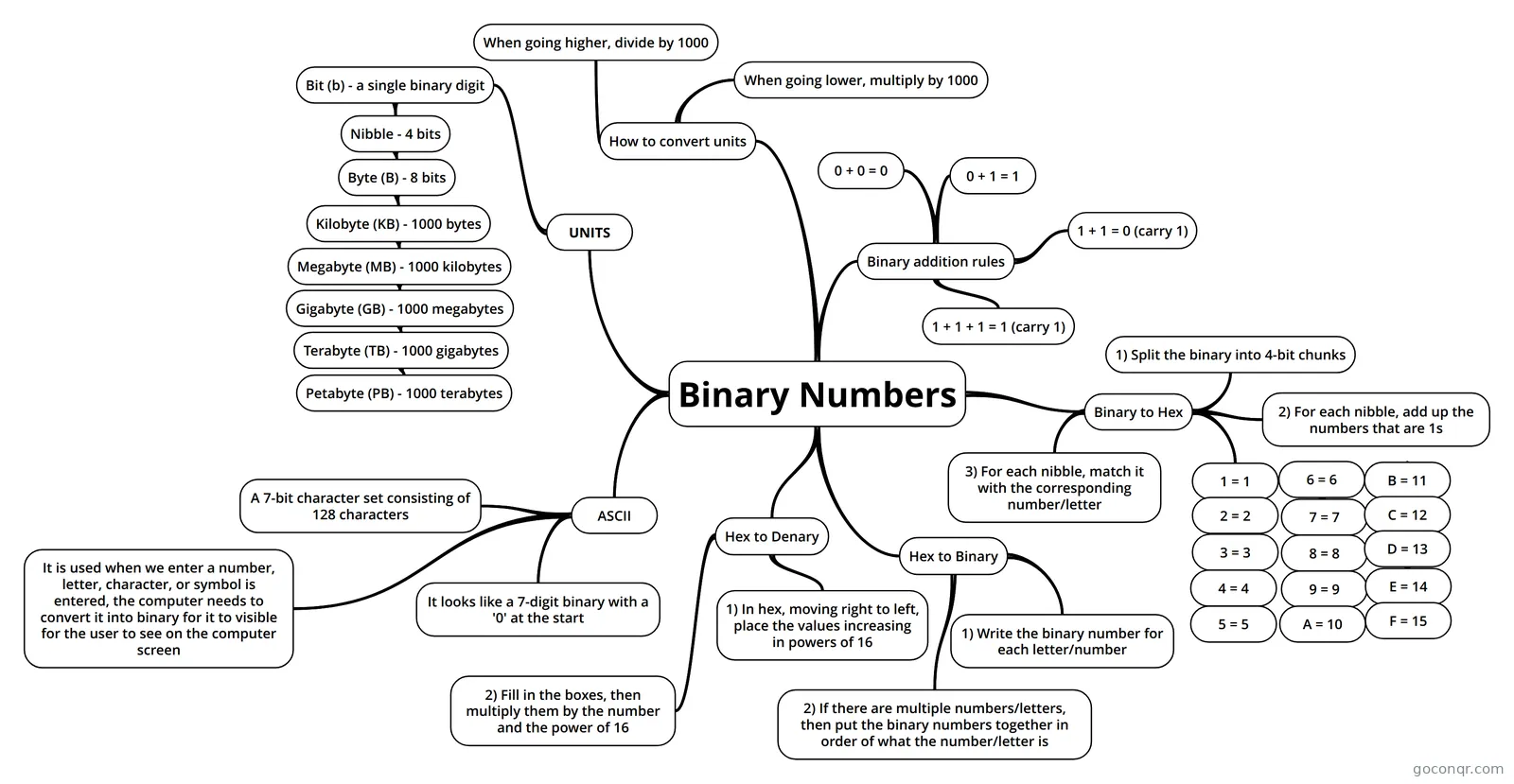
Mind map: Binary numbers
Map content
Binary Numbers
UNITS
- Bit (b) - a single binary digit
- Nibble - 4 bits
- Byte (B) - 8 bits
- Kilobyte (KB) - 1000 bytes
- Megabyte (MB) - 1000 kilobytes
- Gigabyte (GB) - 1000 megabytes
- Terabyte (TB) - 1000 gigabytes
- Petabyte (PB) - 1000 terabytes
- Terabyte (TB) - 1000 gigabytes
- Gigabyte (GB) - 1000 megabytes
- Megabyte (MB) - 1000 kilobytes
- Kilobyte (KB) - 1000 bytes
- Byte (B) - 8 bits
- Nibble - 4 bits
- Bit (b) - a single binary digit
How to convert units
- When going higher, divide by 1000
- When going lower, multiply by 1000
Binary addition rules
- 0 + 0 = 0
- 0 + 1 = 1
- 1 + 1 = 0 (carry 1)
- 1 + 1 + 1 = 1 (carry 1)
Binary to Hex
- 1) Split the binary into 4-bit chunks
- 2) For each nibble, add up the numbers that are 1s
- 1 = 1
- 2 = 2
- 3 = 3
- 4 = 4
- 5 = 5
- 4 = 4
- 3 = 3
- 6 = 6
- 7 = 7
- 8 = 8
- 9 = 9
- A = 10
- 9 = 9
- 8 = 8
- B = 11
- C = 12
- D = 13
- E = 14
- F = 15
- E = 14
- D = 13
- C = 12
- 7 = 7
- 2 = 2
- 3) For each nibble, match it with the corresponding number/letter
Hex to Binary
- 1) Write the binary number for each letter/number
- 2) If there are multiple numbers/letters, then put the binary numbers together in order of what the number/letter is
Hex to Denary
- 1) In hex, moving right to left, place the values increasing in powers of 16
- 2) Fill in the boxes, then multiply them by the number and the power of 16
ASCII
- A 7-bit character set consisting of 128 characters
- It is used when we enter a number, letter, character, or symbol is entered, the computer needs to convert it into binary for it to visible for the user to see on the computer screen
- It looks like a 7-digit binary with a '0' at the start
Information
- Description
- Year 10 Computing Mind Map on Binary Numbers, created by Neer Shah on 08/05/2018.
- Created by
- Neer Shah
- Views
- 10
- Rating