
Mind map
operating systems
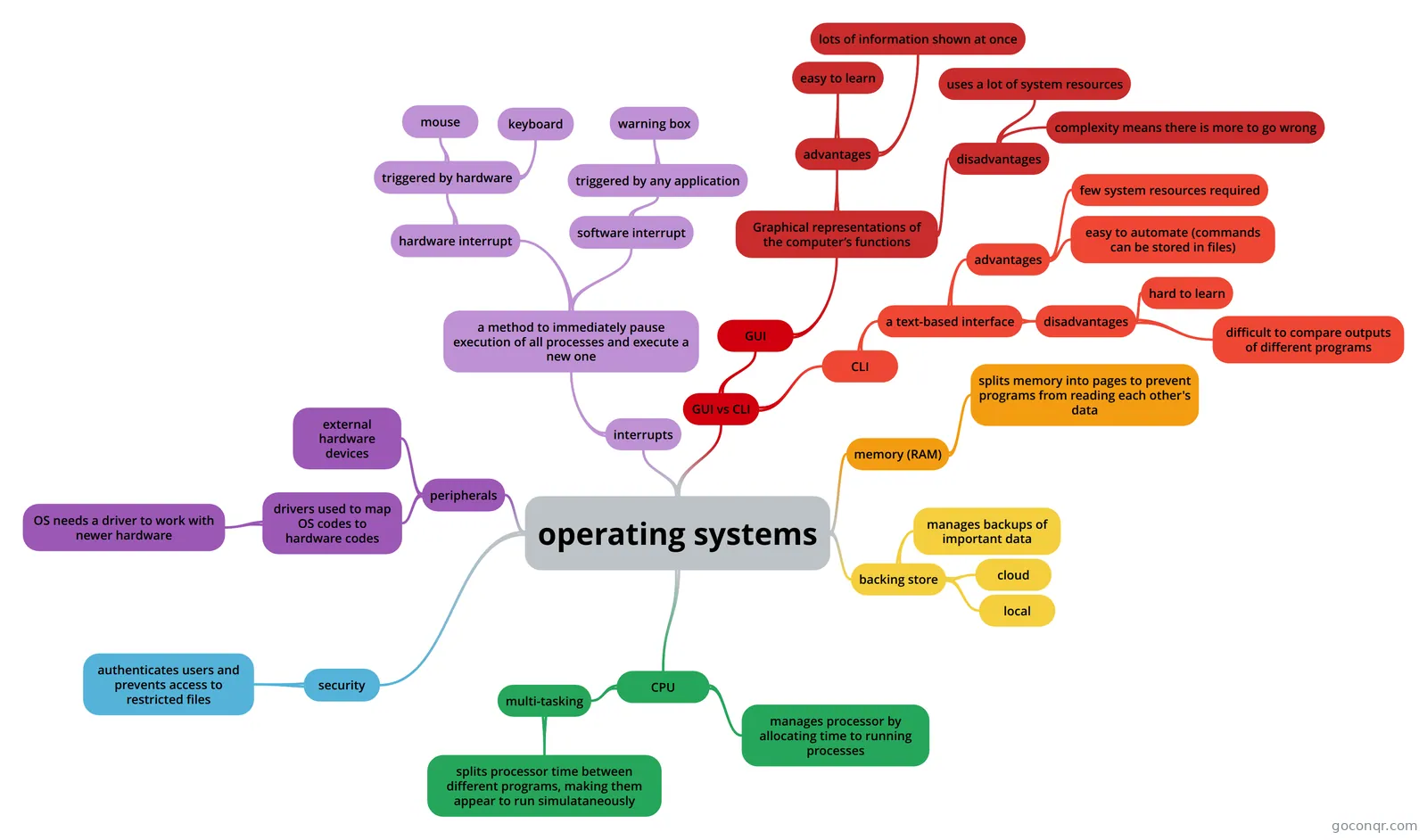
Mind map: operating systems
Map content
operating systems
interrupts
- a method to immediately pause execution of all processes and execute a new one
- hardware interrupt
- triggered by hardware
- mouse
- keyboard
- triggered by hardware
- software interrupt
- triggered by any application
- warning box
- triggered by any application
- hardware interrupt
- a method to immediately pause execution of all processes and execute a new one
CPU
- multi-tasking
- splits processor time between different programs, making them appear to run simulataneously
- manages processor by allocating time to running processes
- multi-tasking
memory (RAM)
- splits memory into pages to prevent programs from reading each other's data
backing store
- manages backups of important data
- cloud
- local
peripherals
- external hardware devices
- drivers used to map OS codes to hardware codes
- OS needs a driver to work with newer hardware
security
- authenticates users and prevents access to restricted files
GUI vs CLI
- GUI
- Graphical representations of the computer’s functions
- advantages
- easy to learn
- lots of information shown at once
- disadvantages
- uses a lot of system resources
- complexity means there is more to go wrong
- advantages
- Graphical representations of the computer’s functions
- CLI
- a text-based interface
- advantages
- few system resources required
- easy to automate (commands can be stored in files)
- disadvantages
- hard to learn
- difficult to compare outputs of different programs
- advantages
- a text-based interface
- GUI
Information
- Description
- resources an operating system manages mindmap
- Created by
- Rebecca Hall
- Views
- 8
- Rating