
Mind map
Spreadsheet Revision
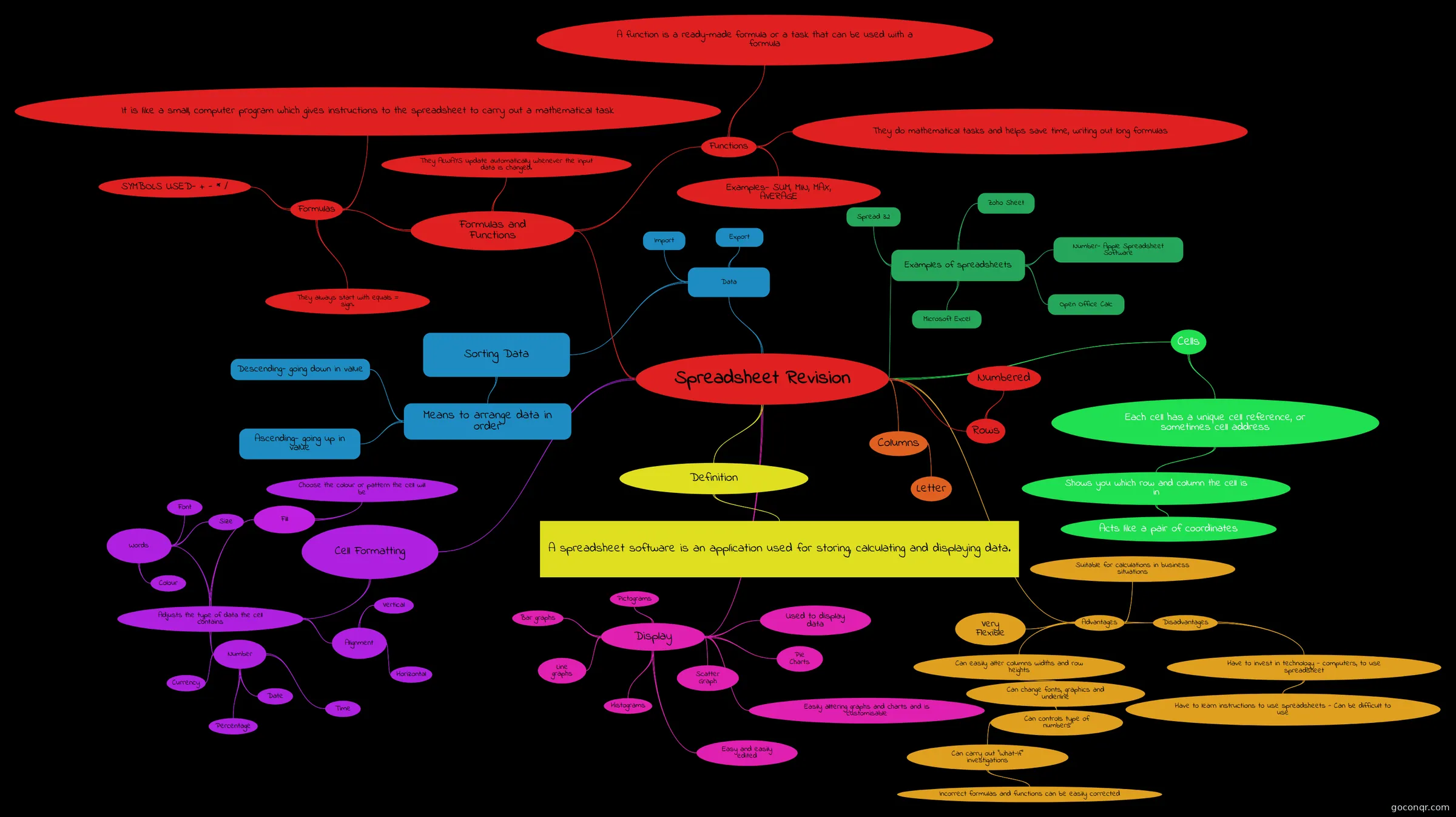
Mind map: Spreadsheet revision
Map content
Spreadsheet Revision
Examples of spreadsheets
- Microsoft Excel
- Open Office Calc
- Zoho Sheet
- Spread 32
- Number- Apple Spreadsheet Software
Definition
- A spreadsheet software is an application used for storing, calculating and displaying data.
Rows
- Numbered
Columns
- Letter
Cells
- Each cell has a unique cell reference, or sometimes cell address
- Shows you which row and column the cell is in
- Acts like a pair of coordinates
- Shows you which row and column the cell is in
- Each cell has a unique cell reference, or sometimes cell address
Formulas and Functions
- Formulas
- They always start with equals = sign.
- It is like a small, computer program which gives instructions to the spreadsheet to carry out a mathematical task
- SYMBOLS USED- + - * /
- Functions
- A function is a ready-made formula or a task that can be used with a formula
- They do mathematical tasks and helps save time, writing out long formulas
- Examples- SUM, MIN, MAX, AVERAGE
- They ALWAYS update automatically whenever the input data is changed.
- Formulas
Cell Formatting
- Adjusts the type of data the cell contains
- Number
- Currency
- Percentage
- Date
- Time
- Alignment
- Vertical
- Horizontal
- Words
- Font
- Size
- Colour
- Fill
- Choose the colour or pattern the cell will be
- Number
- Adjusts the type of data the cell contains
Data
- Sorting Data
- Means to arrange data in order
- Descending- going down in value
- Ascending- going up in value
- Means to arrange data in order
- Export
- Import
- Sorting Data
Display
- Bar graphs
- Used to display data
- Line graphs
- Histograms
- Scatter Graph
- Pictograms
- Pie Charts
- Easy and easily edited
- Easily alltering graphs and charts and is customisable
Advantages
- Disadvantages
- Have to invest in technology - computers, to use spreadsheet
- Have to learn instructions to use spreadsheets - Can be difficult to use
- Have to invest in technology - computers, to use spreadsheet
- Can easily alter columns widths and row heights
- Can change fonts, graphics and underline
- Can controls type of numbers
- Can carry out "What-If" investigations
- Incorrect formulas and functions can be easily corrected
- Can carry out "What-If" investigations
- Can controls type of numbers
- Can change fonts, graphics and underline
- Very Flexible
- Suitable for calculations in business situations
- Disadvantages
Information
- Description
- Level 2 GCSE Computer Science Mind Map on Spreadsheet Revision, created by 12tam.j on 09/12/2015.
- Created by
- 12tam.j
- Views
- 12
- Rating