
Mind map
Human Computer Interface (HCI)
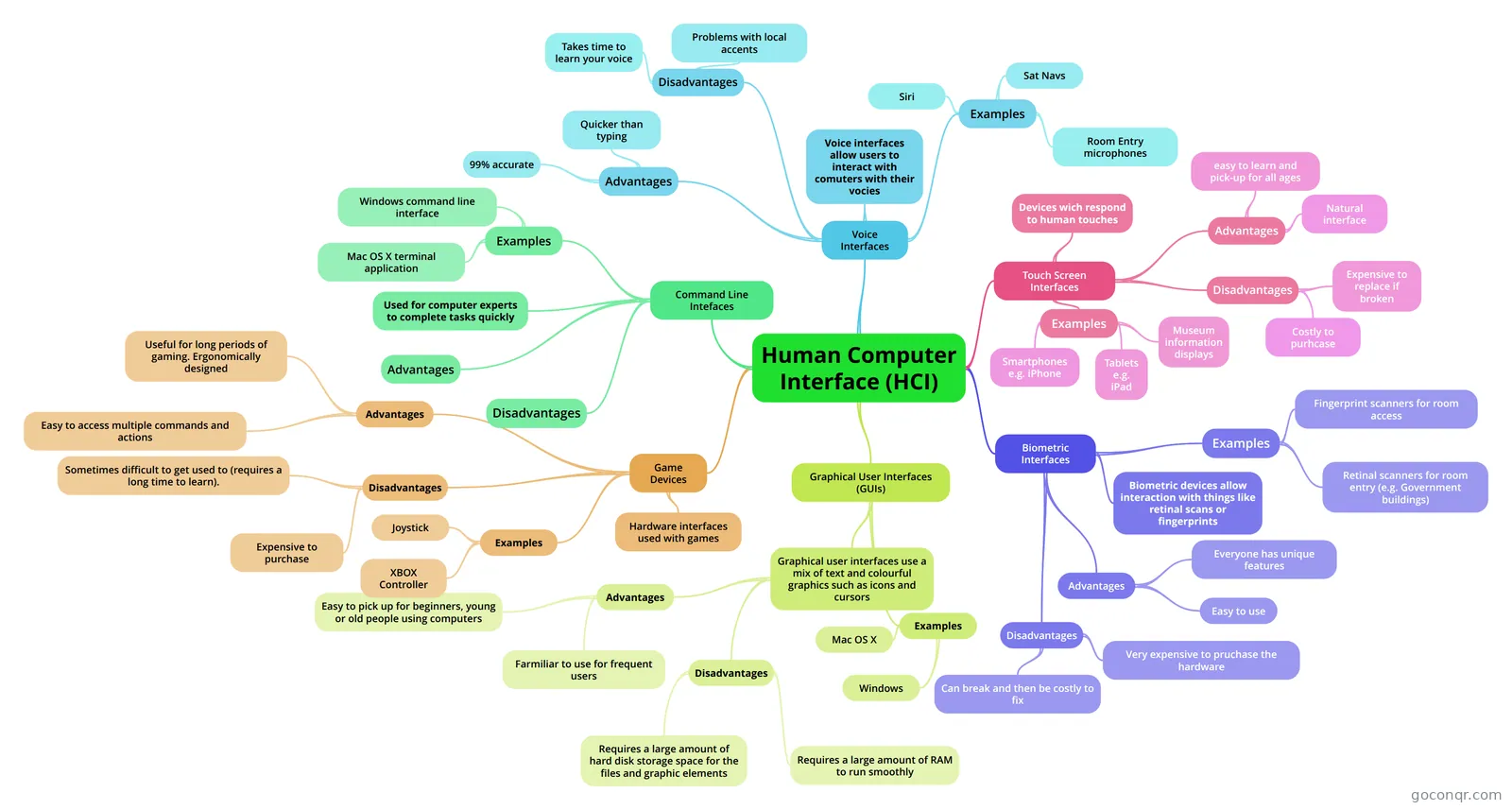
Mind map: Human computer interface (HCI)
Map content
Human Computer Interface (HCI)
Graphical User Interfaces (GUIs)
- Examples
- Windows
- Mac OS X
- Graphical user interfaces use a mix of text and colourful graphics such as icons and cursors
- Advantages
- Farmiliar to use for frequent users
- Easy to pick up for beginners, young or old people using computers
- Disadvantages
- Requires a large amount of RAM to run smoothly
- Requires a large amount of hard disk storage space for the files and graphic elements
- Advantages
- Examples
Command Line Intefaces
- Used for computer experts to complete tasks quickly
- Examples
- Windows command line interface
- Mac OS X terminal application
- Advantages
- Disadvantages
Voice Interfaces
- Examples
- Siri
- Sat Navs
- Room Entry microphones
- Voice interfaces allow users to interact with comuters with their vocies
- Advantages
- Quicker than typing
- 99% accurate
- Disadvantages
- Problems with local accents
- Takes time to learn your voice
- Examples
Touch Screen Interfaces
- Examples
- Smartphones e.g. iPhone
- Tablets e.g. iPad
- Museum information displays
- Disadvantages
- Costly to purhcase
- Expensive to replace if broken
- Advantages
- Natural interface
- easy to learn and pick-up for all ages
- Devices wich respond to human touches
- Examples
Biometric Interfaces
- Biometric devices allow interaction with things like retinal scans or fingerprints
- Examples
- Fingerprint scanners for room access
- Retinal scanners for room entry (e.g. Government buildings)
- Advantages
- Everyone has unique features
- Easy to use
- Disadvantages
- Very expensive to pruchase the hardware
- Can break and then be costly to fix
Game Devices
- Hardware interfaces used with games
- Advantages
- Easy to access multiple commands and actions
- Useful for long periods of gaming. Ergonomically designed
- Disadvantages
- Expensive to purchase
- Sometimes difficult to get used to (requires a long time to learn).
- Examples
- XBOX Controller
- Joystick
Information
- Description
- A mindmap showing content from the WJEC HCI topic
- Created by
- Henry Cookson
- Views
- 310
- Tags
- Rating