
Mind map
Storage
Map content
Storage
Primary storage
- RAM
- Random Access Memory (RAM) temporarily stores program instructions and data while they are being processed by the CPU.
- RAM is volatile, meaning that its contents is lost when it loses power (i.e. the computer is switched off).
- RAM is much faster than secondary storage devices such as Hard Disk Drives but much more expensive on a per-GB basis.
- Because RAM is both volatile and expensive, general-purpose computer systems have secondary storage for long-term storage of programs and data.
- ROM
- Read Only Memory (ROM) permanently stores program instructions and data but it cannot have new data written to it.
- ROM is non-volatile, meaning that its contents is retained when it loses power (i.e. the computer is switched off).
- ROM is often made from flash memory cannot be altered without being "re-flashed". This means that it tends to contain small programs that get the computer up and running, leaving the big stuff to secondary storage.
- ROM is typically used to store the boot-up sequence or Basic Input Output System (BIOS) that the CPU executes as soon as it turns on. The BIOS contains instructions that load the operating system from secondary storage into RAM for the computer to continue booting up.
- RAM
secondary storage
- capacity
- External Hard Disk Drives are often used for home and enterprise backup as they offer high capacity and low cost-per-GB whilst being portable and relatively quick for transferring large amounts of data.
- They offer good capacity (typically around 16GB to 64GB) for a reasonable cost-per-GB, though not as cheap-per-GB as Hard Disk Drives or optical media.
- USB Flash Drives, Memory Sticks and SD cards
- speed
- Solid State Drives are made of flash memory, contain no moving parts and offer a much faster transfer rate than magnetic HDDs (around 550MB/s compared to 120MB/s for HDDs).
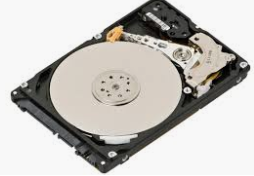
- Magnetic Hard Disks offer a large capacity for a relatively low cost-per-GB and they provide reasonably fast transfer rates (around 120MB/sec).
- Hard Disks are often used as the main form of secondary storage in a computer system to hold the Operating System, applications and user data.
- portability
- flash can be small and fit in a persons pocket
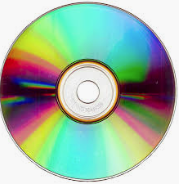
- optical storage is also small and can fit in peoples pockets ,but can be scratched
- durability
- Magnetic tape offers very high capacity, good durability and a very low cost per GB, making it ideally suited to long-term backup storage.
- Good quality USB Flash Drives are also quite robust, surviving well in a bag or on a keyring, but they can suffer from damage if they are removed from devices prematurely, making them less reliable.
- capacity
Images and files in the map
Information
- Description
- Mind Map on Storage, created by Ethan Joyce on 27/09/2019.
- Created by
- Ethan Joyce
- Views
- 0
- Rating