
Mind map
Topic 16: Digital Imaging
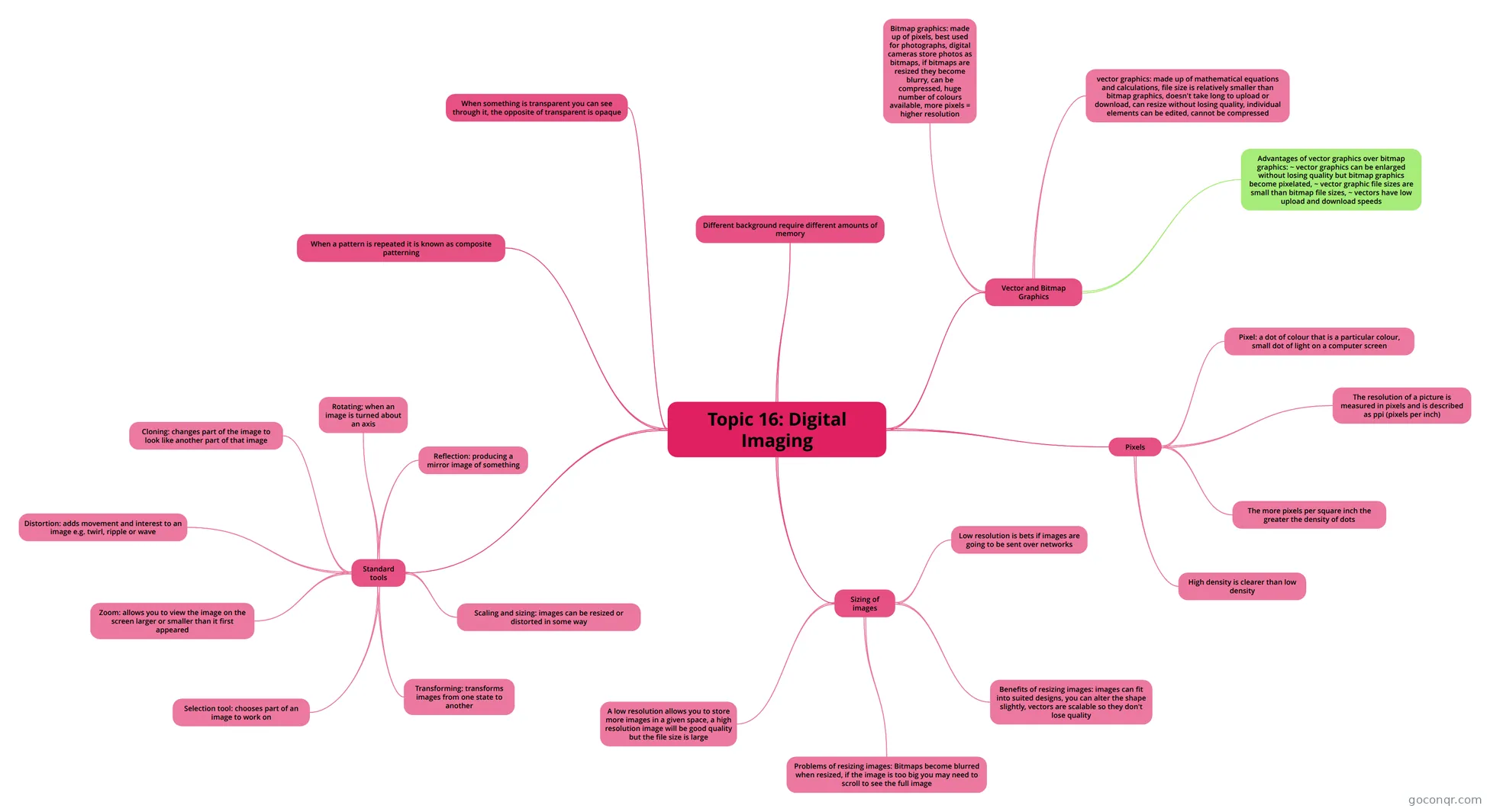
Mind map: Digital imaging
Map content
Topic 16: Digital Imaging
Vector and Bitmap Graphics
- Bitmap graphics: made up of pixels, best used for photographs, digital cameras store photos as bitmaps, if bitmaps are resized they become blurry, can be compressed, huge number of colours available, more pixels = higher resolution
- vector graphics: made up of mathematical equations and calculations, file size is relatively smaller than bitmap graphics, doesn't take long to upload or download, can resize without losing quality, individual elements can be edited, cannot be compressed
- Advantages of vector graphics over bitmap graphics: ~ vector graphics can be enlarged without losing quality but bitmap graphics become pixelated, ~ vector graphic file sizes are small than bitmap file sizes, ~ vectors have low upload and download speeds
Pixels
- Pixel: a dot of colour that is a particular colour, small dot of light on a computer screen
- The resolution of a picture is measured in pixels and is described as ppi (pixels per inch)
- The more pixels per square inch the greater the density of dots
- High density is clearer than low density
Sizing of images
- Benefits of resizing images: images can fit into suited designs, you can alter the shape slightly, vectors are scalable so they don't lose quality
- Problems of resizing images: Bitmaps become blurred when resized, if the image is too big you may need to scroll to see the full image
- A low resolution allows you to store more images in a given space, a high resolution image will be good quality but the file size is large
- Low resolution is bets if images are going to be sent over networks
Standard tools
- Zoom: allows you to view the image on the screen larger or smaller than it first appeared
- Selection tool: chooses part of an image to work on
- Transforming: transforms images from one state to another
- Scaling and sizing: images can be resized or distorted in some way
- Distortion: adds movement and interest to an image e.g. twirl, ripple or wave
- Cloning: changes part of the image to look like another part of that image
- Rotating; when an image is turned about an axis
- Reflection: producing a mirror image of something
When a pattern is repeated it is known as composite patterning
When something is transparent you can see through it, the opposite of transparent is opaque
Different background require different amounts of memory
Information
- Description
- ICT (GCSE UNIT 3) Mind Map on Topic 16: Digital Imaging, created by ellie-smith13 on 04/01/2014.
- Created by
- ellie-smith13
- Views
- 23
- Tags
- Rating
More on Bitmap and Vector Graphics