
Mind map
Storage
Map content
Storage
Primary memory
- RAM and ROM
Secondary storage
- why back up data?
- 1. to safeguard against loss of data due to the failure of the original secondary storge device
- 2.to safeguard against damage caused by hackers
- 3.backups are also made in case the files need to be used elsewhere
- 4.backups don't necessarily guard against the effect of a virus
- why back up data?
Backing up
- copying of files/data to a different medium (disk, tape, flash drive, etc)
- In case of a problem with the main secondary storage device.
Types of access
- three terms
- field
- file.
- record
- serial access
- The transaction file contains all the new data to allow the master file to be updated.
- direct access
- The computer uses the key filed to caculated position
- Access is much faster than with serial access
- three terms
Secondary storage media
- measurement of storge
- byte
- kilobytes(kB)
- megabytes(MB)
- gigabytes(GB)
- terabytes(TB)
- measurement of storge
Magnetic storage
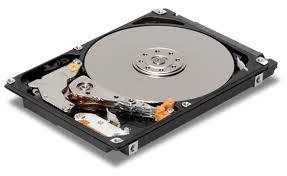
- fixed/internal hard disk drive(HDD)
- Disadvantage
- can be easily damaged it
- they have many moving parts when compare to(eg solid state drive SSD)
- their read/write operation can be quite noisy compare to SSDs
- Advantages
- they have a very fast data transfer rate and fast access times to data
- they have very large memory capacities
- Disadvantage
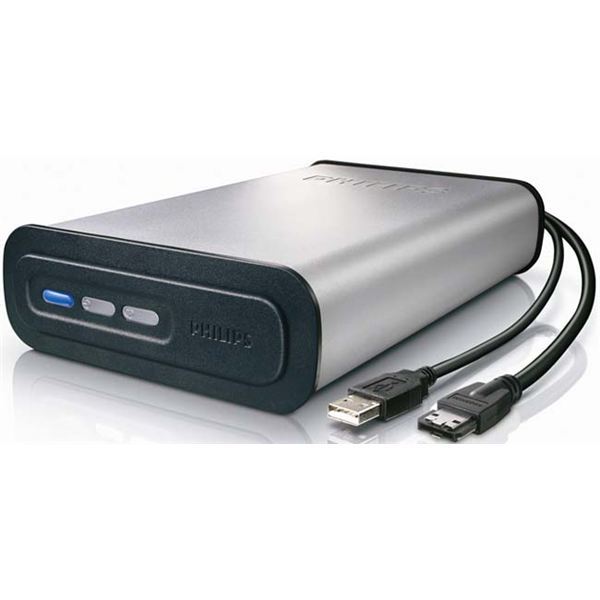
- Portable hard disk drives
- Disadvantages
- they can be easily damaged if dropped or subjected to a strong magnetic field
- Advantages
- the data access time and data transfer rate is very fast
- they have a large memory capacity
- they can be used as a method of transferring information between computers.
- Disadvantages
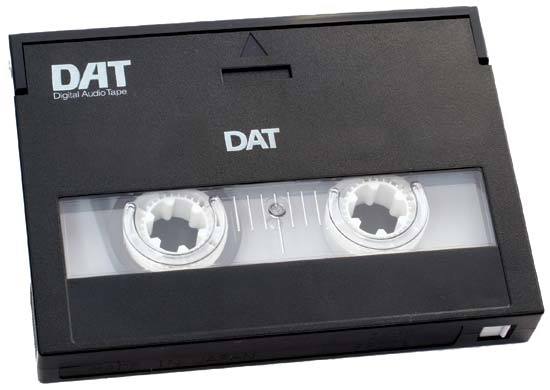
- Magnetic tapes
- Advantages
- They have a huge data storage capacity.
- The data transfer rate is actually fast.
- They are generally less expensive than equivalent hard disk
- It is a very robust technology
- Disadvantages
- Very slow data access times(need to read all the earlier records on the tape until the required record is found).
- When updating, another tape is need to store the final updated version
- They are affected by magnetic fields
- Advantages
- fixed/internal hard disk drive(HDD)
Optical storage media
- CD-ROM and DVD-ROM
- Advantages
- They hold far more data than floppy disks
- They are less expensive than hard disk drive systems
- Disavantages
- They data transfer rate/data access time is slower than for hard disks.
- Advantages
- R-write once only ROM-can only be read RW-can be written to or read for many times
- CD-R and DVD-R
- Disavantages
- If finalised, the CD-R/DVD-R can only be recorded on once
- Not all CD/DVD players can read CD-R/DVD-R
- Advantages
- Cheaper than RW disks
- Once burned (like a ROM)
- Disavantages
- CD-RW and DVD-RW
- Disavantages
- Can be relatively expensive
- It is possible to accidentally overwrite data
- Advantages
- Can be written over mant times
- Can use different file formats each time it is used
- Disavantages
- DVD-RAM
- Disadvantages
- Many systems won't recognise the DVD-RAM format.
- Relatively expensive
- They have been superseded by newer technologies such as solid state memories
- Advantages
- It is possible to da a rewrite operation over 100000 times
- They offer the ability to read data at the same time as data is being written
- Very fast access if the files are fairly small
- Reliable-they have in-built verification software ,accuracy of the data is ensured
- They have a long life
- Very large capacity
- No need to finalise the disk
- Disadvantages
- Blu-ray discs
- Advantages
- The data access speed is also greater than with other optical media
- Very fast data transfer rate
- Blu-ray discs automatically come with a secure encryption system, which helps to prevent piracy and copyright infringement
- Very large storage capacity(storing high-definition moves)
- Disavantages
- Relatively expensive
- Encryption problems when used to store video
- There are fewer movie titles on Blu-ray format, which is reducing its impact on the home movie market.
- Advantages
- The future of optical media
- Many computer systems bow come with USB connectors only and no DVD or CD drive.
- CD-ROM and DVD-ROM
Solid state storage media
- Solid state deives(SSD)
- Disadvantages
- Most SSD devices are conservatively rated at only 20GB write operations per day over a three-year period
- Advantages
- They are more reliable
- They are considerably lighter(suitable for laptops)
- They don't have to get 'up to speed' before they work properly.
- They have a lower power consumption.
- They run much cooler than HDDs(very suitable for laptops)
- Because there are no moving parts, they are very thin
- Data access is considerably faster than HDD.
- Disadvantages
- Flash memory cards
- Disavantages
- Expensive oer gigabyte of memory when compare to HDDs
- Have a lower storage capacity than hard disks
- Have a finite life regarding the number of times they can be read from or written to.
- Advantages
- Very compact and can be easily removed and used un another device or for transferring photos directly to a computer or printers.
- Since they are solid state mrmories, they are very robust.
- Disavantages
- Memory sticks/pen drives
- Advantages
- Very compact and portable media
- Very robust
- Doesn't need additional software to work on most computers.
- Disadvantages
- Can't write-protect the data/file
- Easy to lose
- The user needs to be very careful when removing a memory stivk from a computer-incorrect removal
- Advantages
- Solid state deives(SSD)
Images and files in the map
Information
- Description
- Information Technology Mind Map on Storage, created by selina zhu on 21/11/2016.
- Created by
- selina zhu
- Views
- 1
- Rating