
Teaching with GoConqr Tools
Slides in this set (6)
-
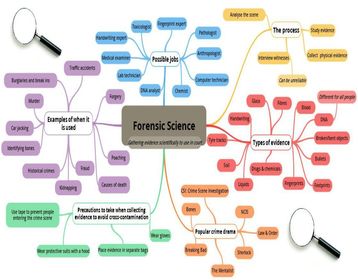
- Mindmaps are predominately used for two things 1) Elaborating on and
- connecting ideas 2) Collaborating with others to brainstorm ideas.
- These
- two strands are what you should be using with your class. Mindmaps can
- be done individually or as a group. You can simply put a word in the
- central node or even just tell them a general topic and allow them to
- explore their own ideas.
- GoConqr offers the
- unique ability to be able to work on something individually and then
- seamlessly share this with your friends or groups to help improve. This
- means you could set up a study group, invite all your pupils and when
- they finish their Mindmaps they can share an editable version of their
- Mindmaps to the group so that anyone else can take a copy of any other
- Mindmap and either study it, grade it and even improve upon it.
- While
- having a central concept on which to work is the traditional way of
- creating Mindmaps they can also be used to brainstorm. The structure of a
- Mindmap allows students and teachers to quickly and visually share
- ideas, plan events or essays. Mindmaps essentially are an explosion of
- ideas. When you have an entire class full of creative students the
- biggest challenge is having a way of capturing all the ideas; our
- Mindmap tool allows for this. Try it for yourself and see!
-
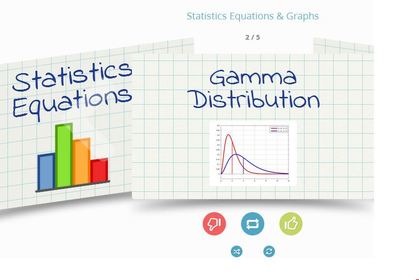
- Teachers can get
- great use out of this tool by preparing a deck of Flashcards and topics and
- sharing them with their pupils after each lesson. These could be more
- useful and engaging that simply handing out a summary note.
- If
- each student has access to a deck they can study it in their own time,
- even on the go, and they can also keep track of which ones they've
- learned.
- For certain subjects or topics teachers could go more
- in-depth. For example, when studying foreign languages Flashcards can be
- a very valuable resource.
- Since most of the content on GoConqr is public
- this means you can search other teachers and pupils resources and use
- these in class! Such an approach coupled with the in-class conversations
- would greatly improve students fluency rates.
- Flashcards aren't just ideal for learning a language. Our tool allows
- you to add images so these could be utilised for any subject such as
- learning formulas or quotes. As with all our tools it all depends on
- what you want to study.
-
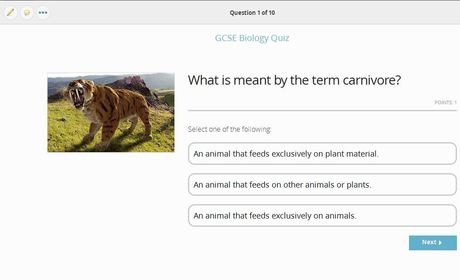
- Most people, I'm sure, are familiar with quizzes! Some may even have
- some deep-seated trauma relating to pop-quizzes! However, we think our
- Quiz tool can be used for a bit of fun! This may sound counter-intuitive
- but having your class take a quiz online will bring out their
- competitive streak. Students will vie to get the high score and will be
- learning without much effort!
- Having GoConqr online and
- a social structure to back up your quizzes will make them more engaging.
- Your students will be able to create and challenge each other to their
- own quizzes soon enough. It could even be homework; who ever creates the
- best quiz wins!
- While taking a quiz you created yourself can be
- fun and help you study, it is much more fun to take a quiz that someone
- else has created. In this way pupils competitive natures are used to
- help them learn key topics.
- Having the option to share a quiz
- with a class or a group can be a great way of increasing engagement.
-
- Notes can be used by students for a variety of reasons such as jotting
- down key points in class or as they study, summary notes when reading
- essays or when exams are approaching, even when preparing for projects
- or essays they are working.
- In many ways a Note may seem like an
- individual endeavour. However, we think Notes work best when teachers
- and students share them. Students have always decided to divide up
- course work between them and then pool their knowledge to save time. What
- we've done is to streamline this process and to allow teachers to engage
- in it too!
- How a teacher could use a note, again is up to
- them, but we have noticed that most teachers use our Notes as lesson
- summaries. They share them with the class before or after the lesson.
- The great thing about our Notes tool is that it's note just text, you
- can insert video, images, audio, links etc. This means your Note can be
- living, breathing gateway to a whole host of internet sources.
-
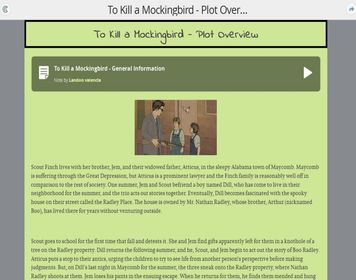
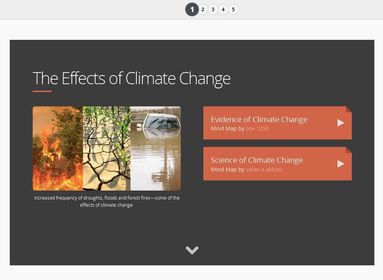
- The Slides Maker tool brings together all your content in one format to create visually engaging learning resources.
- Similar to the Notes software, teachers can use it to create learning
- summaries, share them with the class before or after any lesson.
- Slides are interactive and are a truly engaging resource
- for the modern student. If you share it with your class they can
- take a copy and add their own resources and extra points.
- GoConqr’s Slides are easy to create and include various styles and
- templates so you can organise your class lessons in the blink of an eye. Slides gives you the freedom to review all your content from the same place then present it to your class.
- Essentially,
- when used by teachers Slides become prompts or a nudge in the right
- direction. You can give them foundation of knowledge on which to build.
-
- While our other tools allow you to create resources our study groups
- are more focused on bringing teachers and students together. Once they
- are together they can share and discuss resources and this is where the
- fun happens. Ideas take on a life of their own!
- Anyone can set
- up a group and be a member of as many as you like. So as a teacher you
- could set up a group for each of your classes. Then you could share
- appropriate resources with each class. You can also start discussion
- threads in each group. This could be a great way of increasing
- engagement in ideas and also act as a way of flipping the class room.
- The
- concept of the flipped classroom is one which we think could work very
- well with GoConqr tools. With GoConqr it would be very easy to share
- a whole bunch of resources with a class group. They could then study
- these from home and you could devote class time to ironing out the kinks
- your students had with the content the night before.
- Study
- Groups are also perfect for planning larger projects. Everyone can share
- and discuss ideas and will be notified when there is any new info in
- the group. This means they can keep on top of things and always be
- engaged in the project.
- The most important thing about groups are the people in them. We simply provide the structure to enable you to learn.
- Collaborative Learning
- Online Teaching and Learning
- 5 Steps to Learning Success
- Applied Digital Skills for Teaching and Learning
Information
- Description
- Find out how you can use GoConqr Tools to enhance your lessons.
- Created by
- miminoma · Aug 2015
- Updated
- Dec 30, 2016
- Views
- 481
- Tags
- Rating