
Memory and Storage mind maps
1,359 mind maps by 1,253 users · Page 1 of 34
This Memory and Storage page on GoConqr gathers mind maps on RAM, ROM, storage devices and cloud storage. It helps school students revise these topics and teachers find material to use. The collection focuses on secondary-level study, with over 1,200 mind maps made by more than 1,100 users. Choose a map to get started.
Mind maps
-
Unit 1.2 Memory Unit 1.2 Mind map
-
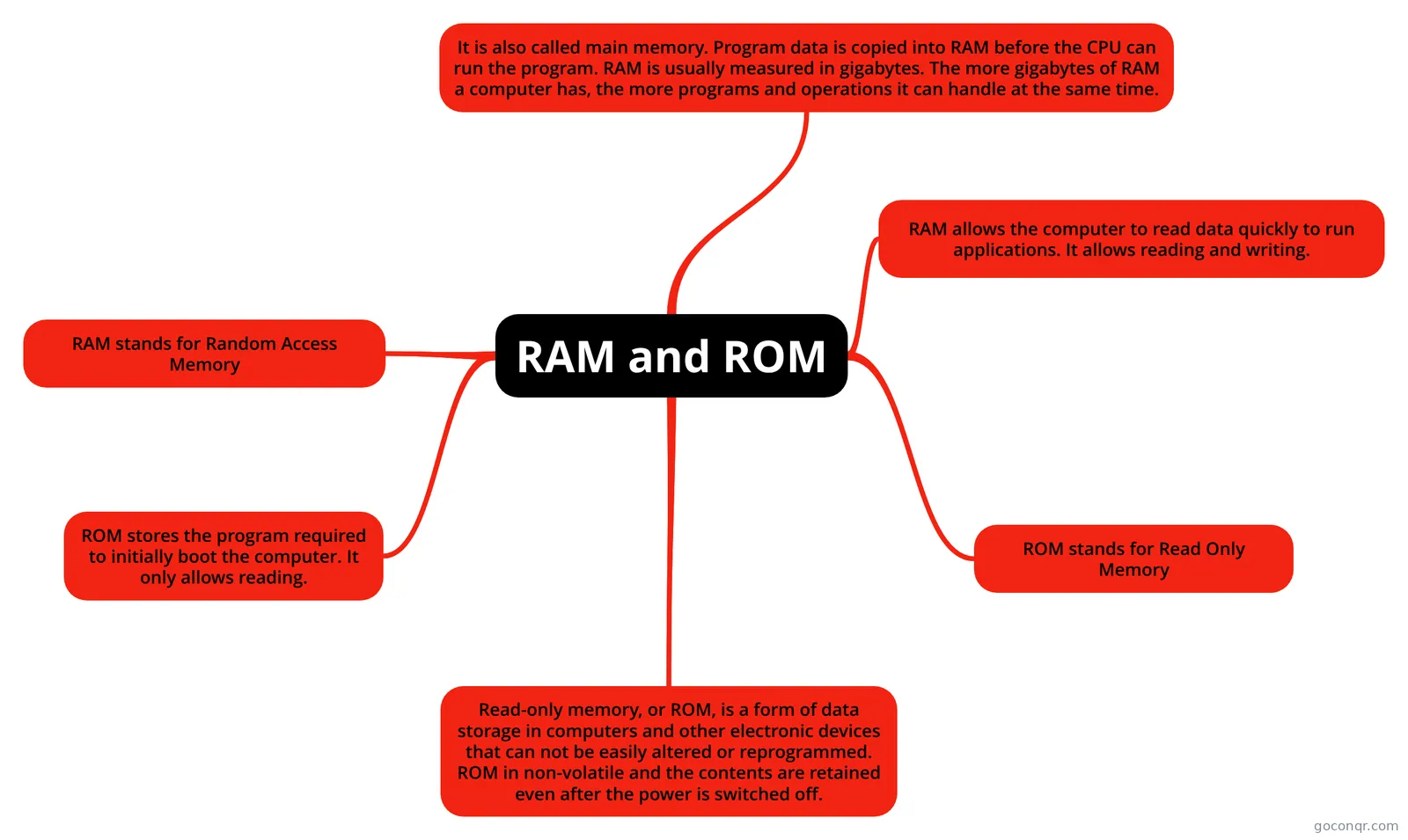 RAM and ROM RAM & ROM
-
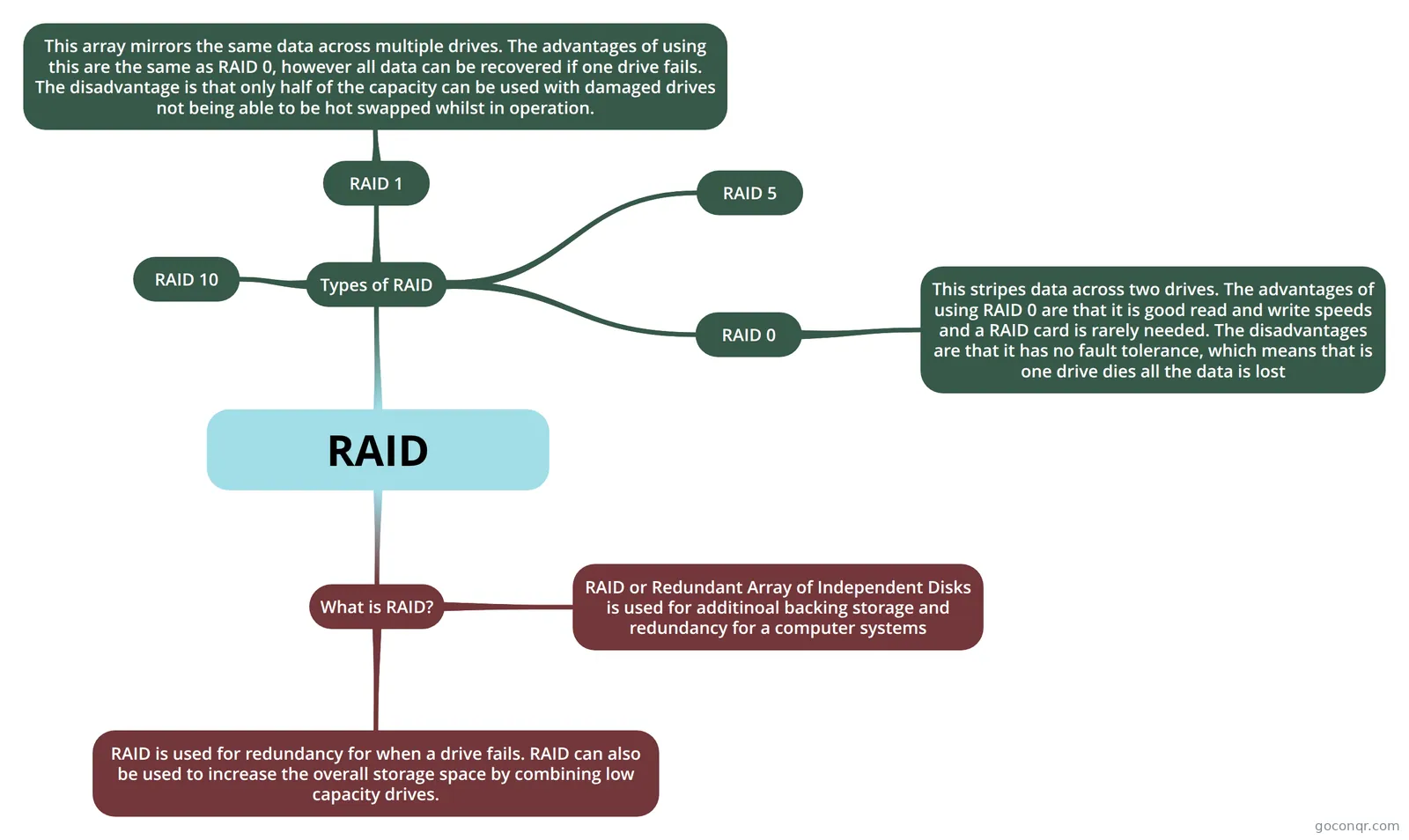 RAID
-
RAM and ROM Mindmap ram and rom
-
RAM and ROM RAM and ROM Poster
-
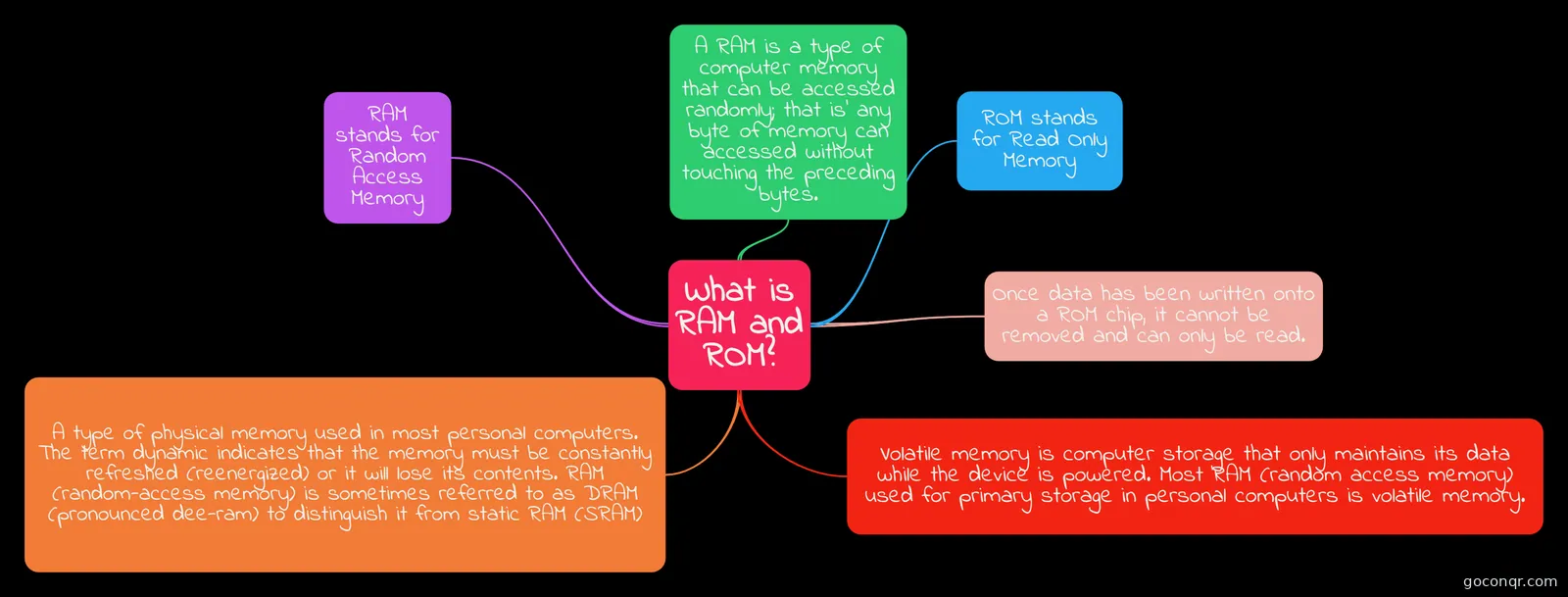 What is RAM and ROM? RAM/Rom mindmap
-
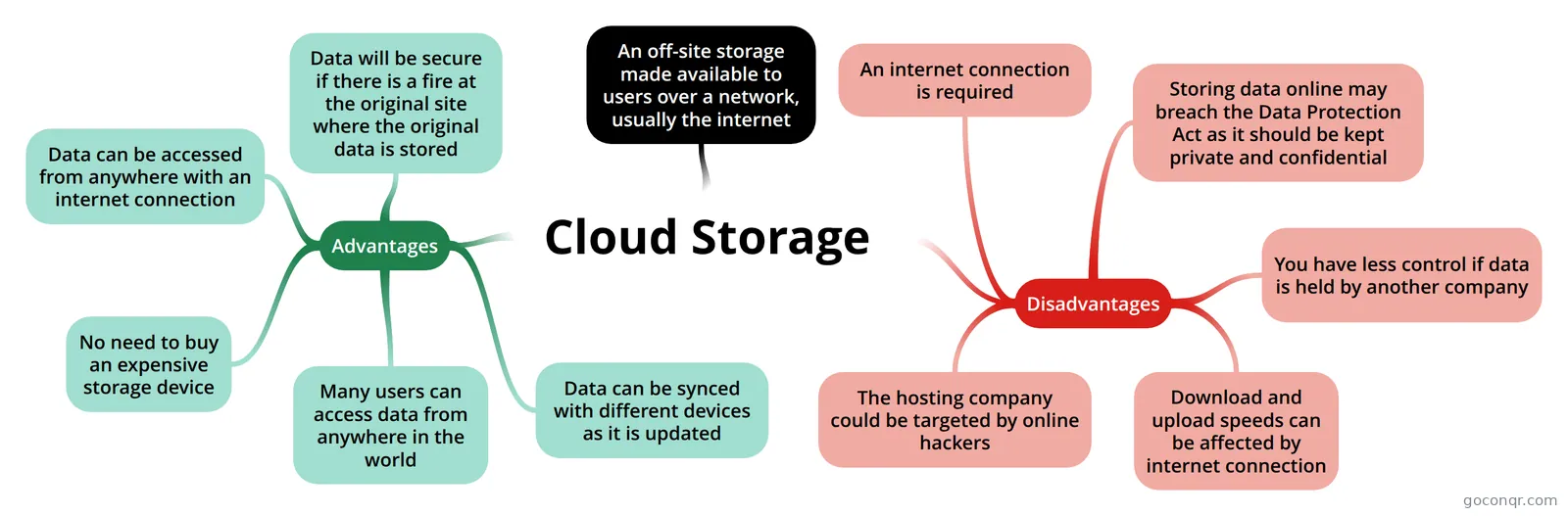 Cloud Storage
-
RAM, ROM, Virtual Memory A small mind map about RAM, ROM and virtual memory
-
back up
-
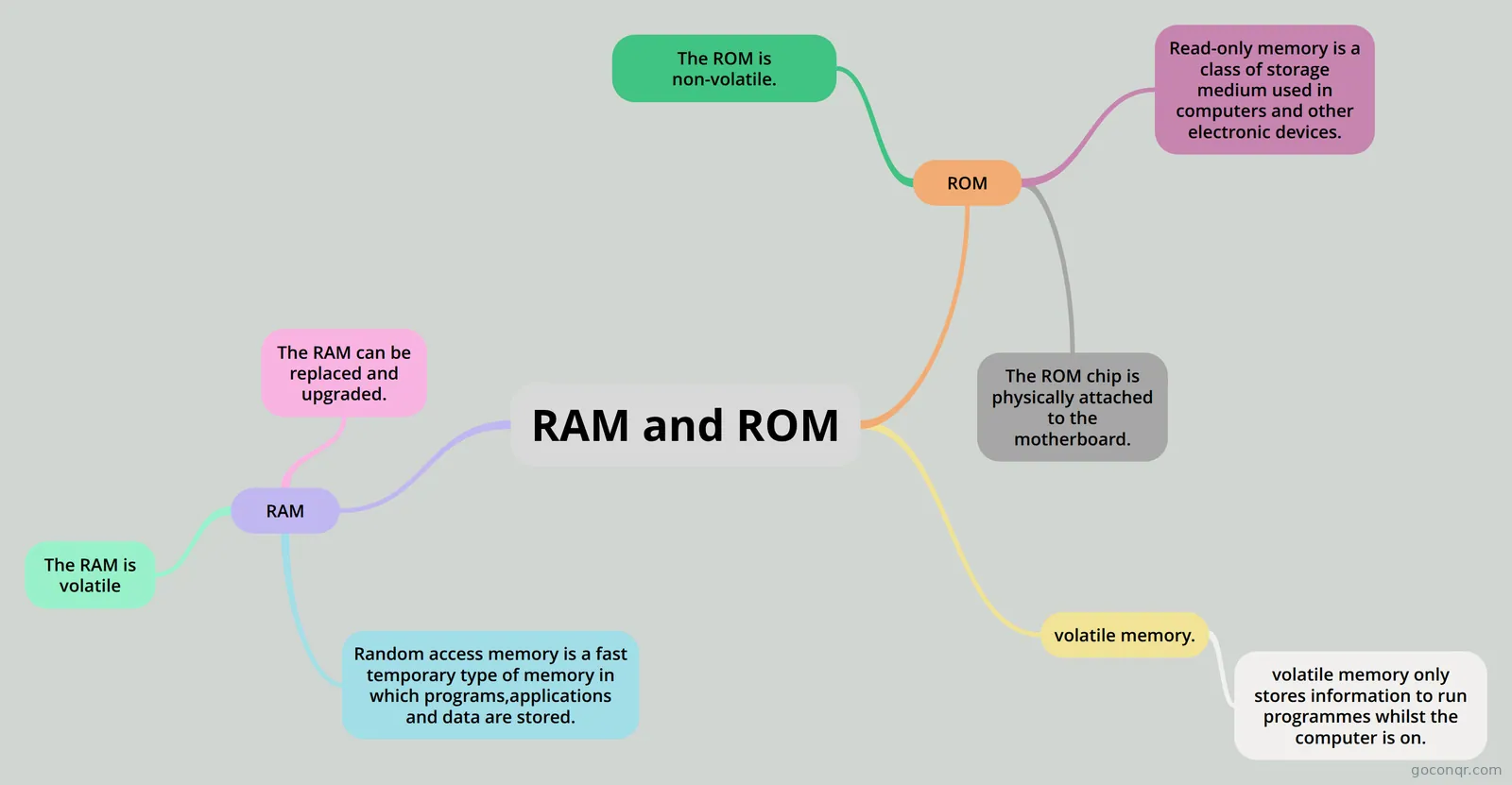 RAM and ROM RAM and ROM
-
STORAGE DEVICE it is about storage devices
-
ram and rom ram and rom
-
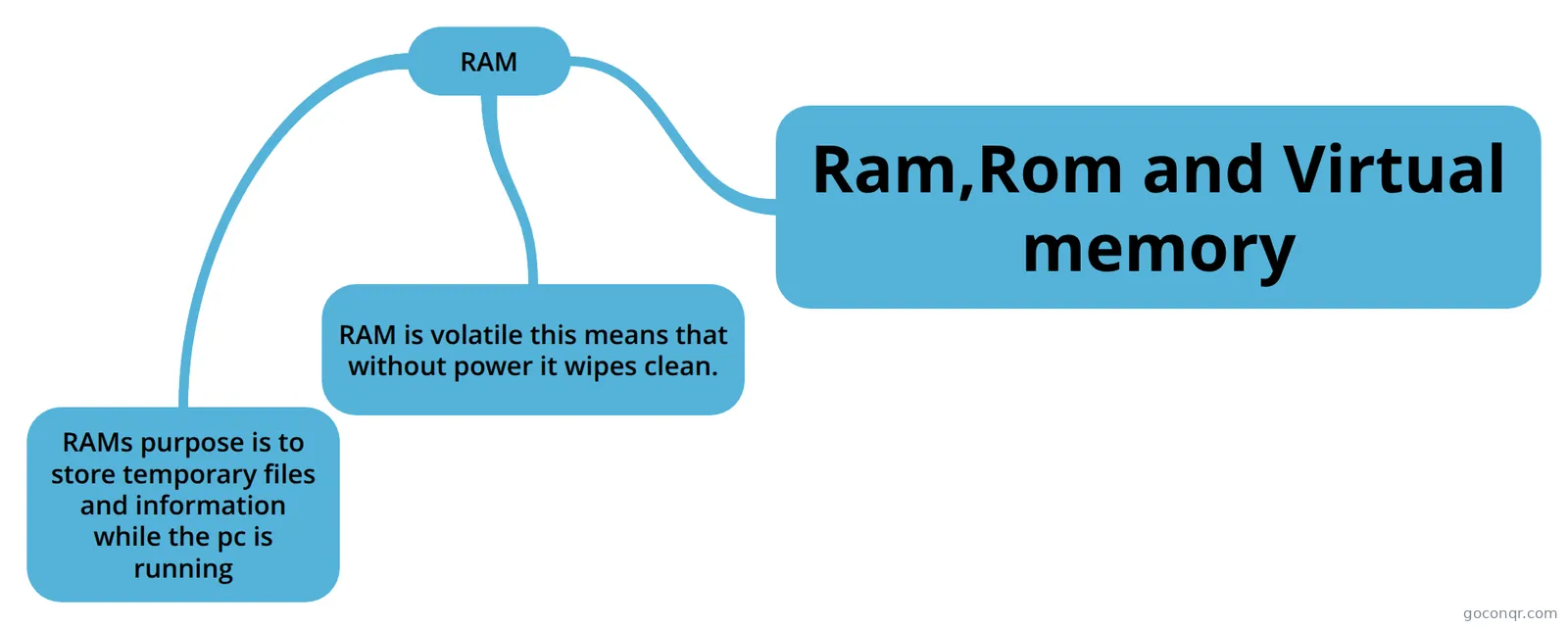 Ram,Rom and Virtual memory
-
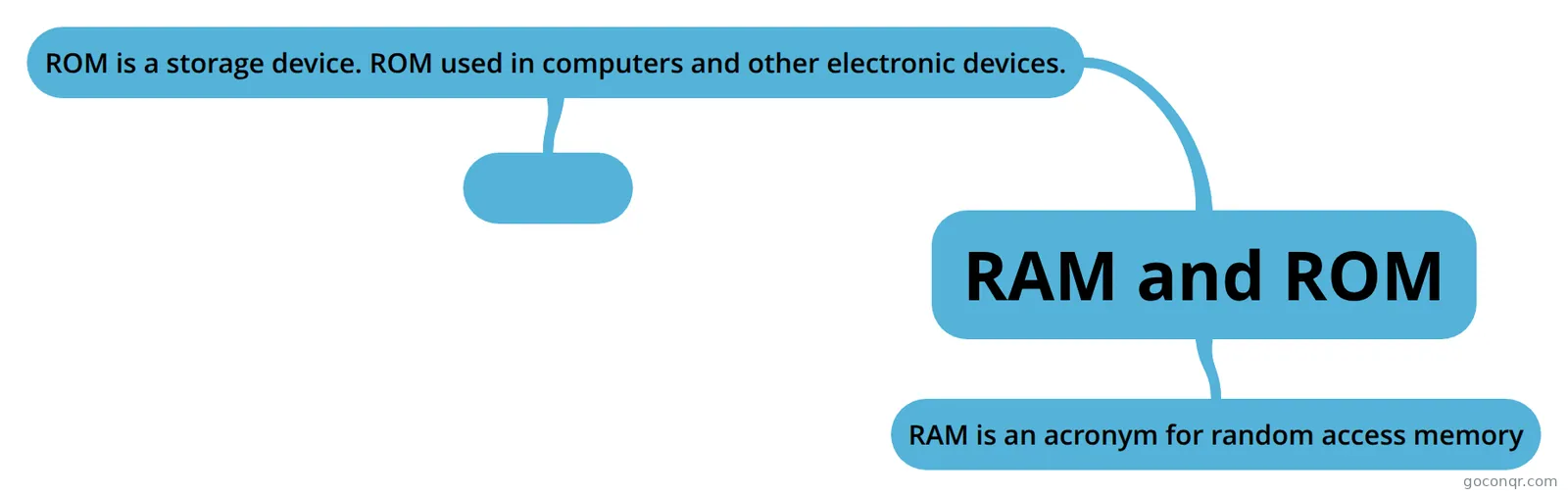 RAM and ROM INFO ABOUT RAM and ROM
-
Computer Science
-
Memory and data storage
-
STORAGE TYPES AND DEVICES
-
Storage Devices - 3 TYPES
-
Storage
-
1.2 Memory
-
Computer storage Homework
-
1.2 Memory And 1.3 Storage
-
Memory
-
1.2 and 1.3 memory & 1.3 storage
-
unit 3=storage devices
-
SSD
-
RAM Types and Features
-
1.2 memory Isaac Clements
-
Storage Devices 2
-
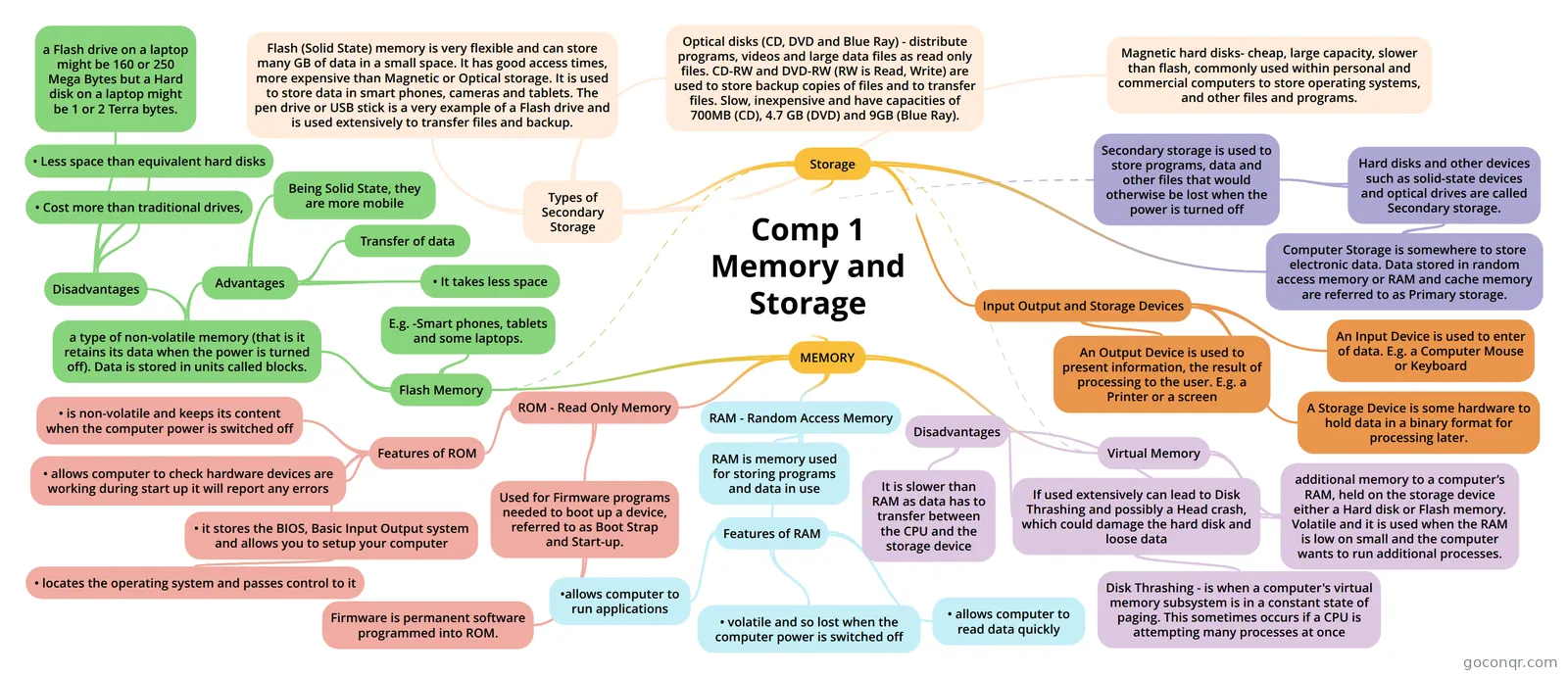 Comp 1 Memory and Storage
-
Secondary Storage & Primary Storage
-
Storage Devices And Media_1
-
Storage Devices And Media
-
STORAGE
-
Storage
-
1.2 MEMORY Mind Map on 1.2 MEMORY, created by emily parr on 13/12/2017.
-
Storage types and devices
-
Types of Memory
-
S3: Storage
-
AS - Storage Devices
More Memory and Storage resources
About memory and storage mind maps
GoConqr OriginalMemory and Storage mind maps
The maps on this page take different routes through the unit. Some focus on RAM and ROM, while others explore storage devices, cloud storage, backups or RAID. They were made by GoConqr users, so their layouts and levels of detail vary.
Choosing a map
Start with RAM and ROM if you want to compare the two types of memory. Several maps share that title, so you can look for a layout that suits you. For a wider memory map, try RAM, ROM, Virtual Memory. To move on to storage, Types of Storage includes cloud storage.
Revising with maps
Follow one branch at a time, then cover it and see what you can recall. Return to the branch if you need a prompt. When you want to check short definitions or test your recall, switch to flashcards or a quiz on the unit page. Try a map alongside another format as you revise.
Frequently asked questions
Which mind map should I start with?
Start with RAM and ROM if you want to compare those types of memory. There are several maps with that title, with different layouts and details. If you also want to look at virtual memory, try RAM, ROM, Virtual Memory.
What do these mind maps cover?
The listed maps cover RAM, ROM and virtual memory, as well as storage devices and media. You can also find maps on cloud storage, backups and RAID. Some focus on a single topic, while others bring several related ideas together.
Are the mind maps free to use?
Yes. Every resource listed here is free to open and study, and you do not need an account. A free account also lets you save quiz scores and make your own quizzes, mind maps, flashcards and notes.