
Accounting Software and ERP
35 resources created by 20 users
This Accounting Software and ERP page on GoConqr gathers community-made flashcards, mind maps and quizzes, from QuickBooks Online navigation and the chart of accounts to vendors, payroll and SAP controlling structures. It's built for university students and professional candidates practising the software, and for teachers after ready-made material. There are over 100 resources here, including more than 60 flashcard decks' worth of key terms alongside over 20 mind maps and more than 15 quizzes. Pick a chapter, try a quiz, then build your own.
Top Accounting Software and ERP resources
-
79 questionsMIO Identify the fields that cannot be changed while changing parked documents. There are 3 correct answers to ...
-
15 cardsQBO Chapter 5 QBO Chapter 5
-
18 cardsComputer Accounting with QuickBooks Online - Chapter 3 - Key Terms – QBO Transactions Computer Accounting with QuickBooks Online - Chapter 3 - Key Terms – QBO Transactions
-
19 cardsComputer Accounting with QuickBooks Online - Chapter 2 - Key Terms – QBO Chart of Accounts Primary objective of accounting
-
15 cardsComputer Accounting with QuickBooks Online - Chapter 1 - Key Terms – QuickBooks Online Navigation and Settings Computer Accounting with QuickBooks Online - Chapter 1 - Key Terms – QuickBooks Online Navigation and Settings
-
13 cardsQBO Chapter 5 Key Terms Key terms for chapter 5 of QuickBooks Online
-
13 cardsQBO Chapter 7 Key Terms QBO Chapter 7 important terms
-
12 cardsChapter 1 Concepts Key Concepts from BUS342 at Peru State College.
Quizzes
-
79 questionsMIO Identify the fields that cannot be changed while changing parked documents. There are 3 correct answers to ...
-
80 questionsBiología Ava In which application areas can you use validation? Note: There are 2 correct answers to this question.
-
15 questionsNarayana Merugu - My contribution - Quiz - 4 You create a G/L account and set the cost element category to42(assessment).In what table isthe cost elemen...
-
15 questionsTally_Unit_test_5 For Tally Batch learners
-
8 questionsTally Expert Final Exam 1 Can we get MRP Incl. of VAT function from Tally ?
Mind maps

Flashcards
See all 28 flashcards-
15 cardsQBO Chapter 5 QBO Chapter 5
-
18 cardsComputer Accounting with QuickBooks Online - Chapter 3 - Key Terms – QBO Transactions Computer Accounting with QuickBooks Online - Chapter 3 - Key Terms – QBO Transactions
-
19 cardsComputer Accounting with QuickBooks Online - Chapter 2 - Key Terms – QBO Chart of Accounts Primary objective of accounting
-
15 cardsComputer Accounting with QuickBooks Online - Chapter 1 - Key Terms – QuickBooks Online Navigation and Settings Computer Accounting with QuickBooks Online - Chapter 1 - Key Terms – QuickBooks Online Navigation and Settings
-
13 cardsQBO Chapter 5 Key Terms Key terms for chapter 5 of QuickBooks Online
-
13 cardsQBO Chapter 7 Key Terms QBO Chapter 7 important terms
-
12 cardsChapter 1 Concepts Key Concepts from BUS342 at Peru State College.
-
8 cardsQBO Chapter 7 QBO Chapter 7
More Accounting and auditing topics
About Accounting Software and ERP
GoConqr OriginalWhat this unit covers
Most of the page follows a QuickBooks Online course, chapter by chapter. Alongside it you will find material on SAP and a few other accounting packages. The resources were made by GoConqr users, and they come in three formats: flashcards, mind maps and quizzes.
Where to start
Begin with the navigation chapter. The deck Chapter 1 Concepts covers the QBO SatNav, company settings, the chart of accounts, transactions, reports and the main financial statements. Then move to the deck on QBO Chapter 2 key terms, which looks at accounts, subaccounts, registers and the chart of accounts.
- Chapter 1: navigation, settings and reports.
- Chapter 2: the chart of accounts.
- Chapter 3: transactions, lists and onscreen forms.
- Chapter 5: customers and sales.
- Chapter 7: vendors and inventory.
Sales, vendors and inventory
The Chapter 5 decks cover the invoice, receive payment, estimate, credit memo, sales receipt, refund receipt, delayed credit and delayed charge. They also separate inventory, non-inventory, service and bundle items. The Chapter 7 decks move to purchase orders, bills, paying bills and the 3-way match. They also touch on internal control. There are further decks and maps for payroll, banking and QBO reports.
Using maps and quizzes together
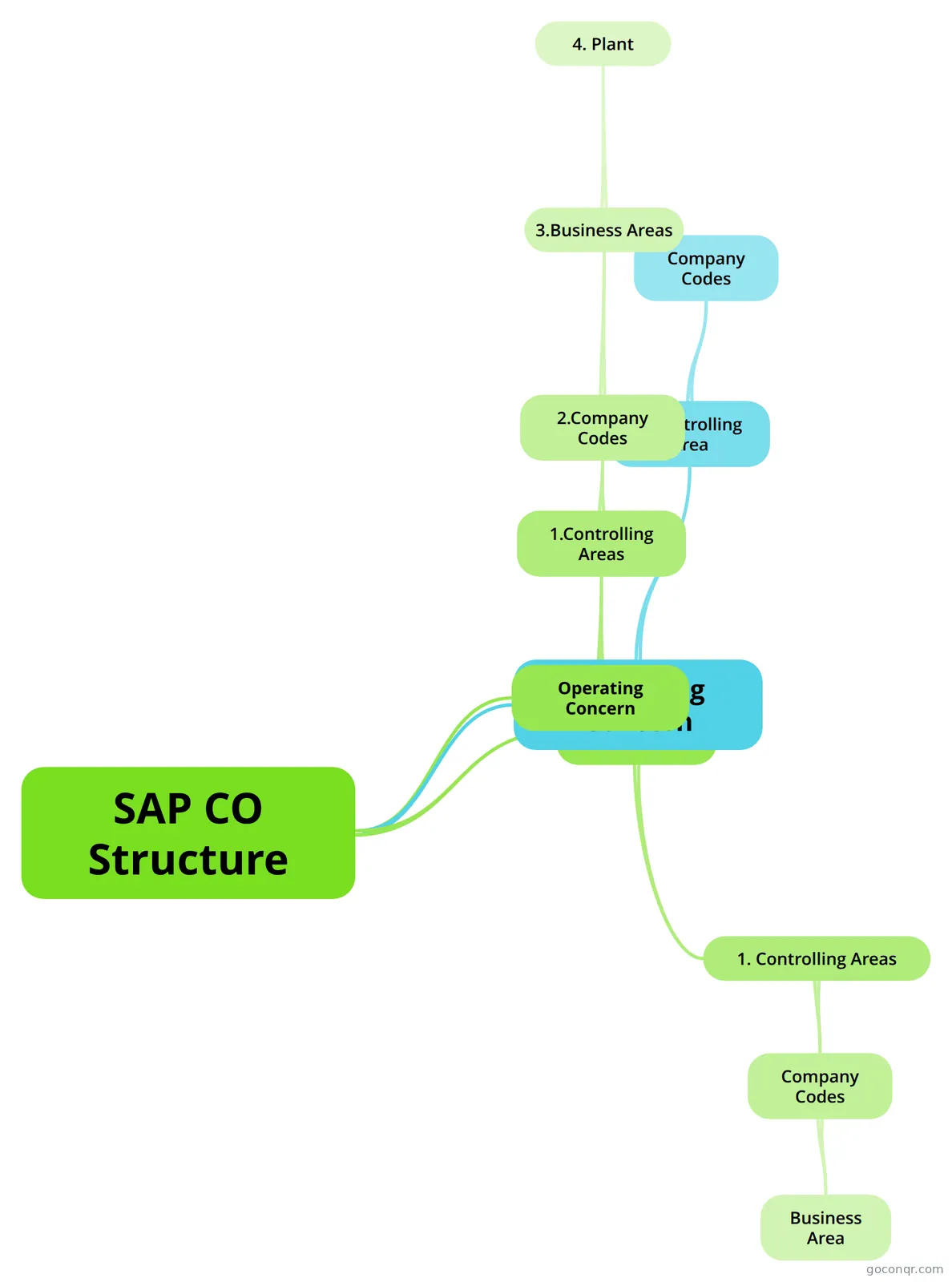
Read a mind map first to see how a chapter hangs together, such as Chapter 6: Vendors & Expenses or Chapter 8 Employees and Payroll. Then run through the matching flashcards. Finish with a quiz to see what you still need to revisit. For the SAP side, the SAP CO Structure mind map sets out controlling areas, company codes and operating concern, and the quiz titled MIO asks SAP questions on parked documents and tax calculation procedures.
Where it fits
This unit sits in the Accounting Information Systems strand of Accounting and auditing. Choose one chapter today, open its deck and see how much you can recall before checking the answers.
Frequently asked questions
Where should I start with the QuickBooks material?
Start with the Chapter 1 Concepts deck, which covers the QBO SatNav, company settings, the chart of accounts, transactions, reports and the main financial statements. After that, follow the chapter order through the chart of accounts, transactions, sales and vendors, so each deck builds on the one before.
What do the mind maps cover?
The mind maps mostly follow the QuickBooks Online chapters, including the chart of accounts, vendors and expenses, employees and payroll, banking, inventory and QBO reports. There are also maps on SAP, such as the SAP CO Structure map, which lays out controlling areas, company codes and operating concern.
Are there quizzes on SAP as well as QuickBooks?
Yes. The quiz titled MIO asks SAP-style questions, such as which fields cannot be changed on parked documents and how tax calculation procedures are configured. There is also a quiz on SAP FICO, plus others on Tally and on QuickBooks, so you can test yourself across different packages.
Are these resources free to use?
Yes. Every resource on this page is free to open, study and take, with no account needed. They were made by GoConqr users rather than by GoConqr itself, so styles and depth vary from one deck or map to the next.
Who is this unit suitable for?
It suits university students and professional candidates learning accounting software, and teachers looking for ready-made flashcards, maps and quizzes to share. Learners can use the decks to practise key terms and the maps to see how each process connects.
What if I can't find the topic I need?
Check the neighbouring chapters first, since terms like inventory, invoices and bills appear in several decks. If something is still missing, a free account lets you make your own quizzes, mind maps, flashcards and notes, so you can fill the gap yourself.