
Mind map
Memory
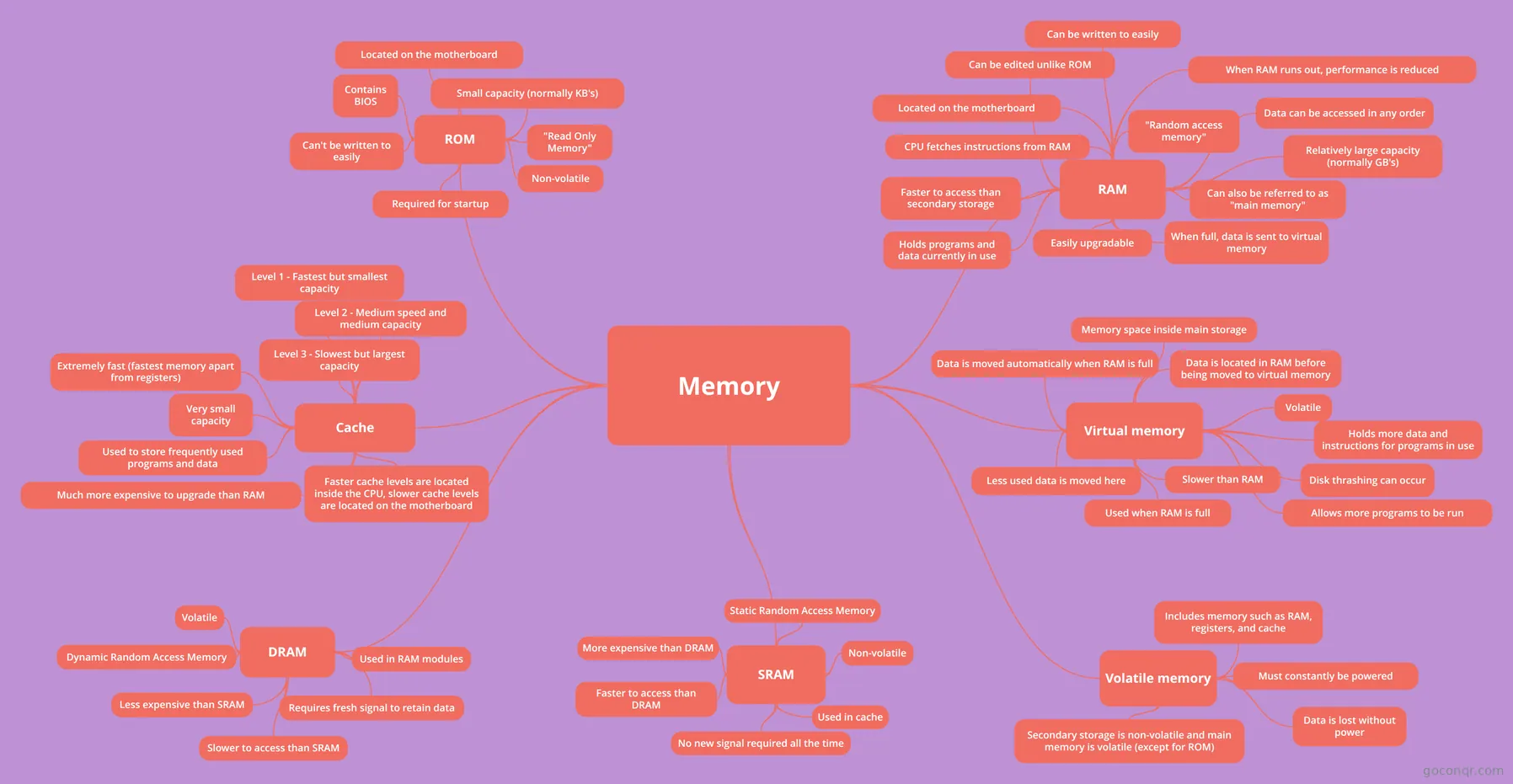
Mind map: computer memory types
Map content
Memory
ROM
- Contains BIOS
- Can't be written to easily
- "Read Only Memory"
- Required for startup
- Non-volatile
- Small capacity (normally KB's)
- Located on the motherboard
RAM
- "Random access memory"
- Relatively large capacity (normally GB's)
- Can be written to easily
- Holds programs and data currently in use
- Easily upgradable
- When full, data is sent to virtual memory
- Located on the motherboard
- Data can be accessed in any order
- Can be edited unlike ROM
- CPU fetches instructions from RAM
- When RAM runs out, performance is reduced
- Can also be referred to as "main memory"
- Faster to access than secondary storage
Virtual memory
- Slower than RAM
- Data is moved automatically when RAM is full
- Memory space inside main storage
- Holds more data and instructions for programs in use
- Used when RAM is full
- Volatile
- Data is located in RAM before being moved to virtual memory
- Allows more programs to be run
- Disk thrashing can occur
- Less used data is moved here
Volatile memory
- Data is lost without power
- Must constantly be powered
- Includes memory such as RAM, registers, and cache
- Secondary storage is non-volatile and main memory is volatile (except for ROM)
Cache
- Level 1 - Fastest but smallest capacity
- Level 3 - Slowest but largest capacity
- Level 2 - Medium speed and medium capacity
- Extremely fast (fastest memory apart from registers)
- Very small capacity
- Used to store frequently used programs and data
- Much more expensive to upgrade than RAM
- Faster cache levels are located inside the CPU, slower cache levels are located on the motherboard
SRAM
- Static Random Access Memory
- Used in cache
- More expensive than DRAM
- No new signal required all the time
- Faster to access than DRAM
- Non-volatile
DRAM
- Requires fresh signal to retain data
- Volatile
- Used in RAM modules
- Dynamic Random Access Memory
- Less expensive than SRAM
- Slower to access than SRAM