
Data Link Layer and Ethernet
181 resources created by 127 users
This Data Link Layer and Ethernet page on GoConqr gathers community-made quizzes, mind maps, flashcards and notes, from CSMA/CD and MAC addresses to Ethernet standards, frames, switches and PoE. It's built for university students and professional candidates practising for CCNA or MEF CECP style questions, and for teachers after ready-made material. There are over 180 resources here, including more than 40 quizzes, over 90 mind maps and more than 30 flashcard decks, shared by over 120 contributors. Pick a quiz to find your gaps, then revisit the maps.
Top Data Link Layer and Ethernet resources
-
8 questionsDIKTA ICND1 Ch 2 In the LAN for a small office, some user devices connect to the LAN using a cable, while others connect usi...
-
53 questionsCISCO Chapter 10 & 11 Refer to the exhibit. The exhibit shows a small switched network and the contents of the MAC address table ...
-
Mind map CSMA/CD
-
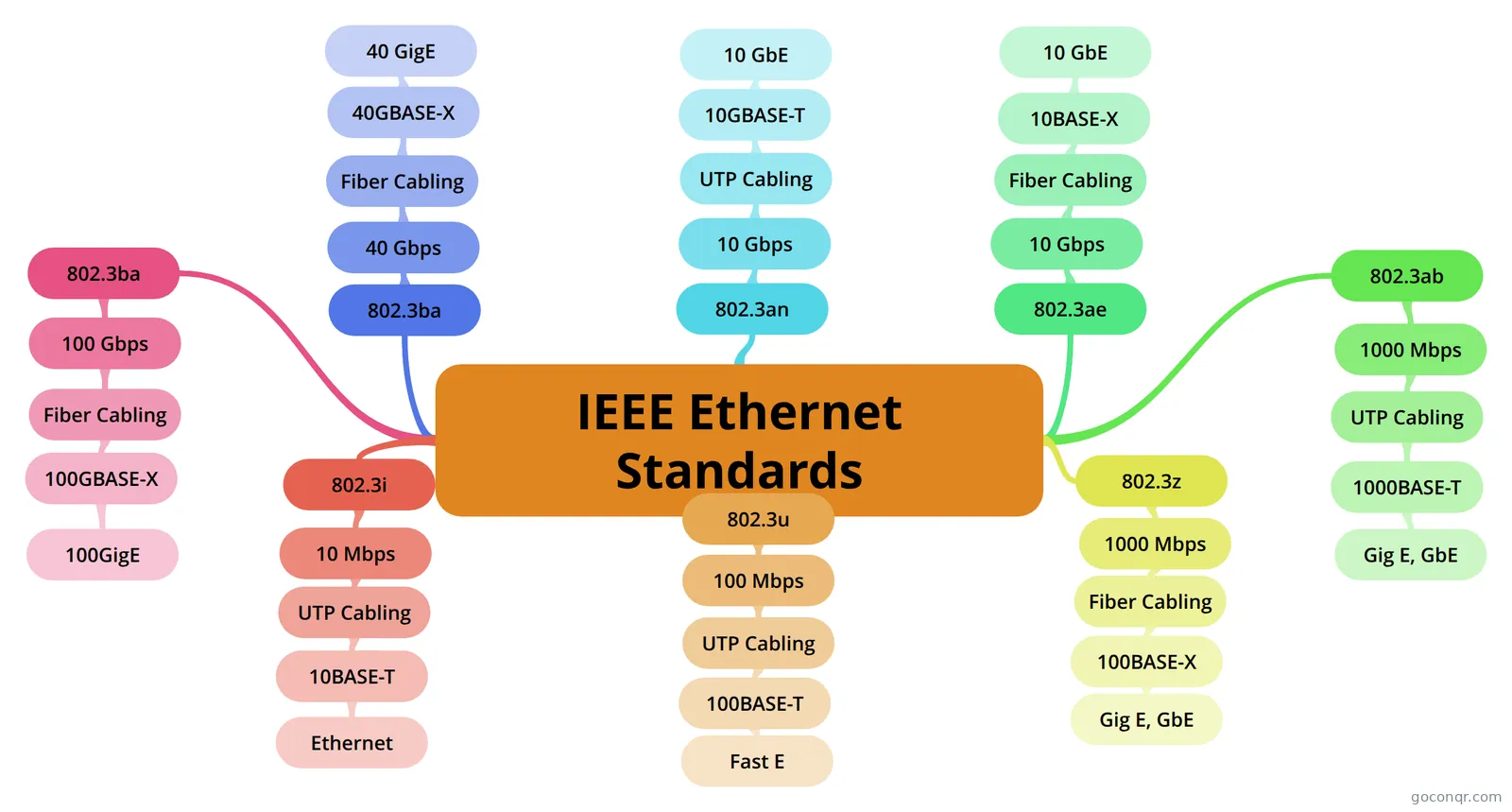 Mind map IEEE Ethernet Standards
-
55 cardsC2
-
34 cardsChannel Access What does CSMA stand for?
-
13 cardsARP (Address Resolution Protocol) / Layer 2 What is the purpose of a MAC address?
-
180 questionsMEF-CLOUDCAMPUS_COMPLETO The interface between an Operator MEN (Operator CEN) and the subscriber is called a (an):
Quizzes
See all 44 quizzes-
8 questionsDIKTA ICND1 Ch 2 In the LAN for a small office, some user devices connect to the LAN using a cable, while others connect usi...
-
53 questionsCISCO Chapter 10 & 11 Refer to the exhibit. The exhibit shows a small switched network and the contents of the MAC address table ...
-
180 questionsMEF-CLOUDCAMPUS_COMPLETO The interface between an Operator MEN (Operator CEN) and the subscriber is called a (an):
-
100 questionsCE-A Take home practice quiz Which Open Systems Interconnection (OSI) layer is responsible for data translation, compression, and encryp...
-
46 questionsMEF-CLOUDCAMPUS AULA 10-11 How many service instances can Multi‐Protocol Label Switching (MPLS) support in one network?
-
25 questionsCh. 4 Study Exam Which standards organization defined the Ethernet standard?
-
37 questionsICND1 Part II: Ethernet LANS and Switches Which of the following statements describes part of the process of how a switch decides to forward a frame ...
-
41 questionsChapter 5 What happens to runt frames received by a Cisco Ethernet switch?
Mind maps
See all 99 mind maps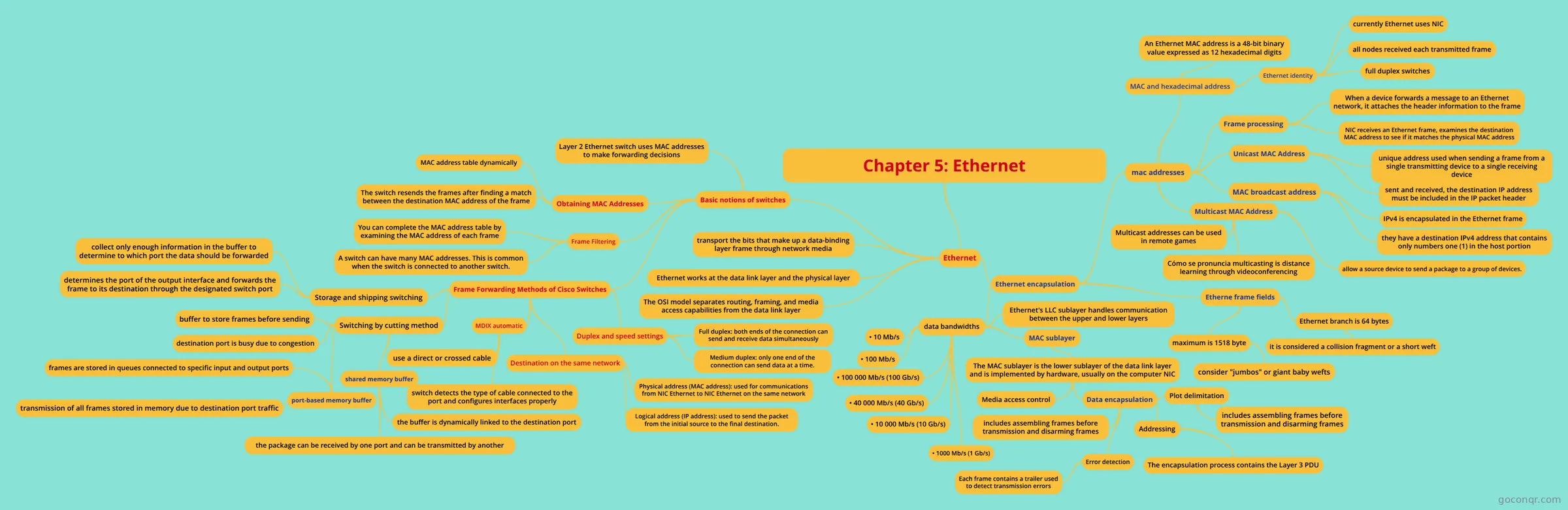
Flashcards
See all 34 flashcards-
55 cardsC2
-
34 cardsChannel Access What does CSMA stand for?
-
13 cardsARP (Address Resolution Protocol) / Layer 2 What is the purpose of a MAC address?
-
163 cardsTelematik Chapter 5-6 Multiple Access Links and Protocols (Point-to-Point "link")
-
158 cardsTelematik Chapter 4 + 10 The Link Layer's Service
-
40 cardsCisco ICND1 What does BASE mean in 100BASE-T and 1000BASE-T
-
44 cardsData Link Layer
-
37 cardsCOSC 118 - Chapter 3 A technology defined by the IEEE 802.3ab standard, supports 1000 Mbps Ethernet (usually called Gigabit Ethe...
Flowcharts
Notes
-
Networking Ethernet Standards Ethernet 10BaseT 10 Mbps (half-duplex) bandwidth 20 Mbps (full-duplex) bandwidth Twisted Pair cable (Cat3, 4 or 5) 100 meters max length 10BaseFL 10 Mbps (multimode cable) bandwidth Fiber Optic cabl...
-
ITIS 107 - Chapter 4 - Notes Ethernet Ethernet is a network technology standard that needs the same bus topology, standard frame type, and same network access method. Ethernet sub-committee is 802.3 (Ethernet). The en...
-
Media Access Control [Link Layer] - created from Mind Map Random Access ProtocolsTransmitting nodes are always transmitting at full rate of channel. R bps. When there is a collision, each node repeatedly retransmits its frame, until the frame gets through. It does not retran...
Topics in Data Link Layer and Ethernet
More Networks and telecommunications topics
About Data Link Layer and Ethernet
GoConqr OriginalWhat the resources cover
The page sits in the Physical Layer and Data Communications strand of Networks and telecommunications. It centres on how frames move across a local network. The mind map on CSMA/CD lists the steps a sender follows: listen until the Ethernet is not busy, send the frame, then keep listening while sending. IEEE Ethernet Standards sets out 802.3i, 802.3u, 802.3z, 802.3ab, 802.3ae and more, matched to speeds from 10 Mbps to 100 Gbps.
Where to start
If the topic is new, begin with the mind maps named Ethernet Basics and Modern Ethernet, then open Ethernet Frames and IEEE 802.3 Ethernet Header and Trailer Fields. The flashcard deck Channel Access asks what CSMA stands for and how its persistence methods differ. The deck ARP (Address Resolution Protocol) / Layer 2 covers MAC addresses and the fields in the Ethernet header, including the preamble.
Using quizzes and maps together
- Read a map, such as Building Ethernet LANs with Switches, and note what you can explain without looking.
- Take a quiz. DIKTA ICND1 Ch 2 asks about wired and wireless devices in a small office LAN.
- Try CISCO Chapter 10 & 11, where you read a switch MAC address table and decide what the switch does with a frame.
- Return to the map for any question you missed, then drill the point with flashcards.
For certification candidates
Several quizzes follow the MEF CECP modules, and others follow CCNA chapters, so candidates can match practice to the course they are taking. Teachers can pick a single map or quiz to set as ready-made material.
Next step
Choose one map that matches your course, work through a quiz on the same topic, and see which points need another look.
Frequently asked questions
Which resource should I open first?
If Ethernet is new to you, start with the mind maps Ethernet Basics and Modern Ethernet. They give you the vocabulary. Then try the quiz DIKTA ICND1 Ch 2 to check what stuck, and move on to frames and switches once the basics feel familiar.
What do the mind maps cover?
They cover CSMA/CD steps, IEEE Ethernet standards and speeds, Ethernet cabling standards, frame header and trailer fields, and building LANs with switches. Several maps follow textbook chapters on Ethernet LANs, so you can pick the one that matches your own reading.
Are the resources free to use?
Yes. Every resource listed here is free to open, study and take, with no account needed. They were made by GoConqr users, not by GoConqr itself, so it is worth comparing a few on the same topic if you want different explanations.
Which exams do these resources relate to?
The listed resources mention CCNA and MEF CECP. You will find quizzes labelled by CCNA chapter and a run of MEF CECP module quizzes, such as Module 4, Module 5 and Module 10. They suit university students and professional candidates.
Can I save my scores or make my own material?
A free account saves your quiz scores and lets you make your own quizzes, mind maps, flashcards and notes. That is handy if you want to turn a gap you found in a quiz into a short flashcard deck of your own.
What if the topic I need is missing?
Look at related titles first, since some topics appear under chapter names such as Chapter 5 Ethernet LANs or Media Access Control. If nothing fits, you can build your own map or flashcards on the point and use them alongside the community material.