
Technology Projects and Project Management
222 resources created by 212 users
This Technology Projects and Project Management page on GoConqr gathers community-made mind maps, notes, a slide set, a flowchart and a flashcard deck, from the ten-step project approach to a water purification system and a biscuit cutter project. It's built for school students working on design projects, and for teachers after ready-made material. There are over 200 resources here, including more than 190 mind maps, mostly at secondary level. Pick a map, follow a project from problem to report, then make your own.
Top Technology Projects and Project Management resources
-
Mind map Enter text here Engineering project
-
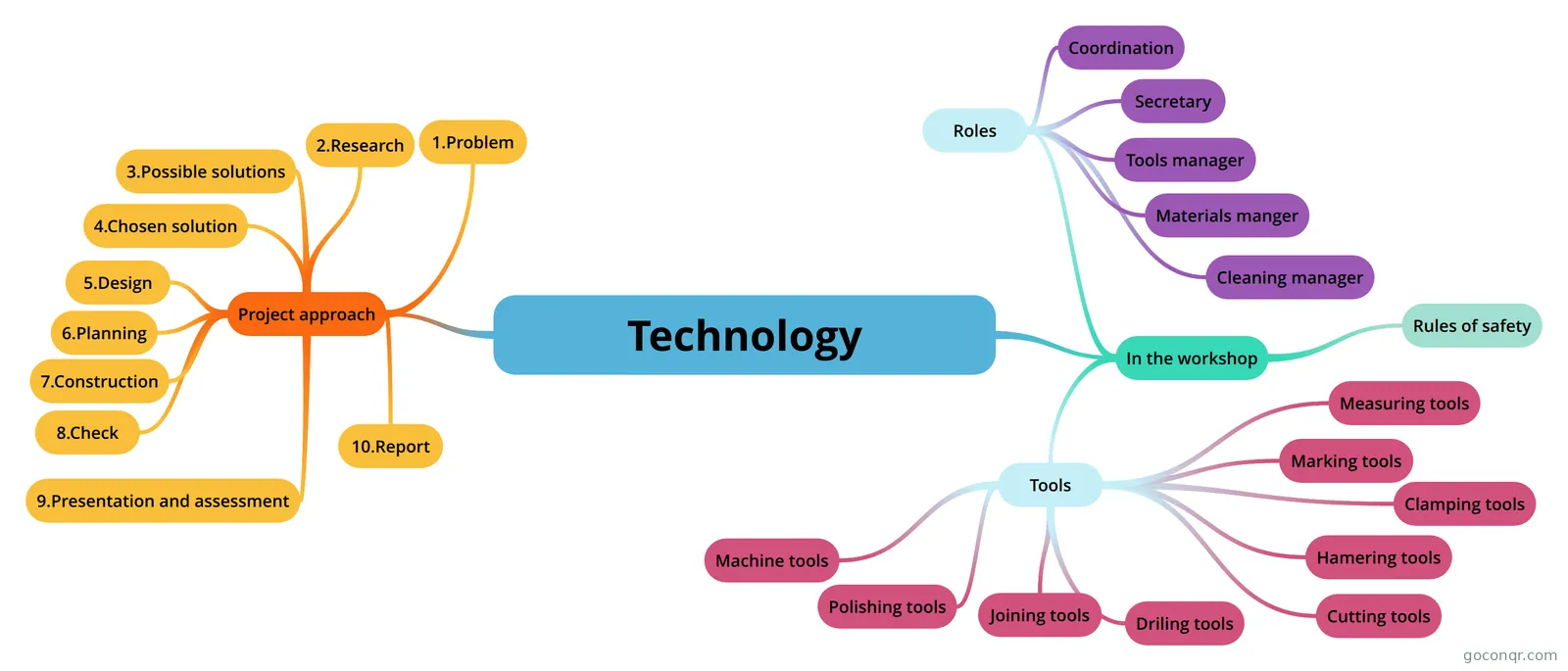 Mind map Technology project approach
-
19 cards00107-15 Basic Communication Skills A process that involves respecting others, listening to what is being said, and understanding what is being...
-
Mind map Types of Business Writing in Engineering Jose Alvarado 34041
-
Mind map technology roser
-
Mind map Technology Mind map unit 1
-
Mind map Technology problem solving techno
-
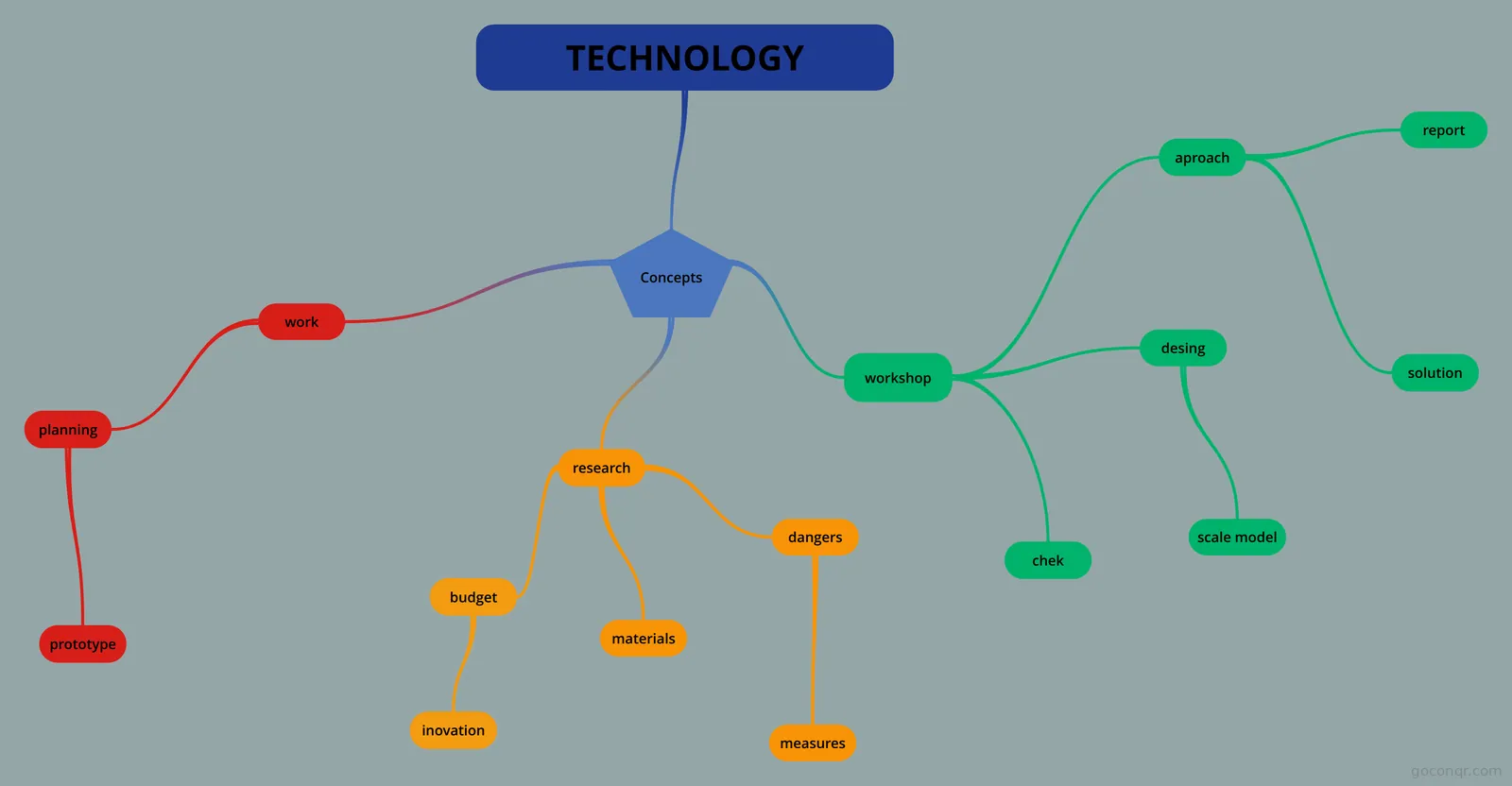 Mind map TECHNOLOGY mi libro
Mind maps
See all 206 mind mapsFlashcards
Slides
More Engineering and technology (general or other) topics
About Technology Projects and Project Management
GoConqr OriginalWhat this unit page covers
This page sits in the Design and Problem Solving strand of Engineering and technology (general or other). Almost everything here is a mind map, made by GoConqr users. Most follow one idea: a technology project moves through clear stages, from spotting a problem to writing the report.
Start with the project approach
Begin with the maps that set out the stages. The map called TECHNOLOGICAL PROBLEM SOLVING lists them in order: detecting the problem, researching the information, finding possible solutions, choosing one, making a design, planning the work, construction, checking, presentation and assessment, and the report. Several other maps, including TECHNOLOGIES, repeat the same ten steps with extra notes on tools and the workshop. Comparing them helps you spot what each author stressed.
- Read one stage map from top to bottom.
- Open a second one and note any differences.
- Look at the map on teamwork, members' responsibilities and the project report.
Then see real projects
Next, look at maps where students apply the steps to a real brief. There is a plan to design, model and manufacture a water purification system, where the filter is suspended so gravity speeds up filtration. Others cover the Biscuit Cutter Project, Board Game, Wooden Mechanical Toy, AeroQuad Project and a GCSE Project map. A few mention GCSE Design and Technology or Leaving Certificate Engineering, so they suit secondary coursework.
Planning and writing skills
Some resources help with the paperwork. A flowchart shows a work breakdown structure of the dock, and a map on task analysis breaks a job into steps. Another map sets out types of business writing for mechanical engineers, which is handy when you reach the report. Notes created from mind maps, such as the Bird House and Sumo Robot ones, turn a map into readable text.
Using the resources together
There are no quizzes on this page, so use the maps as your checklist. Cover a map, try to recall the ten stages, then check yourself. Teachers can use the stage maps as starting points for a class project. When you are ready, choose a map and build your own version for your project.
Frequently asked questions
Where should I start on this page?
Start with the map called TECHNOLOGICAL PROBLEM SOLVING. It lays out the ten stages of the project approach in order, from detecting the problem to the report. Once you know those stages, the project maps, such as the water purification plan, are much easier to follow.
What do the mind maps cover?
Most cover the project approach and its stages, with notes on tools, teamwork and the project report. Others apply it to real briefs, including a biscuit cutter, a board game, a wooden mechanical toy and a water purification system. A few look at aerodynamics and business writing.
Are there quizzes here?
No, this page has no quizzes. It offers mind maps, notes, a slide set, a flowchart and a flashcard deck. You can turn a stage map into your own self-test by covering it and recalling the steps, then checking what you missed.
Which levels and exams do the resources suit?
Most resources are at secondary level, so they suit school students. Some mention GCSE Design and Technology or Leaving Certificate Engineering. A small number reach university or professional level, but the page is mainly for school students and their teachers.
Are the resources free, and who made them?
Every resource listed here is free to open and study, with no account needed. They were made by GoConqr users, not by GoConqr itself. A free account lets you save your work and make your own maps, flashcards and notes.
What if I can't find the project I need?
Try a map with a similar brief, since many follow the same ten stages and you can adapt the structure. You can also build your own mind map for your project, using the stage maps here as a template.