
Computer Hardware and Components mind maps
2,376 mind maps by 2,109 users · Page 1 of 60
This GoConqr page gathers mind maps on computer hardware and components, from input and output devices to memory and motherboards. School students can use them to revise hardware topics, while teachers can find material for revision tasks. There are over 2,100 mind maps made by more than 1,800 users, with resources largely at secondary level. Pick a map to start exploring.
Select topic
- Hardware and Software37
- Types of Computers37
- Computer Architecture32
- CPU and Computer Performance243
- Computer Memory81
- Motherboards and BIOS49
- Graphics and Sound Cards99
- Computer Cases and Power Supplies9
- Input and Output Devices844
- Storage Devices and Media539
- Computer Ports and Connectors12
- Hardware Maintenance and Troubleshooting8
Mind maps
-
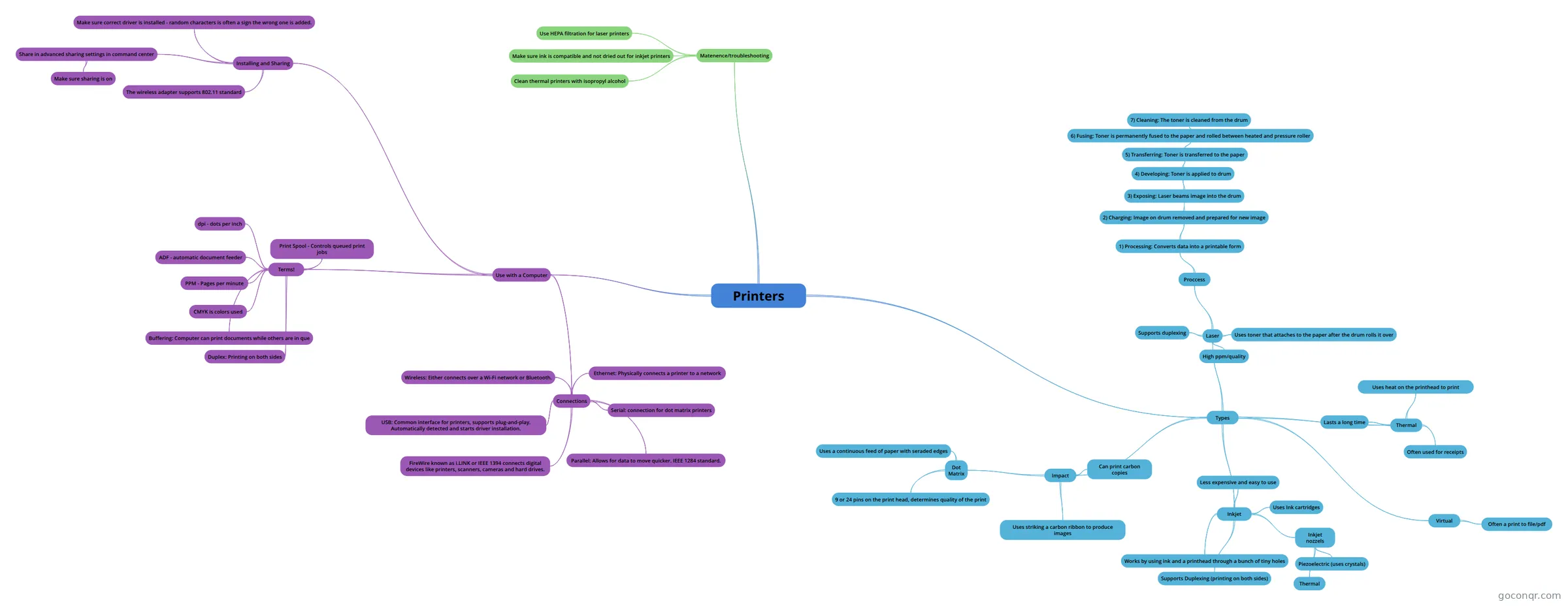 Printers Printer review for CompTIA exam
-
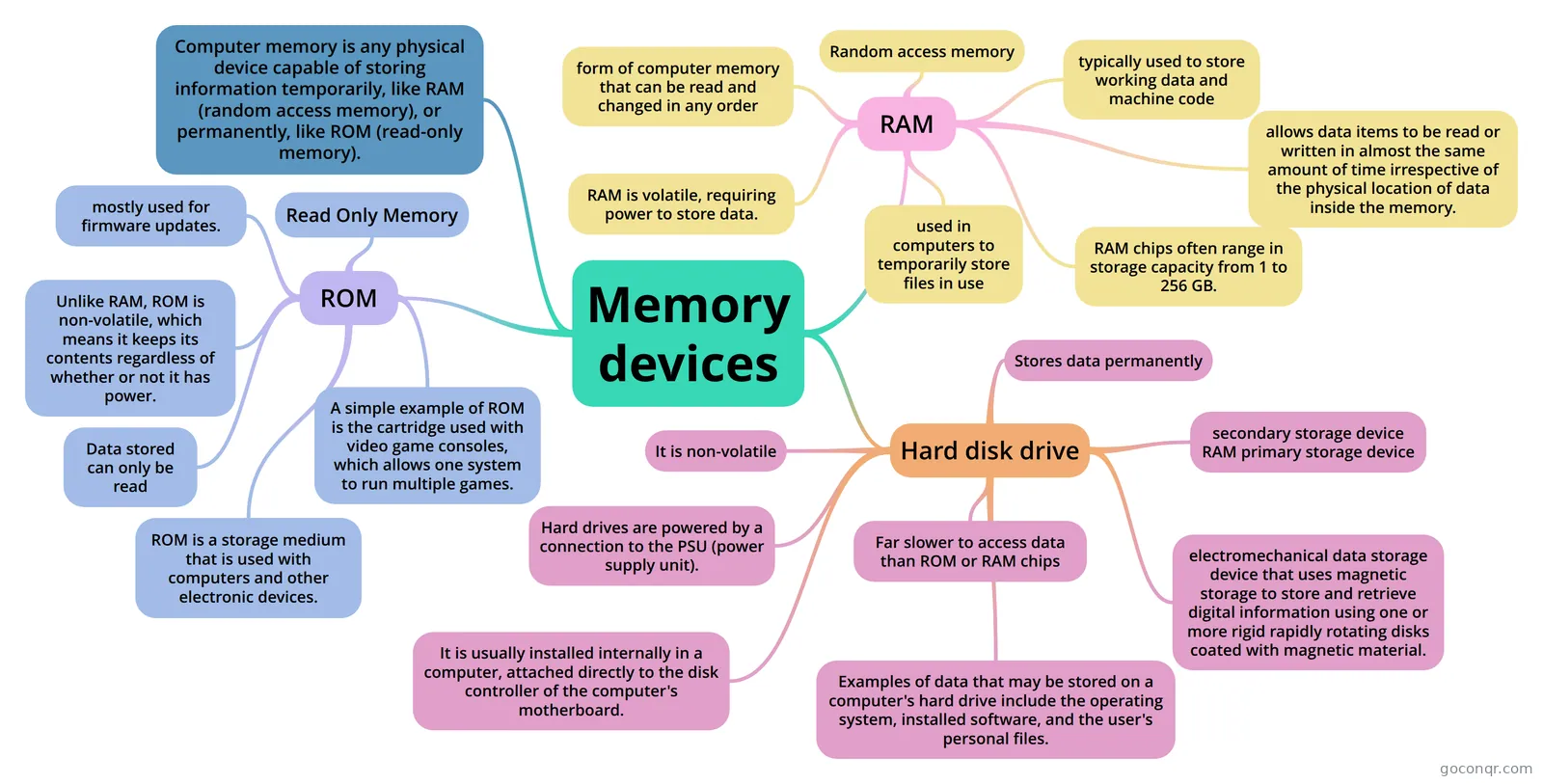 Memory devices ROM, RAM and Hard disk drive
-
MOTHERBOARD MOTHERBOARD
-
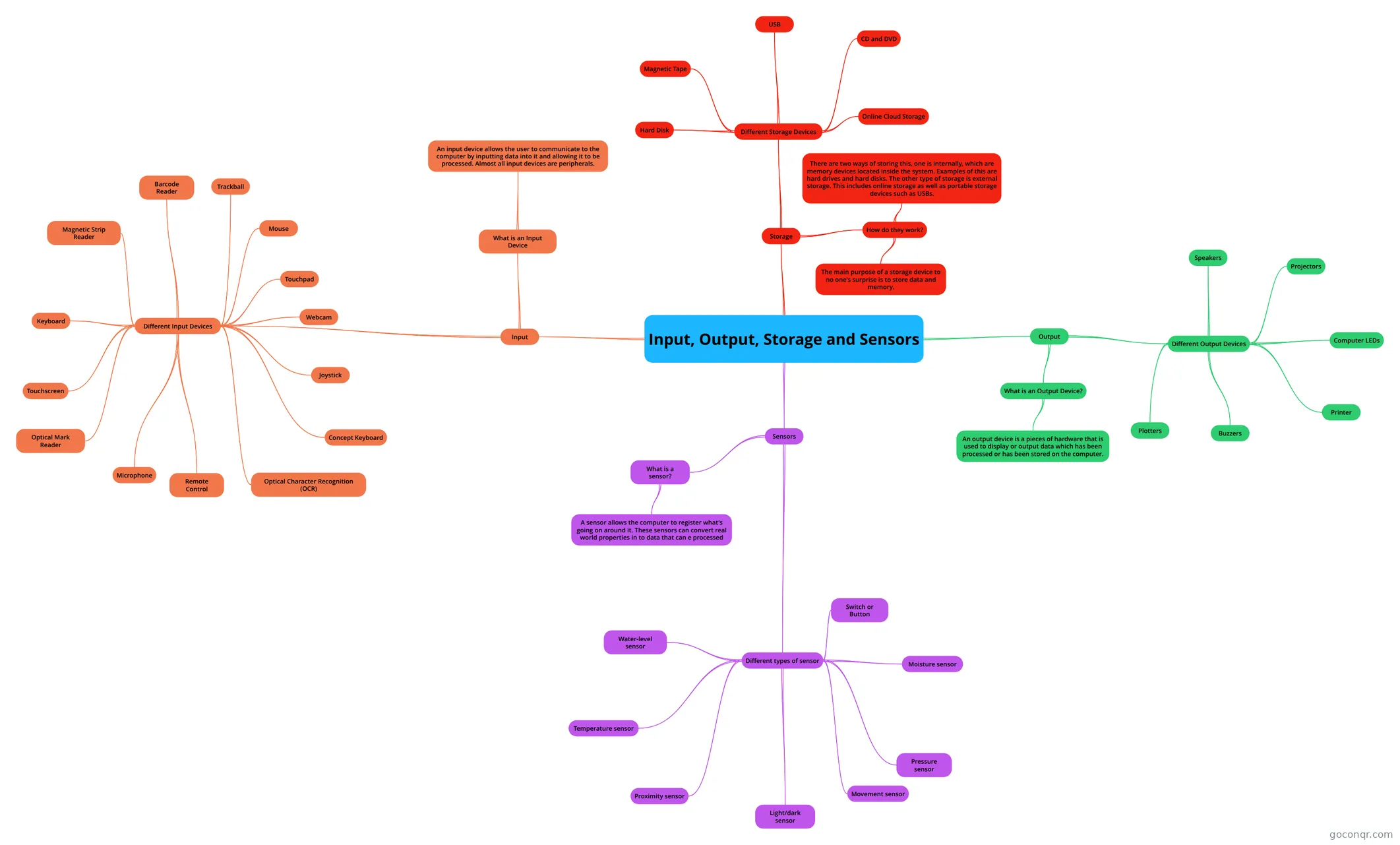 Input, Output, Storage and Sensors My IT revision
-
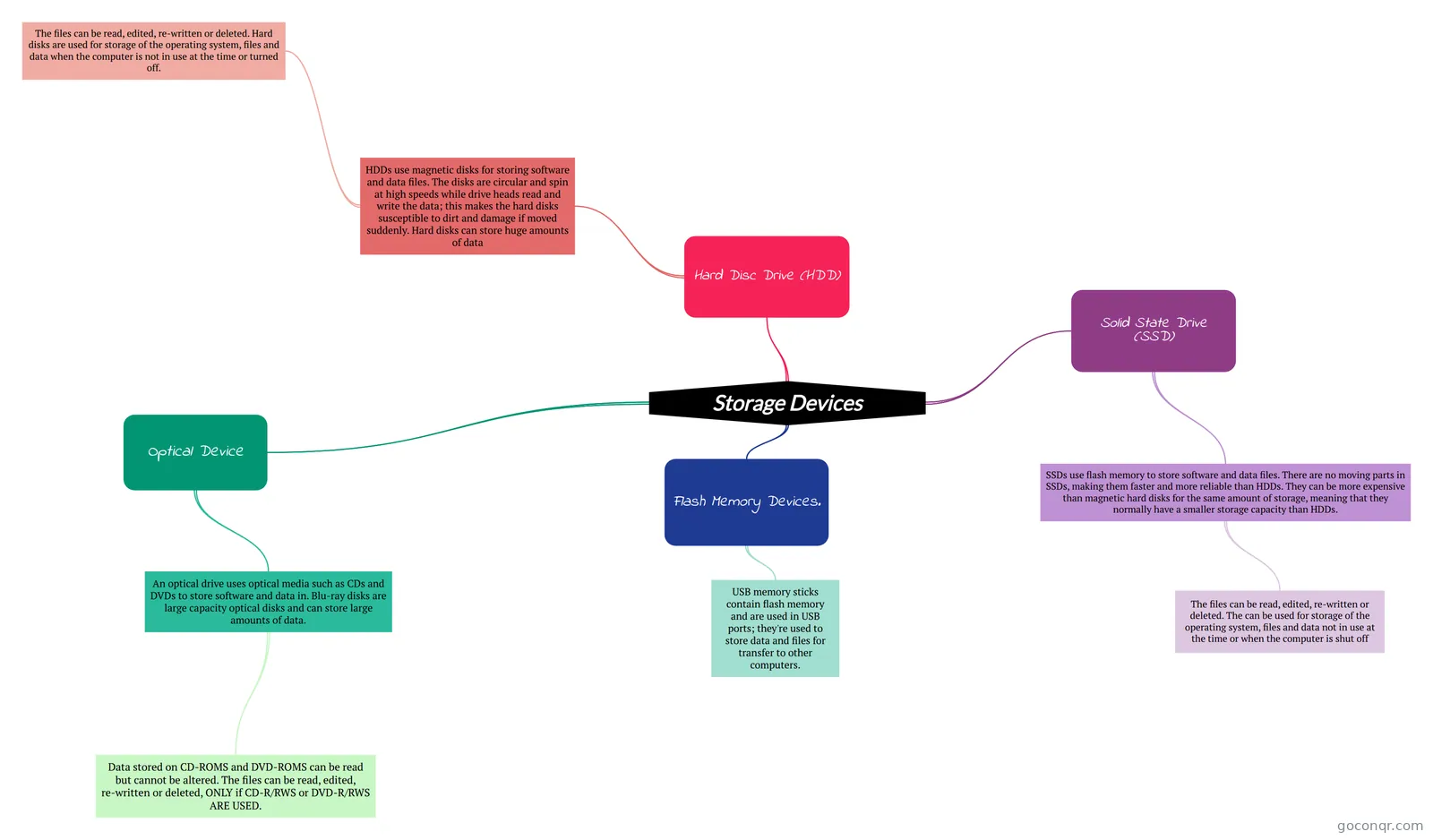 Storage Devices
-
INPUT AND OUTPUT DEVICES A mindmap summarising input and output devices, gor GCSE ICT revision
-
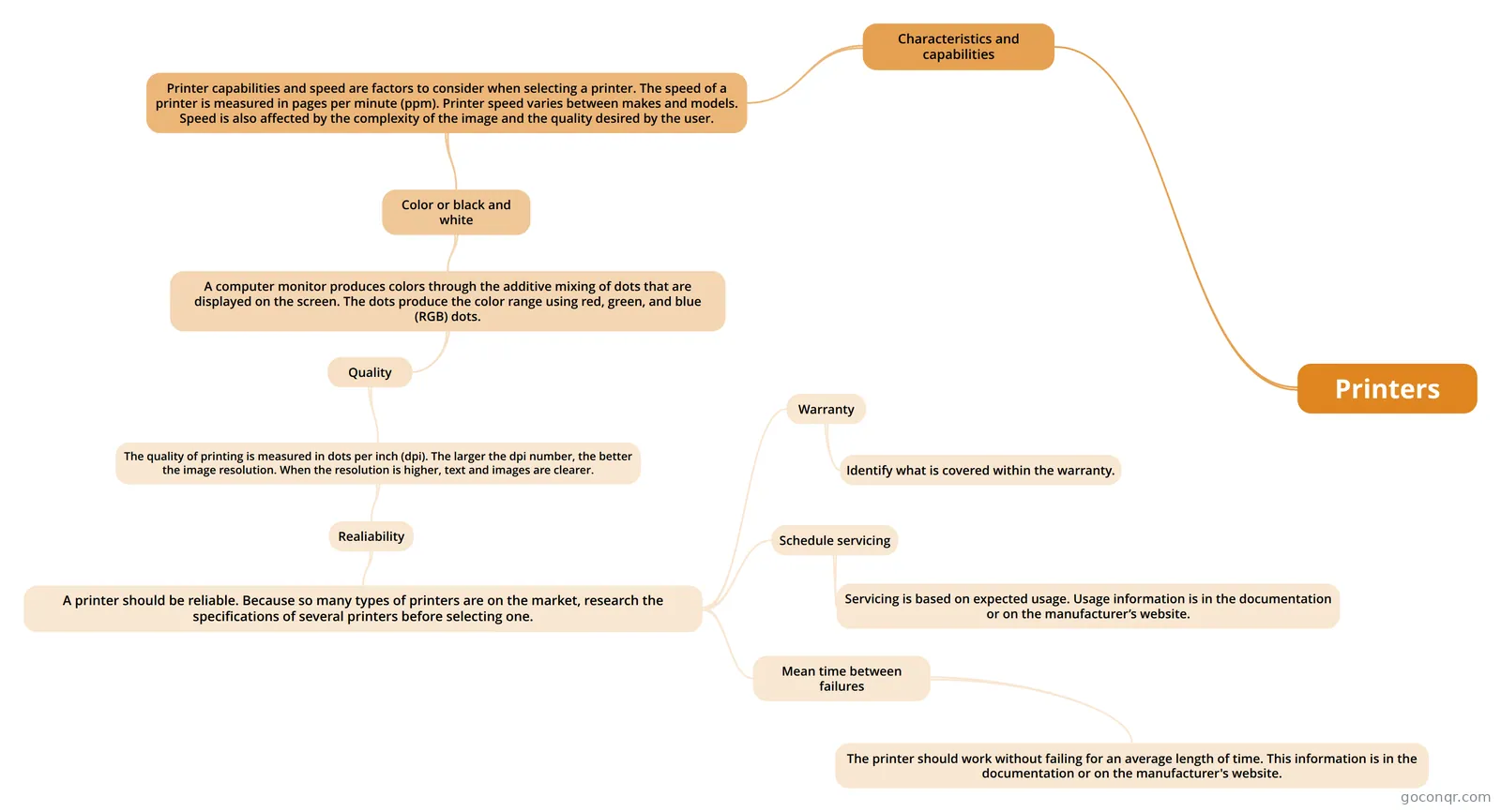 Printers
-
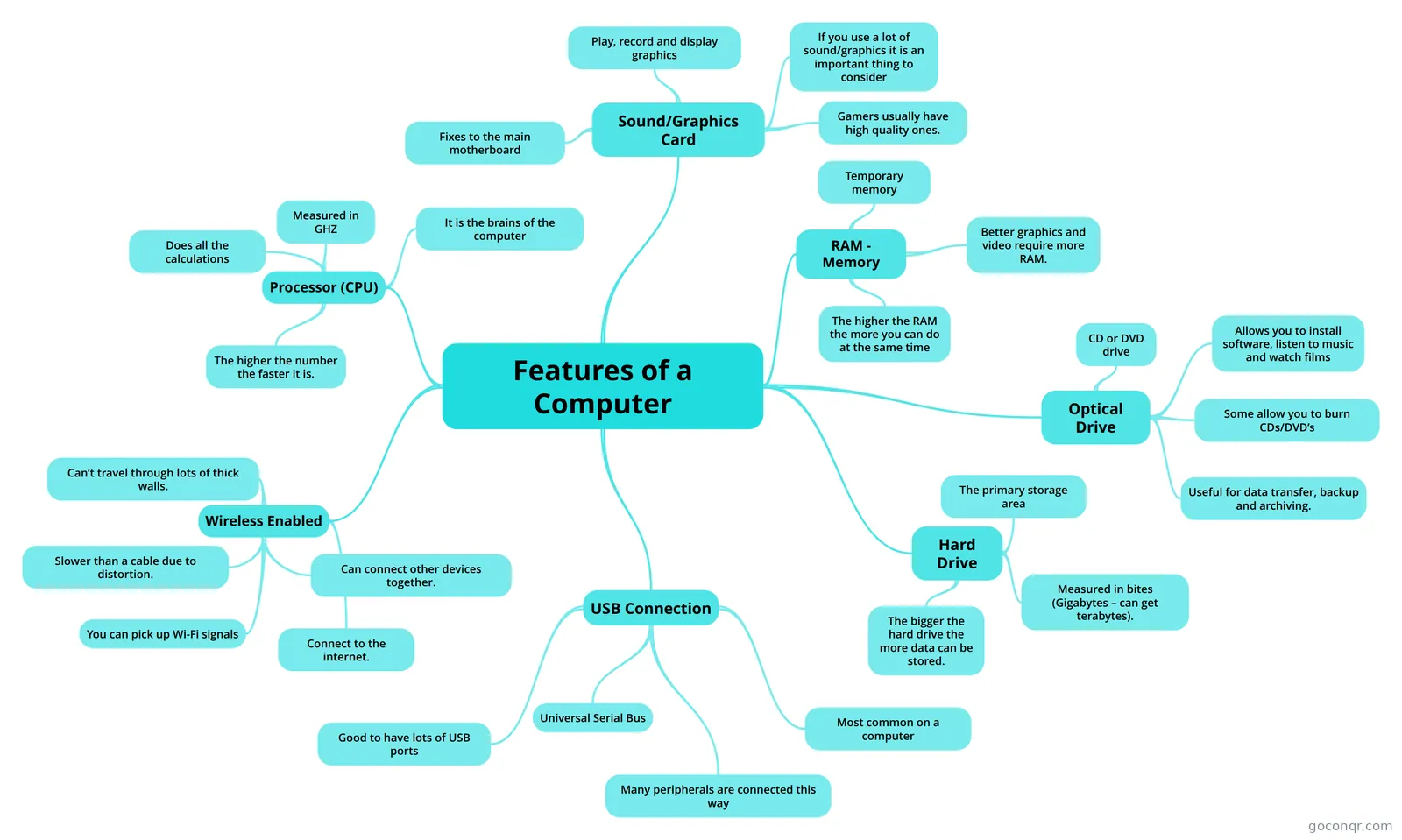 Features of a Computer
-
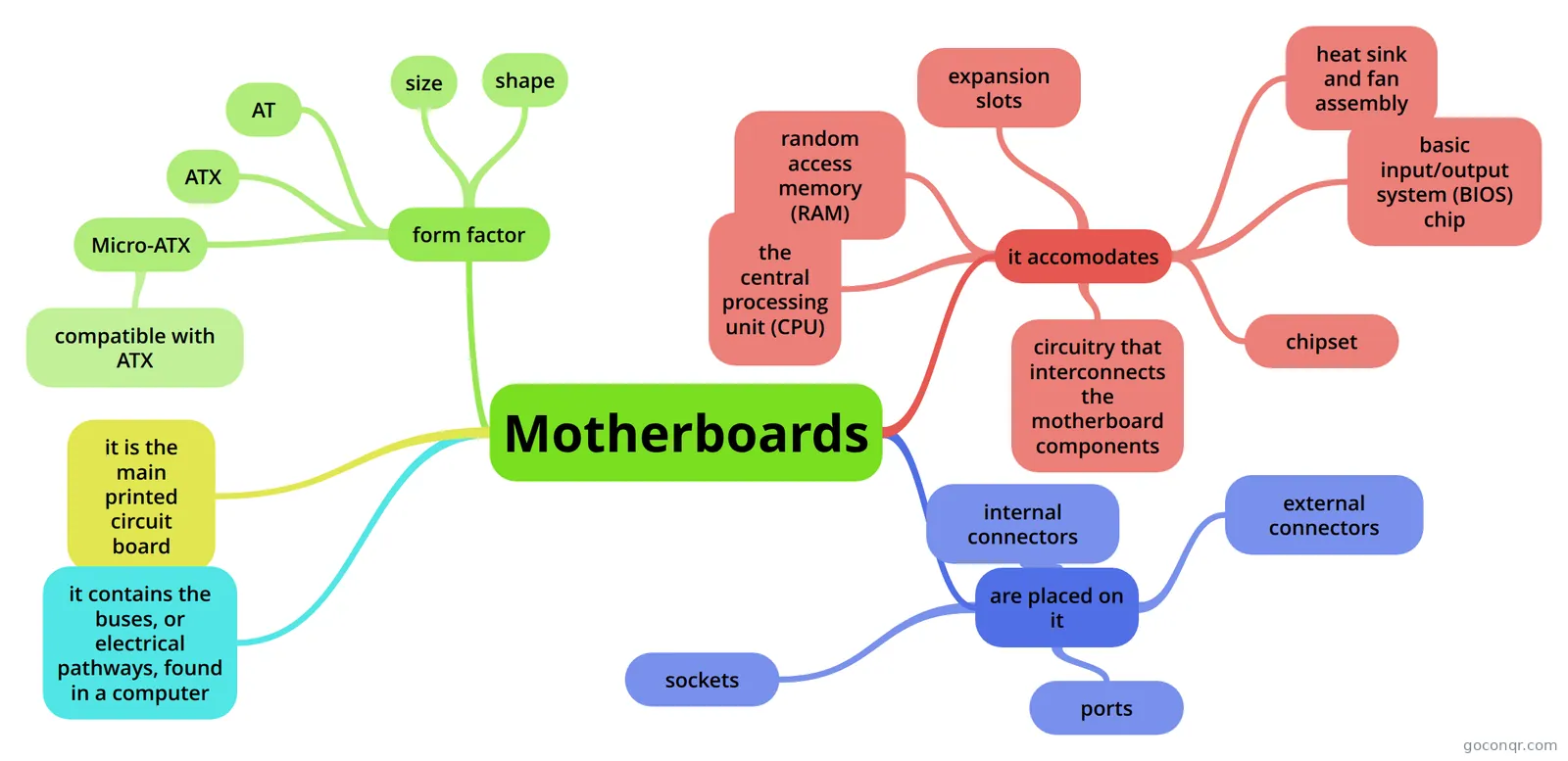 Motherboards
-
HARDWARE/NETWORKING
-
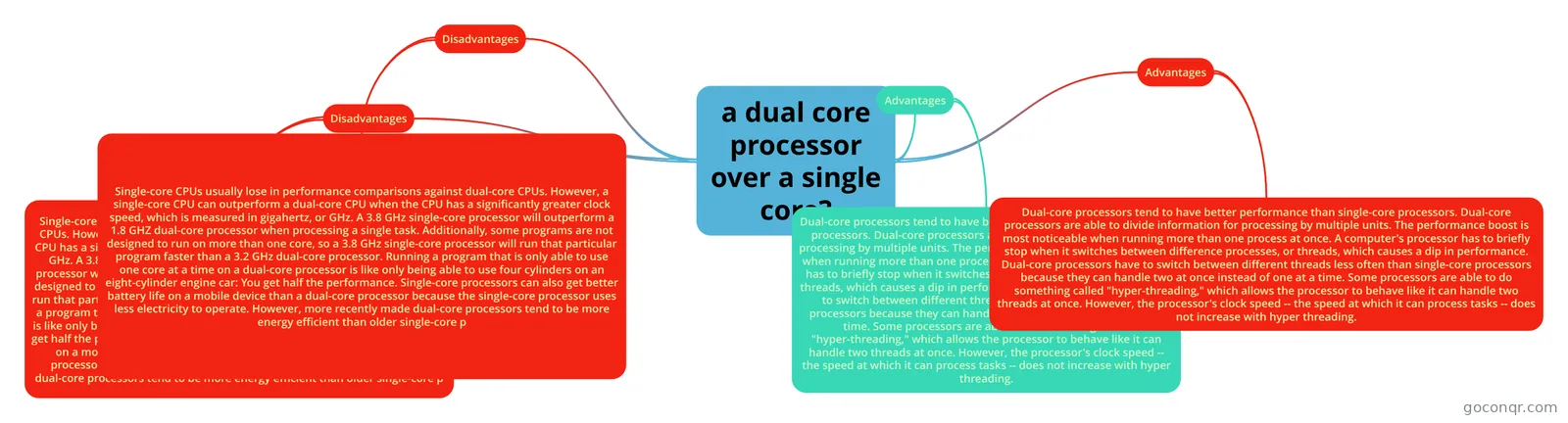 a dual core processor over a single core? dfhs
-
Internal components of a computer Internal components of a computer
-
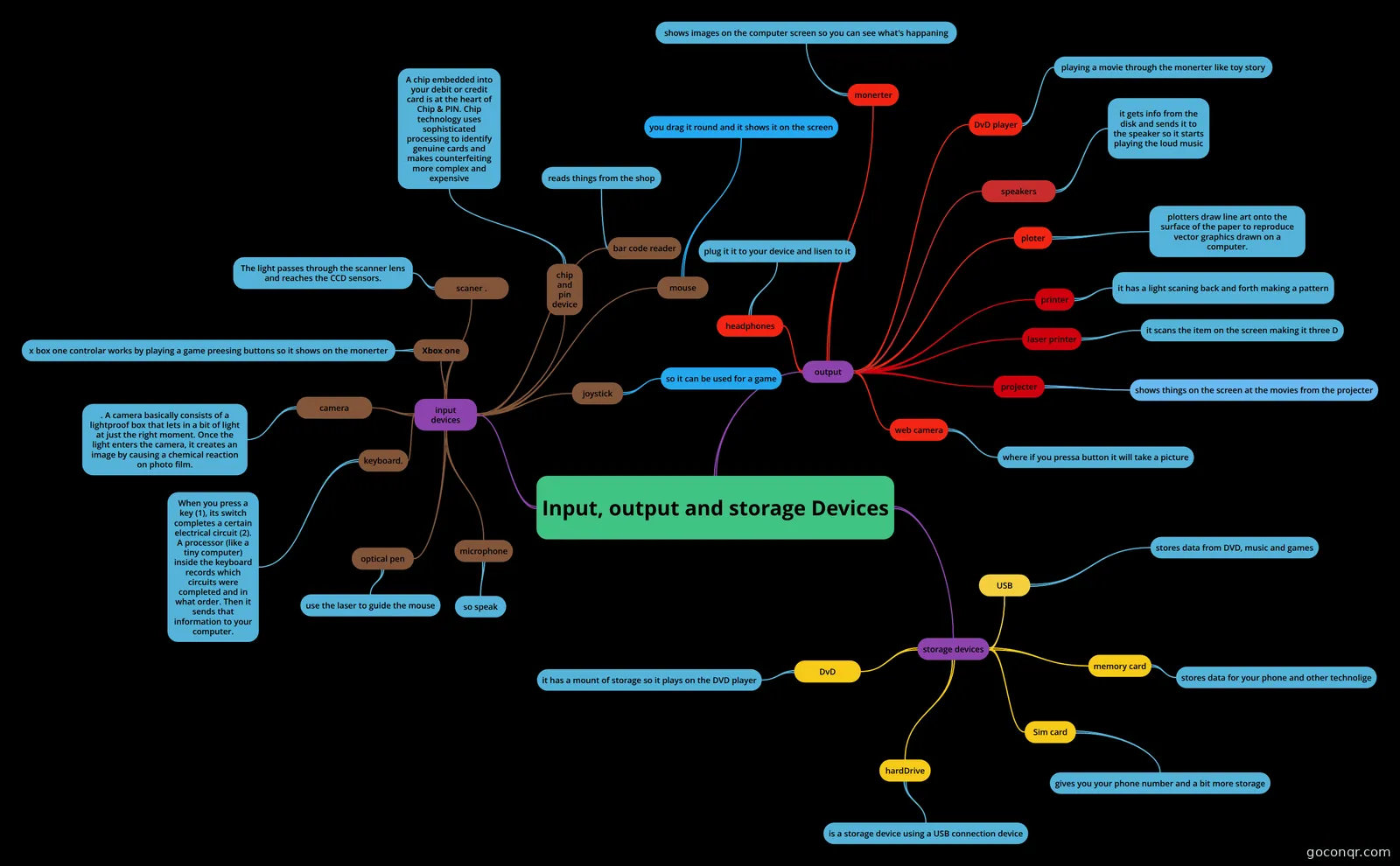 Input, output and storage Devices
-
Input & Output Devices
-
RAM, ROM, CPU mindmap
-
Computer Components mind map of RAM ROM CPUB and motherboard
-
Peripherals asdasd
-
RAM,ROM,CPU,MotherBoard mindmap
-
Rom and Ram ROM and RAM
-
What is a Motherboard? Find out about a Motherboard
-
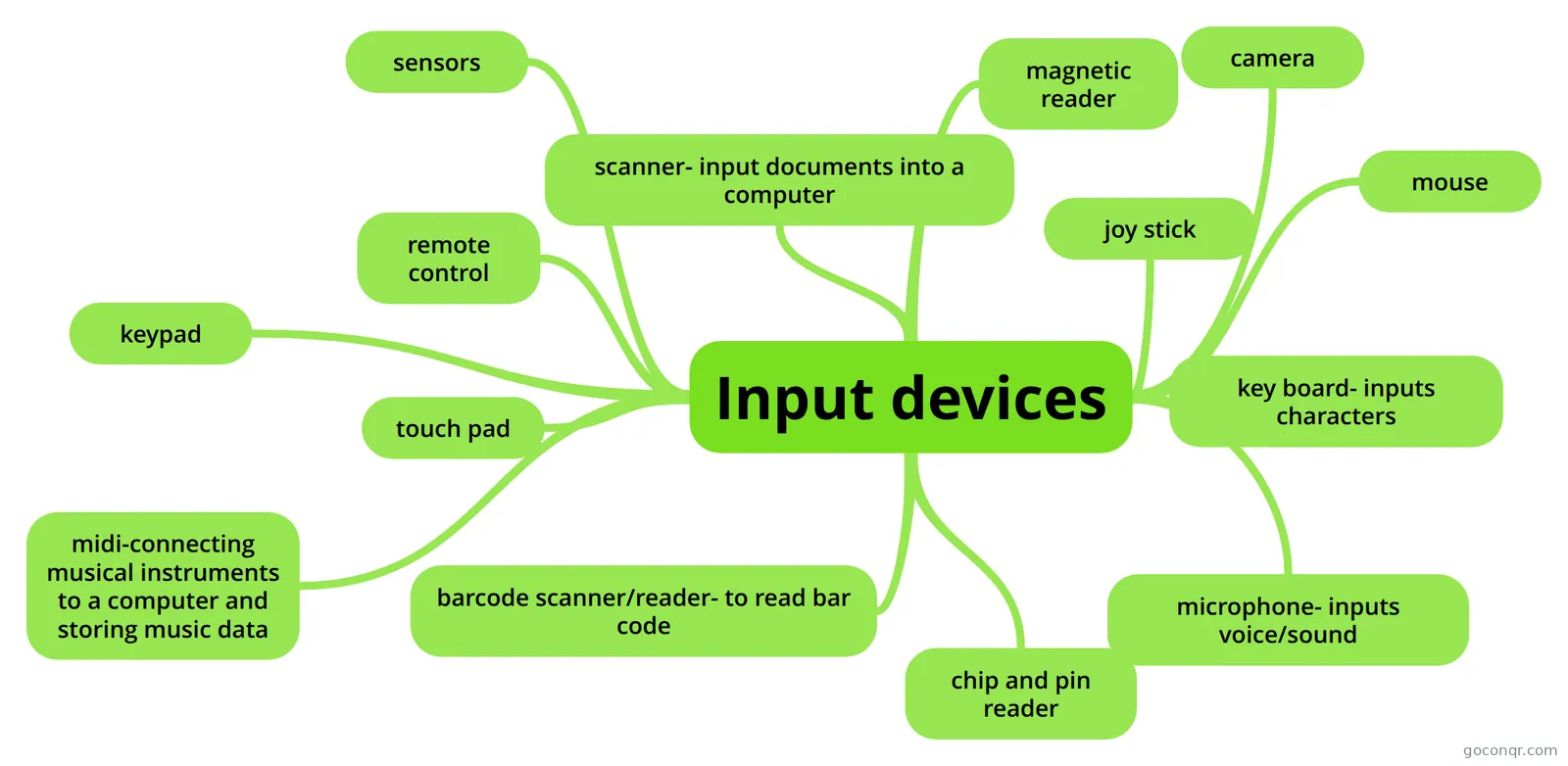 Input devices input
-
Ram and Rom ram and rom
-
Mouse
-
Keyboard
-
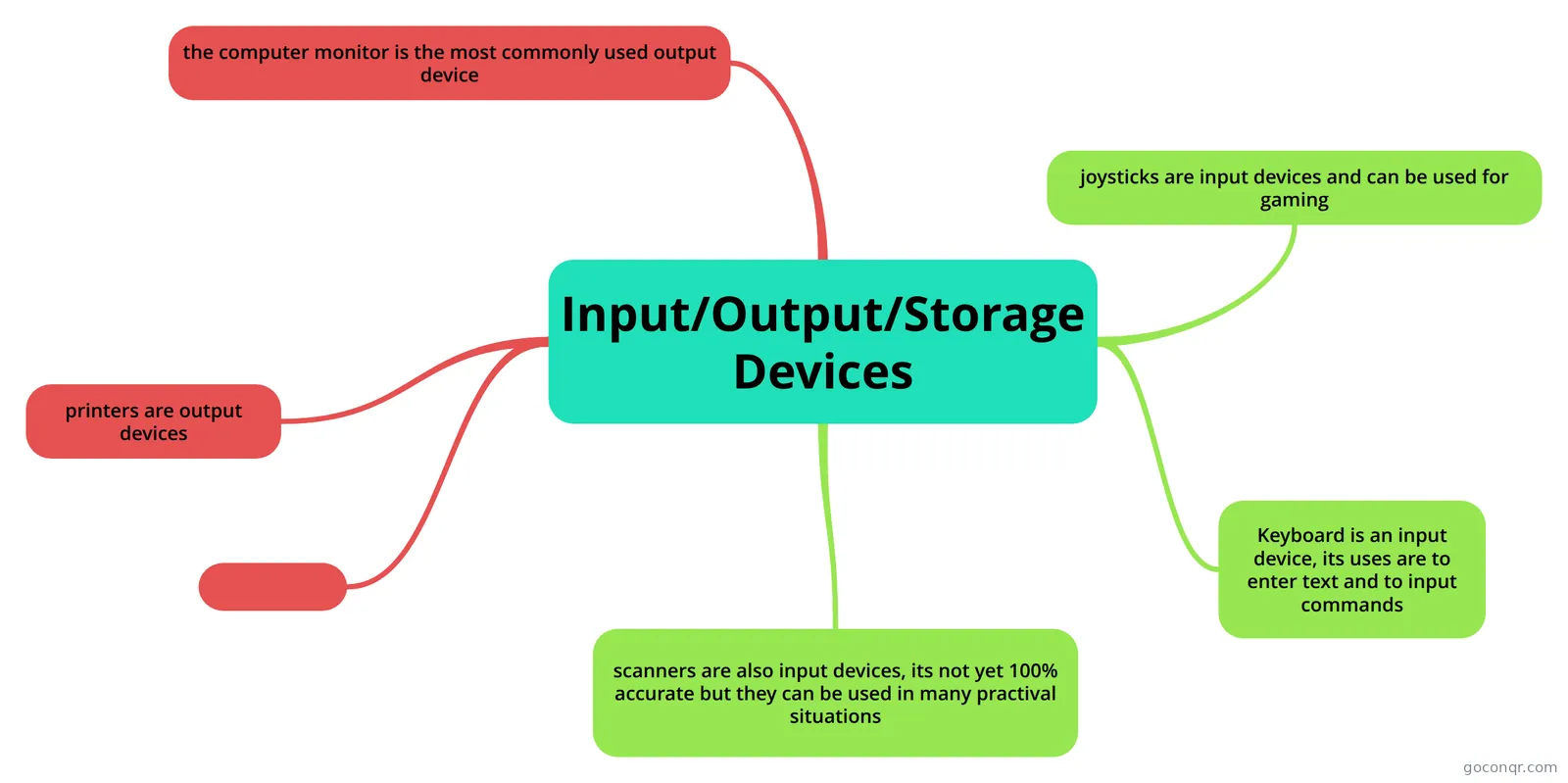 Input/Output/Storage Devices
-
Input and Output Devices
-
Unit 1.3 - {Storage} v2
-
Input,Output and Storage Devices
-
Input and output devices
-
2_Input and Output Devices
-
Input and Output Devices
-
Hardware
-
Input, output and storage devices
-
input and output devices
-
Input, Output and Storage Devices
-
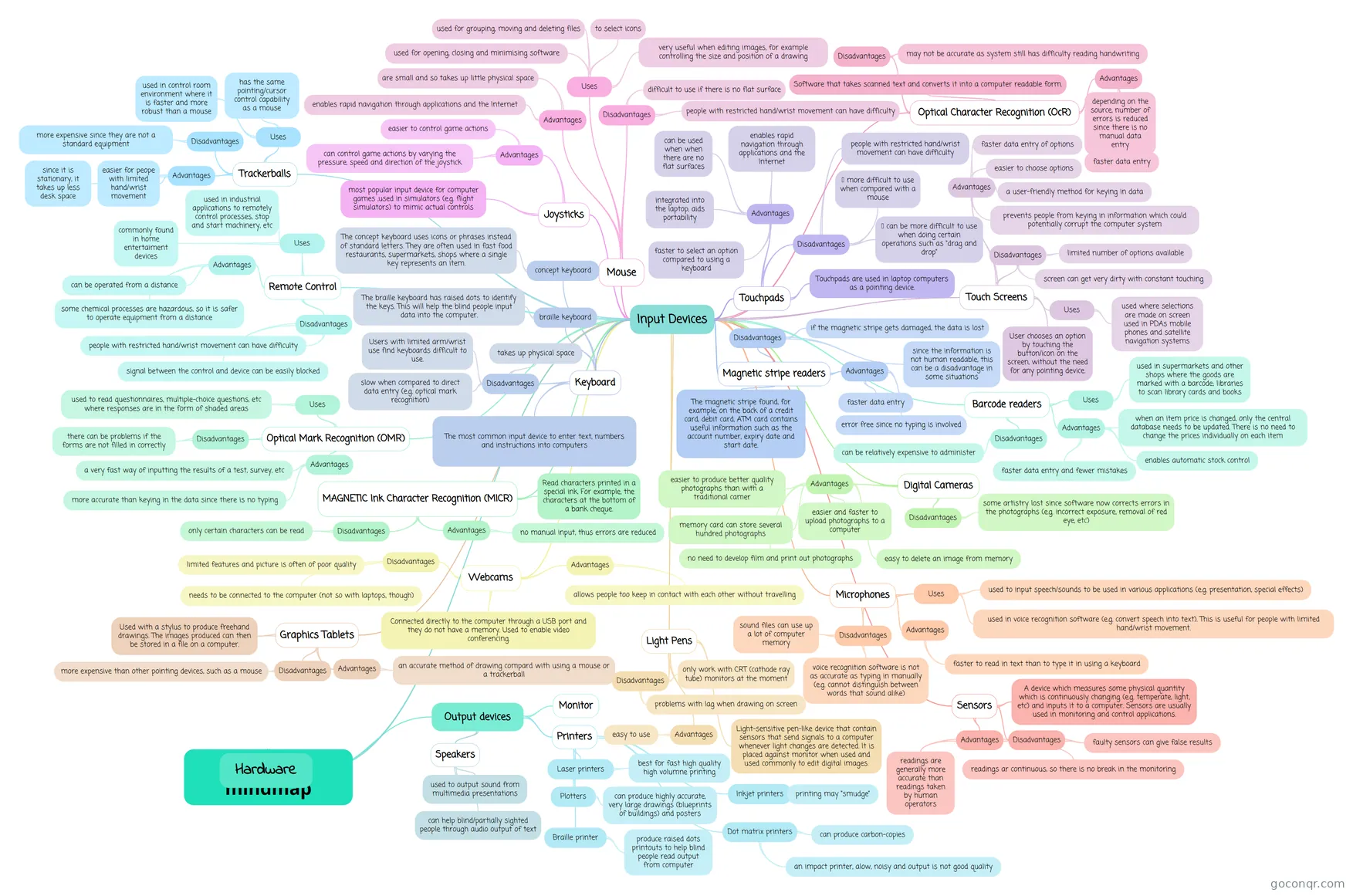 Hardware mindmap private
-
Digital Technology Contains: Chapter 5 - Computer Hardware Chapter 6 - Network Topologies
-
Mother Board
-
Topic 2
-
Methods of connecting devices
More Computer Hardware and Components resources
About computer hardware and components mind maps
GoConqr OriginalComputer Hardware and Components mind maps
The maps on this page organise hardware topics into connected branches. Input, Output, Storage and Sensors brings those categories together, making it a useful starting point for an overview. For a narrower topic, Storage Devices looks at flash memory and solid state drives, while Memory devices covers RAM and ROM.
There are maps on individual components too. Motherboards shows parts associated with the main circuit board, and Printers includes different printer types.
Revise with a map
Start with a map that matches the topic you are studying. Follow its branches, then see whether you can recall the connections before looking again. Compare a broad map with a more focused one when you want to revisit a particular component.
When you want to check short definitions or test your recall, switch to flashcards or a quiz on the unit page. Choose a map and follow its branches at your own pace.
Frequently asked questions
Which mind map is a good place to start?
For an overview, try Input, Output, Storage and Sensors. It groups several hardware topics in one map, so you can follow the branches before choosing a narrower topic. If you are already revising memory, Memory devices is a more focused starting point.
What do the mind maps cover?
The maps cover input and output devices, storage, sensors, memory, motherboards and printers. Some bring several topics together, while others focus on a particular component or device. Features of a Computer, for example, includes the processor and RAM.
Are these mind maps free to use?
Yes. Every resource listed here is free to open and study, with no account needed. A free account also lets you save quiz scores and make your own quizzes, mind maps, flashcards and notes. The resources were made by GoConqr users.