
Design Principles, Ergonomics and Inclusive Design
140 resources created by 125 users
This Design Principles, Ergonomics and Inclusive Design page on GoConqr gathers community-made mind maps, flashcards, quizzes and notes, from ergonomics and anthropometrics to universal design, aesthetics and sustainable design. It's built for school students revising a topic, university students and professional candidates filling gaps, and teachers after ready-made material. There are over 130 resources here, including more than 110 mind maps, 16 flashcard decks and 2 quizzes, with GCSE and A-level Design and Technology in view. Pick a map, test yourself with a quiz, then make your own set.
Select topic
- Elements and Principles of Design20
- Form, Function and Aesthetics7
- Design Thinking and Process11
- User-Centred Design6
- Design Evaluation6
- Ergonomics and Anthropometrics18
- Inclusive and Universal Design9
- Designing for Disabilities and Vulnerable Users14
- Design Movements and Designers6
- Design, Society and Sustainability11
Top Design Principles, Ergonomics and Inclusive Design resources
-
8 cardsALEVEL PRODUCT DESIGN: KEY WORDS What are stakeholders?
-
51 cardsIntro to Engineering Design Posttest Elements of Design
-
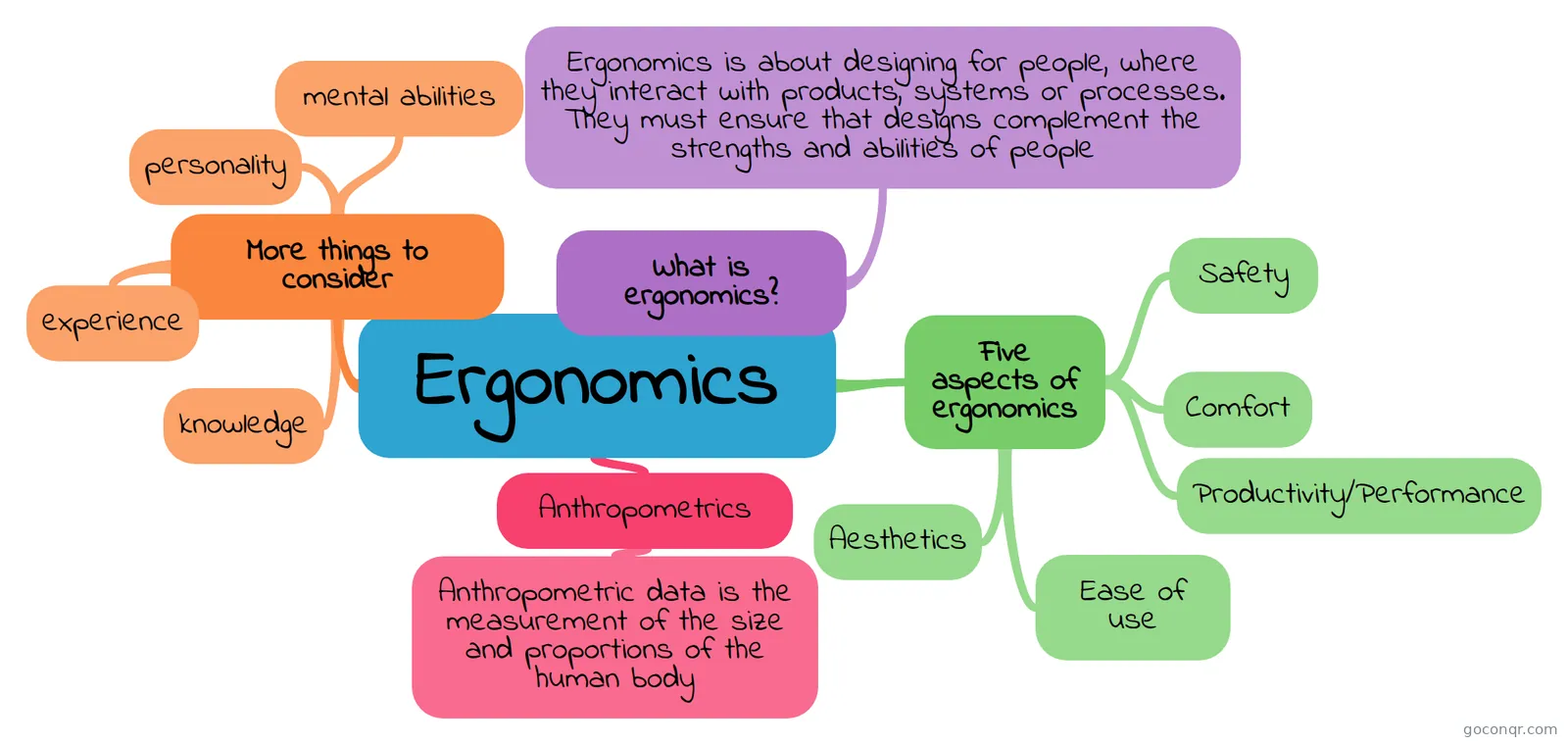 Mind map Ergonomics a mindmap to describe the features of ergonomics
-
87 cardsChapter 3 - Design Development 3-1 What are the six elements of design?
-
59 cardsThe effects of technological changes on society What marked the beginning of the industrial Revolution and when was it?
-
9 questionsGraphics A Level Mock Companies target children as new consumers, they do this through the following methods: - Blockbuster movie...
-
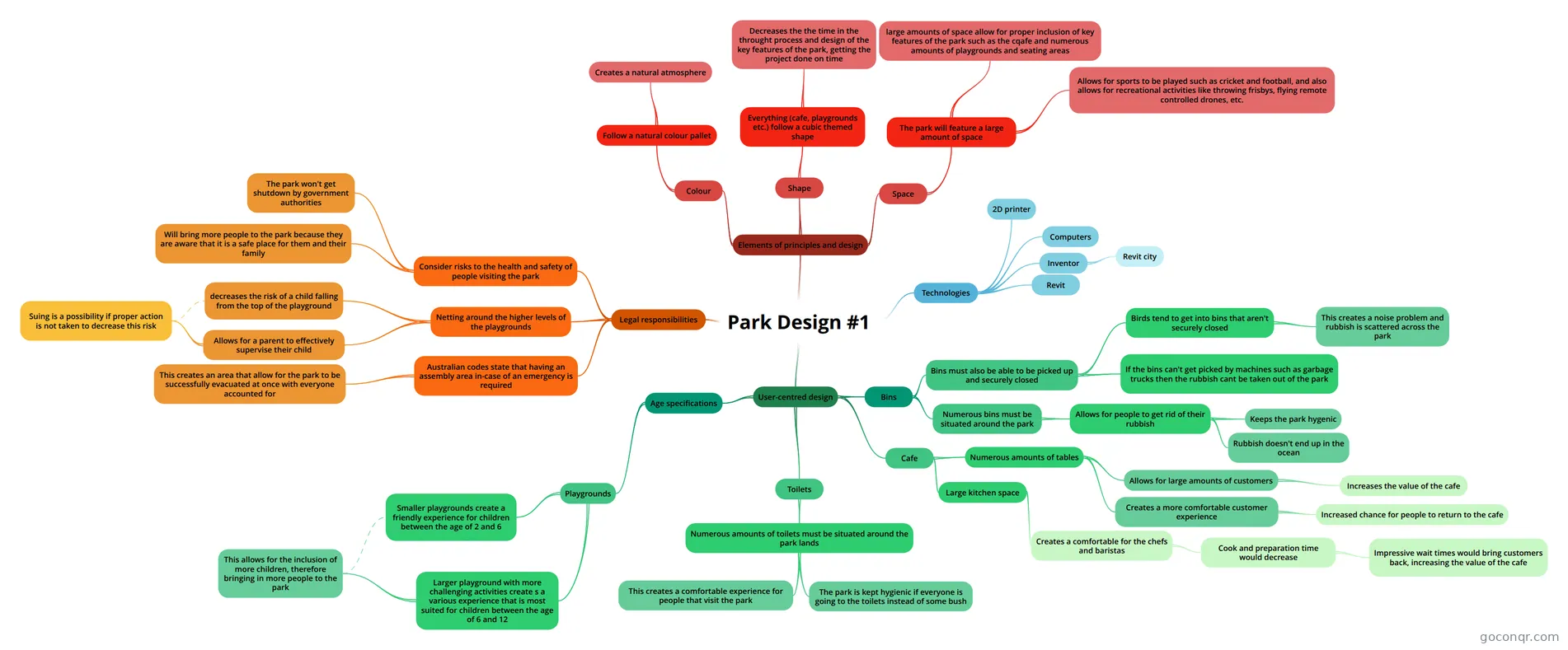 Mind map Park Design #1 User center design, Legal responsibilities, EPOD
-
16 cardsDesign revision FEEDSCAMM, production types and acronyms
Quizzes
Mind maps
See all 115 mind maps-
Ergonomics a mindmap to describe the features of ergonomics
-
Park Design #1 User center design, Legal responsibilities, EPOD
-
Addressing the Needs of People With Disabilities Mind Map on Addressing the Needs of People With Disabilities, created by Ava Barnett on 02/07/2018.
-
enhance dining experience CONTEXTUAL
-
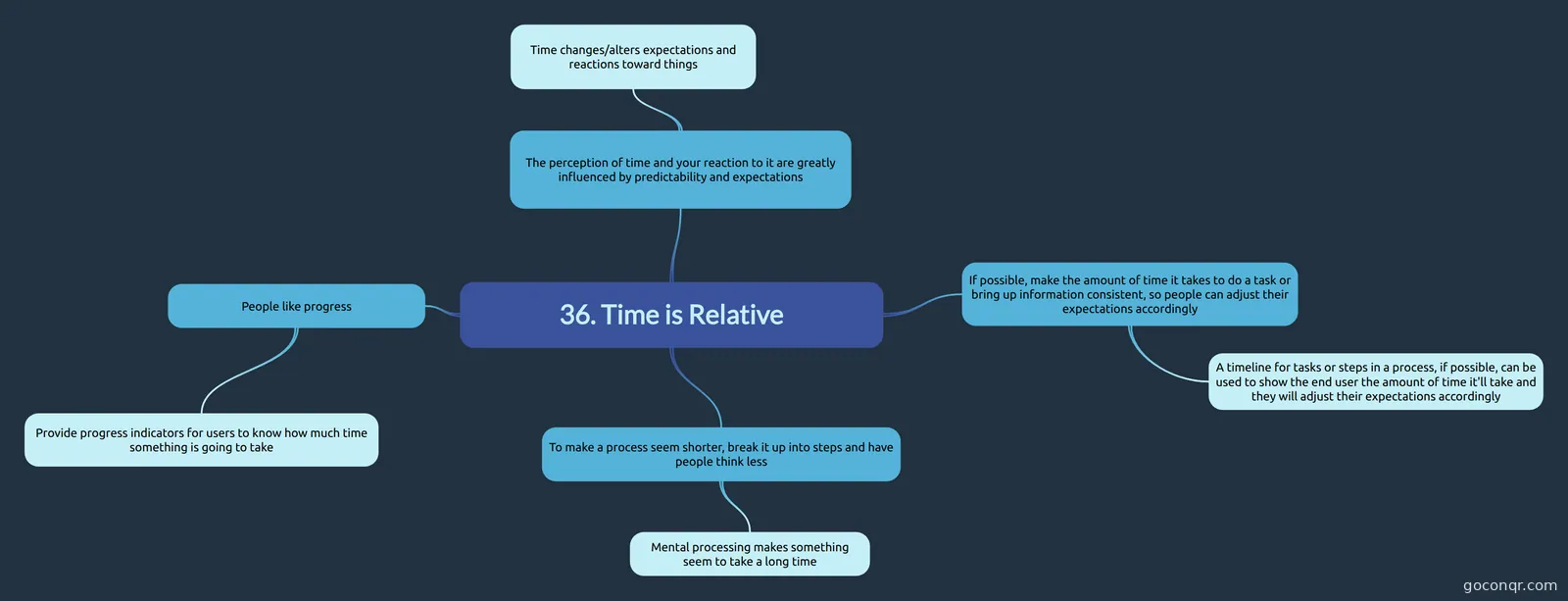 36. Time is Relative Chapter 36 notes
Flashcards
See all 16 flashcards-
8 cardsALEVEL PRODUCT DESIGN: KEY WORDS What are stakeholders?
-
51 cardsIntro to Engineering Design Posttest Elements of Design
-
87 cardsChapter 3 - Design Development 3-1 What are the six elements of design?
-
59 cardsThe effects of technological changes on society What marked the beginning of the industrial Revolution and when was it?
-
16 cardsDesign revision FEEDSCAMM, production types and acronyms
-
9 cardsInclusive design Other names for inclusive design
Topics in Design Principles, Ergonomics and Inclusive Design
More Design and technology topics
About Design Principles, Ergonomics and Inclusive Design
GoConqr OriginalWhat this page covers
The resources here were made by GoConqr users and sit in the Design Principles and Context strand of Design and technology. Most are mind maps. They range from Ergonomics and the difference between anthropometrics and ergonomics to Universal Design, Aesthetics, Colour and Sustainable Design.
Where to start
Begin with the key words. The flashcard deck ALEVEL PRODUCT DESIGN: KEY WORDS asks what stakeholders are, what a price point is, what feasibility analysis means and what inclusive design is. Once those terms feel familiar, the maps will read more easily.
- Open the Ergonomics mind map. It explains that ergonomics is about designing for people where they interact with products, systems or processes.
- Move to the Inclusive design flashcards, which cover definitions, drivers, principles, targets and the design process.
- Look at the maps on addressing the needs of people with disabilities, child safety and mobility to see the ideas applied.
Design principles and context
For the principles side, try the Elements and Principles of Design map and the Design revision flashcards, which use the FEEDSCAMM prompts: function, ergonomics, environment, durability, safety, cost, aesthetics, materials and manufacture. The map on market pull and technology push, and the one on design movements, add wider context.
Using quizzes and maps together
Read a map first, then close it and try the quiz. The Graphics A Level Mock quiz uses fill-in-the-blank questions, and the moodboard quiz gives you a lighter check. Anything you miss tells you which map to reopen.
Make it your own
School students, university students and professional candidates can use these as a base and add their own notes. Teachers can pick a map or deck for a lesson. Choose one topic today and see what you can recall.
Frequently asked questions
Which resource should I open first?
Start with the flashcard deck ALEVEL PRODUCT DESIGN: KEY WORDS. It defines terms such as stakeholders, demographic, price point, feasibility analysis, usability and inclusive design. Then move on to the Ergonomics mind map, which explains designing for people who use products, systems or processes.
What do the mind maps cover?
There are over 110 of them. Topics include ergonomics, anthropometrics, universal design, aesthetics, colour, sustainable design, child safety, mobility, prototyping and design movements. Some look at specific products, such as a golf club head or a perfume bottle, and others at products for people with dementia or physical disabilities.
Are there quizzes on this page?
Yes, there are 2 quizzes. One is Graphics A Level Mock, with fill-in-the-blank questions on how companies target children as consumers. The other is a moodboard quiz. Use them after reading a map to see what you remember and which topics need another look.
Which exams do these resources suit?
Resources here mention GCSE Design and Technology and A-level Design and Technology. Most of the material is at secondary level, and a good share is at university level. Check the contents of each resource against your own course before relying on it.
Are the resources free, and who made them?
Every resource listed here is free to open, study and take, with no account needed. They were made by GoConqr users, not by GoConqr itself. A free account also saves your quiz scores and lets you create your own quizzes, maps, flashcards and notes.
What if I can't find the topic I need?
Try nearby topics first. Inclusive design may also appear under universal design or democratic design, and ergonomics links to human factors notes. If a gap remains, you can build your own mind map or flashcard deck on the missing topic.