
Research, Design Briefs and Specifications
1,030 resources created by 942 users
This Research, Design Briefs and Specifications page on GoConqr gathers community-made mind maps, flashcards, notes and a quiz, from client profiles and task analysis to ACCESS FM breakdowns and inclusive design. It's built for school students working on GCSE-style design projects, and for teachers after ready-made examples. There are over 900 resources here, including more than 900 mind maps, made by over 900 contributors. Pick a map close to your project, then try the Human Factors Quiz.
Top Research, Design Briefs and Specifications resources
-
41 cards1 identifying requirements 1.2 skateholder analysis what will the analysis of user centred design and stakeholder allow the designer to understand?
-
Mind map Brief Refinement
-
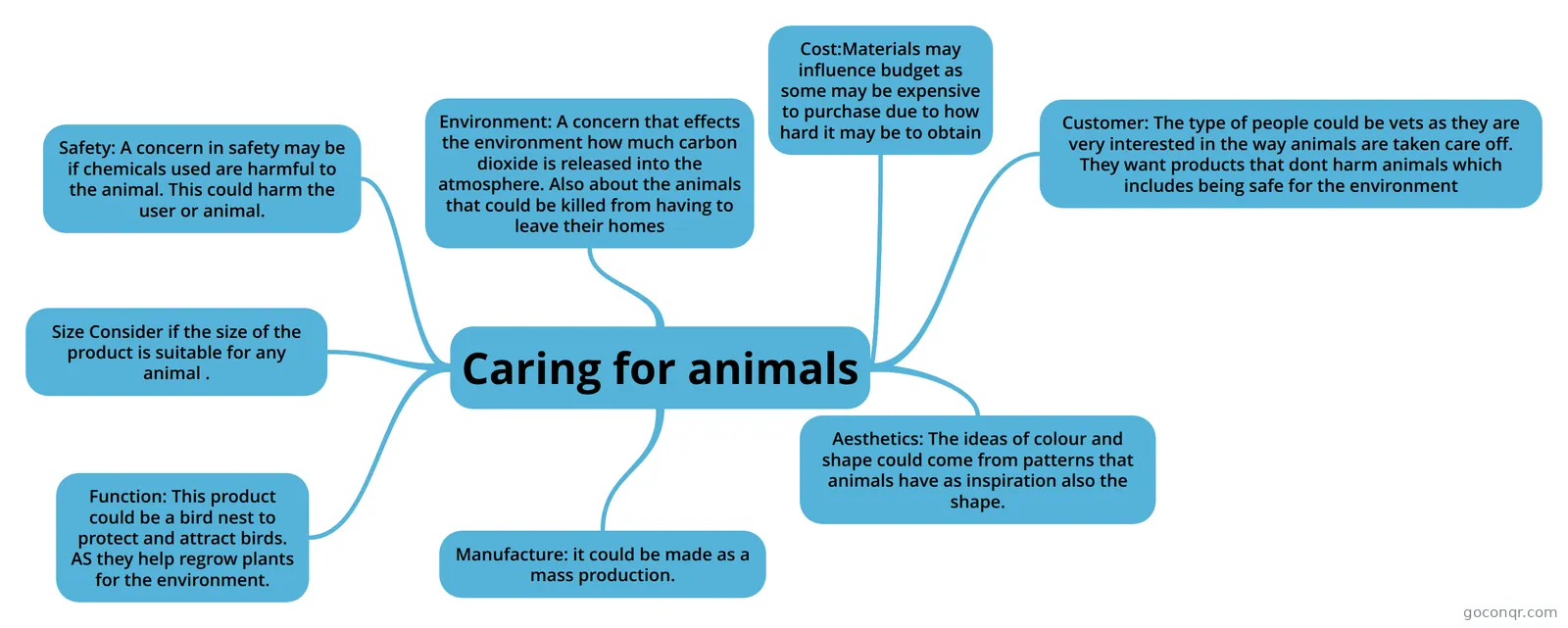 Mind map Caring for animals
-
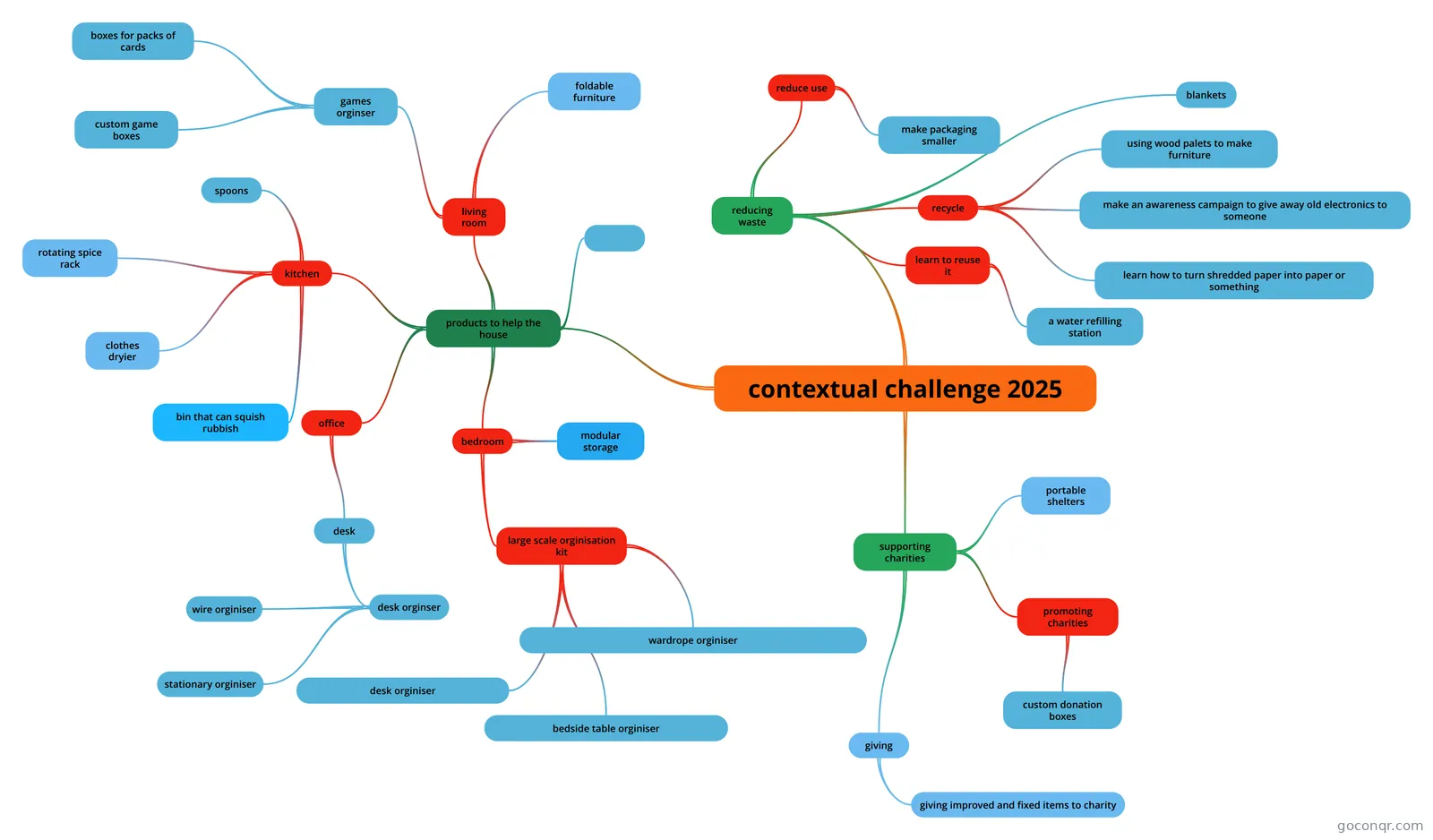 Mind map contextual challenge 2025 this is the idea for my contextual project in gcse product design
-
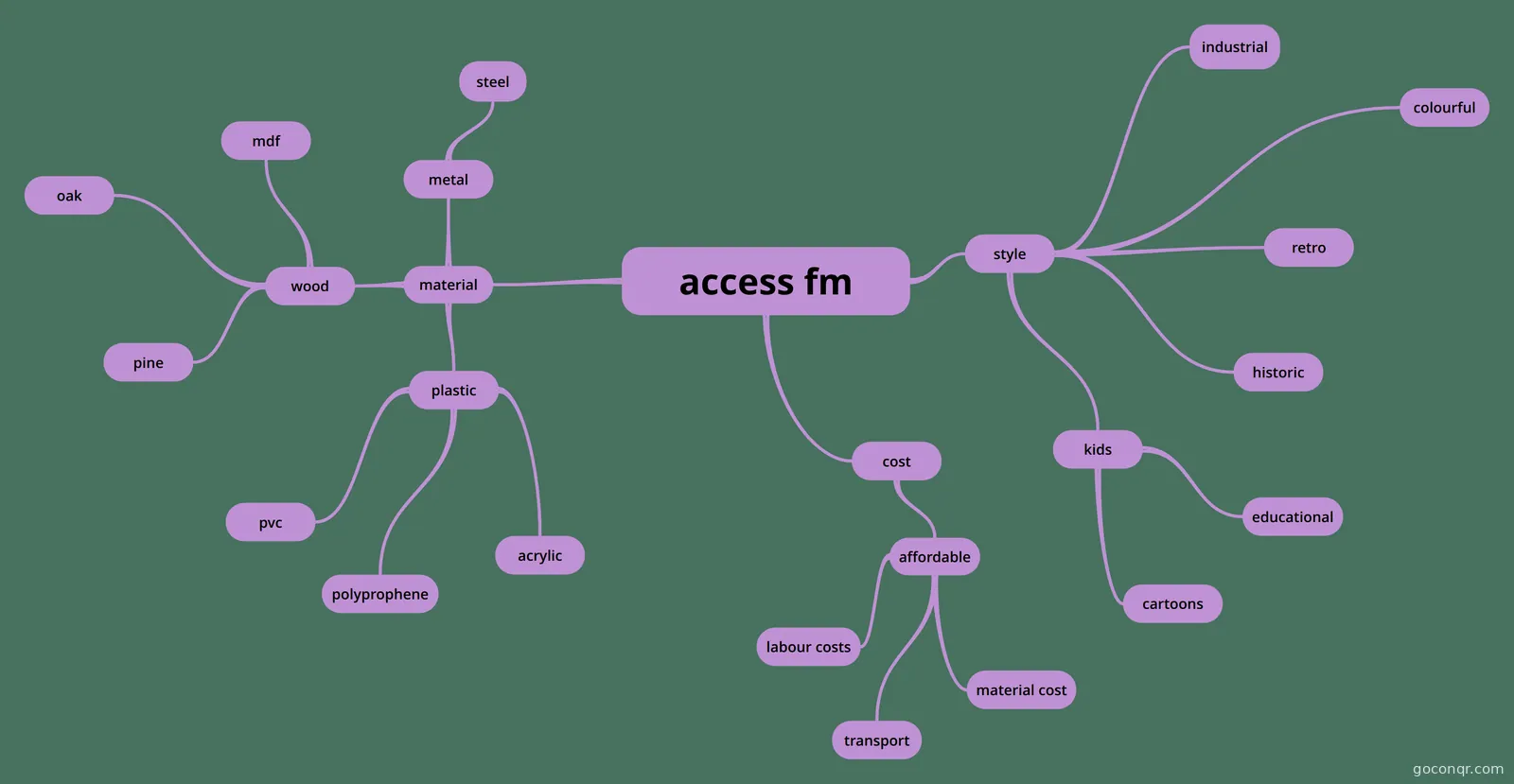 Mind map access fm
-
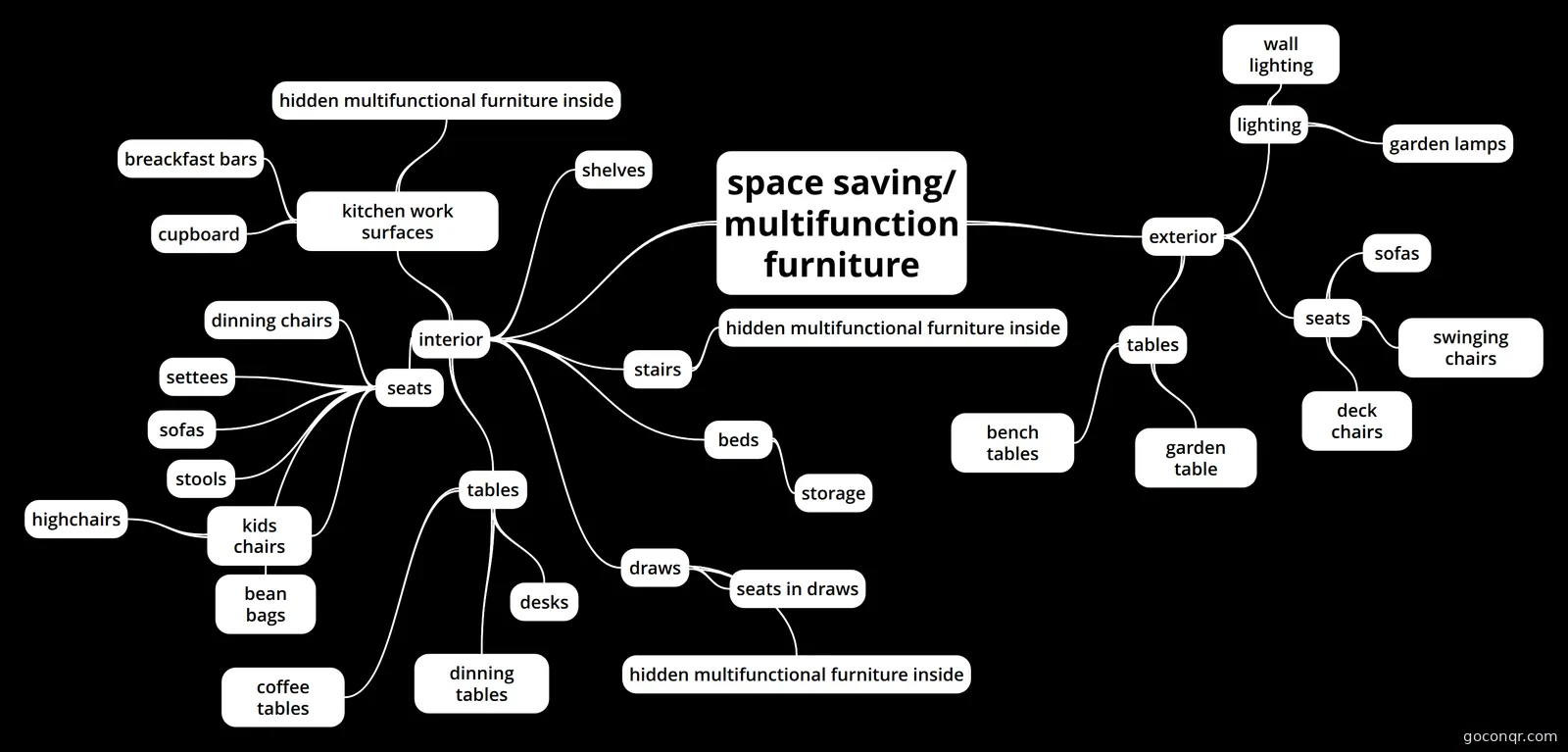 Mind map space saving/ multifunction furniture dt
-
Mind map Developing Countries Investigating Context Unfinished
-
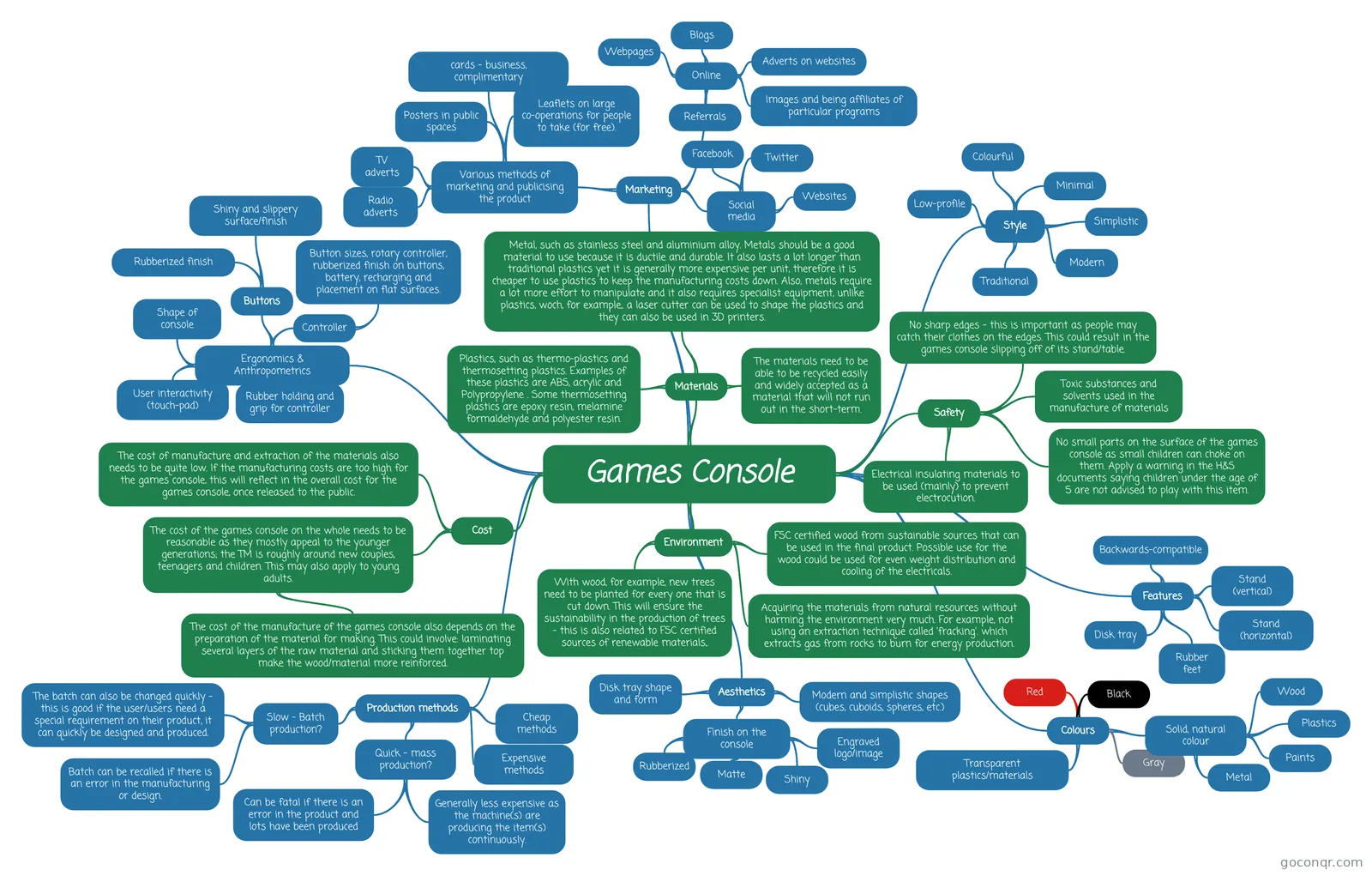 Mind map Games Console This is the mind map for the A2 Design & Technology Project
Quizzes
Mind maps
See all 1,008 mind maps-
Brief Refinement
-
Caring for animals
-
contextual challenge 2025 this is the idea for my contextual project in gcse product design
-
access fm
-
space saving/ multifunction furniture dt
-
Developing Countries Investigating Context Unfinished
-
Games Console This is the mind map for the A2 Design & Technology Project
-
Client Profile
Flashcards
-
41 cards1 identifying requirements 1.2 skateholder analysis what will the analysis of user centred design and stakeholder allow the designer to understand?
-
16 cards1 identifying rqirements 1.3 considering usability when designing prototypes when designing products and/or systems, designers need to consider what factors?
-
14 cards1 identifying requirements 1.1 Exploring the context of a design solution what are products designed to meet?
Notes
Topics in Research, Design Briefs and Specifications
More Design and technology topics
About Research, Design Briefs and Specifications
GoConqr OriginalWhat this unit covers
This unit is about the early stage of a design project: understanding the context, the client and the task, then turning that into a brief and specification. Almost every resource is a mind map, and many are worked examples from real student projects, such as the Gadget Tidy, Bedside Table, Garden Chair and Wooden breakfast tray maps.
Where to start
Begin with the flashcard deck on stakeholder analysis. It asks what user-centred design and stakeholder analysis let a designer understand, and what can be used throughout the design process. Then look at the Task Analysis mind map, which breaks a task into function, manufacture and materials, with options such as one-off prototypes, CNC machinery, MDF, plywood and softwood.
Working through the maps
- Client and target: the Client Profile maps look at rooms, price ranges and what customers expect. Target Analysis covers the same ground from the user's side.
- ACCESS FM: the access fm mind map covers cost, materials, style and more. The ACCESS FM note turns the headings into questions, such as what colour it is and whether edges are sharp or rounded.
- Context and brief: Analysis of Context, Contextual Briefs and Brief Refinement show how a broad context becomes a focused brief, including needs like easy access and robust protection.
- Wider themes: Inclusive Design, Mood boards and Developing Countries Investigating Context add other angles. The contextual challenge 2025 map looks at charities and reducing waste.
Using quizzes and maps together
Read a map first, then test yourself. The Human Factors Quiz is a quick check. The deck on considering usability when designing prototypes is a good follow-up. Try writing your own ACCESS FM map for a product you are designing, then compare it with the examples here.
Where it sits
This unit belongs to the The Design Process strand in Design and technology. The resources mention GCSE Design and Technology, A-level Design and Technology and Leaving Cert, and were made by GoConqr users. Open a map that matches your project and see how others set out their research.
Frequently asked questions
Which resource should I open first?
Start with the flashcard deck on stakeholder analysis, which covers user-centred design and who the designer needs to understand. Then open the Task Analysis mind map to see how a task is split into function, manufacture and materials. After that, choose a worked example close to your own project.
What do the mind maps cover?
Most are worked examples of research and analysis for a project. They include client profiles, task analysis, analysis of context, target analysis and ACCESS FM breakdowns for products like a desk lamp, a garden chair and a hallway storage bench. Others cover inclusive design and mood boards.
Are the resources free to use?
Yes. Every resource listed here is free to open, study and take, with no account needed. They were made by GoConqr users, not by GoConqr itself. A free account also saves your quiz scores and lets you make your own quizzes, mind maps, flashcards and notes.
Which exams do these resources suit?
The listed resources mention GCSE Design and Technology, A-level Design and Technology and Leaving Cert. Most are at school level, so they suit school students working on design projects, and teachers who want examples to show a class.
Is there a quiz on this page?
Yes, the Human Factors Quiz is listed here, alongside a few quizzes in total. It works well after you have read maps on users and clients. The flashcard deck on usability and prototypes is another quick way to check what you remember.
What if I can't find my product or topic?
The maps cover many products, but not every one. Look for a similar example, such as another piece of furniture or storage, and borrow its headings. You can also build your own map or flashcards for your topic using the ACCESS FM headings as a guide.