
Digital Citizenship and Identity
73 resources created by 68 users
This Digital Citizenship and Identity page on GoConqr gathers community-made mind maps, quizzes, flashcards and notes on digital footprints, online reputation, netiquette, cyberbullying and safe behaviour online. It's built for school students revising a topic and teachers after ready-made material, with university students mentioned only in passing. There are over 400 resources here, including more than 60 quizzes, over 300 mind maps and 30 flashcard decks, mostly at secondary level. Pick a topic, try a quiz to find your gaps, then make your own.
Top Digital Citizenship and Identity resources
-
17 cardsDigital Footprints and Reputation Team members Ariany Priscila Ramirez Alejandro Xochitl Ibsmar Valle Aguilar Danaeé Jiménez Monsivais
-
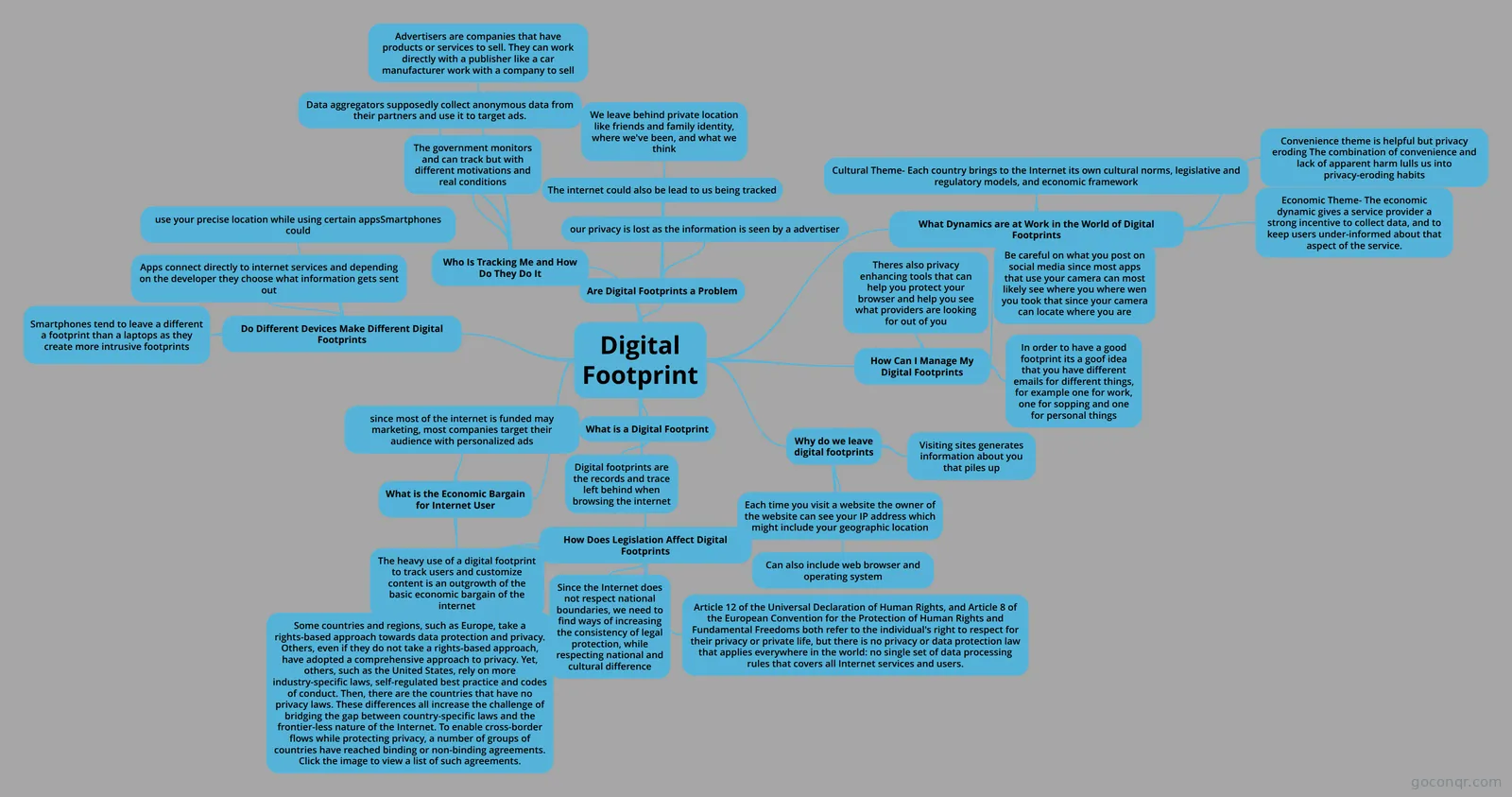 Mind map Digital Footprint IDT PROJECT
-
15 questionsDigital Literacy & Online Safety Digital Literacy means being able to only read books on iPads.
-
10 questionsDigital Citizenship What should you do if someone you do not know online wants your personal information?
-
5 cardsThe power of digital footprints Define the term "digital footprint" and explain how it can affect their online privacy. Analyze how differe...
-
5 cardsSuper Digital Citizen Reflect on the characteristics that make someone an upstanding digital citizen. Recognize what cyberbullyin...
-
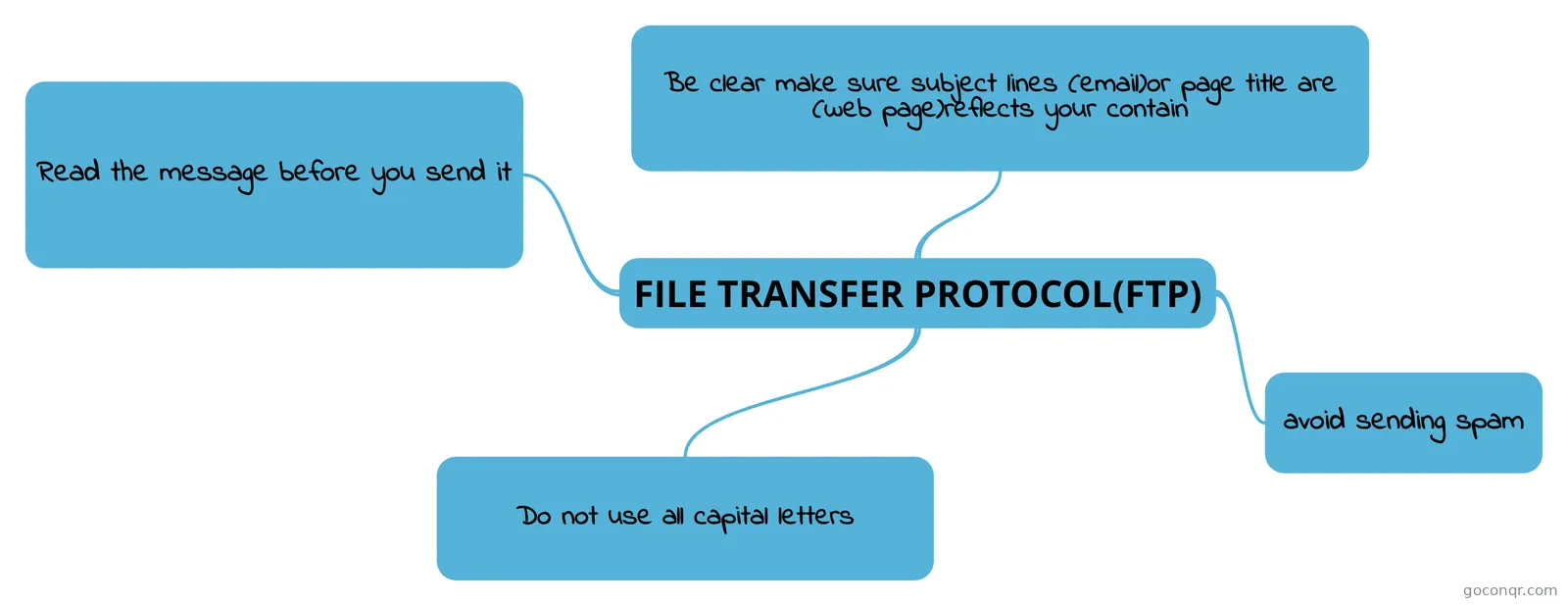 Mind map FILE TRANSFER PROTOCOL(FTP)
-
26 cardsDigital Footprint and Reputation by Montse_Luis Fernando Digital Footprint and Reputation
Quizzes
See all 26 quizzes-
15 questionsDigital Literacy & Online Safety Digital Literacy means being able to only read books on iPads.
-
10 questionsDigital Citizenship What should you do if someone you do not know online wants your personal information?
-
8 questionsDigital Citizenship Quiz Using the same password for all websites is a smart and easy!
-
8 questionsGRADE 3: POWER OF WORDS Directions Read the story below and then work with a partner to answer the questions that follow.
-
10 questionsStutzman_Justin An AUP is a document that clearly outlines what is and is not acceptable behavior, as well as the consequen...
-
10 questionsUnit 7 Test An AUP is a document that clearly outlines what is and is not acceptable behavior, as well as the consequen...
-
10 questionsShackelford_Noah An AUP is a document that clearly outlines what is and is not acceptable behavior, as well as the consequen...
-
6 questionsARE YOU A GOOD DIGITAL CITIZEN? DO YOU BELIEVE ALL THE INFORMATION YOU SEE ON THE INTERNET?
Mind maps
See all 34 mind maps-
Digital Footprint IDT PROJECT
-
FILE TRANSFER PROTOCOL(FTP)
-
Digital Citizenship Digital Citizenship New Media
-
Digital citizenship unit 3 digital citizenship Mind Map
-
Digital Citizenship Unit 3 Revision
-
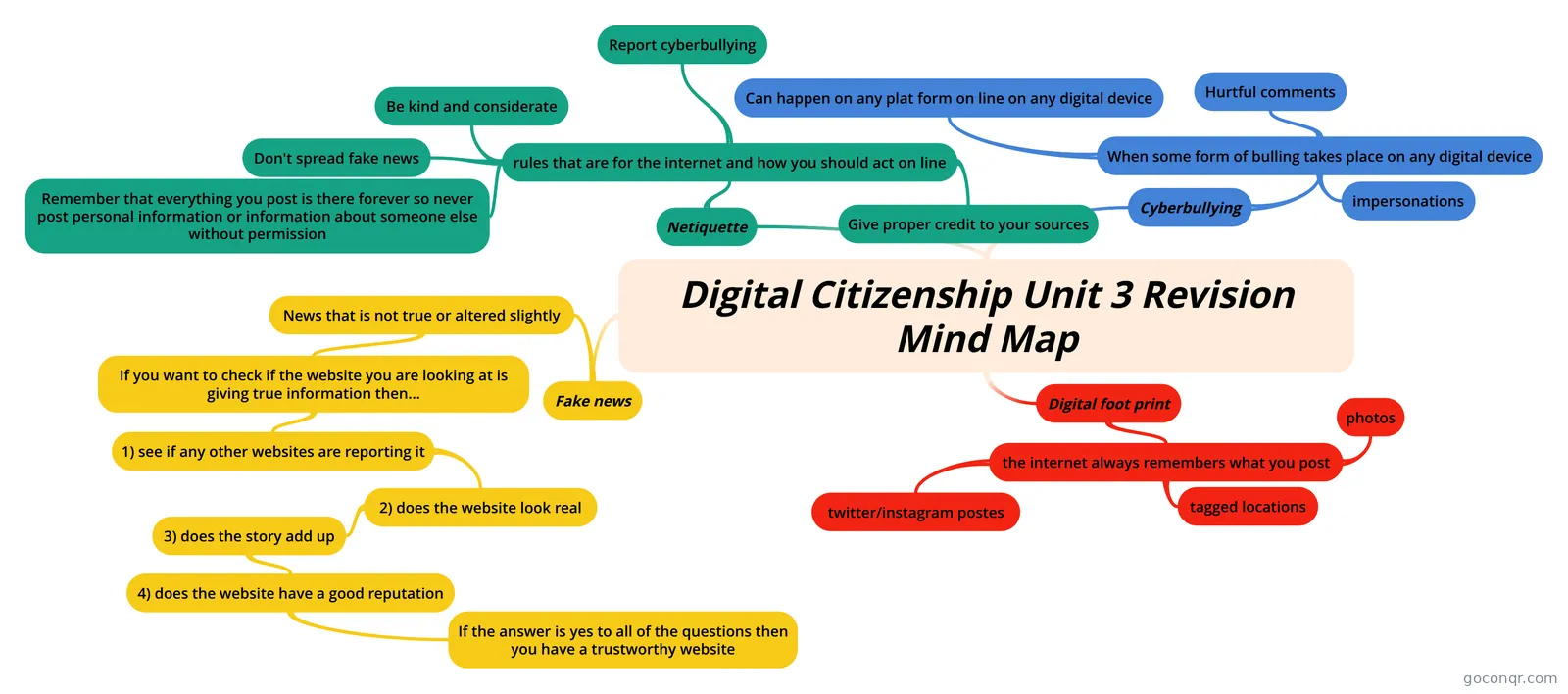 Digital Citizenship Unit 3 Revision Mind Map Digital Citizenship Learning Grid
-
Digital Citizenship- Revision Unit 3 Revision
-
Nine elements of a Digital Citizenship Nine Elements of a Digital Citizenship
Flashcards
See all 13 flashcards-
17 cardsDigital Footprints and Reputation Team members Ariany Priscila Ramirez Alejandro Xochitl Ibsmar Valle Aguilar Danaeé Jiménez Monsivais
-
5 cardsThe power of digital footprints Define the term "digital footprint" and explain how it can affect their online privacy. Analyze how differe...
-
5 cardsSuper Digital Citizen Reflect on the characteristics that make someone an upstanding digital citizen. Recognize what cyberbullyin...
-
26 cardsDigital Footprint and Reputation by Montse_Luis Fernando Digital Footprint and Reputation
-
25 cardsDIGITALFOOTPRINT_NISI_MARIA_DULCE FOOTPRINT
-
20 cardsCyberbullying Héctor Nande Mario Jaimes Roque
-
15 cardsDigital Citizenship vocabulary Help you identify vocabulary
-
7 cardsMeeting the Digital Citizens Meeting the Digital Citizens
More Computing and ICT (programming, computer science, digital skills, educational technology) topics
About Digital Citizenship and Identity
GoConqr OriginalWhat the page covers
The heart of this unit is the digital footprint. The mind map Digital Footprint explains that footprints are the records and traces left behind when browsing the internet, and why visiting sites generates information. Many more maps on the page cover the same idea in different words, so you can compare how different people organised it.
Around that sit identity and reputation, netiquette, copyright and fair use, cyberbullying, privacy and healthy habits with technology.
Where to start
- Open the mind map Digital Footprint for the big picture.
- Move to the flashcard deck Digital Footprints and Reputation to learn the key terms.
- Try the quiz Digital Citizenship, which asks what to do if someone you do not know online wants your personal information.
- Follow with Digital Literacy & Online Safety for questions on passwords and sharing.
Using maps and quizzes together
Read a map first, then close it and take a quiz. Wrong answers show you which branch to go back to. The Being a good digital citizen maps list practical rules for social networks, such as not sharing your mobile number, email or where you live. They suit a quick check before a quiz.
The flashcard deck Super Digital Citizen covers terms like upstander, role model and cyberbullying, which is helpful for class discussion. Safety online asks about cookies, personas, avatars and privacy options.
Where it fits
This unit belongs to the Security, Safety, Ethics and Society strand of Computing and ICT. Most resources are pitched at secondary level, with a small share for university students. Everything was made by GoConqr users, so styles vary and some quizzes are named after individual students.
Choose one resource that matches what you are studying today, then add your own flashcards or map to fill any gap you spot.
Frequently asked questions
Which resource should I open first?
Start with the mind map Digital Footprint. It sets out what a digital footprint is and why we leave one. After that, the flashcard deck Digital Footprints and Reputation helps you learn the vocabulary, and the Digital Citizenship quiz lets you test what stuck.
What do the mind maps on this page cover?
There are over 300 mind maps. Many deal with digital footprints, while others cover being a good digital citizen, netiquette, digital identity and online reputation, personal data and privacy, and the societal impact of technology. Some also cover computer safety and ethics, including posture and lighting.
Are the resources free to use?
Yes. Every resource listed here is free to open, study and take, with no account needed. A free account also saves your quiz scores and lets you make your own quizzes, mind maps, flashcards and notes.
Which levels is this page suitable for?
Most resources are at secondary level, so school students will find the most here. Teachers can use the quizzes and maps as ready-made material in lessons. A small share suits university students, but the page is mainly aimed at school.
Who made these resources?
They were made by GoConqr users, not by GoConqr itself. That includes teachers and students, which is why titles and styles differ. Some quizzes carry a student's name, so it is worth opening a few to find the ones that match your topic.
What if I cannot find the topic I need?
Try a nearby term, such as netiquette, digital identity or online reputation, as similar ideas appear under several titles. If nothing fits, you can build your own mind map, flashcards or quiz on the topic with a free account.