
Web Design
43 resources created by 43 users
This Web Design page on GoConqr gathers community-made quizzes, mind maps, flashcards and notes, from usability, information architecture and colour contrast to HTML basics and responsive design. It's built for school students revising for courses such as GCSE ICT or Creative iMedia, and for teachers after ready-made material. There are over 700 resources here, including more than 20 quizzes and over 600 mind maps, with a few useful for university study. Try a quiz to spot your gaps, then open a map.
Top Web Design resources
-
7 questionsWeb Accessibility Game What is the web accessibility issue with the image presented?
-
10 questionsTest II. Information architecture Not every node has children, but every node has a parent, leading all the way up to the parent node of the ...
-
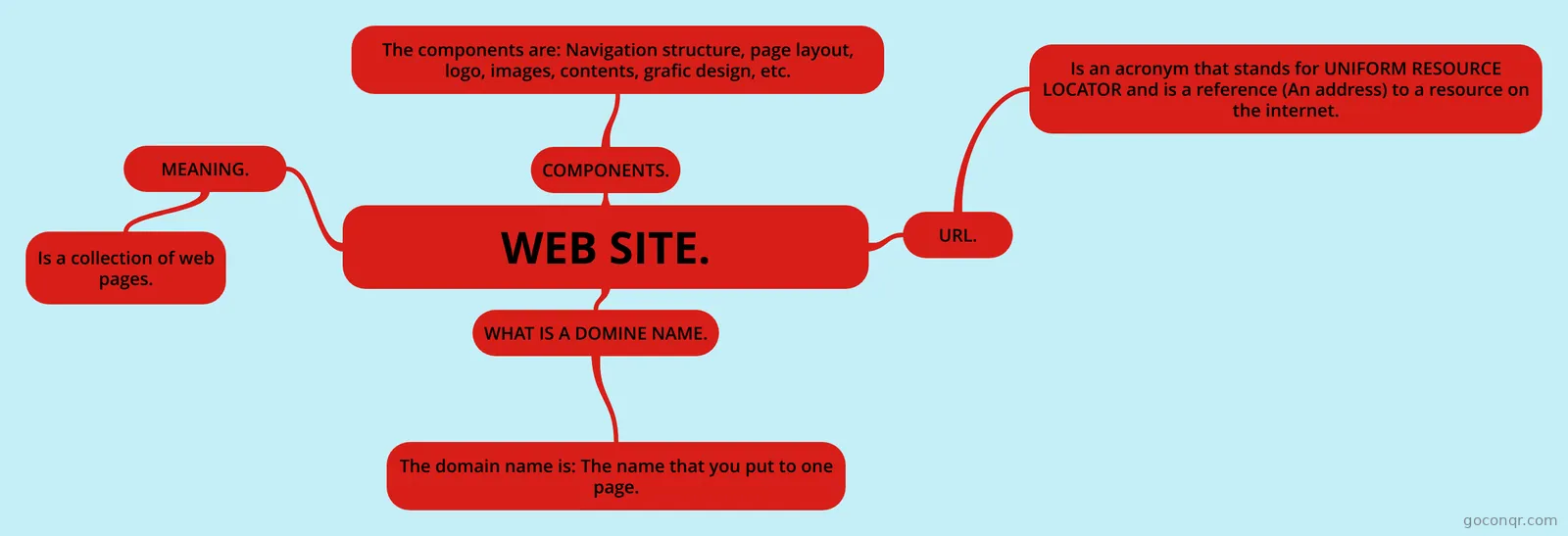 Mind map WEB SITE. Work shop.
-
34 cardsWeb Design Terms by shante salsberry and justin bollanos
-
15 questionsColor Post-test A yellow foreground (text) on a red background separates the areas and provides a contrast in brightness, m...
-
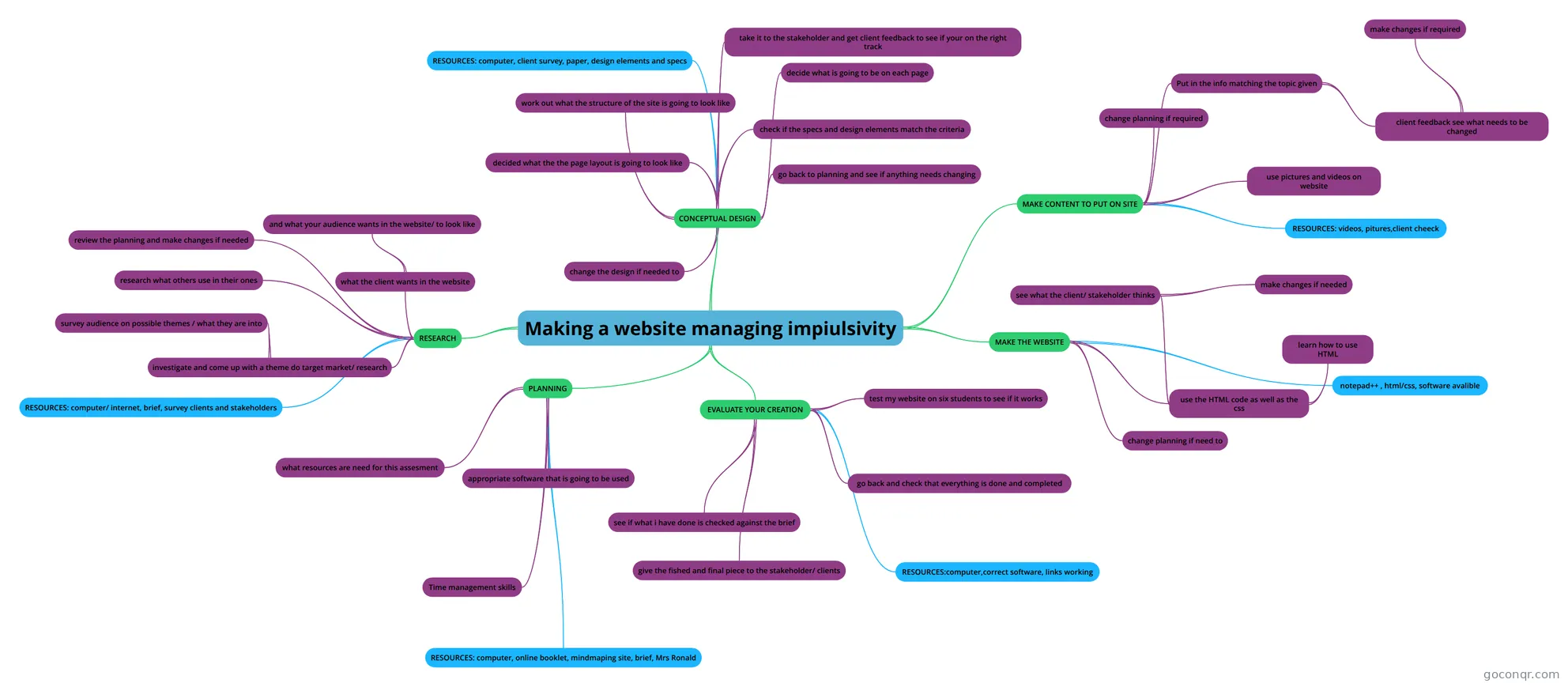 Mind map Making a website managing impiulsivity my mind map for how im going to make my website
-
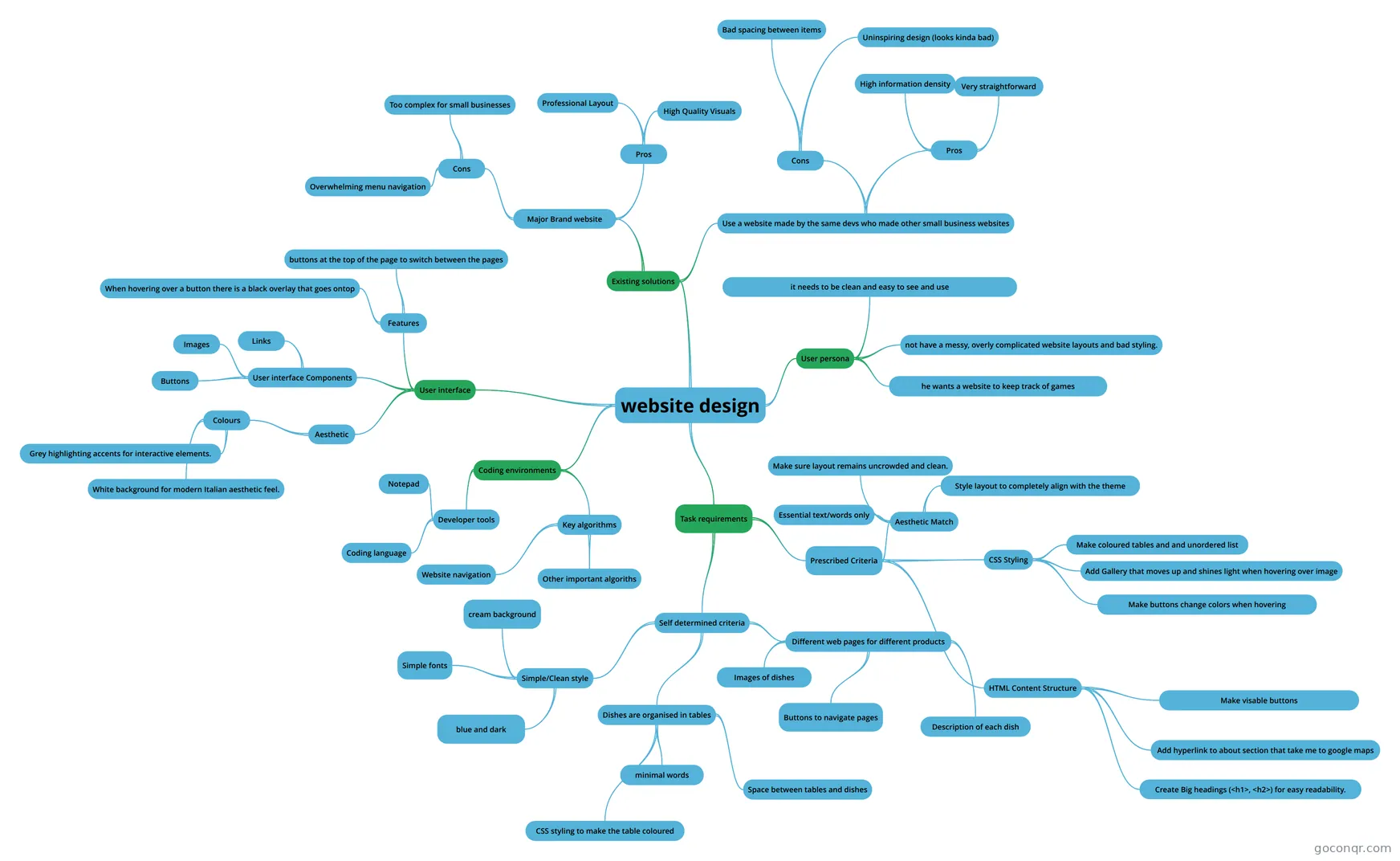 Mind map website design
-
8 questionsWeb Design Quiz Which is the correct terminology for achieving background colour black via CSS?
Quizzes
-
7 questionsWeb Accessibility Game What is the web accessibility issue with the image presented?
-
10 questionsTest II. Information architecture Not every node has children, but every node has a parent, leading all the way up to the parent node of the ...
-
15 questionsColor Post-test A yellow foreground (text) on a red background separates the areas and provides a contrast in brightness, m...
-
8 questionsWeb Design Quiz Which is the correct terminology for achieving background colour black via CSS?
-
2 questionsN5 Web Design Revision Quiz What is the most used web design language?
Mind maps
See all 34 mind maps-
WEB SITE. Work shop.
-
Making a website managing impiulsivity my mind map for how im going to make my website
-
website design
-
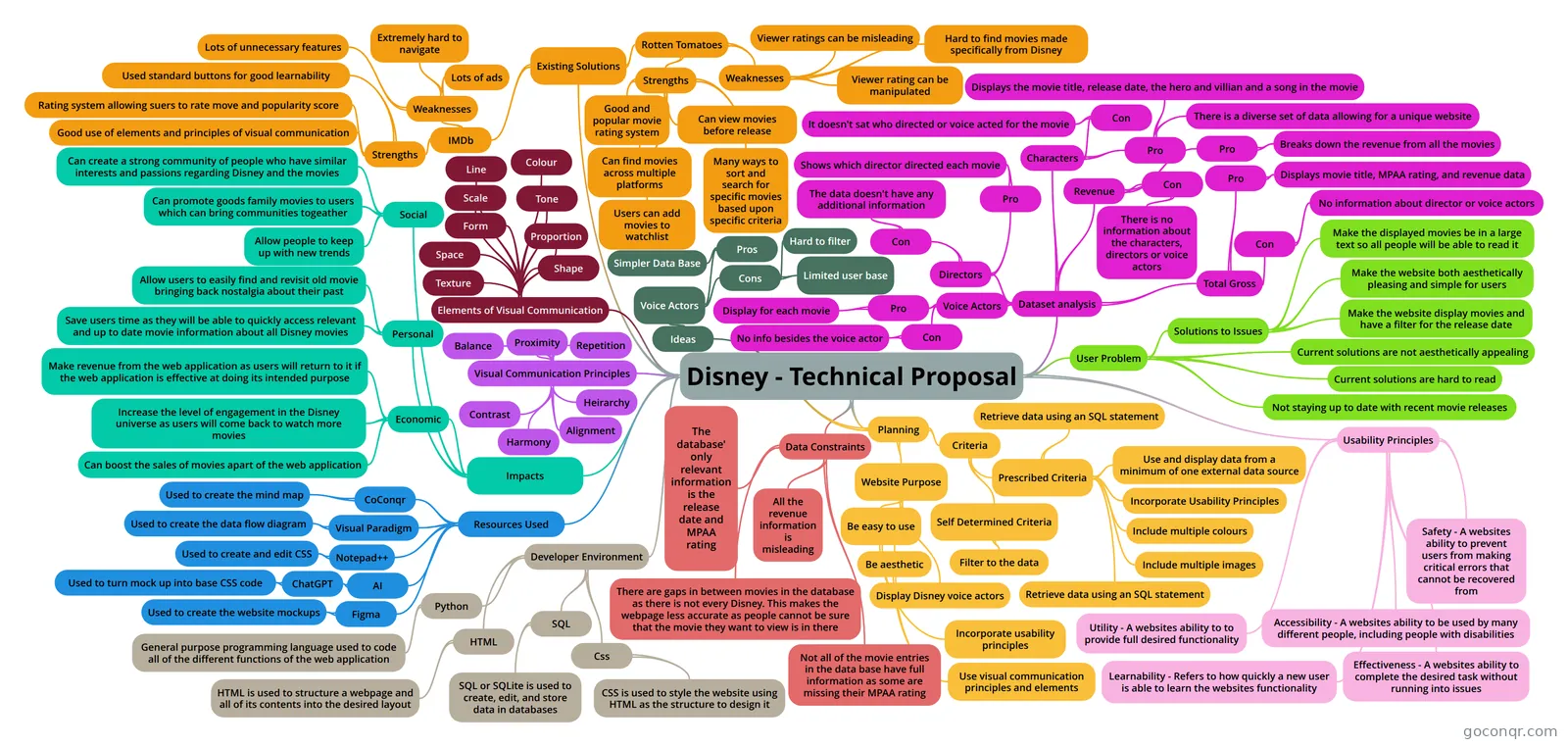 Disney - Technical Proposal
-
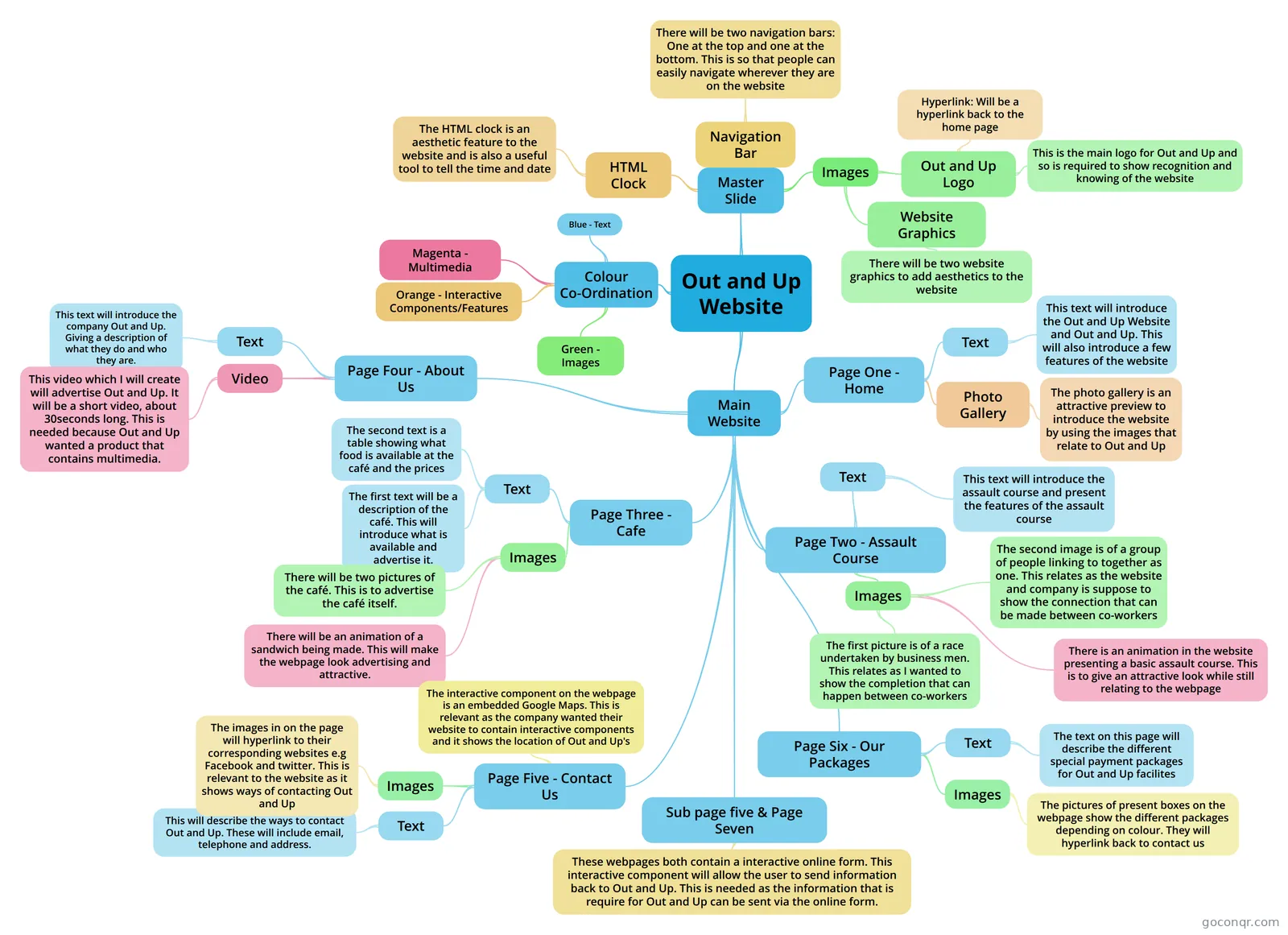 Out and Up Website In Unit 5 of Cambridge Nationals, LO1 requires a spider diagram that is going to include everything that yo...
-
Web Site my web site
-
Digital media production and design_1_2
-
MY WEB PAGE :-)
Flashcards
Notes
Slides
More Computing and ICT (programming, computer science, digital skills, educational technology) topics
About Web Design
GoConqr OriginalWhat the page covers
Web Design brings together the planning, look and structure of a website. Many of the mind maps are about purpose and audience, with titles like Purpose of websites, PLANNING A DESIGN and What makes a good web design?. Others look at layout, components of a web page, CSS and responsive design.
Where to start
Begin with the Elements of Usability mind map. It lists high-quality content, easy navigation, coherent information architecture, search capability and relevant services, and it notes that usability should be tested close to the end of a project. Then open Website Reviews, which sorts sites into promotional, education, e-commerce and multimedia types and lists features such as quizzes, games, video and 360 view.
Using quizzes with maps
Once you have read a map, test yourself. The Web Accessibility Game asks what is wrong with an image, for example text that is too small and blurry. Test II. Information architecture explains how a hierarchy works, with every node having a parent up to the root. The Color Post-test checks whether colour pairings give enough contrast. Web Design Review covers HTML tags and what the letters HTML stand for.
- Read a mind map on one topic.
- Take a related quiz.
- Return to the map for any answer you missed.
- Use a flashcard deck, such as Web Design Terms or Ux vs UI, to fix the vocabulary.
Exam-style material
Some maps and decks point to course units, including R085 website maps and a deck on Unit A267 web creation software. Teachers can use these as ready-made starters for lessons on legal issues, accessibility legislation and site development.
Where it sits
This unit belongs to the Web, Mobile, Games and Digital Media strand of Computing and ICT. Pick one resource today, then make your own maps and flashcards to match your course.
Frequently asked questions
Which resource should I open first?
Start with the Elements of Usability mind map. It sets out the basics of a good site: content, navigation, information architecture, search and relevant services. After that, try the Web Accessibility Game quiz to see how those ideas show up in a real image.
What do the mind maps cover?
They cover the purpose of websites, planning a design, components of a web page, what makes a good site, CSS, responsive design, user experience and accessibility legislation. There are also project maps, such as the American 50s diner website and the Wind & Waves website.
Are the resources free to use?
Yes. Every resource listed here is free to open, study and take, with no account needed. They were made by GoConqr users, not by GoConqr. A free account also saves your quiz scores and lets you make your own quizzes, mind maps, flashcards and notes.
Which levels and exams do they suit?
Most resources are made for secondary school students. The titles and excerpts mention GCSE ICT, GCSE Computing, Creative iMedia, OCR Creative iMedia and DigiTech. Check each resource against your own course, since the community wrote them.
Are there flashcards for web design vocabulary?
Yes. Decks include Web Design Terms, Web design vocab CPA lesson 1, UNIT 5 Web Design Vocab and Ux vs UI. There is also a deck on creating forms with HTML, so you can drill words and tags before taking a quiz.
What if I can't find my topic?
Try a nearby title, such as Responsive design, CSS or Website Reviews, since many maps overlap. Because the resources come from the community, you can also build your own mind map, flashcards or quiz for the gap.