
Digital Literacy and Skills
85 resources created by 82 users
This Digital Literacy and Skills page on GoConqr gathers community-made quizzes, mind maps, flashcards and notes, from file types and digital devices to presentation software, digital footprints and online safety. It's built for school students revising a topic and teachers after ready-made material, with a few university students and professional candidates dipping in too. There are over 600 resources here, including more than 30 quizzes and over 400 mind maps, mostly at secondary level. Pick a topic, try a quiz to spot your gaps, then see what you remember.
Top Digital Literacy and Skills resources
-
30 questionsICT GENERAL KNOWLEDGE Why would you use a folder structure to save your files?
-
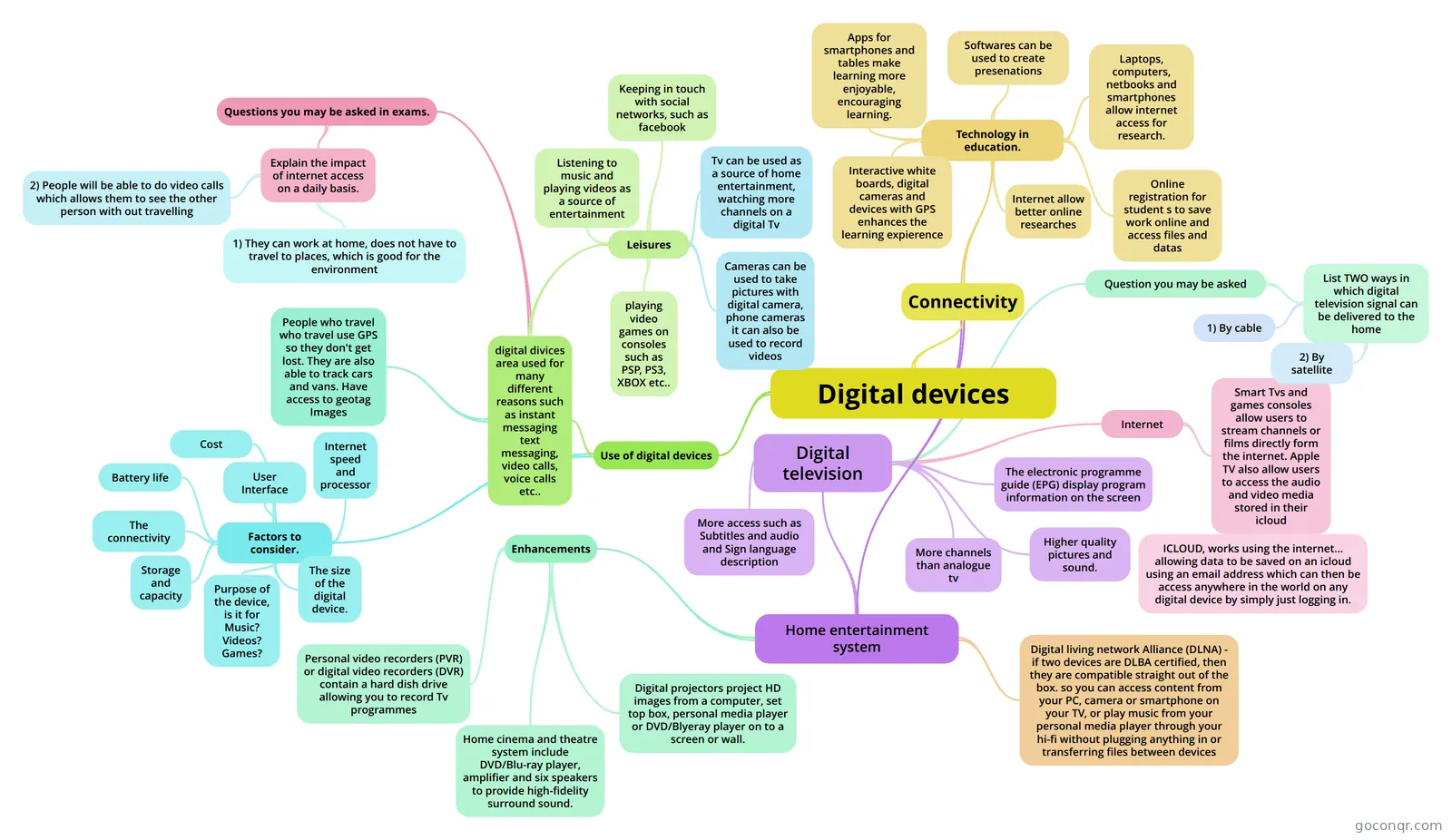 Mind map Digital devices
-
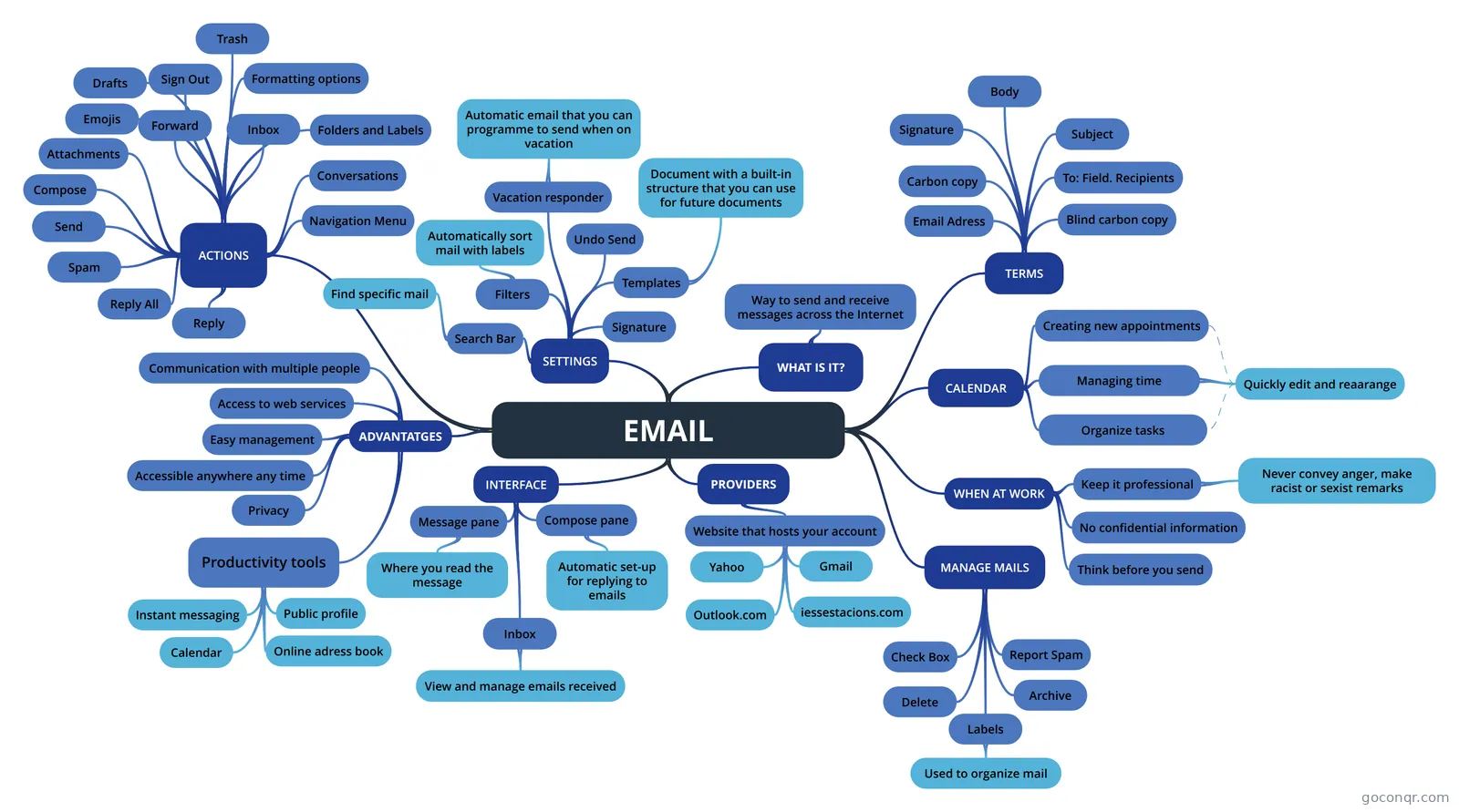
Mind map Emails Emails homework
-
10 questionsAnimaker tool quiz Animaker is an online animated video making platform.
-
7 questionsDIGITAL LITERACY AUDIT Know basic do's and don'ts of being online.
-
65 cardsEDSQ Glossary
-
15 cardsDigital technology, topic 1 Data - raw facts or figures that do not have meaning Example; 02041922 (could mean anything) Information - ...
-
20 questionsDigital Employability Mandatory unit 1 Entry Level 3 Quiz What is the most secure password?
Quizzes
See all 22 quizzes-
30 questionsICT GENERAL KNOWLEDGE Why would you use a folder structure to save your files?
-
10 questionsAnimaker tool quiz Animaker is an online animated video making platform.
-
7 questionsDIGITAL LITERACY AUDIT Know basic do's and don'ts of being online.
-
20 questionsDigital Employability Mandatory unit 1 Entry Level 3 Quiz What is the most secure password?
-
21 questionsMock exam 2017.1 (Your must discount 1 points per failed answer - 0,1 in the exam, not here) SPSS is …
-
130 questionsStudying from previous exams 2 Which of these CoPs is focused on researching different areas of linguistics?
-
10 questionsFlash Drive Quiz on how to use and save with a flash drive
-
5 questionsKerry's test quiz example Which of the following is a bitmapped graphic file?
Mind maps
See all 39 mind maps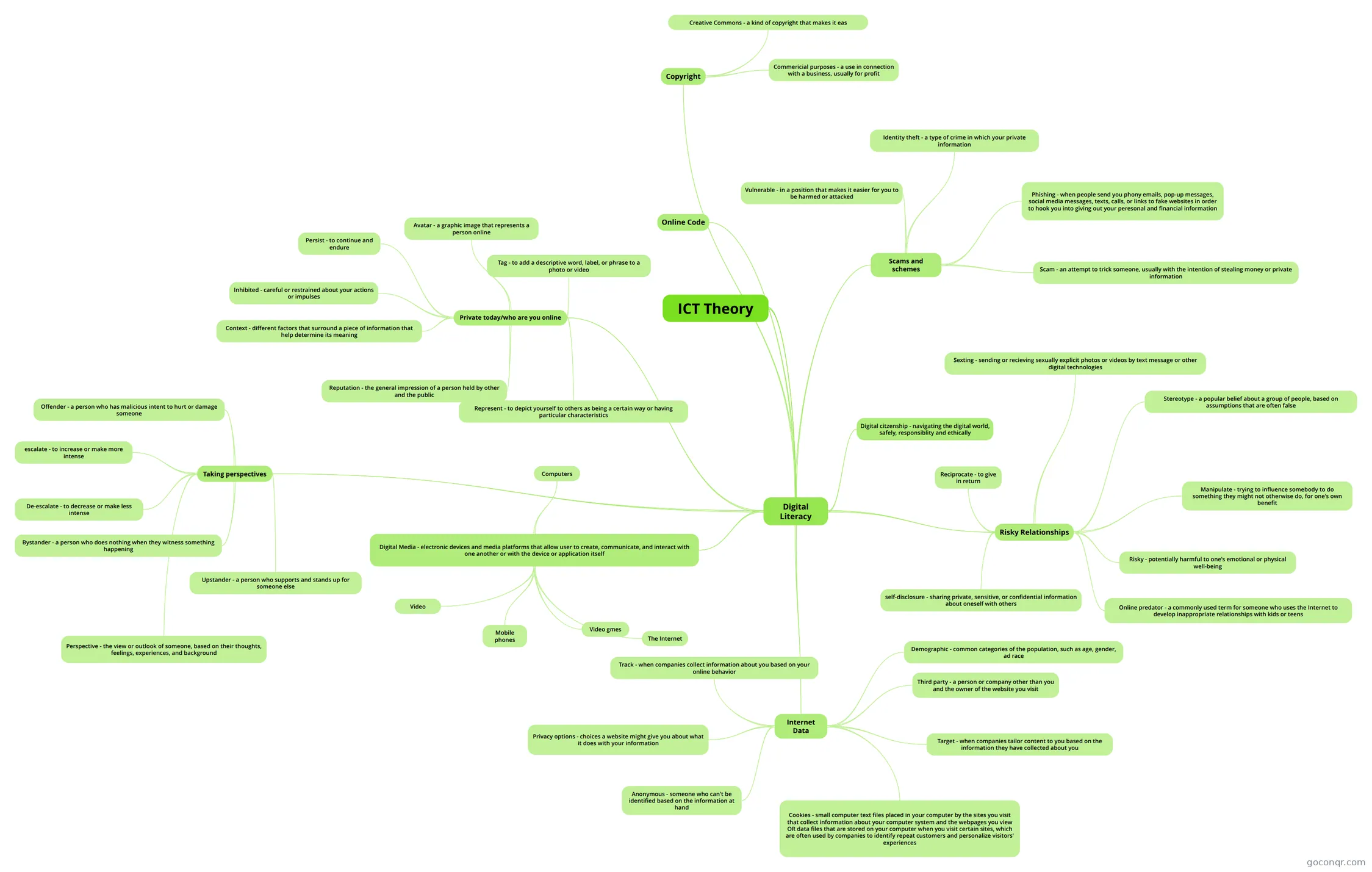
Flashcards
See all 20 flashcards-
65 cardsEDSQ Glossary
-
15 cardsDigital technology, topic 1 Data - raw facts or figures that do not have meaning Example; 02041922 (could mean anything) Information - ...
-
27 cardsict key words key words for ict gcse btec
-
34 cardsECDL Communication security
-
18 cardsLesson 1-5 Computing flashcards What is a search engine?
-
8 cardsTechnology quizz Complete the gaps and say if the information is True or False
-
17 cardsICT unit one keywords Those are most of the keywords from ICT unit 1
-
10 cardsA2 IT Animation
Notes
Slides
More Computing and ICT (programming, computer science, digital skills, educational technology) topics
About Digital Literacy and Skills
GoConqr OriginalWhat this page covers
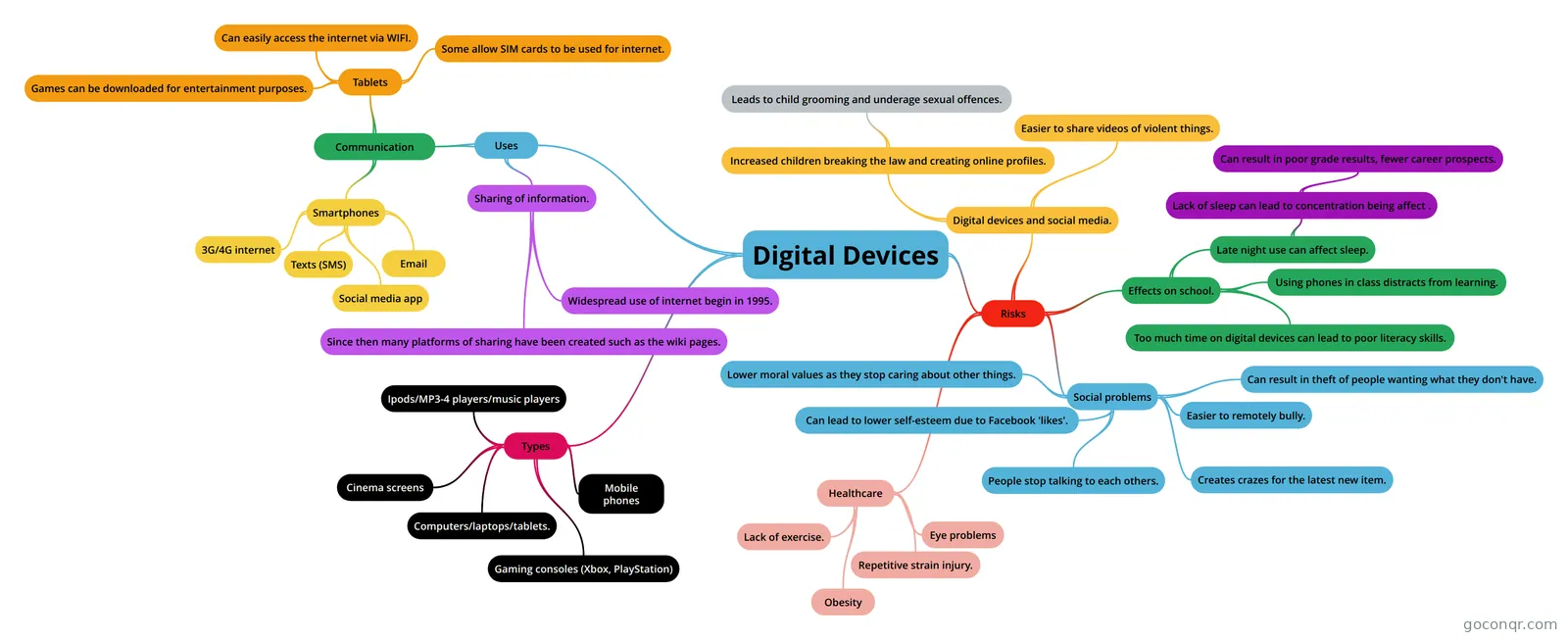
The resources here cover everyday digital know-how. Many mind maps and flashcard decks deal with presenting information: presentation software, vector and bitmap graphics, web authoring and desktop publishing. Others look at devices, file types, email, spreadsheets, communication skills and online safety. Exam names that turn up include GCSE ICT, IGCSE ICT, BTEC ICT, GCSE Computer Science and QCAA Digital Solutions.
Where to start
Begin with the basics. The mind map Digital devices sets out why people use devices, from messaging and video calls to leisure. Then try the Digital Literacy flashcard deck, which opens with key vocabulary such as digital media. After that, the quiz DIGITAL LITERACY AUDIT asks whether you know the do's and don'ts of being online, how to stay safe, and how to respect copyright and privacy.
Building skills in order
- Learn the language: devices, file types and jargon.
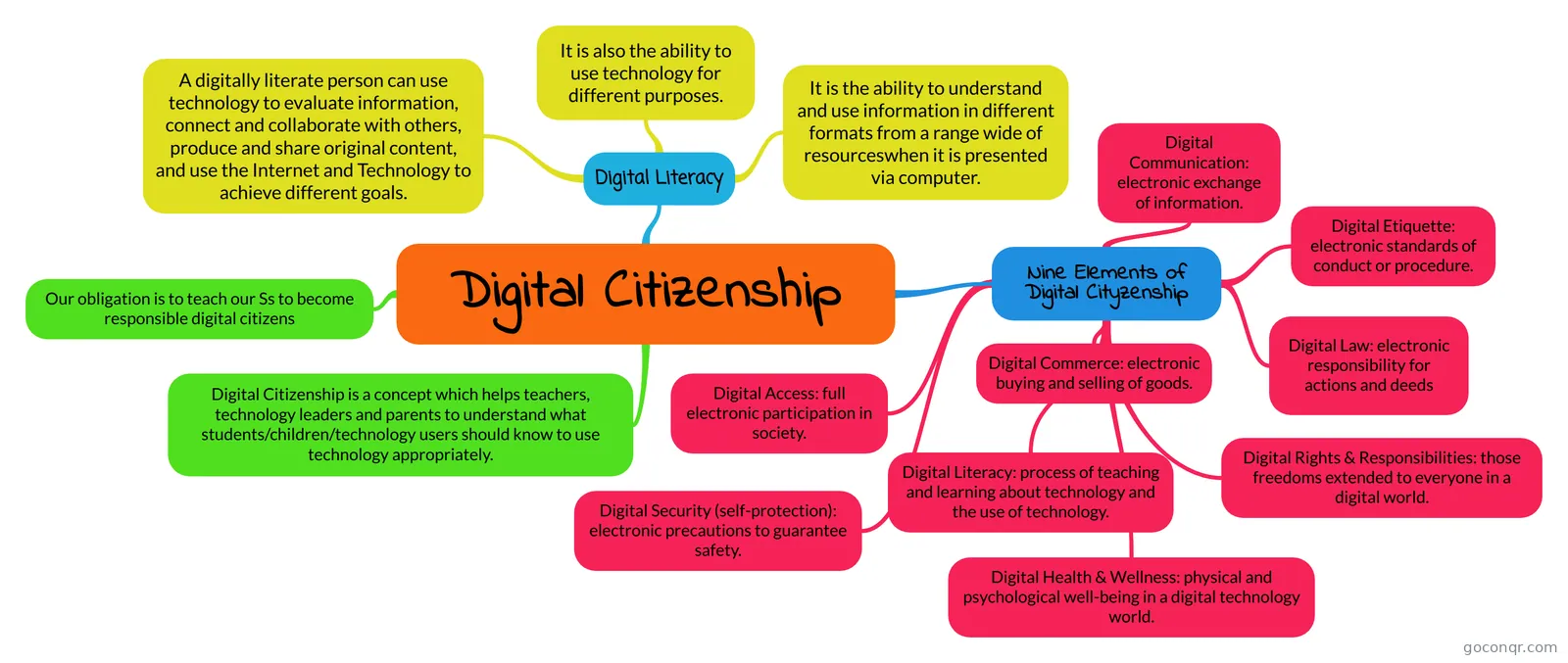
- Work on safe, sensible habits: folder structures, digital footprints and digital citizenship.
- Move on to making things: slides, websites and graphics.
For the third step, the mind map Visitors and Residents is a useful change of angle, comparing two ways of using the Web. The Topic 14/15: Presentation Software and Multimedia mind map covers design templates and slide techniques, while the Animaker tool quiz tests an online animation tool.
Using quizzes and maps together
Read a mind map first, so you can see how ideas connect. Then take a quiz on the same theme, such as ICT GENERAL KNOWLEDGE, which asks why you would use a folder structure. Note what you got wrong, go back to the map, and turn those gaps into flashcards. Teachers can use the same pairing to set a starter or a plenary.
Where it sits
This unit belongs to the strand Foundations of Computing and Digital Literacy, within Computing and ICT. It is the place for practical, everyday skills before deeper computing topics. Choose one resource today and see how it goes.
Frequently asked questions
Which resource should I open first?
Try the Digital devices mind map for a gentle overview, then the Digital Literacy flashcard deck for key vocabulary. If you would rather test yourself straight away, DIGITAL LITERACY AUDIT is a quiz on staying safe online, copyright and privacy.
What do the mind maps cover?
There are over 400 of them. Topics include presenting information, file types, digital footprints, digital citizenship, communication skills, spreadsheets, Google Forms and crowd sourcing. Some are tied to course units, such as the BTEC ICT UNIT 3 Lesson Log, and others are broader overviews.
Are the resources free to use?
Yes. Every resource listed here is free to open, study and take, with no account needed. They were made by GoConqr users, not by GoConqr itself. A free account also saves your quiz scores and lets you make your own quizzes, mind maps, flashcards and notes.
Which exams do these resources suit?
Most resources are at secondary level. The listed materials mention GCSE ICT, IGCSE ICT, BTEC ICT, GCSE Computer Science and QCAA Digital Solutions. Check each resource against your own course, since the content was written by individual users.
Is there anything for teachers?
Yes. Teachers can use the slide set Teaching students to be digitally literate, plus ready-made quizzes and flashcard decks for starters, revision or homework. Several mind maps also have notes versions, which can be handy for handouts.
What if I can't find my topic?
Look for neighbouring titles first. Presenting information, for instance, appears in many mind maps and flashcard decks under slightly different names. If your topic is still missing, you can make your own mind map, quiz or flashcards and use those for revision.